How to Leverage the WordPress Community for Better SEO

How to Leverage the WordPress Community for Better SEO

Search engine optimization (SEO) is crucial for website owners aiming to boost traffic and enhance online presence. As the most widely-used content management system, WordPress offers ample resources and possibilities for improving your SEO endeavors. In this article, we will examine how to leverage the WordPress community for better SEO results, covering recommendations, tactics, and top practices.

Prepare to elevate your WordPress SEO performance by tapping into the community’s shared expertise and experience. We will discuss everything from engaging with relevant individuals to employing plugins and keeping up-to-date with current trends.

Question:

How can the WordPress community help improve my site’s SEO? – Shelly J.

Answer:

Knowledge, resources, and help are readily available from the WordPress community. Participating in discussions with other site visitors is a great way to pick up tips, tricks, and ideas for improving your site’s performance and SEO.

“One of the most notable aspects of the WordPress community is the remarkable generosity of its members in sharing their knowledge and expertise with fellow enthusiasts. This collaborative spirit can lead to significant improvements in your website’s SEO.”

How to Connect With the WordPress Community

How to Connect With the WordPress Community

A Step by Step Guide to Connecting with the WordPress Community

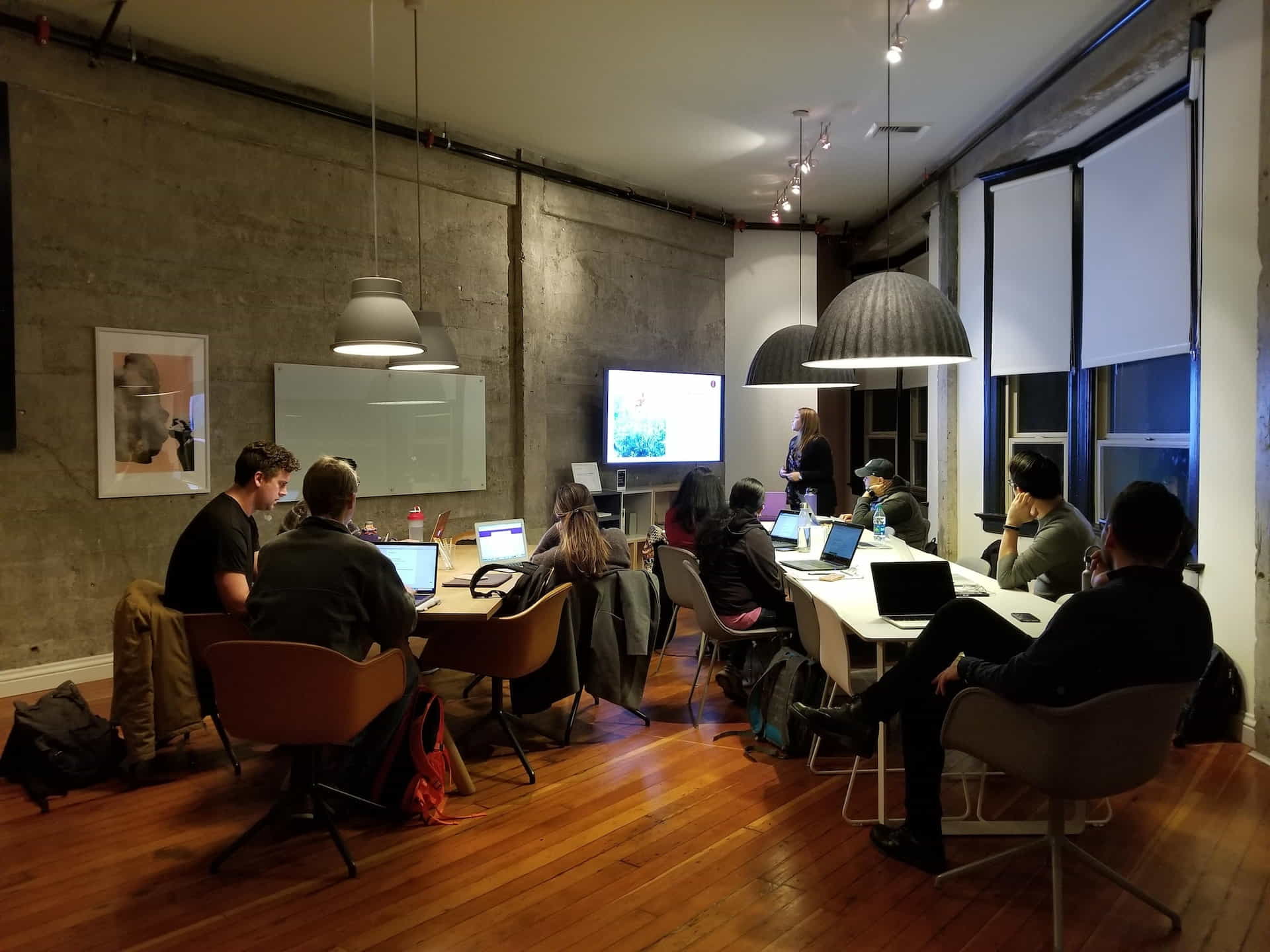
Engaging with the WordPress community can significantly impact aspiring bloggers, developers, or business owners. In this guide, we will examine optimal methods for participation and establishing valuable relationships with other WordPress devotees that will help you learn how to leverage the WordPress community.

Step 1: Join the Official WordPress.org Forums

It’s time to dive into the deep end of the WordPress community pool! The official WordPress.org forums serve as the primary destination for WordPress users looking for guidance, discussing novel features, and addressing technical problems. Participating in these forums offers a valuable opportunity to acquire knowledge from fellow members and share your own expertise.

Creating an Account

In order to access the forums, you must first create an account. It’s simple to do! Just choose a username, type in your email address, and select a strong password. In no time, you’ll be prepared to go.

Browsing and Engaging in the Forums

With your account ready, spend some time investigating the various forum categories. Topics span from troubleshooting to theme development, covering a wide array of subjects. When you come across an engaging thread, don’t hesitate – to dive in and contribute your ideas!

Step 2: Attend Local WordPress Meetups

Interested in connecting with WordPress aficionados in your vicinity? Local meetups present the ideal chance for this. They offer a great means to broaden your network, acquire new abilities, and form lasting bonds.

Finding a Meetup Near You

Visit the WordPress Meetup page to discover a group close to you. Simply input your location, and presto! A list of nearby meetups will appear.

Making the Most of Your Meetup Experience

Keep in mind meetups focus on building connections with like-minded individuals. Therefore, make a point to introduce yourself, pose questions, and participate in discussions. You never know whom you might encounter or what valuable insights you might gain!

Step 3: Attend WordCamps

Take your WordPress connections to the next level? WordCamps are the ultimate events for WordPress enthusiasts worldwide. These conferences offer insightful presentations, hands-on workshops, and invaluable networking opportunities.

Finding a WordCamp to Attend

Check out the WordCamp schedule to find an event near you or one that piques your interest and gives you the best opportunity to leverage the WordPress community. You’re bound to find an annual WordCamp that you’ll look forward to attending somewhere in the world.

Making the Most of Your WordCamp Experience

Make sure you attend WordCamps with the intent of giving your best to the community. Maximize your experience by actively engaging in the workshops and talks, and seize the opportunity to expand your network by meeting new individuals. And don’t forget to make the most of the special sense of community that exists only within the WordPress ecosystem.

Step 4: Follow WordPress Blogs and Podcasts

Stay in the loop with the latest WordPress news, tips, and best practices by following top-notch blogs and podcasts. These resources are a treasure trove of information and provide valuable insights to help you grow your skills and knowledge.

Discovering Quality Blogs

There’s no shortage of excellent WordPress blogs out there! Some of our favorites include WP Tavern, WPBeginner, and Torque. Examine their archives, and remember to sign up for their newsletters to remain informed about the newest articles.

Exploring Engaging Podcasts

Seeking content to enjoy during your morning travel or while at work? Give these WordPress podcasts a try: WPwatercooler, Kitchen Sink WP, and WPMRR. They’re packed with useful information, interesting interviews, and plenty of entertainment.

Step 5: Get Active on Social Media

Participating in WordPress discussions on social media is an excellent method for connecting with fellow users and staying current with the community. So, grab your preferred device and let’s become social!

Following the Right Accounts

Begin by following official WordPress accounts like @WordPress and WordPress on Facebook. Next, expand by following prominent WordPress users, developers, and organizations. This ensures your feed is filled with informative and inspiring content.

Participating in Twitter Chats

Twitter chats offer a way to interact with the WordPress community in real-time. Watch for popular hashtags like #WPChat and #WPDrama, and feel free to join in and express your opinions.

Step 6: Contribute to WordPress Projects

Consider giving back to the WordPress community that has provided so many benefits to you and your peers. Assisting WordPress projects is a gratifying approach to connect with other users and leave a lasting impression.

Finding a Project That Suits Your Skills

WordPress is a dynamic open-source project that offers endless opportunities for contribution, regardless of your skill level. Browse the Make WordPress site to find a project that aligns with your interests and capabilities.

Working Collaboratively and Building Connections

As you support WordPress projects, you’ll collaborate closely with other enthusiastic community members. This is an ideal opportunity to create meaningful connections and broaden your network within the community.

By following these six steps, you’ll be well on your way to integrating with the dynamic and encouraging WordPress community. So, go out there, establish connections, and let the community’s strength help you prosper!

Stay Informed With SEO Industry Trends

Stay Informed With SEO Industry Trends

Stay Informed About SEO Trends

SEO is constantly evolving, and being current on the latest trends, like how to leverage the WordPress community for better SEO and best practices is critical for success. Here are a few ways to remain informed:

  • Sign up for SEO and WordPress blogs, newsletters, and podcasts to receive consistent updates on current news, trends, and strategies.
  • Engage in webinars and online courses to enhance your SEO comprehension and acquire new abilities.
  • Stay informed about Google algorithm updates and adjust your SEO strategies accordingly to maintain or improve your rankings.
Make Use of WordPress SEO Plugins

Make Use of WordPress SEO Plugins

Utilize SEO Plugins and Tools

WordPress has numerous add-ons and resources that can improve your site’s visibility in search engines. Common choices include:

  • Yoast SEO: A comprehensive SEO plugin that helps you optimize your content, meta tags, and sitemaps.
  • All in One SEO: A feature-packed plugin that offers a variety of optimization tools, including XML sitemap support and Google Analytics integration.
  • SEMrush: A powerful SEO tool that provides keyword research, backlink analysis, and site audits to help you improve your online visibility.
  • Ahrefs: A popular SEO toolset that offers extensive keyword research, competitor analysis, and content research capabilities.
  • Supercharge Your Social Media Strategy with WordPress Plugins
Create High-Quality Search Engine Optimized Content

Create High-Quality Search Engine Optimized Content

Optimize Your Content for SEO

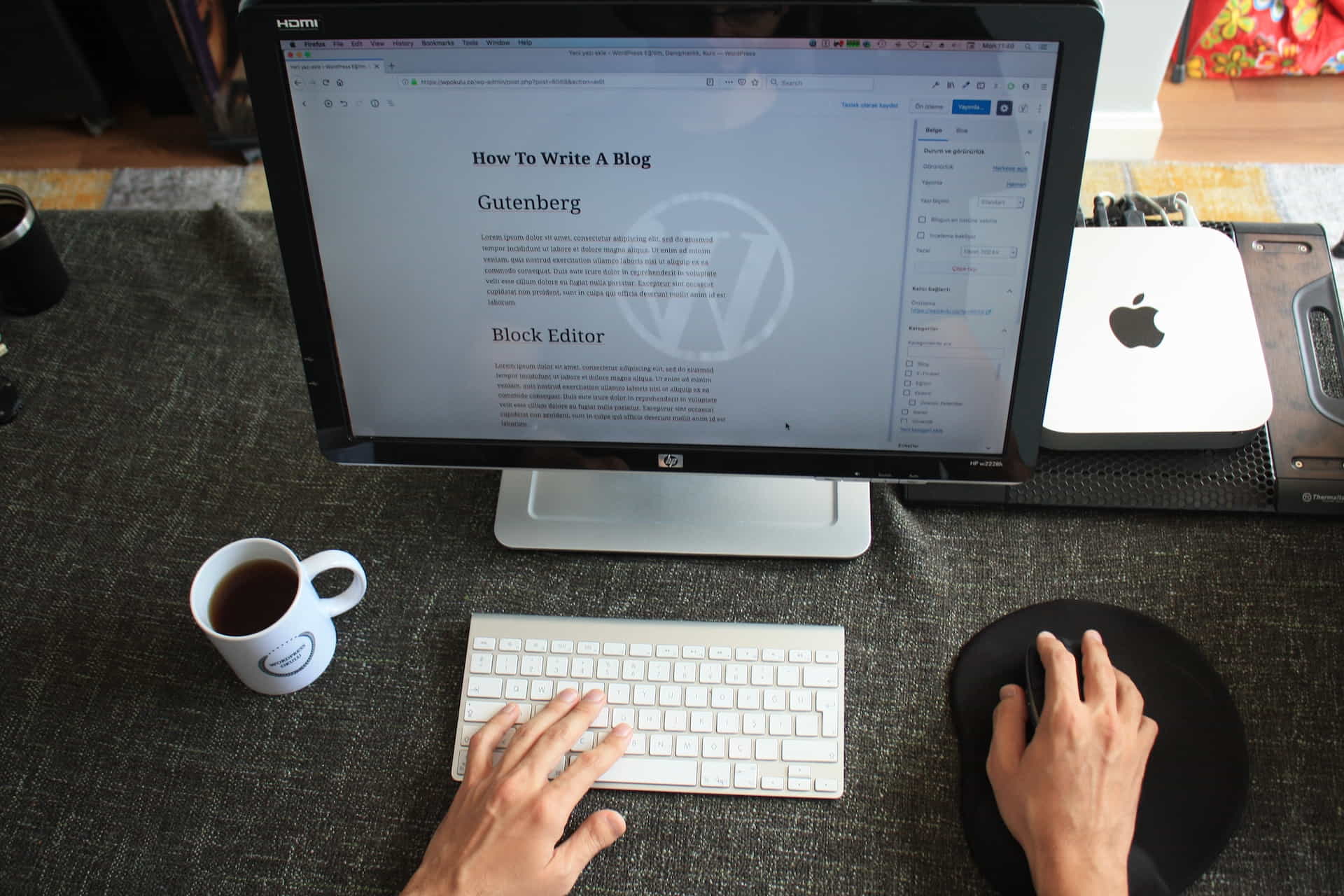
Producing top-notch, keyword-focused content is crucial for drawing organic traffic and boosting your search rankings, and there are many members of the WordPress community who can help you leverage your skills to search engine optimize the content your create. Here are some suggestions to aid you in optimizing your content for SEO:

  • Research relevant long-tail keywords and incorporate them naturally into your content, maintaining a keyword density of 1-2%.
  • Write informative, engaging, and valuable content that addresses the needs of your target audience.
  • Make proper use of headings and subheadings (H2 and H3) to organize your content and enhance its readability.
  • Include internal and external links to relevant resources and related articles to provide additional information and improve your site’s authority.
  • Optimize your images by compressing them, adding descriptive file names, and using alt tags to improve accessibility and search engine understanding.

Ask Clients and Customers for Feedback and Reviews

Ask Clients and Customers for Feedback and Reviews

Ask for Feedback and Reviews

Obtaining feedback and evaluations from your visitors can dramatically improve your website’s effectiveness and search engine optimization (SEO). You can encourage your readers to contribute feedback by leaving comments on the content you’ve created, expressing their perspectives, and quantitatively rating your work. This allows you to gain useful insights while also conveying to search engines that your material is valuable and engaging.

How to Get Feedback from Website Visitors

The key to perfecting the user experience, identifying areas that need improvement, and keeping in touch with your audience is to collect feedback from site users. This guide will provide you with a detailed, user-friendly plan for conducting feedback surveys that get results.

Step 1: Choose the Right Tools

There are several tools available for collecting visitor feedback. Some popular options include:

  • Hotjar: This tool allows you to create custom feedback forms and surveys, as well as monitor user behavior on your site.
  • Typeform: An interactive form builder that enables you to create visually appealing and engaging surveys.
  • SurveyMonkey: A popular survey platform that provides a variety of templates and customization options.

Just pick the tool that works best for you and your wallet, and make sure it works smoothly with your website.

Step 2: Create a Feedback Form or Survey

Design a feedback form or survey that is easy to understand and complete. Keep it short and focused, asking only relevant questions. Some tips for creating an effective form include:

  • Start with a clear and concise introduction, explaining the purpose of the form.
  • Use a mix of open-ended and closed-ended questions to gather both quantitative and qualitative data.
  • Include a variety of response options, such as multiple-choice, rating scales, and text boxes.

Step 2a: Add a Feedback Button to Your Site

To enhance user experience, consider incorporating a feedback button or link into your website. This will allow visitors to easily provide their thoughts and suggestions. Place it in the header, footer, or sidebar for maximum visibility. To improve user experience, identify the button and make it visually different from other website content.

Step 3: Encourage Visitors to Provide Feedback

Invite your visitors to share their thoughts by promoting your feedback form or survey through various channels. Consider using:

  • Pop-up prompts: Display a pop-up message inviting visitors to provide feedback after they have spent a certain amount of time on your site or completed a specific action.
  • Email campaigns: Send a follow-up email to visitors who have subscribed to your newsletter or made a purchase, asking for their feedback.
  • Social media: Share your feedback form on your social media platforms to reach a wider audience.

Step 4: Analyze and Act on the Feedback

Regularly review the feedback you receive to identify trends, patterns, and areas for improvement. Some tips for analyzing feedback include:

  • Create a spreadsheet or use a data visualization tool to organize and analyze the data.
  • Look for recurring themes, both positive and negative, to pinpoint what is working well and what needs improvement.
  • Take action on the feedback by implementing changes to your website, content, or offerings.

Step 5: Communicate with Your Visitors

Keep your visitors informed about the changes you’ve made based on their feedback. This demonstrates that you value their input and are committed to improving their experience. You can communicate these updates through:

  • Blog posts: Write a post detailing the changes you’ve made and how they address visitor feedback.
  • Email newsletters: Include a section in your newsletter that highlights the improvements made based on user feedback.
  • Social media: Share updates and progress on your social media channels to keep your audience engaged.

How to Ask for and Get Reviews

Online reviews play a significant role in influencing consumer decisions. By collecting positive reviews, you can build trust, enhance your reputation, and boost sales. This guide will walk you through the process of asking for and getting reviews from your customers. Let’s get started!

Step 1: Set Up a Review System

Choose a platform that allows customers to leave reviews easily. Some popular options include:

  • Google My Business: A free tool that lets you manage your business’s presence on Google, including reviews.
  • Yelp: A popular review site for businesses in various industries, including restaurants, retail, and services.
  • Facebook Business Page: Allows customers to leave reviews and recommendations directly on your business’s Facebook page.

Creating a business profile on these platforms guarantees that they possess the most precise and current information concerning your company.

Step 2: Encourage Customers to Leave Reviews

Create opportunities for customers to leave reviews by incorporating prompts in various touchpoints. Some strategies include:

  • Post-purchase emails: Send an email to customers after they have made a purchase, asking them to share their experience and leave a review.
  • Website prompts: Add a call-to-action on your website, encouraging visitors to review your products or services.
  • Invoice or receipt reminders: Include a note on your invoices or receipts, asking customers to leave a review.
  • In-store signage: If you have a physical location, display signs that encourage customers to review your business online.

Step 2a: BUT NEVER Offer Incentives for Reviews

It is not advisable to offer incentives for customers to leave reviews because Google strictly prohibits this practice. Providing discounts, free samples, or the chance to win a prize may seem like an effective way to encourage feedback, but doing so could result in penalties or even the removal of reviews. It is crucial to adhere to the guidelines of the review platforms you are utilizing and to prioritize the authenticity and credibility of the reviews received.

Step 3: ALWAYS Respond to Reviews

Respond to both positive and negative feedback from clients in order to build rapport with them. This shows that you value their feedback and are committed to providing excellent customer service. Some tips for responding to reviews include:

  • Thank customers for their positive feedback and express your appreciation for their support.
  • Address any negative comments by apologizing for the issue and offering a solution or asking for more information to resolve the problem.
  • Respond in a timely manner, ideally within two days of the review being posted.
  • Keep your responses professional, courteous, and genuine.

Step 4: Monitor and Analyze Your Reviews

Regularly track and analyze your online reviews to identify trends, areas for improvement, and opportunities to enhance your reputation. Some tips for monitoring and analyzing reviews include:

  • Set up notifications to alert you when new reviews are posted.
  • Create a spreadsheet or use a reputation management tool to organize and analyze the data.
  • Identify recurring themes or issues that need to be addressed.
  • Share positive reviews and testimonials on your website and social media channels to let everyone know how awesome you are and that you offer professional products, services, and support.

Step 5: Learn from Reviews and Improve Your Business

Utilize customer feedback to enhance your products, services, and overall customer experience. Implementing changes based on customer feedback will demonstrate your commitment to their satisfaction and help you earn more positive reviews in the future. Some suggestions for improvement might include:

  • Enhancing your product or service offerings based on customer suggestions.
  • Updating your customer service policies or training staff to address customer concerns better.
  • Optimizing your website or online store to create a more user-friendly experience.

By following these steps, you can effectively collect feedback from website visitors and gather reviews from your customers. It is important to promptly and professionally address any feedback or reviews received, utilizing this valuable input to consistently enhance your business and online standing.

An Inspirational WordPress Community Member Story

An Inspirational WordPress Community Member Story

An Inspirational WordPress Story by a Member of the Community: Amy J.

When Amy J. first started her WordPress blog, Amy J. possessed limited knowledge of SEO and faced challenges in drawing organic traffic. Resolute in enhancing her site’s performance, she started engaging with fellow WordPress users and joining online communities that could help her leverage the WordPress community for better SEO results.

Amy realized that by tapping into the combined wisdom and expertise of the WordPress community, she could promptly understand and apply efficient SEO approaches. She began attending local meetups, following industry experts on social media, and subscribing to relevant newsletters and podcasts.

As Amy implemented the SEO tips and best practices she learned from the community, she noticed a significant improvement in her site’s search rankings and organic traffic. She not only acquired useful insights and resources but also established enduring relationships with individuals sharing similar interests, who persist in supporting her journey.

Reflecting on her experience, Amy appreciates the assistance and direction she obtained from the WordPress community. If she could do things differently, she would have started engaging with the community sooner and invested more time in learning about SEO from the very beginning.

Amy’s story highlights the importance of leveraging the WordPress community for better SEO. By connecting with others, staying informed about trends, and continuously learning and applying best practices, you can significantly improve your site’s SEO performance.

Based on her experience, Amy recommends the following:

  • Join WordPress forums and online communities to share knowledge and learn from others.
  • Follow industry experts on social media and attend local meetups and conferences.
  • Invest time learning about SEO trends and best practices, and apply them consistently to your site.
  • Do not hesitate to seek help or input from the community, as it can result in significant insights and enhancements.

Finding WordPress Community SEO Resources

Finding WordPress Community SEO Resources

Relevant Resources

Here are some useful resources to help you improve your WordPress SEO:

Improve SEO on Your WordPress Website

Improve SEO on Your WordPress Website

Conclusion

Leveraging the WordPress community to improve SEO is a potent method to boost your site’s performance and elevate your online presence. By interacting with others, keeping up with recent trends, and employing SEO plugins and tools, you can refine your content and enhance your search rankings. Don’t overlook seeking feedback and reviews from your users, as this can offer crucial insights and assist you in making ongoing progress.

Always remember, the WordPress community is a valuable asset – maximize its potential to advance your SEO efforts to a higher level.

Disclosure: Some of the links in this post could be considered “affiliate links.” If you click on one of those links and buy the item, I’ll get a commission, but it won’t raise your price.

Affiliate Links

James Turner

James Turner

Author/Copywriter

Are you looking for a tech blogger and sales copywriter who can turn your message into a powerful tool for persuasion? Look no further than James Turner, a seasoned professional with over 25 years of experience in the tech industry. With a deep understanding of how to craft words that connect with readers and drive results, James is a master of the art of persuasive writing.

Why Choosing the Best Web Hosting Company Matters in 2025

Find out why choosing the best web hosting company matters in 2025 to boost your site’s performance and skyrocket sales.

Hiring a Website Designer

Hiring a website designer? Discover actionable tips, red flags to avoid, and how to find the right designer to create a website that grows your business.

How to Create a Landing Page Using WordPress

Follow our guide on how to create a landing page using WordPress and the built-in Block Editor, page builder plugins, or specialized themes.

How Website Performance Impacts SEO and Your Rankings

How Website Performance Impacts SEO and Your Rankings

This post will cover practical techniques you can use to enhance the overall performance of your site by improving page load speed, as well as how website performance impacts SEO and your rankings on search engines like Google and Bing. Website speed has become an important aspect in evaluating user experience and search engine rankings in today’s fast-paced digital environment. In addition to frustrating visitors and missing chances, a slow-loading website can suffer a considerable loss in search engine ranks.

Website Performance Q&A

Q: How does website speed affect my SEO? – Paolo J.

A: Website speed is an essential factor in Google’s search algorithm. A faster-loading website typically ranks higher in search engine results, providing a better user experience and leading to higher conversion rates. So, optimizing your website’s speed can directly impact your site’s SEO performance.

“A great header design is like a great book cover. It piques the reader’s interest and invites them to explore the content inside.” – Unknown

Website Speed is Important for User Engagement

Website Speed is Important for User Engagement

The Importance of Website Speed

Online success depends heavily on website performance because it directly influences user experience and search engine results. An unresponsive website can result in:

  • Higher bounce rates
  • Lower conversion rates
  • Decreased user satisfaction
  • Negative impact on search engine rankings

Impact on Users

When a website loads slowly, visitors may get impatient and leave, which raises the bounce rate. A 7% drop in conversions has been found to occur for every additional second that a page takes to load. This means that user engagement and conversion rates can be significantly impacted by even small increases in website speed.

Impact on Search Engines

Google considers website speed as a ranking factor in its search algorithm. A fast-loading website is more likely to rank higher in search engine results, leading to increased visibility and organic traffic. Optimizing your website for speed is, therefore, essential for improving your site’s SEO performance, which is why you need to understand how website performance impacts SEOs.

Website Speed Has a Huge Impact on SEO

Website Speed Has a Huge Impact on SEO

How Website Speed Impacts SEO

Website speed has a direct impact on SEO, as search engines like Google prioritize fast-loading websites when determining search rankings. A faster website provides a better user experience, which can lead to improved SEO performance.

Some of the ways that website speed influences SEO are as follows:

  • Higher search rankings: A website that loads rapidly and efficiently tends to achieve a higher ranking in search engine results, which ultimately enhances its online visibility and attracts a greater number of organic visitors.
  • Improved user engagement: When a website runs fast and smooth, people are more likely to spend time reading its content, visiti other pages, and engage with the information given. This favorable user experience stimulates further involvement and builds a deeper relationship with the site.
  • Increased mobile traffic: As more people use the internet via mobile devices, having a fast-loading website and a complete understanding of how website performance impacts SEO is critical for attracting and maintaining mobile consumers.
Optimizing Pictures and Code Can Improve Search Engine Rankings

Optimizing Pictures and Code Can Improve Search Engine Rankings

Website Speed Optimization Tips

To improve your website’s speed and overall performance, consider implementing the following optimization techniques:

Optimize Images

Large image files can significantly slow down page load times. To optimize images, compress them using tools like TinyJPG or ImageOptim, and use appropriate image formats such as WebP for better compression. Check out our WordPress Image Optimization Guide for Creating Stunning Visuals for more information.

Minify Code

Minification compresses and optimizes HTML, CSS, and JavaScript files, reducing file sizes and improving website load times. Use tools like Google PageSpeed Insights or Minifier to minify your code.

Enable Caching

Enabling browser caching can significantly improve website speed by storing static files in the user’s browser, reducing the need for repeated server requests. Implement caching through server configuration or use plugins like WP Super Cache for WordPress websites.

Use a Content Delivery Network (CDN)

A CDN can spread your website’s content across numerous servers worldwide, lowering latency and improving load times. Popular CDN providers include Cloudflare and StackPath.

Website Plugins

Check out this article we write on Plugins for WordPress Speed Optimization to review highly rated plugins used to improve page load times and overall website performance.

Rachael Understands the Importance of Website Performance

Rachael Understands the Importance of Website Performance

Inspirational Story on the Importance of Website Performance

As a small business owner, Rachael knew that having a strong online presence was essential to her success. However, she didn’t realize how website performance impacts SEO and her rankings until she experienced a significant drop in sales and website traffic.

Rachael realized that her website was taking too long to load, resulting in significant bounce rates and a bad user experience after assessing its performance.

Through diligent research, Rachael learned about various website optimization techniques, such as image compression, code minification, caching, and using a CDN. She meticulously applied these techniques to her site and monitored the results.

Rachael saw considerable improvements in her website’s loading speed over time, which resulted in better user engagement, fewer bounce rates, and higher conversion rates. Her search engine rankings rose as well, resulting in a steady increase in organic visitors.

If she could do things differently, Rachael would have prioritized website speed optimization from the start. She is now grateful for the lessons learned and the positive impact optimizing her website speed has had on her business.

Based on her experience, Rachael recommends the following:

  1. Regularly monitor your website’s speed and performance.
  2. Implement website optimization techniques, such as image compression, code minification, caching, and using a CDN.
  3. Stay up-to-date with the latest SEO best practices and trends to maintain a competitive edge.
  4. Never underestimate the importance of website speed for user experience and SEO performance.
Get Your Team Together and Speed Up Your Site

Get Your Team Together and Speed Up Your Site

Statistics on Website Speed and SEO

  • A 1-second delay in page load time can result in a 7% reduction in conversions (Source: Neil Patel).
  • 53% of mobile users abandon a site if it takes longer than 3 seconds to load (Source: Think with Google).
  • Google’s recommended best practice is to have a page load time of under 2 seconds (Source: Google PageSpeed Insights).
  • 47% of consumers expect a web page to load in 2 seconds or less (Source: Akamai).

Useful Resources

  • Google Web Fundamentals: A comprehensive guide to website performance best practices.
  • WebPageTest: A free tool to test and analyze your website’s performance.
  • GTmetrix: A website speed and performance optimization tool.
  • HTTP Archive: A platform that provides trends and insights on web performance, including website speed data.
  • W3C Web Speed: A collection of resources on web speed from the World Wide Web Consortium (W3C).

Testimonial from Sarah B.

“Improving my website’s speed has made a significant difference in my business. I’ve experienced increased search rankings, better user engagement, and, ultimately, higher conversion rates. I wish I had prioritized website speed optimization earlier, but I’m grateful for the lessons learned about how website performance impacts SEO and my rankings and the positive results learning more about this topic has brought to my business.”

Expert Comment on the Importance of Website Speed

“The rise of mobile internet usage has made website speed optimization even more essential. As more users access websites on their mobile devices, having a fast-loading and mobile-friendly site is crucial to providing a positive user experience and maintaining high search engine rankings.” – Alexa L., Digital Marketing Strategist

Get More Organic Traffic With a Faster Loading Website

Get More Organic Traffic With a Faster Loading Website

Facts About Website Speed and SEO

  • Slow-loading websites have higher bounce rates and lower user engagement.
  • Google considers website speed as a ranking factor in its search algorithm.
  • Mobile-first indexing prioritizes mobile-friendly and fast-loading websites in search results.
  • Optimizing website speed can lead to higher search rankings, increased user engagement, and improved conversion rates.
  • Read our article How to Get Better Rankings for more tips and info.

Comparing Popular Website Speed Optimization Tools and Services

  • Google PageSpeed Insights
    • Features: Analyzes website speed and provides recommendations for improvement.
    • Cost: Free
  • GTmetrix
    • Features: Offers website performance analysis, optimization recommendations, and performance tracking.
    • Cost: Free and paid plans
  • Cloudflare
    • Features: Provides CDN services, security features, and performance optimization tools.
    • Cost: Free and paid plans
  • MaxCDN
    • Features: Offers CDN services and real-time analytics to improve website speed and performance.
    • Cost: Paid plans

Glossary of Key Terms

Website Speed

The time it takes for a website or webpage to fully load and become interactive for users.

SEO (Search Engine Optimization)

A set of practices aimed at improving a website’s visibility in search engine results pages (SERPs) and increasing its organic traffic.

Page Load Time

The time required for a webpage to load and display its content to users.

Bounce Rate

The proportion of visitors who view a website but do not interact with any of its content.

User Experience (UX)

The whole experience that a user receives while engaging with a website, taking usability, accessibility, and performance into account.

CDN (Content Delivery Network)

A network of servers distributed across multiple locations to deliver content to users more quickly and efficiently.

Speed Leads to Higher Rankings and More Customers

Speed Leads to Higher Rankings and More Customers

Conclusion

In conclusion, the speed of a website is crucial for creating a positive user experience and boosting its SEO performance. Optimizing your website’s speed is crucial for achieving better search engine rankings, enhancing user engagement, and increasing conversion rates. By learning more about how website performance impacts SEO and focusing on website speed optimization, you will improve your search engine rankings and give your business a competitive edge in today’s fast-paced digital world.

Disclosure: Some of the links in this post could be considered “affiliate links.” If you click on one of those links and buy the item, I’ll get a commission, but it won’t raise your price.

Affiliate Links

James Turner

James Turner

Author/Copywriter

Are you looking for a tech blogger and sales copywriter who can turn your message into a powerful tool for persuasion? Look no further than James Turner, a seasoned professional with over 25 years of experience in the tech industry. With a deep understanding of how to craft words that connect with readers and drive results, James is a master of the art of persuasive writing.

Why Choosing the Best Web Hosting Company Matters in 2025

Find out why choosing the best web hosting company matters in 2025 to boost your site’s performance and skyrocket sales.

Hiring a Website Designer

Hiring a website designer? Discover actionable tips, red flags to avoid, and how to find the right designer to create a website that grows your business.

How to Create a Landing Page Using WordPress

Follow our guide on how to create a landing page using WordPress and the built-in Block Editor, page builder plugins, or specialized themes.

How to Create Custom WordPress Headers that Stand Out

How to Create Custom WordPress Headers that Stand Out

Are you wondering how to create custom WordPress headers that will give your website a unique and captivating appearance? Personalized headers are an excellent strategy to distinguish your site from its rivals. In this detailed tutorial, we’ll guide you step by step in crafting tailor-made WordPress headers that will leave a memorable impact on your audience. So, let’s get started and design some remarkable headers for your website!

Question from Janice M.: “What are the key elements I should consider when designing a custom header for my WordPress site?”

Answer: Janice, when designing a custom header, you should consider the overall layout, typography, color scheme, and any visual elements (like images or icons) that will be part of the design. Additionally, ensure your header is responsive and displays correctly on different devices and screen sizes.

“A great header design is like a great book cover. It piques the reader’s interest and invites them to explore the content inside.” – Unknown

Understanding WordPress Header Design

Understanding WordPress Header Design

Understanding WordPress Headers

Before you dive into crafting your own personalized headers, it’s important to grasp the concept of a WordPress header and its purpose on your website. A header is the top portion of a webpage that often displays the site’s logo, primary menu, and other important features that help users navigate your site. As the first thing your visitors encounter when they arrive at your website, it plays a significant role in shaping a delightful user experience.

Role of Headers in Web Design

Headers play a critical role in web design for several reasons:

  • Branding: A well-designed header helps establish your brand identity by showcasing your logo, color scheme, and typography.
  • Navigation: Headers typically contain the main navigation menu, making it easy for users to find the content they’re looking for on your site.
  • User Experience: An attractive and functional header enhances the overall user experience, encouraging visitors to spend more time exploring your site.
Custom Header for Woocommerce Store

Custom Header for Woocommerce Store

Header Design Principles

To create a standout custom WordPress header, it’s important to follow some basic design principles. These principles will ensure that your header not only looks great but also functions well on your site.

Clarity and Simplicity

Keep your header design clean and straightforward, avoiding clutter or unnecessary elements. A well-designed header is crucial for any website as it enables users to easily locate and access essential features like the logo and navigation menu. By keeping the header clear and straightforward, users can focus on the most critical aspects of your site.

Consistent Branding

Ensure your header design aligns with your overall brand identity. This includes using consistent typography, color schemes, and visual elements. A cohesive brand identity helps build trust with your audience and makes your site more memorable.

Responsive Design

With the increasing variety of devices and screen sizes, it’s essential to ensure your custom header is part of a Mobile-Friendly Website Design. A responsive header will adapt to different screen sizes, providing a consistent user experience across all devices.

Visual Hierarchy

Establish a visual hierarchy within your header design by giving prominence to the most important elements, such as your logo and main navigation. This aids site visitors in navigating your site and finding the content they need.

Custom Header for Website Design Agency

Custom Header for Website Design Agency

Creating Custom WordPress Headers

With your newfound knowledge of header design concepts in hand, you can get started making your own unique WordPress header.

Here is a detailed guide that will help you accomplish your goal:

1. Choose the Right Theme

Some WordPress themes come with built-in options for customizing headers. Choose a theme that offers header customization options, or consider using a page builder plugin that allows for more design flexibility. Read this article if you need to learn How to Choose the Best WordPress Theme for your new website.

2. Plan Your Design

Layout, font, color scheme, and any other visual aspects for your header should all be planned out beforehand. Sketch out your ideas on paper or use a design tool like Adobe XD or Sketch to create a mockup of your header.

3. Create Your Custom Header

Once you have a solid plan in place, use your chosen theme or page builder plugin to create your custom header. Be sure to test your design on different devices and screen sizes to ensure it’s responsive and displays correctly.

4. Optimize for SEO

Don’t forget to optimize your header for SEO by including relevant keywords in your header text and alt tags for any images. If you do this, search engines will rank your site higher.

Working on a Custom Website Header Project

Working on a Custom Website Header Project

An Inspirational Story: David G.

David G., a small business owner, knew that his WordPress website needed a fresh look to attract more customers. Because he assumed it would be difficult and time-consuming, he never tried out bespoke headers. However, after doing some research and discovering the potential impact a well-designed header could have on his site, David decided to give it a try.

David started by choosing a WordPress theme that offered a variety of header customization options. He then spent time planning the perfect header design, focusing on creating a visually appealing layout that aligned with his brand’s identity. After much trial and error, David finally created a custom header that he was proud of. He made sure to optimize his header for SEO, including relevant keywords and alt tags for images.

Once his custom header was live on his site, David noticed an immediate improvement in user engagement. His website’s bounce rate decreased, and visitors spent more time exploring his site. Additionally, his site’s search engine rankings improved, bringing in more organic traffic.

David gained some wisdom from his experiences along the way:

  • Don’t be hesitant to play with with unique headers; doing so can have a major effect on your site’s performance.
  • Take the time to plan your header design carefully, considering layout, typography, and color scheme.
  • Test your header on various devices and screen sizes to ensure it’s responsive and displays correctly.
  • Optimize your header for SEO to improve your site’s visibility in search engine results.

David is now an advocate for custom WordPress headers, sharing his story with other small business owners and encouraging them to give it a try. He thinks a professionally designed header is crucial to making a website memorable and drawing in more visitors.

Custom Header for a WordPress Website Design

Custom Header for a WordPress Website Design

Statistics on WordPress Header Design

Here are some interesting statistics on WordPress header design and its impact on user engagement and website performance:

  • Headers with clear and straightforward designs can increase user engagement by up to 50%.
  • Consistent branding, including header design, can increase revenue by up to 23%.
  • Responsive header designs can improve user experience and increase mobile conversions by up to 30%.
  • Optimizing headers for SEO can lead to a 20% increase in organic search traffic.
Coding a Custom WordPress Header

Coding a Custom WordPress Header

Useful Resources

Here is a list of useful resources for further information on creating custom WordPress headers:

Creating a Wireframe for a Custom Header Design

Creating a Wireframe for a Custom Header Design

User Testimonial

“After learning more about header and footer design principles, I was inspired to create my own custom WordPress header. The results have been amazing! My website’s user engagement and search engine rankings have improved significantly.” – Trina N.

Ash Dermatology Header

Ash Dermatology Header

Expert Comments

Here is a comment from a WordPress website designer on the importance of creating a captivating custom header for your site:

“A well-designed custom header can not only improve your site’s aesthetics but also enhance its overall user experience. Invest time in creating a unique and visually appealing header that aligns with your brand identity.” – Kane Y.

Custom Designed WordPress Header for Atlas Yacht

Custom Designed WordPress Header for Atlas Yacht

Facts About Custom WordPress Headers

Here’s a list of interesting facts related to custom WordPress headers and their impact on website design:

  • WordPress headers typically include a site’s logo, navigation menu, and sometimes a search bar or social media icons.
  • Custom headers can help differentiate your website from competitors, making it more memorable and visually appealing.
  • Headers with clear calls to action can significantly improve user engagement and conversion rates.
  • Responsive header design is crucial for providing a consistent user experience across various devices and screen sizes.
  • Optimizing your header for SEO can improve your site’s visibility in search engine results and increase organic traffic.
Custom Header for Pure Life Nail Salon

Custom Header for Pure Life Nail Salon

Comparing Header Design Tools

When it comes to creating custom WordPress headers, there are various tools and options available. Here’s a comparison of some popular choices:


Built-in Theme Options

  • Customization options offered by your WordPress theme
  • Easy to use; no need for additional plugins
  • Limited design flexibility; dependent on theme

Page Builder Plugins

  • Plugins that allow for greater design flexibility and customization
  • More design options; works with any theme
  • May require a learning curve; additional plugin installation

Custom CSS/HTML

  • Directly editing your theme’s CSS and HTML files to create a custom header
  • Full control over design; no plugin dependency
  • Requires coding knowledge; may be time-consuming
Simple Custom Header For Woocommerce Store

Simple Custom Header For Woocommerce Store

Glossary of Terms

Here’s a glossary of some essential terms related to custom WordPress header design:

Header
The top section of a website, typically containing the site’s logo, navigation menu, and other important elements.
Custom Header
A header specifically designed to match the needs and branding of a particular website, often created using WordPress themes or plugins.
Responsive Design
A design approach that ensures a website’s layout and elements adapt seamlessly to different screen sizes and devices.
Visual Hierarchy
The arrangement of design elements in a way that emphasizes their importance and guides users through the website.
SEO
Search Engine Optimization – the process of improving a website’s visibility in search engine results through various techniques, including optimizing headers.
Wordpress Extra Theme Header

WordPress Extra Theme Header

Conclusion

Creating custom WordPress headers that stand out can significantly improve your website’s aesthetics, user experience, and search engine visibility. You can develop a unique and engaging header that sets your site apart from the competition by grasping the fundamentals of good header design and following a step-by-step procedure.

Remember to experiment with different design elements, optimize your header for SEO, and always ensure it’s responsive and adaptable to various screen sizes and devices. A well-designed custom header can increase your WordPress site’s success if you use the appropriate strategy.

Disclosure: Some of the links in this post could be considered “affiliate links.” If you click on one of those links and buy the item, I’ll get a commission, but it won’t raise your price.

Affiliate Links

James Turner

James Turner

Author/Copywriter

Are you looking for a tech blogger and sales copywriter who can turn your message into a powerful tool for persuasion? Look no further than James Turner, a seasoned professional with over 25 years of experience in the tech industry. With a deep understanding of how to craft words that connect with readers and drive results, James is a master of the art of persuasive writing.

Why Choosing the Best Web Hosting Company Matters in 2025

Find out why choosing the best web hosting company matters in 2025 to boost your site’s performance and skyrocket sales.

Hiring a Website Designer

Hiring a website designer? Discover actionable tips, red flags to avoid, and how to find the right designer to create a website that grows your business.

How to Create a Landing Page Using WordPress

Follow our guide on how to create a landing page using WordPress and the built-in Block Editor, page builder plugins, or specialized themes.

Supercharge Your Social Media Strategy with WordPress Plugins

Supercharge Your Social Media Strategy with WordPress Plugins

As a blogger, social media may be an effective tool for expanding your readership and engaging with them, so let’s boost your social media strategy using WordPress plugins and advance your site. This article delves into the top 10 indispensable WordPress plugins that can significantly enhance your social media presence. These plugins will streamline your social sharing, increase your followers, and make your content more shareable. Developing, executing, and adhering to a dependable and uniform Social Media Strategy is essential for maximizing the advantages of your digital footprint.

“Sharing your content on social media is essential for reaching new audiences and engaging with your existing followers. It’s not just about pushing your content out there; it’s about creating conversations, building relationships, and growing your online presence.” – Gary V., Social Media Influencer

Warfare Plugins Logo

Social Warfare Plugin

1. Social Warfare

One of the most popular social sharing plugins, Social Warfare offers a myriad of customization options and share buttons for popular social networks. Its main features include:

  • Responsive and customizable share buttons
  • Share counts and popular posts widget
  • Click-to-tweet functionality

With Social Warfare, you can encourage visitors to share your content and boost your social media presence.

Revive Old Social Media Posts WordPress Plugin

Revive Old Social Media Posts WordPress Plugin

2. Revive Old Posts

Don’t let your older content go unnoticed. Revive Old Posts helps you automatically share your older content on social media platforms like Twitter, Facebook, and LinkedIn. Key features include:

  • Automatic sharing of old posts at specified intervals
  • Customization of shared content
  • Integration with URL shorteners

Revive Old Posts keeps your content alive and drives additional traffic to your site.

Mashshare Social Media Plugin

Mashshare Social Media Plugin

3. Mashshare

Mashshare is a free and responsive social sharing plugin that offers share buttons for Facebook, Twitter, and other social networks. It’s customizable and lightweight, ensuring a fast-loading experience for your visitors. Features include:

  • Customizable share button design
  • Share count aggregation
  • Additional add-ons for extended functionality

Mashshare is an excellent choice for bloggers who want a simple yet effective social sharing plugin.

Elegant Themes Monarch Plugin

Elegant Themes Monarch Plugin

4. Monarch

Monarch is a premium social sharing plugin developed by Elegant Themes. It offers a variety of social sharing options, including floating sidebars, inline buttons, and pop-ups. Key features include:

  • Over 20 social networks to choose from
  • Various button placement options
  • Responsive design and customization options

Monarch is an excellent investment for those looking to enhance their social media presence with a feature-rich plugin.

Easy Social Share Buttons Plugin

Easy Social Share Buttons Plugin

5. Easy Social Share Buttons

As the name suggests, Easy Social Share Buttons simplifies social sharing for your WordPress blog. It supports more than 50 social networks and offers a variety of button designs and placement options. Notable features include:

  • Customizable button design and placement
  • Analytics and share count recovery
  • Integration with email marketing tools

This versatile plugin caters to all your social sharing needs while maintaining a user-friendly interface.

Blog2Social WordPress Social Auto Post Plugin

Blog2Social WordPress Social Auto Post Plugin

6. Blog2Social

Blog2Social is a powerful social media automation plugin that enables you to cross-post and schedule your blog content on various social networks. It helps you save time while increasing your online presence and engagement. Key features of Blog2Social include:

  • Support for multiple social networks and profiles
  • Customizable post formats for each network
  • Content curation and scheduling
  • Best time scheduler for optimized posting

Blog2Social is an excellent choice for bloggers who want a comprehensive solution for automating their social media strategy and managing their content across multiple platforms.

Ultimate Social Media Icons Plugin

Ultimate Social Media Icons Plugin

7. Ultimate Social Media Icons

Ultimate Social Media Icons is a free WordPress plugin that offers a wide selection of social media icons and sharing features. Some of its features include:

  • Over 200 social media icons
  • Customizable design and placement options
  • Follow and share button functionality

This plugin is perfect for those who want a variety of social media icons and customization options without breaking the bank.

Sassy Social Share Plugin for WordPress

Sassy Social Share Plugin for WordPress

8. Sassy Social Share

Sassy Social Share is a lightweight and responsive plugin that enables easy social sharing on your WordPress blog. It supports most popular social networks and offers a variety of customization options. Key features of Sassy Social Share include:

  • Support for over 100 social networks
  • Customizable icon styles and sizes
  • GDPR compliance
  • Share count display and caching

If you’re looking for a user-friendly and feature-rich social sharing plugin, Sassy Social Share is a fantastic option.

Social Media Auto Post WP to Buffer

Social Media Auto Post WP to Buffer

9. WP to Buffer

WP to Buffer is a plugin that connects your WordPress blog to your Buffer account, allowing you to schedule and automate social media sharing. This plugin is perfect for bloggers who want to save time and increase their social media presence without manual effort. Some notable features include:

  • Automated scheduling of social media posts
  • Integration with popular social networks
  • Customizable post templates
  • Support for custom post types

WP to Buffer is an excellent solution for streamlining your social media strategy and automating your social sharing process.

Better Click to Tweet for WordPress

Better Click to Tweet for WordPress

10. Better Click to Tweet

Better Click to Tweet is another plugin that allows you to add tweetable quotes to your blog posts. It offers additional customization options and is easy to use. Key features include:

  • Customizable tweet box design
  • Shortcode and Gutenberg block support
  • URL shortener integration

Better Click to Tweet is an excellent alternative to Click to Tweet, offering more customization options for your tweetable quotes.

Social Media Influencer Recording a Video

Reset Your WordPress Admin Passwords Right Away

A Story of Success: Lisa J.’s Journey

Leslie J., a dedicated blogger, had always struggled to make her content stand out on social media. After countless hours of research, she discovered the power of WordPress plugins to boost her social media game. By implementing a social media strategy with WordPress plugins, Leslie experienced a significant increase in engagement and website traffic. She learned the importance of integrating social sharing buttons and using tweetable quotes to make her content more shareable.

Thanks to social media plugins, Leslie achieved the results she desired and was happy with her progress. If she could do things differently, she would have started using WordPress plugins earlier. Leslie recommends that other bloggers invest in the right social sharing plugins to enhance their social media presence and drive traffic to their websites.

Humorous Social Media Comment

“I used to think my social media game was strong, but after trying these plugins, I realized I was playing social media checkers while everyone else was playing chess!”

Microphone Used to Podcast for Social Media Network

Microphone Used to Podcast for Social Media Network

iStatistics on Social Media Plugins

  • WordPress users have access to over 58,000 plugins, many of which are dedicated to social sharing.
  • Over 50% of website traffic is generated through social media platforms.
  • Social sharing plugins can increase social media engagement by up to 300%.

Useful Resources

  1. Social Media Examiner
  2. HubSpot Marketing Blog
  3. Buffer Resources

User Testimonial

“I never knew how much of a difference social sharing plugins could make until I read this article. After implementing a social media strategy with WordPress plugins, I’ve seen a significant increase in engagement on my blog.” – Lisa J.

Expert Opinion

“In today’s digital environment, social media is critical for growing traffic and brand visibility. The right WordPress plugins can make all the difference in your social media strategy.” – Kendra Dobbs, Social Media Consultant

Conclusion

Now you know how to supercharge your social media strategy with WordPress plugins and how essential it is in today’s digital landscape. By adding some of these WordPress plugins to your website, you can streamline your social sharing, increase your followers, and make your content more shareable. Don’t lose out on growing your following and engaging readers. Start using these plugins today and see the difference they can make.

Disclosure: Some of the links in this post could be considered “affiliate links.” If you click on one of those links and buy the item, I’ll get a commission, but it won’t raise your price.

Affiliate Links

James Turner

James Turner

Author/Copywriter

Are you looking for a tech blogger and sales copywriter who can turn your message into a powerful tool for persuasion? Look no further than James Turner, a seasoned professional with over 25 years of experience in the tech industry. With a deep understanding of how to craft words that connect with readers and drive results, James is a master of the art of persuasive writing.

Why Choosing the Best Web Hosting Company Matters in 2025

Find out why choosing the best web hosting company matters in 2025 to boost your site’s performance and skyrocket sales.

Hiring a Website Designer

Hiring a website designer? Discover actionable tips, red flags to avoid, and how to find the right designer to create a website that grows your business.

How to Create a Landing Page Using WordPress

Follow our guide on how to create a landing page using WordPress and the built-in Block Editor, page builder plugins, or specialized themes.

Step by Step Guide to Recovering a Hacked WordPress Site

Step by Step Guide to Recovering a Hacked WordPress Site

When your WordPress site falls victim to a hack, it’s natural to feel overwhelmed. But fear not! Our comprehensive step by step guide to recovering a hacked WordPress site provides clear and concise instructions to facilitate the recovery process and swiftly restore your website to its optimal functionality. Let us approach this task collaboratively and with composure.

“Protecting and recovering a hacked WordPress site is essential in today’s digital landscape.” – Brett L., Cybersecurity Expert

Secure Your Site and Identify the Hack

Secure Your Site and Identify the Hack

1. Identify the Hack

First, you need to identify the type of hack your site has experienced. The right tools can assist you in identifying the measures to undertake for the purpose of recovery. Common types of hacks include:

  • Defacement: The hacker modifies your site’s appearance or content.
  • Malware: Malicious software is inserted into your site to steal sensitive information or infect visitors’ devices.
  • SEO spam: The hacker inserts spammy links or redirects to other websites.
  • Phishing: Fake pages are created to collect sensitive information from unsuspecting visitors.

Tools like Sucuri SiteCheck, Wordfence, and these Top WordPress Security Plugins for 24/7 Website Protection can help you scan your site for malware and other signs of a hack.

Contact Your Web Host Immediately for Assitance

Contact Your Web Host Immediately for Assitance

2. Contact Your Hosting Provider

Get in touch with your hosting service and explain the situation. They could help you with things like restoring a backup of your site or looking through server logs for unusual activity, and if their support isn’t up to the task you may want to learn How to Choose the Best WordPress Web Hosting Company. They may also suggest a Content Delivery Network (CDN) or extra security measures to further fortify your website.

3. Restore a Backup

If you have a recent backup of your site, restore it to remove any malicious content, if not learn How to Create Reliable WordPress Backups before it happens again. Make sure to check your backup for signs of the hack before restoring it. If you don’t have a backup, consider using a plugin like UpdraftPlus to create regular backups in the future.

4. Update Security Measures

Update all plugins, themes, and the WordPress core to the latest versions, as outdated software can contain vulnerabilities that hackers can exploit. Additionally, remove any unused plugins or themes to minimize potential security risks.

Secure Your Site

Implement security measures to help prevent future hacks. Some options include:

  • Two-factor authentication (2FA): Require users to provide a secondary form of verification, such as a text message code, when logging in.
  • Limit login attempts: Use a plugin like Loginizer to block users after a certain number of failed login attempts.
  • Use strong passwords: Encourage users to create complex, unique passwords for their accounts.
  • Secure Socket Layer (SSL) certificate: Install an SSL certificate to encrypt data sent between your site and visitors’ browsers. Many hosts now offering a Let’s Encrypt SSL Certificate for free. If your host doesn’t you could be paying way too much for your hosting and it may be time to move to one that does offer free SSL.
Run a Cyber Security Scan On Your Website

Run a Cyber Security Scan On Your Website

5. Scan and Clean Your Site

Use security plugins to scan your site for malware, and clean any infected files. Make sure to remove all traces of the hack, including any hidden backdoors that the hacker may have installed.

6. Change Passwords and User Permissions

Change all passwords for your site, including your WordPress admin, hosting, and database accounts. Make sure to use strong, unique passwords for each account. Make sure that only authorized users can access sensitive areas of your site by reviewing their permissions.

7. Monitor Your Site

Keep an eye out for things like increased spam or user activity that doesn’t seem normal, as these could all be symptoms of a hack. A real-time monitoring and alerting plugin or service, such as Wordfence or Sucuri, is highly recommended.

Reset Your WordPress Admin Passwords Right Away

Reset Your WordPress Admin Passwords Right Away

The Story of a Hacked WordPress Website Owner

When Cynthia R. found her WordPress site hacked, she was devastated. The hacker had defaced her site, replacing her carefully crafted content with offensive images and text. But instead of giving up, Cynthia took action. She followed a step-by-step guide to recover her site, learning valuable lessons along the way.

Cynthia realized the importance of regularly updating her site’s software and plugins and removing any unused themes or plugins. She implemented two-factor authentication, limited login attempts, and encouraged strong password usage among her site’s users. Additionally, Cynthia installed an SSL certificate to further protect her site.

As a result, Cynthia successfully recovered her site and improved its security. While she regrets not taking these precautions earlier, she is grateful for the learning experience and is now more confident in her site’s security. Her recommendations for other site owners include staying informed about WordPress security best practices, regularly backing up your site, and being proactive in monitoring your site for signs of a hack.

Cynthia is proud of her ability to clean up her site, secure it, and the lessons she learned while doing it. She believes that these measures not only made her site more secure but also helped her become a more responsible and knowledgeable site owner.

Put a WordPress Backup and Recovery Plan in Place

Put a WordPress Backup and Recovery Plan in Place

“Hacked WordPress sites need a solid recovery plan. Website owners can recover compromised sites and improve security with this guidance. Preventing future attacks is key, thus site owners should follow this guidance.
” – Lisa Lee, Web Security Consultant

Conclusion

The process of restoring a compromised WordPress website can be a daunting and anxiety-inducing task. However, by adhering to this comprehensive guide, you can effectively reclaim authority over your site and implement preventative measures to mitigate the risk of future breaches. Keep up with WordPress security recommendations, update your site’s core and add-ons frequently, and keep an eye out for intrusion indicators. Never forget that the best defense against hackers is a good offense.

Disclosure: Some of the links in this post could be considered “affiliate links.” If you click on one of those links and buy the item, I’ll get a commission, but it won’t raise your price.

Affiliate Links

James Turner

James Turner

Author/Copywriter

Are you looking for a tech blogger and sales copywriter who can turn your message into a powerful tool for persuasion? Look no further than James Turner, a seasoned professional with over 25 years of experience in the tech industry. With a deep understanding of how to craft words that connect with readers and drive results, James is a master of the art of persuasive writing.

Why Choosing the Best Web Hosting Company Matters in 2025

Find out why choosing the best web hosting company matters in 2025 to boost your site’s performance and skyrocket sales.

Hiring a Website Designer

Hiring a website designer? Discover actionable tips, red flags to avoid, and how to find the right designer to create a website that grows your business.

How to Create a Landing Page Using WordPress

Follow our guide on how to create a landing page using WordPress and the built-in Block Editor, page builder plugins, or specialized themes.

My Island Designs

Pin It on Pinterest