How Website Performance Impacts SEO and Your Rankings

How Website Performance Impacts SEO and Your Rankings

Home » WordPress » Page 9

This post will cover practical techniques you can use to enhance the overall performance of your site by improving page load speed, as well as how website performance impacts SEO and your rankings on search engines like Google and Bing. Website speed has become an important aspect in evaluating user experience and search engine rankings in today’s fast-paced digital environment. In addition to frustrating visitors and missing chances, a slow-loading website can suffer a considerable loss in search engine ranks.

Website Performance Q&A

Q: How does website speed affect my SEO? – Paolo J.

A: Website speed is an essential factor in Google’s search algorithm. A faster-loading website typically ranks higher in search engine results, providing a better user experience and leading to higher conversion rates. So, optimizing your website’s speed can directly impact your site’s SEO performance.

“A great header design is like a great book cover. It piques the reader’s interest and invites them to explore the content inside.” – Unknown

Website Speed is Important for User Engagement

Website Speed is Important for User Engagement

The Importance of Website Speed

Online success depends heavily on website performance because it directly influences user experience and search engine results. An unresponsive website can result in:

  • Higher bounce rates
  • Lower conversion rates
  • Decreased user satisfaction
  • Negative impact on search engine rankings

Impact on Users

When a website loads slowly, visitors may get impatient and leave, which raises the bounce rate. A 7% drop in conversions has been found to occur for every additional second that a page takes to load. This means that user engagement and conversion rates can be significantly impacted by even small increases in website speed.

Impact on Search Engines

Google considers website speed as a ranking factor in its search algorithm. A fast-loading website is more likely to rank higher in search engine results, leading to increased visibility and organic traffic. Optimizing your website for speed is, therefore, essential for improving your site’s SEO performance, which is why you need to understand how website performance impacts SEOs.

Website Speed Has a Huge Impact on SEO

Website Speed Has a Huge Impact on SEO

How Website Speed Impacts SEO

Website speed has a direct impact on SEO, as search engines like Google prioritize fast-loading websites when determining search rankings. A faster website provides a better user experience, which can lead to improved SEO performance.

Some of the ways that website speed influences SEO are as follows:

  • Higher search rankings: A website that loads rapidly and efficiently tends to achieve a higher ranking in search engine results, which ultimately enhances its online visibility and attracts a greater number of organic visitors.
  • Improved user engagement: When a website runs fast and smooth, people are more likely to spend time reading its content, visiti other pages, and engage with the information given. This favorable user experience stimulates further involvement and builds a deeper relationship with the site.
  • Increased mobile traffic: As more people use the internet via mobile devices, having a fast-loading website and a complete understanding of how website performance impacts SEO is critical for attracting and maintaining mobile consumers.
Optimizing Pictures and Code Can Improve Search Engine Rankings

Optimizing Pictures and Code Can Improve Search Engine Rankings

Website Speed Optimization Tips

To improve your website’s speed and overall performance, consider implementing the following optimization techniques:

Optimize Images

Large image files can significantly slow down page load times. To optimize images, compress them using tools like TinyJPG or ImageOptim, and use appropriate image formats such as WebP for better compression. Check out our WordPress Image Optimization Guide for Creating Stunning Visuals for more information.

Minify Code

Minification compresses and optimizes HTML, CSS, and JavaScript files, reducing file sizes and improving website load times. Use tools like Google PageSpeed Insights or Minifier to minify your code.

Enable Caching

Enabling browser caching can significantly improve website speed by storing static files in the user’s browser, reducing the need for repeated server requests. Implement caching through server configuration or use plugins like WP Super Cache for WordPress websites.

Use a Content Delivery Network (CDN)

A CDN can spread your website’s content across numerous servers worldwide, lowering latency and improving load times. Popular CDN providers include Cloudflare and StackPath.

Website Plugins

Check out this article we write on Plugins for WordPress Speed Optimization to review highly rated plugins used to improve page load times and overall website performance.

Rachael Understands the Importance of Website Performance

Rachael Understands the Importance of Website Performance

Inspirational Story on the Importance of Website Performance

As a small business owner, Rachael knew that having a strong online presence was essential to her success. However, she didn’t realize how website performance impacts SEO and her rankings until she experienced a significant drop in sales and website traffic.

Rachael realized that her website was taking too long to load, resulting in significant bounce rates and a bad user experience after assessing its performance.

Through diligent research, Rachael learned about various website optimization techniques, such as image compression, code minification, caching, and using a CDN. She meticulously applied these techniques to her site and monitored the results.

Rachael saw considerable improvements in her website’s loading speed over time, which resulted in better user engagement, fewer bounce rates, and higher conversion rates. Her search engine rankings rose as well, resulting in a steady increase in organic visitors.

If she could do things differently, Rachael would have prioritized website speed optimization from the start. She is now grateful for the lessons learned and the positive impact optimizing her website speed has had on her business.

Based on her experience, Rachael recommends the following:

  1. Regularly monitor your website’s speed and performance.
  2. Implement website optimization techniques, such as image compression, code minification, caching, and using a CDN.
  3. Stay up-to-date with the latest SEO best practices and trends to maintain a competitive edge.
  4. Never underestimate the importance of website speed for user experience and SEO performance.
Get Your Team Together and Speed Up Your Site

Get Your Team Together and Speed Up Your Site

Statistics on Website Speed and SEO

  • A 1-second delay in page load time can result in a 7% reduction in conversions (Source: Neil Patel).
  • 53% of mobile users abandon a site if it takes longer than 3 seconds to load (Source: Think with Google).
  • Google’s recommended best practice is to have a page load time of under 2 seconds (Source: Google PageSpeed Insights).
  • 47% of consumers expect a web page to load in 2 seconds or less (Source: Akamai).

Useful Resources

  • Google Web Fundamentals: A comprehensive guide to website performance best practices.
  • WebPageTest: A free tool to test and analyze your website’s performance.
  • GTmetrix: A website speed and performance optimization tool.
  • HTTP Archive: A platform that provides trends and insights on web performance, including website speed data.
  • W3C Web Speed: A collection of resources on web speed from the World Wide Web Consortium (W3C).

Testimonial from Sarah B.

“Improving my website’s speed has made a significant difference in my business. I’ve experienced increased search rankings, better user engagement, and, ultimately, higher conversion rates. I wish I had prioritized website speed optimization earlier, but I’m grateful for the lessons learned about how website performance impacts SEO and my rankings and the positive results learning more about this topic has brought to my business.”

Expert Comment on the Importance of Website Speed

“The rise of mobile internet usage has made website speed optimization even more essential. As more users access websites on their mobile devices, having a fast-loading and mobile-friendly site is crucial to providing a positive user experience and maintaining high search engine rankings.” – Alexa L., Digital Marketing Strategist

Get More Organic Traffic With a Faster Loading Website

Get More Organic Traffic With a Faster Loading Website

Facts About Website Speed and SEO

  • Slow-loading websites have higher bounce rates and lower user engagement.
  • Google considers website speed as a ranking factor in its search algorithm.
  • Mobile-first indexing prioritizes mobile-friendly and fast-loading websites in search results.
  • Optimizing website speed can lead to higher search rankings, increased user engagement, and improved conversion rates.
  • Read our article How to Get Better Rankings for more tips and info.

Comparing Popular Website Speed Optimization Tools and Services

  • Google PageSpeed Insights
    • Features: Analyzes website speed and provides recommendations for improvement.
    • Cost: Free
  • GTmetrix
    • Features: Offers website performance analysis, optimization recommendations, and performance tracking.
    • Cost: Free and paid plans
  • Cloudflare
    • Features: Provides CDN services, security features, and performance optimization tools.
    • Cost: Free and paid plans
  • MaxCDN
    • Features: Offers CDN services and real-time analytics to improve website speed and performance.
    • Cost: Paid plans

Glossary of Key Terms

Website Speed

The time it takes for a website or webpage to fully load and become interactive for users.

SEO (Search Engine Optimization)

A set of practices aimed at improving a website’s visibility in search engine results pages (SERPs) and increasing its organic traffic.

Page Load Time

The time required for a webpage to load and display its content to users.

Bounce Rate

The proportion of visitors who view a website but do not interact with any of its content.

User Experience (UX)

The whole experience that a user receives while engaging with a website, taking usability, accessibility, and performance into account.

CDN (Content Delivery Network)

A network of servers distributed across multiple locations to deliver content to users more quickly and efficiently.

Speed Leads to Higher Rankings and More Customers

Speed Leads to Higher Rankings and More Customers

Conclusion

In conclusion, the speed of a website is crucial for creating a positive user experience and boosting its SEO performance. Optimizing your website’s speed is crucial for achieving better search engine rankings, enhancing user engagement, and increasing conversion rates. By learning more about how website performance impacts SEO and focusing on website speed optimization, you will improve your search engine rankings and give your business a competitive edge in today’s fast-paced digital world.

Disclosure: Some of the links in this post could be considered “affiliate links.” If you click on one of those links and buy the item, I’ll get a commission, but it won’t raise your price.

Affiliate Links

James Turner

James Turner

Author/Copywriter

Why Choosing the Best Web Hosting Company Matters in 2025

Find out why choosing the best web hosting company matters in 2025 to boost your site’s performance and skyrocket sales.

Hiring a Website Designer

Hiring a website designer? Discover actionable tips, red flags to avoid, and how to find the right designer to create a website that grows your business.

How to Create a Landing Page Using WordPress

Follow our guide on how to create a landing page using WordPress and the built-in Block Editor, page builder plugins, or specialized themes.

Supercharge Your Social Media Strategy with WordPress Plugins

Supercharge Your Social Media Strategy with WordPress Plugins

Home » WordPress » Page 9

As a blogger, social media may be an effective tool for expanding your readership and engaging with them, so let’s boost your social media strategy using WordPress plugins and advance your site. This article delves into the top 10 indispensable WordPress plugins that can significantly enhance your social media presence. These plugins will streamline your social sharing, increase your followers, and make your content more shareable. Developing, executing, and adhering to a dependable and uniform Social Media Strategy is essential for maximizing the advantages of your digital footprint.

“Sharing your content on social media is essential for reaching new audiences and engaging with your existing followers. It’s not just about pushing your content out there; it’s about creating conversations, building relationships, and growing your online presence.” – Gary V., Social Media Influencer

Warfare Plugins Logo

Social Warfare Plugin

1. Social Warfare

One of the most popular social sharing plugins, Social Warfare offers a myriad of customization options and share buttons for popular social networks. Its main features include:

  • Responsive and customizable share buttons
  • Share counts and popular posts widget
  • Click-to-tweet functionality

With Social Warfare, you can encourage visitors to share your content and boost your social media presence.

Revive Old Social Media Posts WordPress Plugin

Revive Old Social Media Posts WordPress Plugin

2. Revive Old Posts

Don’t let your older content go unnoticed. Revive Old Posts helps you automatically share your older content on social media platforms like Twitter, Facebook, and LinkedIn. Key features include:

  • Automatic sharing of old posts at specified intervals
  • Customization of shared content
  • Integration with URL shorteners

Revive Old Posts keeps your content alive and drives additional traffic to your site.

Mashshare Social Media Plugin

Mashshare Social Media Plugin

3. Mashshare

Mashshare is a free and responsive social sharing plugin that offers share buttons for Facebook, Twitter, and other social networks. It’s customizable and lightweight, ensuring a fast-loading experience for your visitors. Features include:

  • Customizable share button design
  • Share count aggregation
  • Additional add-ons for extended functionality

Mashshare is an excellent choice for bloggers who want a simple yet effective social sharing plugin.

Elegant Themes Monarch Plugin

Elegant Themes Monarch Plugin

4. Monarch

Monarch is a premium social sharing plugin developed by Elegant Themes. It offers a variety of social sharing options, including floating sidebars, inline buttons, and pop-ups. Key features include:

  • Over 20 social networks to choose from
  • Various button placement options
  • Responsive design and customization options

Monarch is an excellent investment for those looking to enhance their social media presence with a feature-rich plugin.

Easy Social Share Buttons Plugin

Easy Social Share Buttons Plugin

5. Easy Social Share Buttons

As the name suggests, Easy Social Share Buttons simplifies social sharing for your WordPress blog. It supports more than 50 social networks and offers a variety of button designs and placement options. Notable features include:

  • Customizable button design and placement
  • Analytics and share count recovery
  • Integration with email marketing tools

This versatile plugin caters to all your social sharing needs while maintaining a user-friendly interface.

Blog2Social WordPress Social Auto Post Plugin

Blog2Social WordPress Social Auto Post Plugin

6. Blog2Social

Blog2Social is a powerful social media automation plugin that enables you to cross-post and schedule your blog content on various social networks. It helps you save time while increasing your online presence and engagement. Key features of Blog2Social include:

  • Support for multiple social networks and profiles
  • Customizable post formats for each network
  • Content curation and scheduling
  • Best time scheduler for optimized posting

Blog2Social is an excellent choice for bloggers who want a comprehensive solution for automating their social media strategy and managing their content across multiple platforms.

Ultimate Social Media Icons Plugin

Ultimate Social Media Icons Plugin

7. Ultimate Social Media Icons

Ultimate Social Media Icons is a free WordPress plugin that offers a wide selection of social media icons and sharing features. Some of its features include:

  • Over 200 social media icons
  • Customizable design and placement options
  • Follow and share button functionality

This plugin is perfect for those who want a variety of social media icons and customization options without breaking the bank.

Sassy Social Share Plugin for WordPress

Sassy Social Share Plugin for WordPress

8. Sassy Social Share

Sassy Social Share is a lightweight and responsive plugin that enables easy social sharing on your WordPress blog. It supports most popular social networks and offers a variety of customization options. Key features of Sassy Social Share include:

  • Support for over 100 social networks
  • Customizable icon styles and sizes
  • GDPR compliance
  • Share count display and caching

If you’re looking for a user-friendly and feature-rich social sharing plugin, Sassy Social Share is a fantastic option.

Social Media Auto Post WP to Buffer

Social Media Auto Post WP to Buffer

9. WP to Buffer

WP to Buffer is a plugin that connects your WordPress blog to your Buffer account, allowing you to schedule and automate social media sharing. This plugin is perfect for bloggers who want to save time and increase their social media presence without manual effort. Some notable features include:

  • Automated scheduling of social media posts
  • Integration with popular social networks
  • Customizable post templates
  • Support for custom post types

WP to Buffer is an excellent solution for streamlining your social media strategy and automating your social sharing process.

Better Click to Tweet for WordPress

Better Click to Tweet for WordPress

10. Better Click to Tweet

Better Click to Tweet is another plugin that allows you to add tweetable quotes to your blog posts. It offers additional customization options and is easy to use. Key features include:

  • Customizable tweet box design
  • Shortcode and Gutenberg block support
  • URL shortener integration

Better Click to Tweet is an excellent alternative to Click to Tweet, offering more customization options for your tweetable quotes.

Social Media Influencer Recording a Video

Reset Your WordPress Admin Passwords Right Away

A Story of Success: Lisa J.’s Journey

Leslie J., a dedicated blogger, had always struggled to make her content stand out on social media. After countless hours of research, she discovered the power of WordPress plugins to boost her social media game. By implementing a social media strategy with WordPress plugins, Leslie experienced a significant increase in engagement and website traffic. She learned the importance of integrating social sharing buttons and using tweetable quotes to make her content more shareable.

Thanks to social media plugins, Leslie achieved the results she desired and was happy with her progress. If she could do things differently, she would have started using WordPress plugins earlier. Leslie recommends that other bloggers invest in the right social sharing plugins to enhance their social media presence and drive traffic to their websites.

Humorous Social Media Comment

“I used to think my social media game was strong, but after trying these plugins, I realized I was playing social media checkers while everyone else was playing chess!”

Microphone Used to Podcast for Social Media Network

Microphone Used to Podcast for Social Media Network

iStatistics on Social Media Plugins

  • WordPress users have access to over 58,000 plugins, many of which are dedicated to social sharing.
  • Over 50% of website traffic is generated through social media platforms.
  • Social sharing plugins can increase social media engagement by up to 300%.

Useful Resources

  1. Social Media Examiner
  2. HubSpot Marketing Blog
  3. Buffer Resources

User Testimonial

“I never knew how much of a difference social sharing plugins could make until I read this article. After implementing a social media strategy with WordPress plugins, I’ve seen a significant increase in engagement on my blog.” – Lisa J.

Expert Opinion

“In today’s digital environment, social media is critical for growing traffic and brand visibility. The right WordPress plugins can make all the difference in your social media strategy.” – Kendra Dobbs, Social Media Consultant

Conclusion

Now you know how to supercharge your social media strategy with WordPress plugins and how essential it is in today’s digital landscape. By adding some of these WordPress plugins to your website, you can streamline your social sharing, increase your followers, and make your content more shareable. Don’t lose out on growing your following and engaging readers. Start using these plugins today and see the difference they can make.

Disclosure: Some of the links in this post could be considered “affiliate links.” If you click on one of those links and buy the item, I’ll get a commission, but it won’t raise your price.

Affiliate Links

James Turner

James Turner

Author/Copywriter

Why Choosing the Best Web Hosting Company Matters in 2025

Find out why choosing the best web hosting company matters in 2025 to boost your site’s performance and skyrocket sales.

Hiring a Website Designer

Hiring a website designer? Discover actionable tips, red flags to avoid, and how to find the right designer to create a website that grows your business.

How to Create a Landing Page Using WordPress

Follow our guide on how to create a landing page using WordPress and the built-in Block Editor, page builder plugins, or specialized themes.

How Do I Add a Contact Form to My WordPress Website?

How Do I Add a Contact Form to My WordPress Website?

Home » WordPress » Page 9

Learn how to add a contact form to your WordPress website with this comprehensive guide, covering plugin selection, form creation, customization, and optimization for user experience and SEO success. Including a contact form on your WordPress website is a must for communicating with visitors and expanding your online presence. We’ll go over everything you need to know to to add a contact form to your WordPress site.

Contact Forms Must Be Mobile Friendly

Contact Forms Must Be Mobile Friendly

“An indispensable component of a website, a contact form establishes a direct line of communication between businesses and potential clients, paving the way for increased engagement and long-term growth.” – James Turner

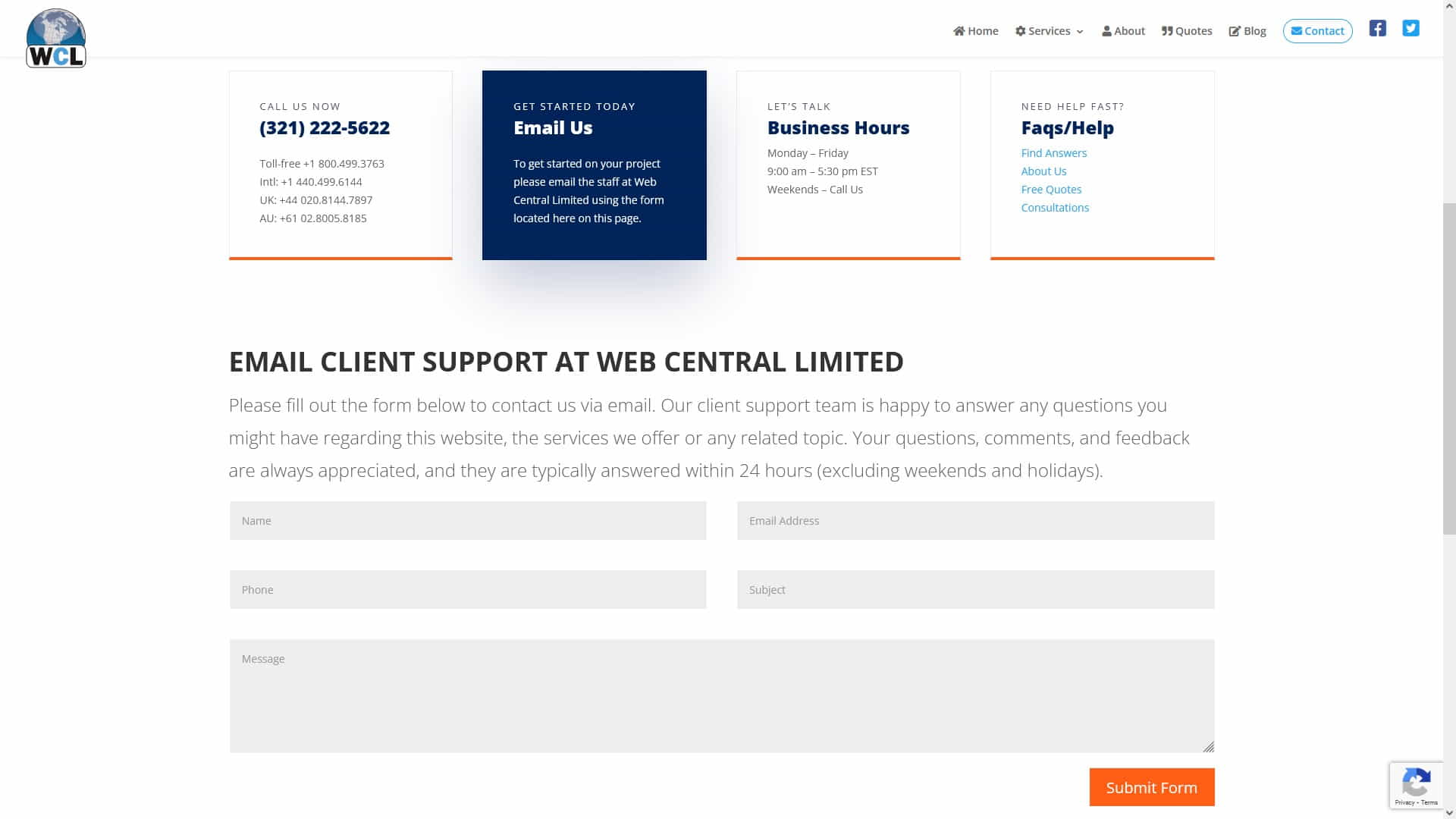
Web Central Limited Client Support Page

Web Central Limited Client Support Page

1. Choosing the Right Contact Form Plugin

There are several WordPress contact form plugins available, but it is crucial to choose one that suits your needs and gives the functionality you require. This article lists some of the most popular contact form plugins.

Contact Form 7 WordPress Plugin

Contact Form 7 WordPress Plugin

Contact Form 7

Contact Form 7: A versatile and user-friendly plugin boasting over 5 million active installations worldwide. This highly popular solution empowers website owners to design and implement multiple contact forms with ease, providing extensive customization options through straightforward markup language. As a top choice for businesses and individuals alike, Contact Form 7 delivers a reliable and efficient means of enhancing communication and visitor engagement on any WordPress website.

The Five Best Contact Form 7 Tips

Here are five lesser-known Contact Form 7 tips that can help you unlock its full potential and improve your website’s performance:

  1. Utilize conditional fields: Implementing conditional fields in your contact form allows you to display or hide specific fields based on user input. This helps you create more dynamic and personalized forms, improving user experience and reducing form abandonment rates.
  2. Customize response messages: Take the time to personalize the default response messages for successful submissions, errors, and spam detection. Customized messages can make your visitors feel more connected to your brand and provide clearer instructions in case of errors or issues.
  3. Employ placeholders: Using placeholders within your form fields can provide additional context and guidance to users, ensuring they understand the information you’re requesting. This can lead to more accurate submissions and enhance the overall user experience.
  4. Integrate file uploads: Contact Form 7 supports file uploads, allowing your visitors to send attachments such as documents, images, or other files. To enable this feature, use the file input tag in your form and adjust the accepted file types and size limits according to your needs.
  5. Enhance spam protection: While Contact Form 7 offers basic spam protection using CAPTCHAs, you can further strengthen your defenses by integrating third-party anti-spam plugins like Akismet. This helps ensure your form remains user-friendly while effectively filtering out unwanted spam submissions.

By implementing these lesser-known tips, you can optimize your Contact Form 7 experience, creating more engaging and effective forms that contribute to your website’s success.

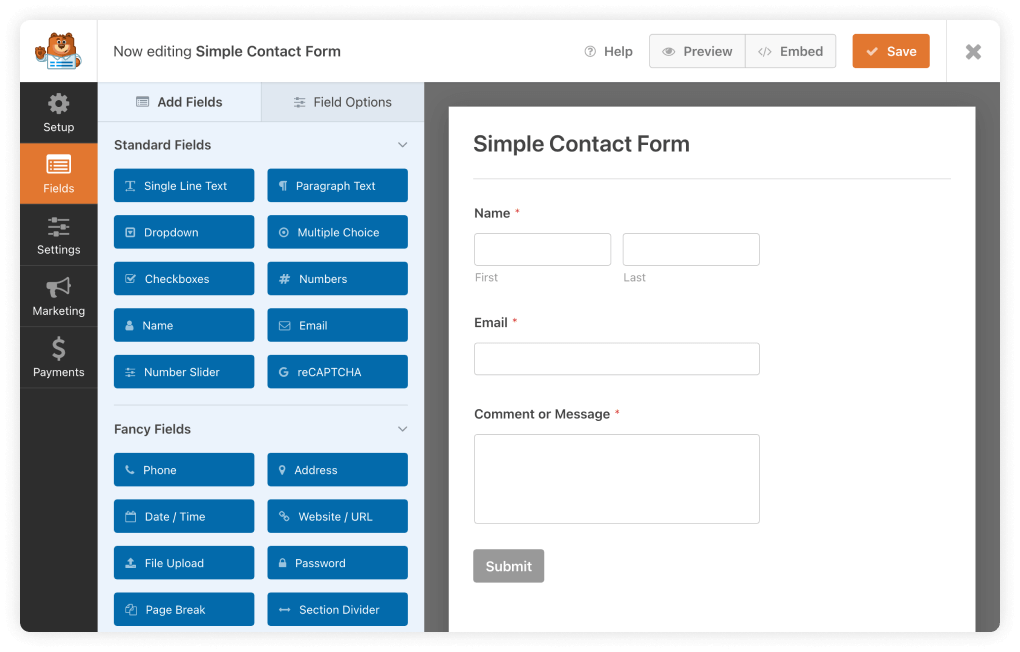
WP Forms WordPress Contact Form Plugin

WP Forms WordPress Contact Form Plugin

WPForms

WPForms: This wonderful WordPress contact form plugin is ideal for people looking for a straightforward, user-friendly solution. The drag-and-drop interface of WPForms’ form builder makes it easy for users of all expertise levels to design and publish unique forms. WPForms, which is available in both free and paid editions, has a range of complex features such as conditional logic, multi-page forms, and simple payment integration, making it a fantastic alternative for anyone wishing to upgrade their website and better engage with visitors.

The Top 5 WPForms Tips

Here are five lesser-known WPForms tips to help you create more engaging and effective contact forms while maintaining a human writing style without an AI tone:

  1. Leverage multi-page forms: For longer forms that require multiple fields or sections, consider using WPForms’ multi-page functionality. This feature enables you to break your form into smaller, more manageable segments, improving user experience and increasing the chances of form completion.
  2. Utilize smart conditional logic: WPForms offers advanced conditional logic, allowing you to show or hide fields, sections, or entire pages based on user input. This helps you create more personalized and interactive forms that cater to individual user needs while reducing form abandonment rates.
  3. Customize form confirmation messages and redirect options: Personalize the messages users receive upon successful form submission, and set up custom redirects to specific pages or content. Doing so makes your website more memorable to visitors, reinforces your brand’s image, and simplifies their experience.
  4. Implement geolocation data: By adding the Geolocation addon in WPForms, you can collect location information from your users without the need for additional form fields. Market more effectively, enhance the user experience, and better understand your audience’s location with this information.
  5. Integrate with email marketing services: Connect your WPForms to popular email marketing services like Mailchimp, Constant Contact, or AWeber. By having form submissions sent directly to your email lists, you may save time, improve efficiency, and maintain contact with your audience.

By applying these uncommon WPForms tips, you can enhance your contact forms’ performance and user experience, leading to increased customer engagement and a more successful online presence.

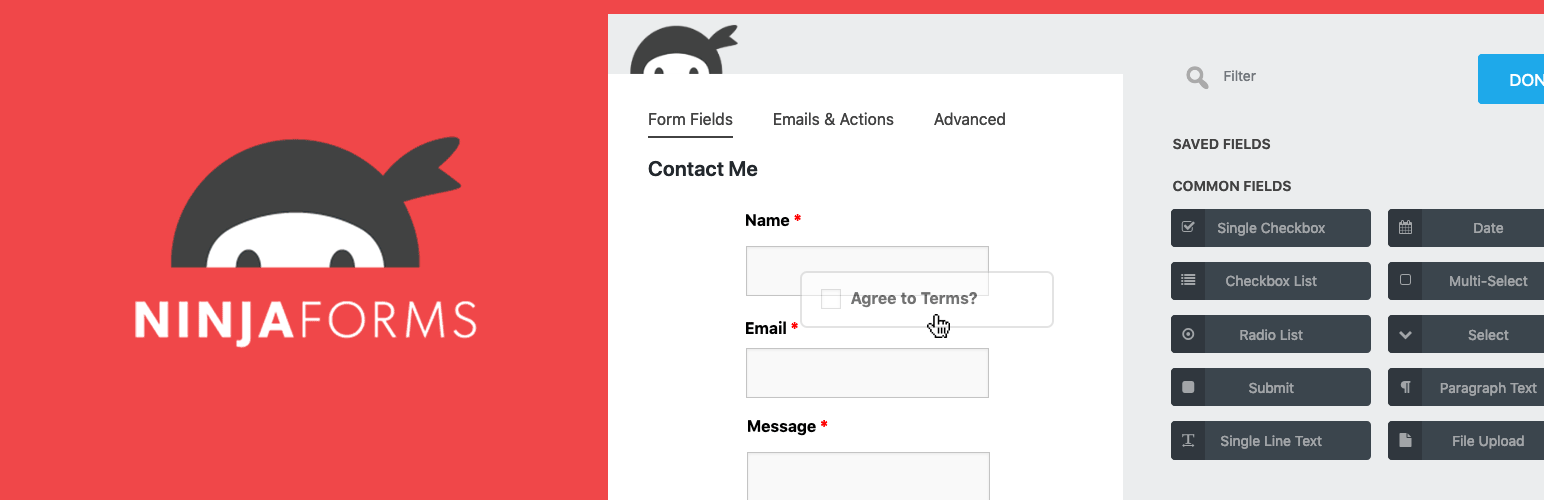
Ninja Forms Plugin For WordPress

Ninja Forms Plugin For WordPress

Ninja Forms

Ninja Forms: As a highly regarded option among website owners, Ninja Forms boasts an intuitive form builder and a wide array of add-ons that enhance its capabilities. The complimentary version of the plugin provides all the fundamental features necessary for creating effective contact forms. For those seeking a more sophisticated solution, premium plans are available, which unlock an extensive range of advanced options tailored to your specific needs.

Best Ninja Forms Tips

Here are five unique Ninja Forms tips to help you create more engaging and effective contact forms, using a human writing style without an AI tone:

  1. Save and continue: Ninja Forms allows users to save their progress on a form and resume at a later time. By enabling the Save Progress feature, you provide a convenient option for visitors with complex or lengthy forms, increasing the chances of form completion.
  2. Take advantage of layout and styling options: Ninja Forms offers a range of styling options through the Layout & Styles extension. This allows you to simply adjust the appearance of your forms to ensure they match your brand and website design without the need for bespoke CSS.
  3. Set up conditional email notifications: Configure email notifications to be sent conditionally based on user input. This enables you to send targeted messages to different recipients or departments within your organization, streamlining communication and improving efficiency.
  4. Use the datepicker option: Ninja Forms includes a built-in datepicker field, allowing users to easily select dates without manual input. This feature ensures accurate date selection and improves the overall user experience, especially for forms involving appointments, reservations, or events.
  5. Create reusable form templates: Save time and maintain consistency across your website by creating reusable form templates. With Ninja Forms, you can design custom templates that include your preferred fields, settings, and styles, which can then be quickly added to new forms as needed.

By implementing these unique Ninja Forms tips, you can optimize your contact forms for increased user engagement and a more successful online presence.

Some of the Essential Factors to Consider When Choosing a Contact Form Plugin

When selecting a contact form plugin for your website, it’s crucial to consider aspects such as user-friendliness, customization possibilities, and compatibility with both your theme and existing plugins. By perusing user reviews and examining the frequency of plugin updates, you can ascertain the dependability and consistent maintenance of the solution you choose, ensuring a seamless integration and optimal performance for your website’s contact form.


Summary of Factors to Consider

  • Ease of use
  • Customization options
  • Theme compatibility
  • Plugin compatibility
  • User reviews
  • Update frequency
  • Reliability and maintenance
Contact Form Built and Styled Using Divi Theme

Contact Form Built and Styled Using Divi Theme

2. Installing Your Contact Form Plugin

After carefully selecting the most suitable contact form plugin for your needs, it’s time to install it on your WordPress website. Please follow the procedures that are provided below to guarantee that the installation process goes off without a hitch:

  1. Log in to your WordPress dashboard.
  2. Navigate to Plugins > Add New.
  3. Search for the plugin using the search bar.
  4. Next to the appropriate plugin, click the “Install Now” option.
  5. After installation, click “Activate” to activate the plugin on your website.

After activating the plugin, you should see a new menu item in your WordPress dashboard related to the contact form plugin.

3. Creating Your Contact Form

With the contact form plugin installed and activated, you can now create your custom contact form. The specific procedures may change based on the plugin you use, so refer to the documentation for the contact form plugin you selected if you need help. However, generally speaking, you will need to:

  1. Go to the plugin’s settings or form builder page in your WordPress dashboard.
  2. Create a new form, either from scratch or using a pre-built template provided by the plugin.
  3. Customize the form by adding or modifying fields such as name, email address, subject, message, and any other necessary fields.
  4. Set up email notifications, so you receive an email when someone submits the form.
  5. Save your form and make a note of the generated shortcode or form ID.

4. Embedding the Contact Form on Your Website

Having created your contact form, the next step is to include it into your website. The way you go about doing this will hinge on the specific location where you’d like the form to be showcased:

  • On a page or post: Edit the page or post where you want to add the form, and insert the form’s shortcode or use the block editor to add the contact form block.
  • In a sidebar or widget area: Go to Appearance > Widgets, and add the contact form widget to the desired widget area. Enter the form ID or select the form from the dropdown menu, if applicable.
  • Within your theme’s template files: If you’re comfortable with PHP, you can add the form directly to your theme’s template files using the plugin’s provided PHP function or shortcode.
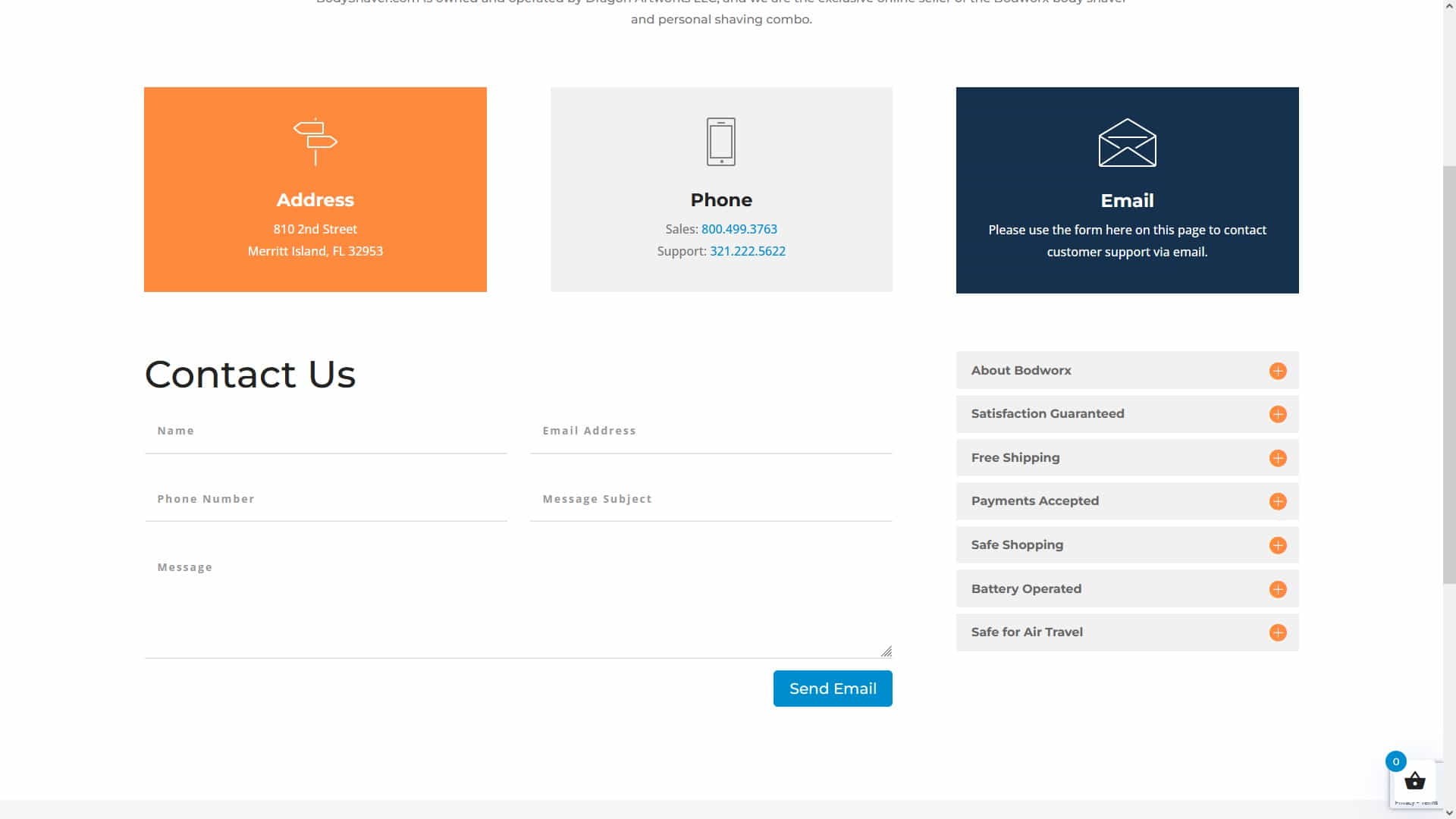
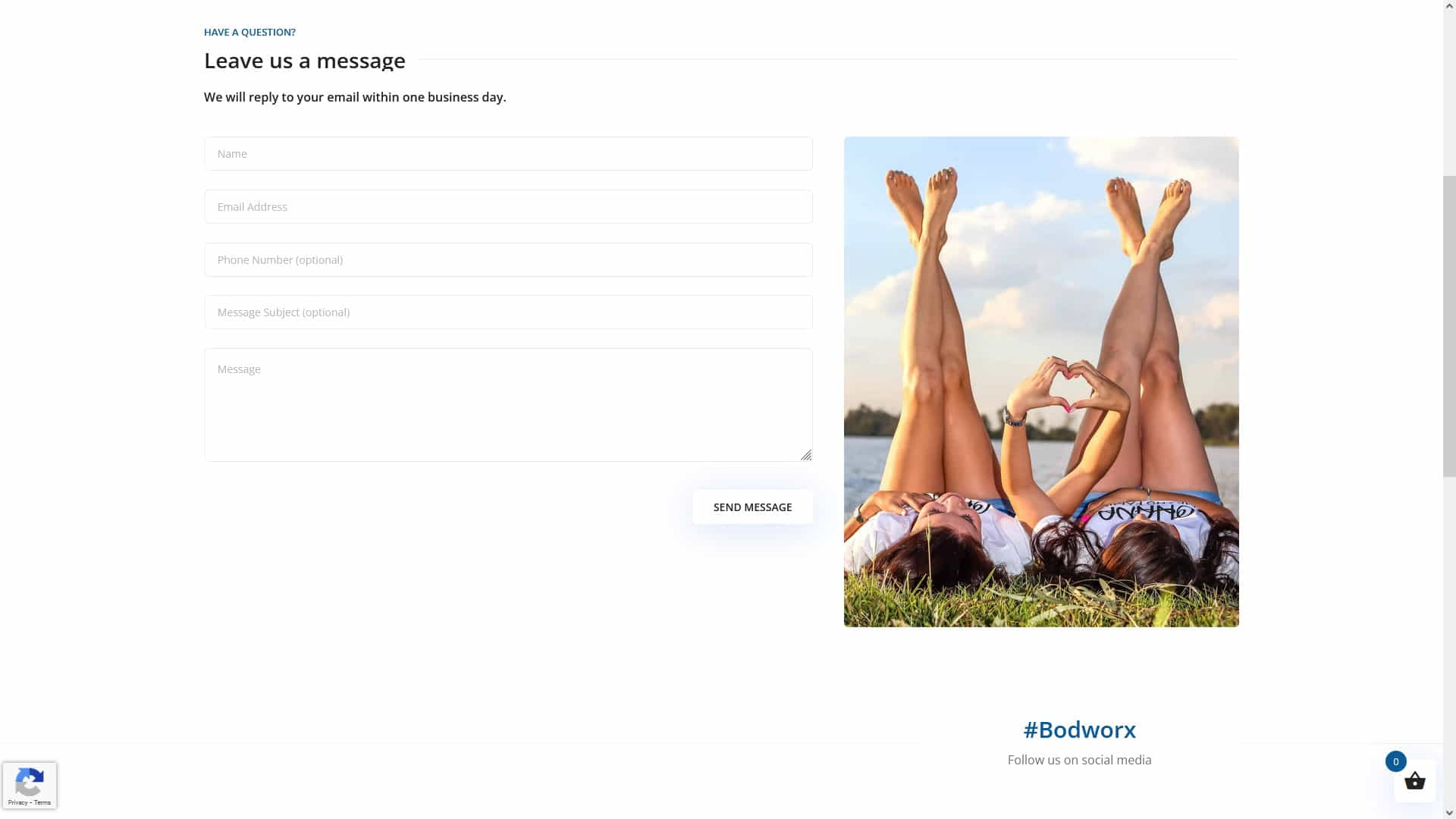
Bodworx Website WordPress Contact Form

Bodworx Website WordPress Contact Form

5. Customizing Your Contact Form

Most contact form plugins offer various customization options, such as styling, field layout, and validation messages. Here are some tips for customizing your contact form:

  • Match the form’s design and colors to your website’s theme for a cohesive look.
  • Use clear, concise labels and placeholder text to guide users through the form.
  • Enable client-side and server-side validation to ensure users submit accurate information.
  • Consider adding a CAPTCHA or other anti-spam measures to prevent spam submissions.
  • Add custom CSS or JavaScript, if necessary, to fine-tune the form’s appearance and behavior.

6. Optimizing Your Contact Form for SEO and User Experience

A well-optimized contact form not only improves user experience but can also boost your website’s SEO performance. Here are some tips for optimizing your contact form:

  • Keep the form short and simple, only asking for essential information to avoid overwhelming users.
  • Use clear, concise, and action-oriented headings and button labels to guide users through the form submission process.
  • Ensure your form is responsive and works well on all devices, including mobile phones and tablets.
  • Include descriptive alt attributes for any images or CAPTCHAs to improve accessibility and SEO.
  • Test the form’s loading speed and optimize it to load quickly, as slow-loading forms can negatively impact user experience and SEO.
Ash Dermatology Merritt Island WordPress Website Design Contact Form

Ash Dermatology Merritt Island WordPress Website Design Contact Form

An Inspirational Story About Contact Forms!

Wanda, a hardworking business owner, understood the need of establishing a strong online profile in order to attract a wider audience. She understood that incorporating a contact form into her WordPress website was integral to realizing her objectives, but she was uncertain about how to begin. After thoroughly researching various contact form plugins, Wanda ultimately chose WPForms, attributing her decision to the plugin’s intuitive interface and robust functionality.

Diligently following the instructions provided in this guide, Wanda managed to incorporate a tailored contact form into her website. In a relatively short time, she observed a considerable uptick in inquiries and customer interactions. Wanda was very pleased with the outcome after realizing the need of giving a simple method for her website visitors to contact her.

If Wanda were to share some wisdom, she would advise others to meticulously examine the range of contact form plugins available and select one that aligns with their unique requirements. Additionally, Wanda would stress the importance of refining the contact form for both user experience and SEO optimization, as these elements can substantially influence a website’s overall performance and success.

Person Filling Out a Website Form

Person Filling Out a Website Form

Advice from a WordPress Marketing Expert

As a WordPress website design and marketing expert, I cannot stress enough the significance of conducting thorough research when selecting a WordPress plugin, particularly for contact forms. A well-functioning contact form is indispensable for generating leads and establishing connections with potential clients. It is the lifeblood of your online presence, transforming your website from a static showcase into a dynamic, interactive platform for business growth.

Considerations such as form type support, ease of customization, and integration should all be made before settling on a contact form plugin. A plugin that caters to these criteria will not only streamline the process of creating and managing contact forms but also ensure that they align with your brand and serve your business needs effectively.

Remember that your contact form is generally your website visitors’ first point of contact with your business. Therefore, it must provide a seamless and user-friendly experience to encourage communication and foster trust with your audience.

In summary, investing time and effort in researching and selecting the right contact form plugin for your WordPress website can yield substantial long-term benefits. By prioritizing user experience and optimizing the form for SEO, you can tap into the full potential of your website as a powerful tool for driving leads, fostering customer relationships, and propelling your business to greater heights.

Conclusion

Engaging visitors and building your online presence requires adding a contact form to your WordPress website. By following this guide, you can choose the right contact form plugin, create a customized form, and optimize it for both user experience and SEO. You may also be interested in our article on Essential WordPress Plugins for Every Website. Remember to test your form thoroughly and ensure it works seamlessly on all devices to provide the best possible experience for your visitors. With a well-designed and optimized contact form in place, you can look forward to increased customer engagement and a thriving online presence.

Disclosure: Some of the links in this post could be considered “affiliate links.” If you click on one of those links and buy the item, I’ll get a commission, but it won’t raise your price.

Affiliate Links

James Turner

James Turner

Author/Copywriter

Why Choosing the Best Web Hosting Company Matters in 2025

Find out why choosing the best web hosting company matters in 2025 to boost your site’s performance and skyrocket sales.

Hiring a Website Designer

Hiring a website designer? Discover actionable tips, red flags to avoid, and how to find the right designer to create a website that grows your business.

How to Create a Landing Page Using WordPress

Follow our guide on how to create a landing page using WordPress and the built-in Block Editor, page builder plugins, or specialized themes.

Top 5 Plugins for WordPress Speed Optimization

Top 5 Plugins for WordPress Speed Optimization

Home » WordPress » Page 9

If you intend to create a website for your company, make sure to familiarize yourself with the Top 5 Plugins for WordPress Speed Optimization. In addition to making your site load faster, these plugins improve user satisfaction, search engine rankings, and functionality. This article discusses WordPress performance optimization and lists the five best plugins.

No matter your webmaster expertise, site performance is crucial. With the ever-evolving internet landscape, user expectations are higher than ever, and search engines like Google are prioritizing fast-loading websites. To ensure your site stays competitive and delivers a satisfying experience to your visitors, let’s explore the features, benefits, and installation process of each of these top 5 WordPress speed optimization plugins.

Related Articles:

Page Load Time is an SEO Ranking Factor
Be a WordPress Superhero by Improving Your Website Page Load Times

“WordPress speed optimization is the secret ingredient to turning your website into an online Usain Bolt – leaving others in the dust and visitors clicking ‘like’ on your lightning-fast content.” – The Whimsical Webmaster

WP Rocket WordPress Speed Optimization Plugin

1. WP Rocket

WP Rocket is a premium WordPress speed optimization plugin that is both user-friendly and powerful. With its simple setup process and advanced features, WP Rocket is perfect for beginners and experts alike.

Features

  • Page caching
  • Browser caching
  • Gzip compression
  • Lazy load for images and videos
  • Minification and concatenation of CSS, JavaScript, and HTML files
  • Defer JavaScript loading
  • Database optimization

Click here to check out WP Rocket’s official website.

LiteSpeed Cache WordPress Plugin

LiteSpeed Cache WordPress Plugin

2. LiteSpeed Cache

LiteSpeed Cache is a free, high-performance optimization plugin that works best with LiteSpeed Web Server. It offers a variety of optimization techniques, including server-level caching and image optimization.

Features

  • Server-level full-page caching
  • Browser caching
  • Image optimization
  • Minification and concatenation of CSS, JavaScript, and HTML files
  • HTTP/2 push
  • Lazy load for images
  • Database optimization

Visit LiteSpeed Cache’s official website to learn more.

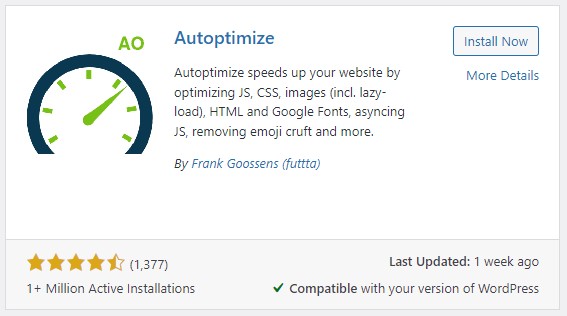
Autoptimize Optimization Plugin for WordPress

Autoptimize Optimization Plugin for WordPress

3. Autoptimize

Autoptimize is an easy-to-use yet powerful optimization plugin concentrating on minifying and combining CSS, JavaScript, and HTML files. For enhanced performance, it can be paired with other caching plugins seamlessly.

Features

  • Minification and concatenation of CSS, JavaScript, and HTML files
  • Image optimization (with integration of ShortPixel Image Optimizer)
  • Asynchronous and deferred loading of JavaScript
  • Google Fonts optimization

Find more information about Autoptimize on their official website.

W3 Total Cache

W3 Total Cache

4. W3 Total Cache

W3 Total Cache is an all-encompassing caching and optimization plugin that boasts an extensive range of features. Its sophisticated settings and customization options make it a top choice for advanced-experience users.

Features

  • Page caching
  • Browser caching
  • Database caching
  • Object caching
  • Minification and concatenation of CSS, JavaScript, and HTML files
  • Content Delivery Network (CDN) integration
  • Mobile-specific caching

Discover more about W3 Total Cache on their official website.

WP Fastest Cache WordPress Plugin

WP Fastest Cache WordPress Plugin

5. WP Fastest Cache

WP Fastest Cache has user-friendly features. Its setup is simple, making it suited for beginners and experts. The plugin’s UI is sleek and easy to configure, so website owners who wish to speed up their site without any work may consider WP Fastest Cache.

WP Fastest Cache optimizes site speed for bloggers, company owners, and online retailers. It improves user experience, page load times, and search engine rankings. WP Fastest Cache is a great caching plugin for optimizing website performance.

Features

  • Page caching
  • Browser caching
  • Minification of CSS, JavaScript, and HTML files
  • Gzip compression
  • Content Delivery Network (CDN) integration
  • SSL and mobile support

Visit WP Fastest Cache’s official website for more information.

Page Load Time is an SEO Ranking Factor

Page Load Time is an SEO Ranking Factor

Inspirational Story: Important Lessons I Learned from a Mountain Hike

Last year, some pals of mine wanted to get out of town and see some mountains, so they planned a hike. They started out bright and early, full of anticipation and enthusiasm.

Steep inclines, loose rocks, and muddy roadways were just some of the obstacles they encountered as they began their trek. They persisted, nevertheless, and supported one another through the tough times. Beautiful landscapes, verdant forests, and an array of vibrant animals greeted them along the route.

Friends got tired as the day went on. A few people debated turning around, but everyone was urged on to keep going. The group was confident that the climb would be worthwhile.

The party reached the summit as the sun sank. The breathtaking vista that greeted them took their breath away. While they took in the breathtaking panorama, they reflected on the lessons they’d picked up along the way:

  • Perseverance: They kept pushing themselves despite setbacks and ultimately succeeded.
  • Teamwork: They worked together, relying on and helping each other out.
  • Appreciation: They discovered the value of the present moment and the wonders of nature.

They took these teachings with them as they down the mountain and used them to improve themselves as people.

Expert Opinions

“As a web developer, I highly recommend WP Rocket for its user-friendly interface and powerful optimization features. It’s made a significant difference in improving the loading speed of my clients’ websites.” – Jesse Carlson, Web Developer

“LiteSpeed Cache has been a game-changer for my e-commerce site. The server-level caching and image optimization features have helped reduce my site’s loading time and improve user experience.” – Trisha H., E-commerce Store Owner

“W3 Total Cache is a fantastic plugin for sophisticated users that want complete control over the caching and optimization settings on their website. It has a plethora of functionality and customization choices.” – Ted Chen, SEO Consultant

Final Thoughts on WordPress Speed Optimization

Improving the user experience, boosting conversion rates, and climbing the search engine ranks all depend on how quickly your WordPress site loads. This article has covered the top 5 plugins for improving your site’s performance. These plugins include WP Rocket, LiteSpeed Cache, Autoptimize, W3 Total Cache, and WP Fastest Cache. Think about what you’ll actually use the plugin for and pick one that fits the bill. It is important to remember to do performance tests both before and after making optimizations to your site.

Disclosure: Some of the links in this post may be “affiliate links.” If you click on one of those links and purchase the item, I will receive a commission, but it will not increase your cost.

Affiliate Links

James Turner

James Turner

Author/Copywriter

Why Choosing the Best Web Hosting Company Matters in 2025

Find out why choosing the best web hosting company matters in 2025 to boost your site’s performance and skyrocket sales.

Hiring a Website Designer

Hiring a website designer? Discover actionable tips, red flags to avoid, and how to find the right designer to create a website that grows your business.

How to Create a Landing Page Using WordPress

Follow our guide on how to create a landing page using WordPress and the built-in Block Editor, page builder plugins, or specialized themes.

WordPress Website Design Packages: Choosing the Best Fit

WordPress Website Design Packages: Choosing the Best Fit

Home » WordPress » Page 9

With so many WordPress Website Design Packages to choose from, it can be difficult to discover the best fit for your business or personal website. This comprehensive guide will assist you in navigating the alternatives and selecting a package that matches your individual requirements.

Whether you’re unfamiliar with web design or the services needed to construct a successful site, creating a WordPress website can be difficult. WordPress website design bundles combine vital services and give clients options based on their demands and budget. This article covers WordPress website design packages, points to consider when picking one, and recommended options.

Understanding Website Design Packages and Their Benefits

Understanding Website Design Packages and Their Benefits

“Choosing a WordPress Website Design Package is like a game of Tetris – finding the perfect fit is key, and when everything falls into place, it’s pure magic.”

Understanding WordPress Website Design Packages

WordPress Website Design Packages typically include a variety of services, such as website design, maintenance, consultation, domain registration, and web hosting. These packages may also offer ongoing support services for the duration of the contract. In this article, we will compare packages to help you decide.

Web design agencies offer these services to assist businesses and individuals in building and managing WordPress-based websites (CMS). The packages typically vary in scope and complexity to cater to different needs and budgets.

Here’s a description of the components that may be included in these packages:

  • Website Design Services: This is the core service offered in all packages. Design agencies create a visually appealing, functional, and responsive website using WordPress themes and plugins. They ensure that the site aligns with the client’s branding, industry, and target audience.
  • Website Maintenance: Some packages include ongoing maintenance services, where the design agency takes responsibility for updating plugins, themes, and WordPress core. They also address any bugs or issues that might arise, ensuring the website remains stable and secure.
  • Consultation: Advanced packages often feature consultation services, where the design agency provides expert advice on content strategy, search engine optimization (SEO), user experience (UX), and other website-related aspects. This helps clients optimize their website to achieve their desired goals.
  • Domain Registration and Web Hosting: Some options include domain registration and hosting. This simplifies the process by giving clients one contact for all website needs.
  • Ongoing Support Services: Comprehensive packages may include ongoing support services throughout the contract duration. Clients have access to a team of experts who can help with technical issues, strategy consultations, and other website management tasks.
  • Content Creation and Management: In some cases, design agencies might also offer content creation and management services. Writing blog articles, developing images, and structuring the website’s material can keep it new, entertaining, and relevant.
  • Search Engine Optimization (SEO): SEO services boost website visibility on search engines like Google. Design agencies optimize the website’s structure, content, and meta tags to make it more search-engine-friendly, increasing the chances of ranking higher in search results.
  • Performance Optimization: Design agencies may also work on improving the website’s performance by implementing techniques like caching, image optimization, and code minification. This ensures that the website loads quickly and provides a smooth user experience.
  • Analytics and Reporting: Website analytics and reporting services can reveal website traffic, user activity, and marketing performance in some packages. This information helps clients make data-driven decisions to improve their website’s performance.

All-Inclusive Website Design Packages are designed to cater to the diverse needs of clients, from basic website design to comprehensive solutions that cover every aspect of website management. By picking the proper package, clients can ensure that their website is well-designed, optimized, and managed to meet their goals.

Get Help Choosing the Right Package for Your Business

Get Help Choosing the Right Package for Your Business

Basic Website Design Packages

Website Design Only

Basic packages usually focus on the website design aspect. They provide you with a professionally designed and functional WordPress website that suits your needs. However, you’ll need to handle domain registration, web hosting, and ongoing maintenance on your own. This option may be appropriate for you if you are comfortable managing these responsibilities and only require a well-designed website.

Design and Maintenance

Some basic packages also include website maintenance services. This means the design agency will handle updates, bug fixes, and minor tweaks to your website. These packages are great if you want a hassle-free experience and prefer to have professionals handle design and maintenance.

Advanced WordPress Packages

Website Design, Maintenance, and Consultation

Advanced packages provide a more comprehensive service, including website design, maintenance, and consultation. This means you’ll get expert assistance on content strategy, SEO, and other elements of website management. This package is perfect for businesses looking for a more hands-on approach from their design agency, ensuring their website meets all their specific needs and objectives.

Included Domain Registration and Web Hosting

Advanced website packages can help people and businesses get online faster. Some advanced options include domain registration and web hosting. This can save you time and work by allowing you to bundle different suppliers into a single bundle. Bundled packages let you meet all your website demands in one spot. This makes managing and updating your website easy. Avoiding several suppliers lets you focus on creating your online identity and engaging with your audience.

Bundling domain registration and site hosting can also save money. Bundling services saves money because many providers provide discounts. An advanced package with domain registration and web hosting is an easy and efficient method to start and maintain a website. It could improve your website administration and internet exposure.

Advanced WordPress Website Design Bundles

Advanced WordPress Website Design Bundles

Comprehensive Website Design, Maintenance, and Web Hosting Packages

Comprehensive packages are the most inclusive, offering a complete solution for your website needs. These packages typically include all the features of advanced packages, plus additional services and support throughout the life of the contract. This option is for those who want a fully managed website design package.

Ongoing Support Services

One of the key features of comprehensive packages is ongoing support services. This means the design agency will assist you with any issues arising during the contract’s life. From technical support to strategy consultations, you’ll have access to a team of experts who will ensure your website remains optimized and effective.

Choosing the Right Package for Your Needs

It’s time to select the WordPress Website Design Package that best suits your demands now that you have a better understanding of the many options.

Before choosing, consider these factors:

  • Budget: Consider your budget and the value each package offers. While comprehensive packages may have higher upfront costs, they often provide long-term savings and convenience. If you are starting a new business, you should calculate your startup costs to understand your budget fully.
  • Technical Expertise: A basic package may suffice if you’re comfortable handling website maintenance and updates. Look for packages that include maintenance and assistance if you prefer a hands-off approach.
  • Business Objectives: Consider your business goals and objectives when choosing a package. An advanced or comprehensive package may be more suitable if you need a more tailored solution with strategic consultation. Consider writing a business plan to help you understand your goals and objectives.
  • Time Commitment: Evaluate how much time you can devote to managing your website. Comprehensive packages often provide the most convenience and time savings, as the design agency handles all aspects of your site.
Choosing the Right Fit for Your Company

Choosing the Right Fit for Your Company

An Inspiration Success Story

Tara, a small business owner, was struggling to find the perfect website design package for her company. She knew that having a professional website was crucial for her business’s success, but she was unsure which package would suit her needs best.

After researching and consulting with several design agencies, Tara decided to invest in a comprehensive package. This decision allowed her to focus on her core business operations while the design agency took care of her website needs. Over time, her investment in a professionally designed and managed website paid off, with increased online visibility, better customer engagement, and higher sales.

The key life lesson from Tara’s story is the importance of investing in the right resources for your business. By choosing a website design package that aligned with her needs and objectives, Tara was able to unlock her business’s true potential and achieve success.

Expert Comments

Paulina, Web Design Expert: “Investing in a comprehensive website design package has proven to be really useful for my clients in my experience. It gives clients a professionally designed website as well as ongoing assistance, allowing them to concentrate on their core company operations.”

Jordan, Digital Marketing Consultant: “Choosing the right WordPress Website Design Package is crucial for any business. Considering the initial design and long-term maintenance and support services is essential. I always recommend my clients to carefully evaluate their needs and choose a package that aligns with their objectives.”

Lena, SEO Specialist: “One common mistake I see is businesses opting for the cheapest package available without considering the value it provides. A well-designed and maintained website can pay dividends over time. It’s important to balance cost and quality when selecting a package.”

Final Thoughts on Choosing a Website Design Package for Your Personal or Business Site

Choosing the right WordPress Website Design Package is crucial for the success of your website. You can find a package that best meets your needs by considering your budget, technical expertise, business objectives, and time commitment. Whether you choose a basic, advanced, or comprehensive package, a professional design agency can ensure your website is well-designed, optimized, and effective.

Business website creation is crucial. When choosing a package, consider finances, technical knowledge, corporate goals, and time commitment. Remember, a professionally designed and managed website may help your business grow and prosper online.

Disclosure: Some of the links in this post may be “affiliate links.” If you click on one of those links and purchase the item, I will receive a commission, but it will not increase your cost.

Affiliate Links

James Turner

James Turner

Author/Copywriter

Why Choosing the Best Web Hosting Company Matters in 2025

Find out why choosing the best web hosting company matters in 2025 to boost your site’s performance and skyrocket sales.

Hiring a Website Designer

Hiring a website designer? Discover actionable tips, red flags to avoid, and how to find the right designer to create a website that grows your business.

How to Create a Landing Page Using WordPress

Follow our guide on how to create a landing page using WordPress and the built-in Block Editor, page builder plugins, or specialized themes.

My Island Designs

Pin It on Pinterest