How to Create a Website for a Nail Salon

How to Create a Website for a Nail Salon

Home » Website Design » Page 4

Investing time and effort to learn how to create a website for a nail salon can pay huge dividends. An attractive and straightforward site will help you win over new clients and keep existing ones. This article will delve into the essential aspects of building a nail salon website, including design tips, SEO best practices, and helpful resources.

Hi there! I’m James Turner, a website designer and business owner for over 25 years. Today, I’ll guide you through creating a stunning website for your nail salon. So let’s get started!

In addition to this article, you may want to consider the following blog posts we have created to help businesses create a website.

Question from Georgina K.: “What are the key elements of a nail salon website?”

Answer: A nail salon website should include essential information about your business, showcase your services, and provide a way for clients to book appointments. Your website should be attractive and easy to use. The key elements include a homepage, an about page, a services page, a gallery, a booking system, contact information, and a blog.

A Virtual Storefront for Your Nail Salon

A Virtual Storefront for Your Nail Salon

“Your website is your salon’s virtual storefront. Make it as inviting and informative as your physical space.” Don Marsh, Content Management

Design a Captivating Home Page for Your Nail Salon

Design a Captivating Home Page for Your Nail Salon

1. Designing a Homepage That Captivates

Your homepage is the first impression visitors get of your nail salon. To make a lasting impact, focus on creating a clean and professional design. To communicate your brand’s message, use high-quality graphics and simple language.

  • Choose a color scheme: Pick a color palette that represents your salon’s atmosphere and complements your logo.
  • Utilize a responsive design: Ensure your website is mobile-friendly and looks great on various screen sizes.
  • Include a call-to-action: Encourage visitors to book an appointment, browse your services, or contact you.

2. The About Page: Telling Your Story

The about page is an opportunity to share your salon’s story and introduce your team. Include a brief history of your salon, the expertise of your staff, and any awards or recognition you’ve received. Be sure to add professional photos of your team members and salon interior.

3. Showcasing Your Services

Your services page is where you’ll highlight the treatments and packages your salon offers. Sort your offerings like manicures, pedicures, and nail art into convenient categories. Include clear descriptions, pricing, and the estimated duration of each service.

  • Use high-quality images: Display eye-catching photos of your work to entice potential clients.
  • Offer package deals: Create special packages or promotions to encourage clients to try multiple services.

A picture is worth a thousand words, especially for industries where beauty is a priority, like in the nail salon business. A visually stunning gallery showcases your team’s talent and helps potential clients decide which services to book.

  • Update regularly: Keep your gallery fresh by adding new images of your latest creations.
  • Use high-resolution photos: Invest in a high-quality digital camera or hire a professional photographer to capture the excellent work you and your staff do for clients.
  • Organize by style or service: Make it easy for clients to browse your gallery by categorizing your images.

Check out our WordPress Image Optimization Guide for Creating Stunning Visuals, it will help you optimize your pictures so they look great and load fast too.

Implement a User Friendly Booking System

Implement a User Friendly Booking System

5. Implementing a Seamless Booking System

Integrating a user-friendly booking system into your website can streamline appointment scheduling for both clients and staff. Choose a booking platform that allows clients to view available time slots, select services, and receive appointment confirmations.

  • Offer multiple booking options: Give clients the flexibility to book appointments online, over the phone, or in person.
  • Send reminders: Use an automated system to send appointment reminders via email or text message.

6. Providing Easy Access to Contact Information

Make it easy for customers to reach you by promoting it prominently on your website. Don’t forget to provide people a way to reach you besides just guessing. Embedding a Google Maps widget can help clients find your salon easily.

7. Engaging Visitors with a Blog

You can engage with customers, demonstrate your knowledge, and boost your site’s search engine rankings all with the help of a blog. Publish articles on topics related to nail care, beauty trends, and salon news. Encourage interaction by allowing comments and sharing your blog posts on social media.

8. SEO Best Practices for Nail Salon Websites

To increase your website’s visibility on search engines, follow these SEO best practices:

  • Research keywords: Identify relevant long-tail keywords for your nail salon and incorporate them into your content.
  • Optimize your content: Use keywords in your headings, titles, meta descriptions, and image alt tags.
  • Build backlinks: Reach out to industry influencers, bloggers, and local businesses to earn high-quality backlinks.
Creating a Website for Your Nail Salon

Creating a Website for Your Nail Salon

9. Useful Resources for Building a Nail Salon Website

Discover valuable resources for building a stunning website for your nail salon:

  • W3Schools: A comprehensive guide to HTML, CSS, and JavaScript for web development.
  • Canva: A user-friendly graphic design platform for creating visually appealing website elements and social media graphics.
  • Unsplash: A source of high-quality, royalty-free images to enhance your website’s appearance.
  • Ahrefs Blog: An informative blog featuring SEO tips and strategies for improving your website’s search engine rankings.
  • Contact My Island Designs if you need someone to create a fantastic Custom Nail Salon Website for your nail salon.
User Friendly Website Design and SEO Strategy

User Friendly Website Design and SEO Strategy

10. Final Thoughts on Creating a Nail Salon Website

Creating a nail salon website requires a combination of engaging content, user-friendly design, and effective SEO strategies. This tutorial will help you build a website that showcases your salon’s specialties, attracts new customers, and boosts business. Remember, your website is an extension of your salon’s brand, so invest time and effort in making it as polished and professional as your services.

Disclosure: You may find affiliate links to beneficial resources within this article. You won’t pay more for using our link, but we’ll get a commission. This supports our content creation, and we only suggest products we genuinely believe in. Thank you for being so understanding!

Affiliate Links

James Turner

James Turner

Author/Copywriter
Why Choosing the Best Web Hosting Company Matters in 2025

Find out why choosing the best web hosting company matters in 2025 to boost your site’s performance and skyrocket sales.

Hiring a Website Designer

Hiring a website designer? Discover actionable tips, red flags to avoid, and how to find the right designer to create a website that grows your business.

How to Create a Landing Page Using WordPress

Follow our guide on how to create a landing page using WordPress and the built-in Block Editor, page builder plugins, or specialized themes.

How to Create a WordPress Website for Your Restaurant

How to Create a WordPress Website for Your Restaurant

Home » Website Design » Page 4

If you want to benefit from online ordering and an online menu, you must understand how to create a WordPress website for your restaurant. Perhaps you’re just getting started and want to develop a beautiful website to exhibit your culinary talents; our helpful guide can help you with that as well. Whatever your motivation, creating a WordPress website for your restaurant is an excellent way to reach out to new consumers and develop your business. We’ll walk you through the steps of developing a visually stunning and effective website in this article. From choosing a theme to customizing your menu, we’ve got you covered!

Question: Hey, I’m Blaire T., can you really create a professional-looking website for my restaurant with WordPress?

Answer: Certainly, Blaire! WordPress has a number of themes and plugins that are specifically built for restaurants, making it simple to create a beautiful, functioning website with little work.

Running a Restaurant With the Help of WordPress

Running a Restaurant With the Help of WordPress

“I can’t imagine running my restaurant without my WordPress website. It has become an essential part of my business and has helped me attract new customers and keep them coming back for more.” – Ely B., restaurant owner

Choosing the Right WordPress Restaurant

Choosing the Right WordPress Restaurant

1. Choose the Right Restaurant Theme

When building your restaurant website, the first step is to choose a WordPress theme specifically designed for restaurants or one capable of using template files and plugins to create the desired site. Several restaurant themes are available, with features like reservation systems, menu display options, and event management. Some popular themes offered at themeforest.net include:

2. Customize Your WordPress Website

After you’ve chosen your theme, you will need to customize your WordPress website to accurately reflects your restaurant’s brand identity. Consider the following when customizing your site:

  • Logo: Upload your restaurant’s logo to make your site instantly recognizable.
  • Color scheme: Choose a color scheme that complements your restaurant’s branding and ambiance.
  • Typography: Select fonts that are easy to read and fit your restaurant’s style.
  • Images: Use high-quality images of your dishes, restaurant interior, and team to make your website visually appealing.
  • Layout: Arrange your content in a way that is easy to navigate and highlights the most important information.

3. Create and Display Your Online Menu

Your menu is the heart of your restaurant website, so could you make sure it’s easy to find and well-designed? You can use a plugin like Food and Drink Menu or Restaurant Menu Manager to create your Food and Drink Menu or Restaurant Menu Manager. Popular WordPress plugins like Menus by WP Baker make it simple to create, organize, and display a menu that readers will like using. Be sure to include enticing descriptions and high-quality images for each dish.


Integrating a Menu and Online Ordering

Integrating a Menu and Online Ordering

4. Social Integrations and Plugin Features

To make your website even more functional and user-friendly, consider adding some of the following integrations and features:

  • Reservation system: A plugin like OpenTable allows customers to make reservations directly from your website.
  • Online ordering: Allow customers to place orders for pickup or delivery using a plugin like RestroPress.
  • Event management: Promote and manage special events using a plugin like The Events Calendar.
  • Social media integration: Encourage customers to follow and engage with your restaurant on social media by displaying your profiles and feeds on your website using plugins like Smash Balloon.
  • Reviews and testimonials: Display customer reviews and testimonials on your website to build trust and credibility using a plugin like Strong Testimonials.

5. Internet Marketing Strategies

Some of the following advertising approaches are worth considering if you want to boost visitors to your website and interaction with your brand:

  • Email marketing: Use a service like Mailchimp to compile an email list and broadcast periodic newsletters advertising sales, events, and other news and information.
  • Search engine optimization (SEO): SEO-optimize your website’s content and structure. This includes keyword research, on-page optimization, and link building.
  • Content marketing: Blog posts, recipes, and behind-the-scenes stories will attract and maintain clients.
  • Social media marketing: To maintain your online presence, provide updates and interact with fans on Facebook, Instagram, and Twitter.
  • Local marketing: Collaborate with other local businesses, attend community events, and participate in local online directories to increase your visibility within your community. You may also want to consider hiring a professional for your Local SEO Services.
A Restaurant Owner Shares His WordPress Story

A Restaurant Owner Shares His WordPress Story

A Restaurant Owners Inspirational Story

Allow me to share my story as Cassady R., a restaurant owner who successfully built a WordPress website for my restaurant. Having a strong web presence would be important for my restaurant when it first opened. However, starting from scratch to create a website was daunting.

After doing some research, I discovered WordPress and its vast selection of restaurant-specific themes and plugins. I chose a theme that perfectly captured the essence of my restaurant and began customizing it to make it my own. I picked up some knowledge about search engine optimization and its value along the way.

Having a reservation system that could be embedded into my website was a great addition. This made booking a table easy for my customers and helped me manage my reservations efficiently. Additionally, integrating social media and customer reviews helped me build trust and credibility with my audience.

Several life lessons have emerged from this experience:

  • Don’t be shy about looking for guidance or requesting further materials.

  • To increase site visits, you should work on search engine optimization and content promotion.

  • Regularly update your website with fresh content and promotions to keep customers engaged.

  • Monitor your website’s performance and make adjustments as needed.

I look back at the website I created for my restaurant with great satisfaction today. I’ve been able to expand my clientele, get devoted fans, and attract new business because of my active internet profile. WordPress’s user-friendliness, adaptability, and abundance of helpful materials would make me pick it up again in a heartbeat.

Restaurant Website Order Statistics

Restaurant Website Order Statistics

Online Restaurant Ordering Statistics

Here are some interesting statistics related to restaurant websites and online marketing:

  • Approximately 90% of customers research a restaurant online before deciding to dine there (ReviewTrackers).
  • Restaurants that use online reservation systems can increase their table bookings by up to 20% (OpenTable).
  • According to a study by Toast, 56% of guests prefer to order directly from a restaurant’s website rather than third-party platforms.
  • Mobile-friendly websites are crucial, as over 52% of global website traffic comes from mobile devices (Statista).

Useful WordPress Resources

Here are some helpful resources for building and managing your restaurant’s website:

  • U.S. Small Business Administration: Offers guidance and resources for small businesses, including marketing and online presence.
  • Yoast SEO: A comprehensive SEO plugin for WordPress to help you optimize your website’s content and structure.
  • Google My Business: A free tool that allows you to manage your restaurant’s online presence across Google, including Search and Maps.
Facts About WordPress Restaurant Websites

Optimizing Conversions With A-B Testing

Restaurant Patron Testimonial

“I had the pleasure of dining at a new local restaurant last month, and I must say, the website played a significant role in my decision to visit. The easy-to-navigate menu, high-quality images, and the option to book a reservation directly on the site made for a seamless experience. The website’s design and features truly reflect the quality and atmosphere of the restaurant itself.” – Laura R.

Expert Comments

“SEO is essential for driving traffic to your restaurant’s website and improving its visibility in search engine results. Be sure to invest time and effort into keyword research, on-page optimization, and link building to ensure your website ranks highly and attracts potential customers.” – Lenetta P., SEO Consultant

“Integrating features like online reservations, ordering, and event management can greatly enhance your website’s user experience and lead to increased customer satisfaction. Make sure your website is also mobile-friendly, as more and more consumers are using their smartphones to search for and interact with businesses online.” – Chad L., Digital Marketing Strategist

Facts

Some interesting facts about restaurant websites:

  • WordPress powers over 40% of all websites on the internet, making it the most popular content management system available (W3Techs).
  • Having a professional and user-friendly website can greatly increase customer trust and brand perception, leading to increased revenue and customer retention.
  • Integrating social media and customer reviews into your website can help build credibility and trust with potential customers.
  • For local companies like restaurants, the bulk of their online traffic will come from mobile devices, thus making sure their website is mobile-friendly is crucial.
WordPress Restaurant Website Theme Comparison

WordPress Restaurant Website Theme Comparison

WordPress Theme Comparison

Here’s a comparison of some popular WordPress themes for restaurant websites:

  • Divi: Divi is a versatile and customizable theme that offers a wide range of pre-built layouts and modules. It’s suitable for any type of restaurant and can be easily tailored to your specific needs.
  • Astra: Astra is a lightweight and fast-loading theme with numerous pre-built templates specifically designed for restaurants. It also integrates seamlessly with popular page builders like Elementor and Beaver Builder.
  • Rosa 2: Rosa 2 is a stylish and modern theme focused on creating an immersive experience for your website visitors. It features full-screen images, parallax effects, and a unique layout that showcases your menu and other content.

Restaurant Website Design Glossary

Here is a glossary of key terminology connected to building a WordPress website for your restaurant that you should be aware of:

  • WordPress: An open-source, free website creation and administration platform.
  • Theme: A pre-built design template that can be applied to your WordPress website. Themes can be customized to fit your restaurant’s branding and requirements.
  • Plugin: A software component that adds specific features or functionality to your WordPress website, such as reservation systems, online ordering, or SEO tools.
  • SEO: Search engine optimization optimizes a website’s content, structure, and other variables to increase its search engine rankings.
  • Mobile-friendly: A website optimized for smartphones and tablets.

Restaurant Website Creation with WordPress Do’s and Don’ts

A helpful list of things to keep in mind while you design your restaurant’s WordPress website:

  • Do: Pick a popular and well-designed WordPress theme that fits your restaurant’s aesthetic.
  • Do: Regularly update your website with fresh content, promotions, and events.
  • Do: Optimize your website for search engines using SEO best practices.
  • Don’t: Neglect mobile-friendliness, as a significant portion of your visitors will be using mobile devices to access your site.
  • Do: Integrate social media and customer reviews into your website to build credibility and trust with potential customers.
  • Don’t: Make your menu, location, and contact information hard to find.
  • Do: Use high-quality images and visuals to showcase your dishes and entice potential customers.
  • Don’t: Overlook the importance of user experience and site speed when designing your website.

WordPress Restaurant Website Templates

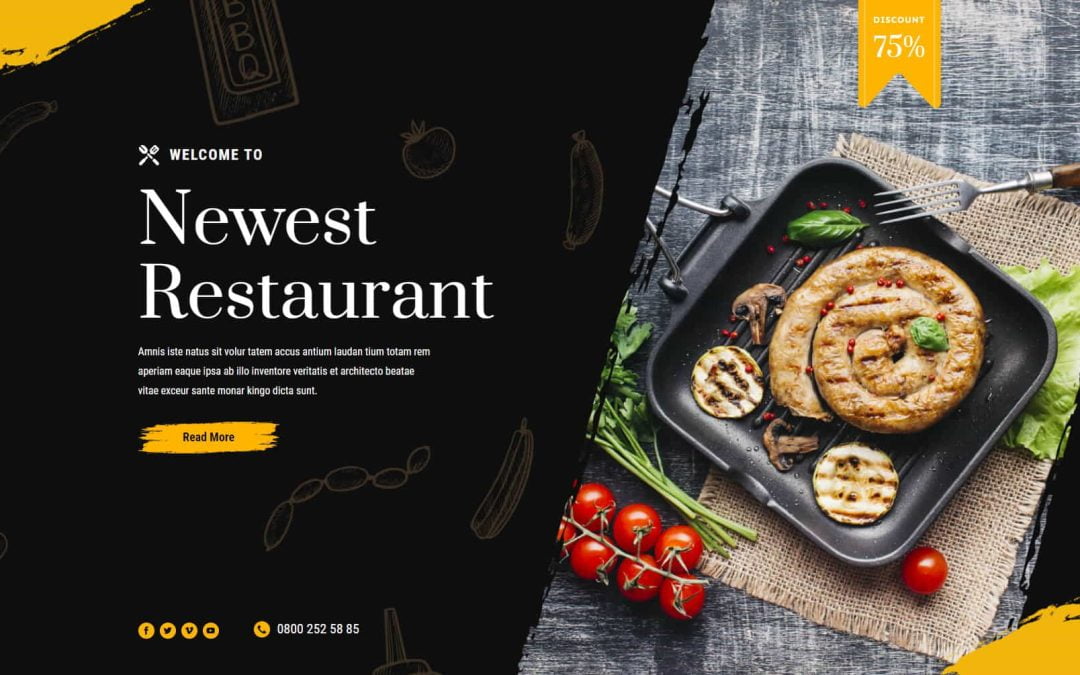
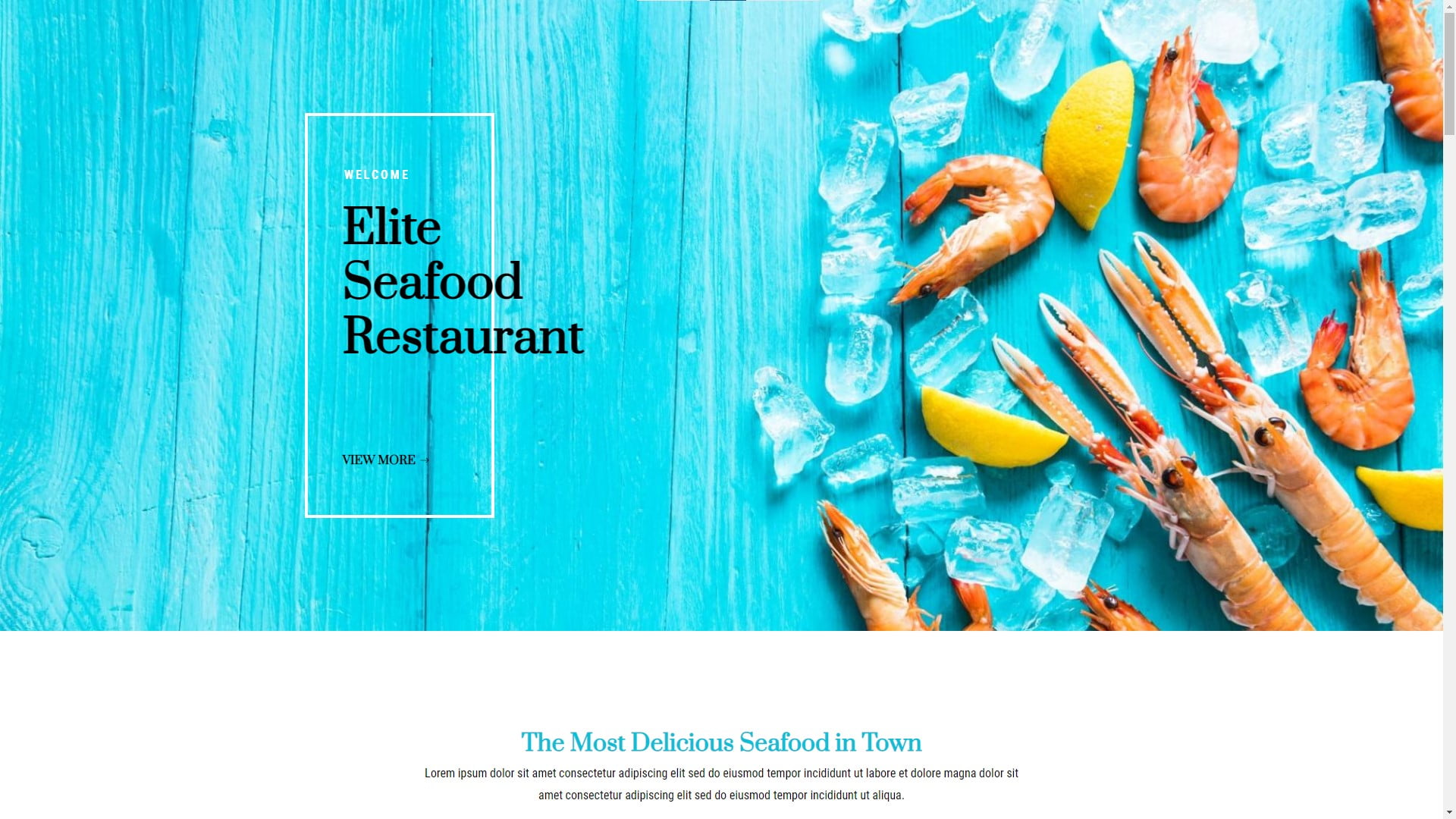
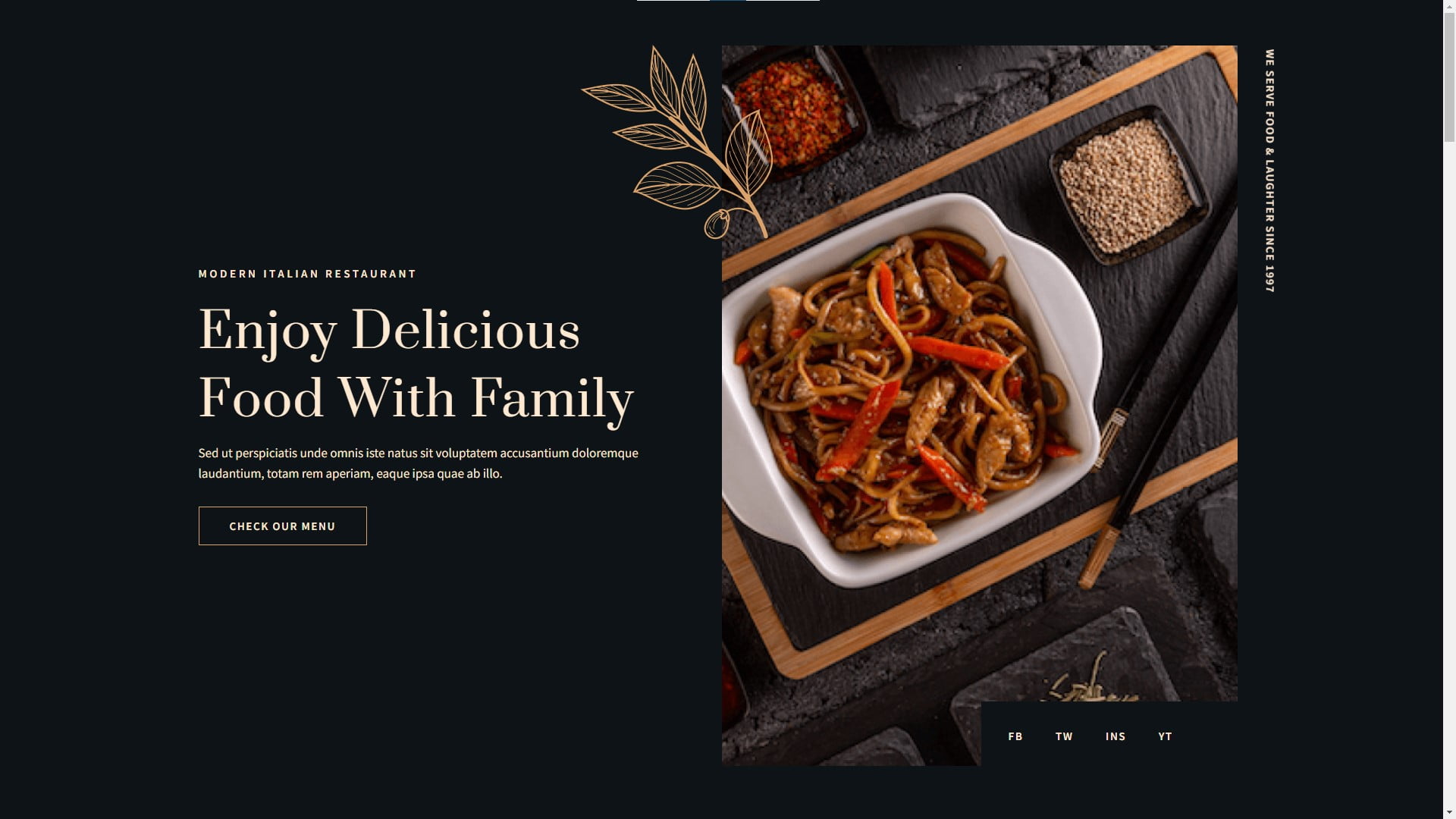
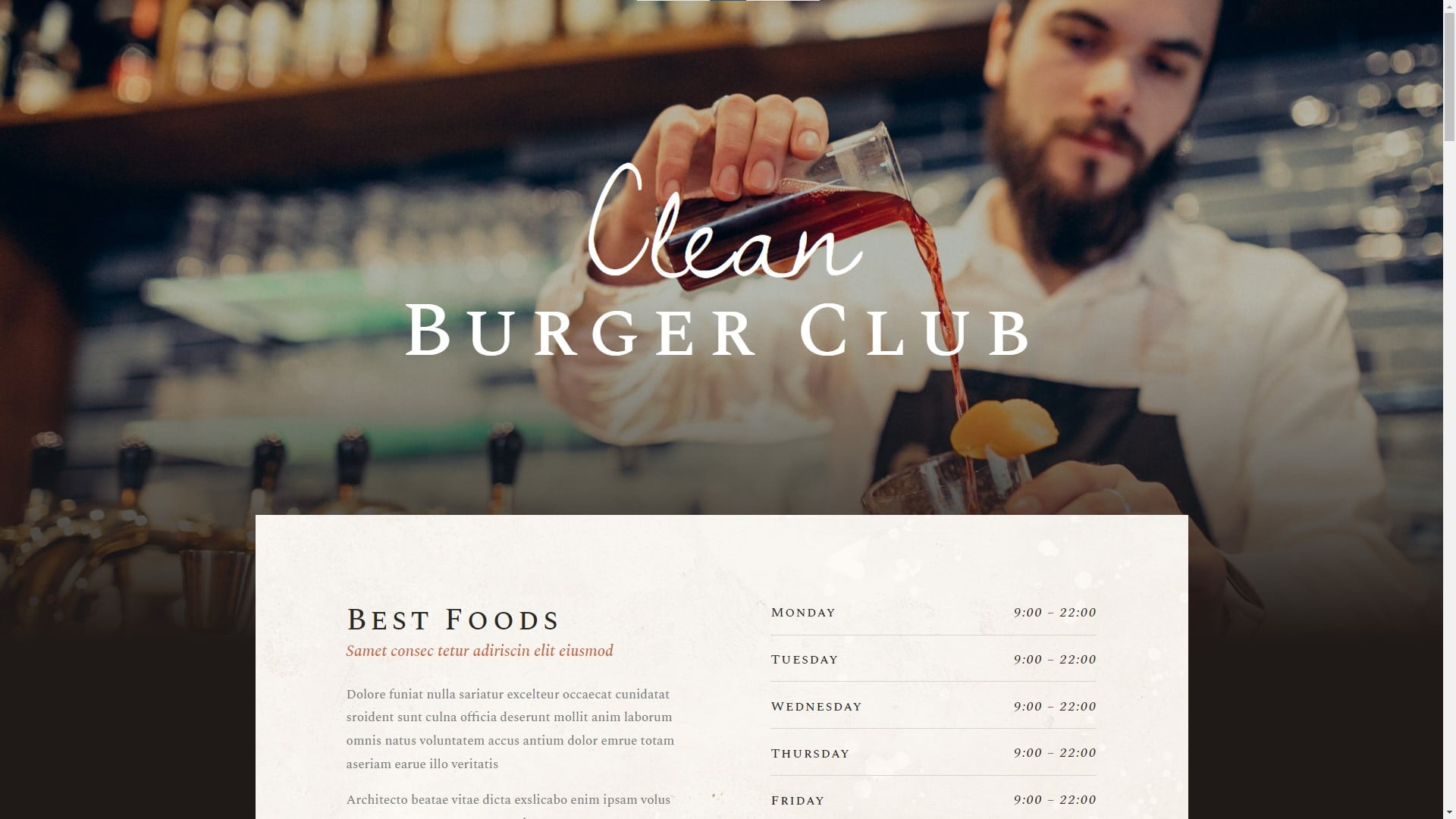
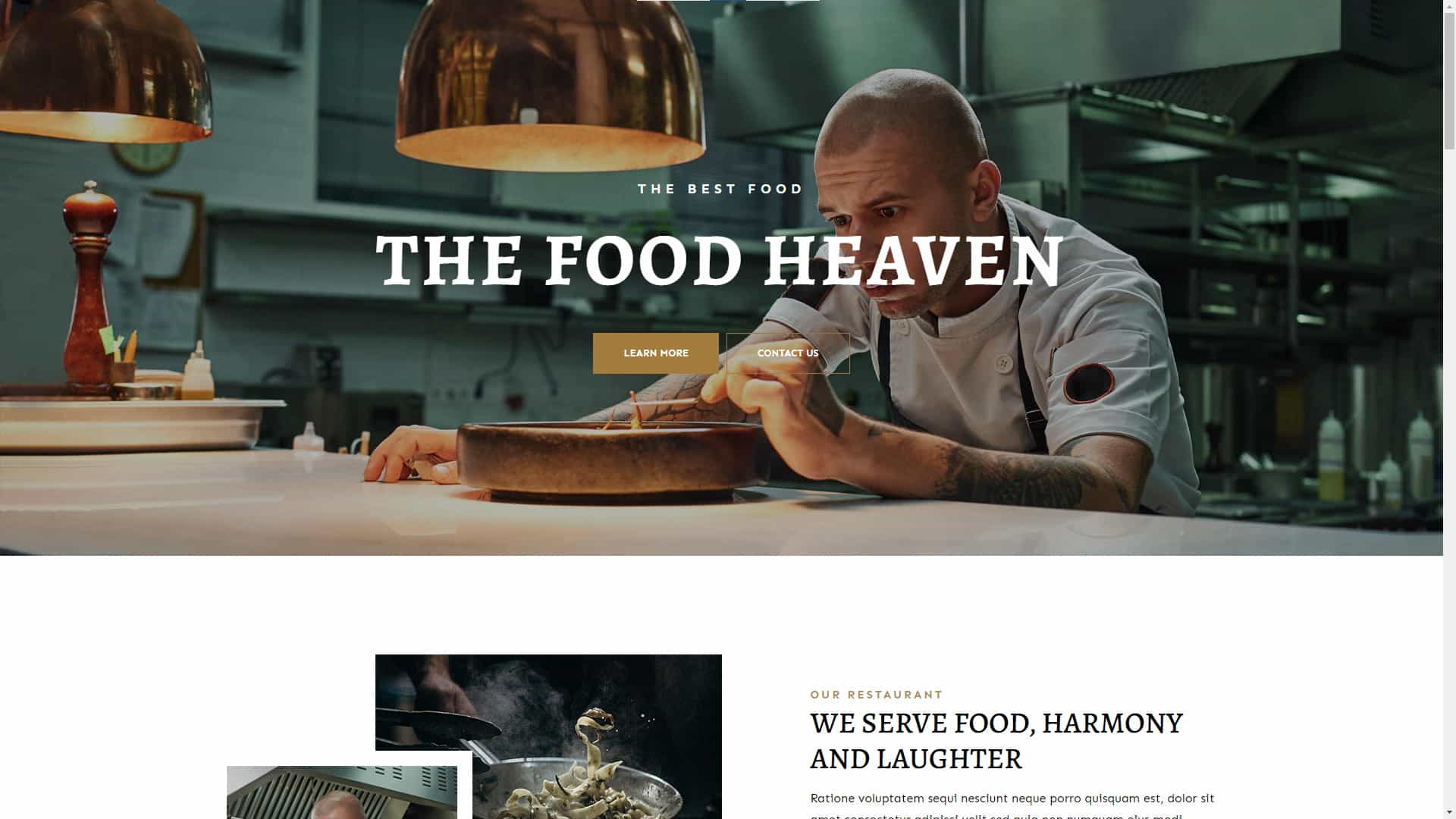
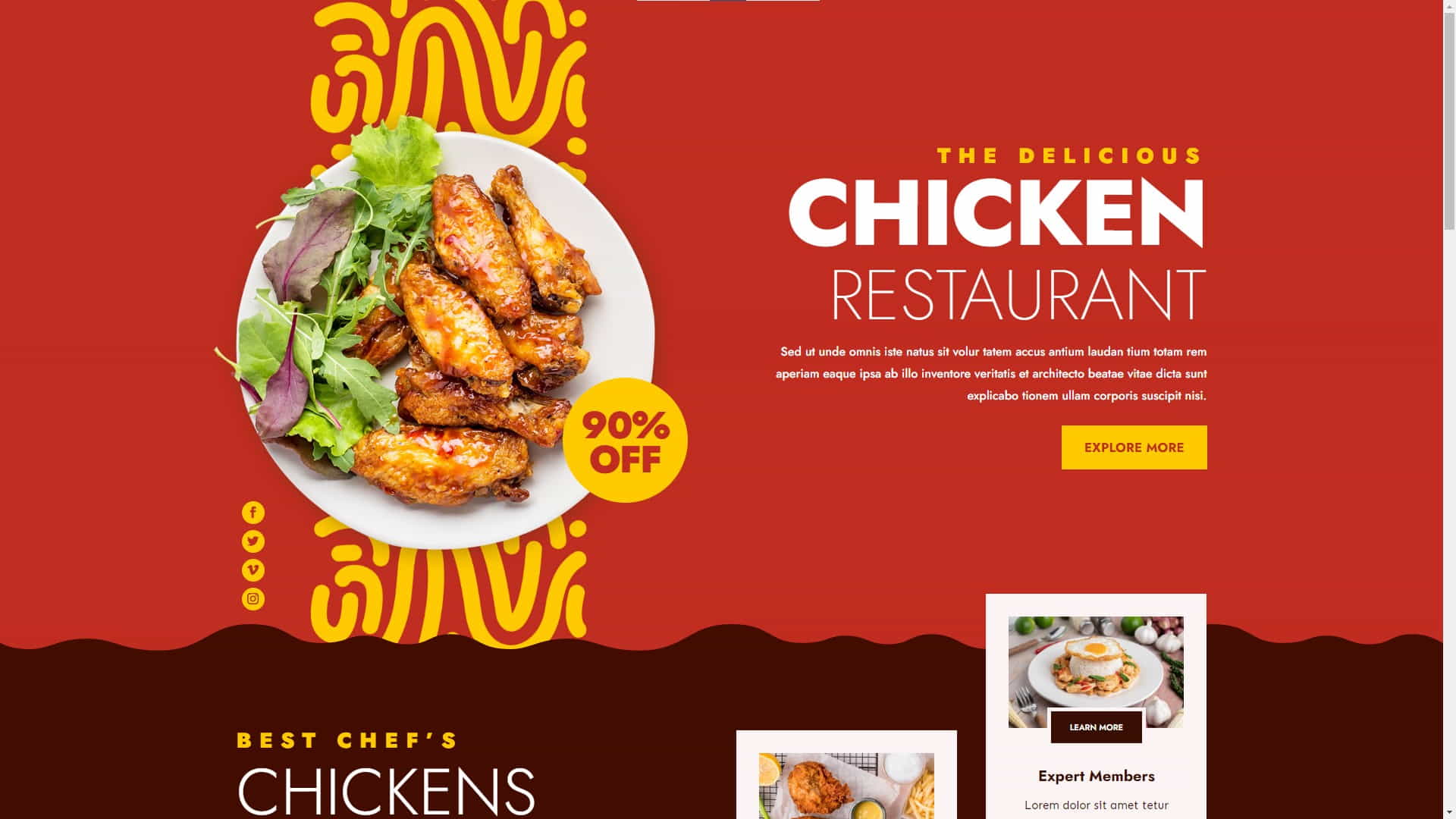
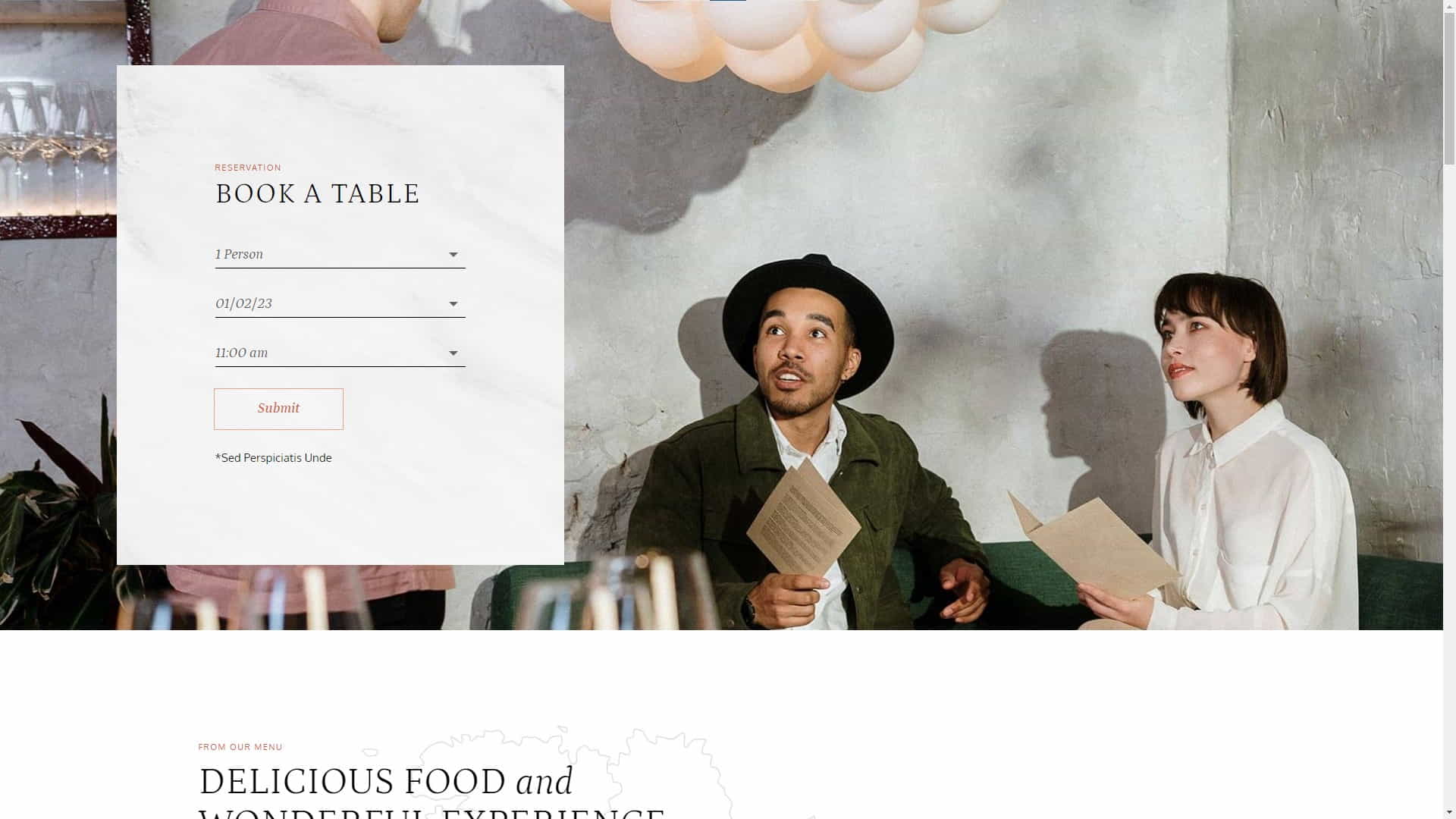
Countless WordPress restaurant website templates can be used with specialty themes or to customize almost any general-use WordPress theme. However, some templates are designed using a specific theme like Divi or Elementor, so be sure the template you choose is compatible with the theme you plan to use.

Every template displayed on this page was designed with the Divi theme. The image carousel above contains four more templates designed for restaurant websites. You can learn how to create a WordPress website for your restaurant by searching for tutorials on YouTube, like this one title “How to design a restaurant website – Divi Theme“.

Final Thoughts On WordPress Restaurant Websites

Final Thoughts On WordPress Restaurant Websites

Final Thoughts

Creating a WordPress website for your restaurant is a step toward establishing an online presence, which can help you attract more consumers. You will successfully create a digital platform that is a true reflection of your establishment’s high-quality offerings and contributes to the expansion of your business by carefully selecting an appropriate theme that embodies the essence of your restaurant, fine-tuning your website to be easily discoverable by search engines, and ensuring a seamless, user-friendly experience.

Remember that keeping your site current is essential to its continued success as a part of your overall internet strategy. This includes not only sharing the latest news, promotions, and menu updates but also implementing innovative features that improve the overall experience for your patrons. By prioritizing a human touch in your digital communications, you can make a lasting impression on your clientele and foster a loyal following that will contribute to the ongoing success of your business.

Disclosure: You may find affiliate links to beneficial resources within this article. You won’t pay more for using our link, but we’ll get a commission. This supports our content creation, and we only suggest products we genuinely believe in. Thank you for being so understanding!

Affiliate Links

James Turner

James Turner

Author/Copywriter

Why Choosing the Best Web Hosting Company Matters in 2025

Find out why choosing the best web hosting company matters in 2025 to boost your site’s performance and skyrocket sales.

Hiring a Website Designer

Hiring a website designer? Discover actionable tips, red flags to avoid, and how to find the right designer to create a website that grows your business.

How to Create a Landing Page Using WordPress

Follow our guide on how to create a landing page using WordPress and the built-in Block Editor, page builder plugins, or specialized themes.

Creating High-Converting Landing Pages With WordPress

Creating High-Converting Landing Pages With WordPress

Home » Website Design » Page 4

Creating high-converting landing pages with WordPress is essential for any business looking to increase their online presence and convert visitors into customers. In this article, we’ll dive into the world of WordPress and explore how to create landing pages that truly convert. We’ll cover everything from the basics of landing page design to advanced techniques for increasing conversion rates. So, buckle up and get ready to take your WordPress website to new heights!

Question from Davey G.: How can I create a high-converting landing page with WordPress?

Answer: Creating a high-converting landing page with WordPress involves understanding your target audience, designing a visually appealing layout, writing persuasive copy, and implementing conversion-optimized elements like forms and call-to-action buttons. This article will guide you through the entire process in detail.

Good Design is Good Business

Good Design is Good Business

“Good design is good business.” – Thomas J. Watson, former CEO of IBM

Understanding Landing Pages is the First Step

Understanding Landing Pages is the First Step

1. Understanding Landing Pages

A landing page is a standalone web page designed with a single goal in mind: to convert visitors into leads or customers. It is the starting point for a particular advertising drive and is designed to get site visitors to do something, such as join up for a mailing list, download a free ebook, or buy a product.

Landing pages are integral to digital advertising campaigns since they boost conversion rates through more direct communication with the intended audience. This article will examine the various landing page formats and the aspects that determine their effectiveness.

Types of Landing Pages

  • Lead Generation: These pages are designed to collect user information, such as email addresses, names, or phone numbers, typically in exchange for something of value like an eBook, webinar, or newsletter subscription. The main goal of a lead generation landing page is to generate leads for your business or organization.
  • Click-through: Landing pages are pages that are meant to be clicked through to a sales page or online store for further purchase or information. They often include strong calls-to-action, persuasive copy, and engaging visuals to entice users to take the next step in the buyer’s journey.
  • Sales: Sales landing pages aim to directly sell a product or service to visitors. Product descriptions, prices, customer reviews, and a compelling call to action are common features of these sites. Sales landing pages are typically used for time-sensitive offers or promotions to create a sense of urgency.
  • Event Registration: Event registration landing pages are designed to promote and collect sign-ups for an upcoming event, such as a webinar, conference, or workshop. These pages typically include event details, speaker information, and a registration form to capture attendee information.
  • App or Software Download: These landing pages promote a specific software application or mobile app and encourage users to download or sign up for a trial version. To encourage app downloads, these materials often detail the app’s features, benefits, cost, and praise from satisfied customers.

Understanding the different types of landing pages and their specific purposes is essential when creating effective landing pages with WordPress. Boost conversions and see better overall results from your marketing campaign by customizing your landing page to match its unique needs.

Key Success Factors

Several elements affect a landing page’s success, including:

  • Relevance: Meeting the expectations of visitors from advertisements or other sources.
  • Clarity: Providing a concise message communicating the value proposition and desired action.
  • Visual appeal: Designing an attractive, professional-looking page that engages visitors and builds trust.
  • Conversion-focused design: Implementing elements encouraging users to take the desired action, such as forms, call-to-action buttons, and persuasive copy.
The Key Elements of High Converting Pages

The Key Elements of High Converting Pages

2. Key Elements of a High-Converting Landing Page

Now that we understand the basics of landing pages let’s dive into the key elements that contribute to high conversion rates:

Compelling Headline

I think a strong headline is crucial for grabbing the attention of your visitors and persuading them to stay on the page. It should be clear, concise and communicate your offer’s primary benefit or value proposition.

Subheadline

The subheadline is a secondary heading that provides additional context and supports the main headline. It should expand on the headline’s message and emphasize the value proposition.

Visuals

High-quality photographs or videos can assist demonstrate your product or service, build trust, and improve the overall appeal of your landing page. Choose relevant and professional-looking visuals, and avoid generic stock photos that don’t add value.

Persuasive Copy

Effective landing page copy should be concise, easy to read, and focused on the benefits of your offer. Use clear, convincing language that addresses your audience’s demands. Here are 10 WordPress Content Strategy Mistakes and How to Fix Them, which will help you ensure your content is always high-quality.

Call-to-Action (CTA)

Your landing page’s call-to-action drives conversions. Your CTA should be clear, prominent, and compelling, urging visitors to take the right action as soon as possible.

Trust Indicators

Adding trust indicators, such as testimonials, reviews, or logos of well-known clients, can help build credibility and reassure visitors that your offer is reliable and worth considering.

Mobile Optimization

Your landing page must be mobile-friendly and smooth across devices as more visitors browse websites on mobile devices.

The Best WordPress Landing Page Plugins

The Best WordPress Landing Page Plugins

3. Top WordPress Plugins for Creating Landing Pages

WordPress plugins with drag-and-drop interfaces and pre-designed templates make creating high-converting landing pages with WordPress easier. Learn Why WordPress is the Best Website Builder for Beginners and how it can help you succeed online.

Here are some of the top WordPress plugins for creating landing pages:

Elementor

Elementor is a popular page builder plugin allowing you to design stunning landing pages without coding knowledge. Its user-friendly interface, a large library of pre-built templates, and an extensive range of design elements enable you to construct the perfect landing page.

Divi Builder

Divi Builder is another powerful page builder plugin that’s part of the Divi Theme by Elegant Themes. It features a visual drag-and-drop editor, a large collection of pre-designed templates, and advanced design settings for creating fully customizable landing pages. This blog and website were created using the Divi builder, and we have found it to be very powerful and easy to use.

OptimizePress

OptimizePress is specifically designed for creating conversion-optimized landing pages. It offers a range of conversion-focused features, including opt-in forms, countdown timers, and A/B testing capabilities. It has many pre-built templates and an easy-to-use editor.

Thrive Architect

Thrive Architect is a page builder plugin by Thrive Themes, focusing on conversion optimization. It offers many pre-designed themes, customizable call-to-action buttons, and an easy drag-and-drop editor for constructing visually appealing and high-converting landing pages.

Landing Page Website Design Tips

Landing Page Website Design Tips

4. Design Tips for High-Converting Landing Pages

Here are some valuable WordPress landing page design tips and suggestions to help you produce visually engaging and high-converting landing pages that will effectively resonate with your target audience:

  1. Select a clean and simple design, which minimizes distractions and helps users concentrate on the page’s main purpose. A clutter-free layout is essential in maintaining your visitors’ focus and helping them towards the desired action.
  2. Display your title, subheadline, and CTA prominently and clearly.
    I’d like for you to make these elements aesthetically beautiful and easy to grasp to grab the user’s attention and deliver your message.
  3. To stand out from the page, use contrasting call-to-action buttons. Choosing vivid and attention-grabbing colors increases the chance that users will notice and interact with your CTAs, leading to better conversion rates.
  4. Break up extensive text into smaller sections by adding headings, bullet points, and visual elements like images or icons. This method will make your text easier to read and digest.
  5. Incorporate white space thoughtfully throughout your landing page to give your content room to breathe and direct the visitor’s eye through the different elements on the page. White or negative space contributes to a sense of balance and hierarchy, making it simpler for users to process and comprehend your content.
  6. Make sure your landing page works well on mobile devices. Providing an excellent user experience regardless of screen size or platform is crucial, as more users access the web from several devices.

By adhering to these recommendations, you’ll be on track to create visually impressive, high-converting landing pages that look fantastic and effectively encourage your visitors to take the desired actions.

Optimizing Conversions With A-B Testing

Optimizing Conversions With A-B Testing

5. Optimizing Conversions: A/B Testing and Analytics

Test and optimize your landing page to increase conversions. A/B testing, also known as split testing, involves creating two or more variations of a landing page and comparing their performance to determine which one generates better results.

Some elements you can test include:

  • Headlines and subheadlines
  • Call-to-action buttons (color, size, text)
  • Images and videos
  • Form fields and placement
  • Copy and messaging

By analyzing the performance data from A/B tests and making data-driven improvements, you can continually optimize your landing page for higher conversion rates. A/B testing and web analytics like Google Analytics are vital for landing page performance. These tools provide user behavior, traffic sources, and other crucial analytics to help you make informed decisions and improve your landing page.

Mastering WordPress Landing Page Design

Mastering WordPress Landing Page Design

An Inspirational Story: How Helena O. Mastered Landing Page Design

A small business owner, Helena knew she needed to up her game to drive more conversions and grow her business. She decided to learn everything she could about landing page design and optimization. She started by researching the best practices, taking online courses, and attending webinars. Over time, Helena began to see the positive impact of her efforts on her conversion rates.

Helena realized the importance of understanding her target audience and aligning her landing pages with their needs and preferences. She made it a point to continually test and optimize her pages, using A/B testing and analytics to make data-driven improvements. Her perseverance and dedication paid off, as she saw a significant increase in leads, sales, and overall business growth.

Some key takeaways from Helena’s experience include:

  • Invest time and effort in learning about landing page design and optimization.
  • Understand your target audience and create landing pages that cater to their needs.
  • Continually test and optimize your landing pages to improve their performance.
  • Stay up-to-date with industry trends and best practices to maintain a competitive edge.
Useful Statistics and Resources for Marketers

Useful Statistics and Resources for Marketers

Landing Page Statistics You Need to Know

  • WordStream reports that the average conversion rate for a landing page is 2.35 percent across all industries, with the top 25 percent achieving conversion rates of 5.31 percent or above.
  • According to data compiled by Unbounce, landing pages with a single CTA have a significantly greater conversion rate than those with several CTAs.
  • A study by HubSpot found that companies with 40 or more landing pages generate 12 times more leads than those with 5 or fewer.
  • According to MarketingSherpa, 48% of marketers build a new landing page for each marketing campaign.
  • Conversion rates can increase by up to 50% when videos are added to a landing page, as reported by EyeView Digital.

Useful Resources for Learning More About Landing Page Design

E-commerce Success Stories and Expert Comments

Understanding More About Website Hosting is Vital

Reader Testimonial: A Success Story

Michale G., an e-commerce store owner, shared his success story after implementing the strategies mentioned in this article. “I was struggling with low conversion rates on my landing pages, but after following the tips and best practices outlined here, I saw a remarkable improvement in my sales and lead generation. Understanding my audience, focusing on a single call-to-action, and continually testing and optimizing my pages have made all the difference.”


Expert Comment on Landing Page Best Practices

“Understanding your audience is key to creating landing pages that resonate with them. Perform extensive research and create buyer personas to ensure your landing pages address the needs, preferences, and pain points of your target audience.” – Carl T., Conversion Optimization Specialist

Facts About Landing Pages

  • Landing pages are designed for specific marketing campaigns and have a singular focus, such as generating leads, selling a product, or promoting an event.
  • Effective landing pages are built around a strong, clear call-to-action that encourages visitors to take a specific action.
  • Headlines, visuals, and persuasive copy are essential elements of high-converting landing pages.
  • A/B testing and web analytics are critical tools for optimizing landing page performance and driving higher conversion rates.
  • There are various types of landing pages, such as lead generation, click-through, sales, event registration, and app or software download pages, each with its own unique purpose and design considerations.

Glossary of Key Landing Page Terms

Call-to-Action (CTA)
An invitation for site visitors to perform some desired action, such as subscribing to a newsletter or buying something.
Conversion Rate
The percentage of visitors who complete the desired action on a landing page.
A/B Testing
A method of comparing two landing page versions to determine which one performs better.
Lead Generation
Attracting and converting prospects into potential customers, often by collecting their contact information.
Click-through Rate (CTR)
The percentage of visitors who click on a specific link or call-to-action on a landing page.
Bounce Rate
The percentage of visitors who leave a website after viewing only one page, without taking any action.
Landing Page Builder
A software tool that helps users create and customize landing pages, typically featuring drag-and-drop functionality and pre-built templates.
The Secrets of Landing Page Design

The Secrets of Landing Page Design

Do’s and Don’ts of Landing Page Design

The following are crucial “Do’s” and “Don’ts” for WordPress landing page construction and refinement. You may improve the performance of your landing page by emphasizing a distinct call to action, writing attention-grabbing headlines, and providing illustrative material to back up your claims. We recommend using bold pictures and graphics, narrowly focused on the topic of the landing page.

  • Do’s
    • Focus on a single call-to-action.
    • Make your headlines clear and compelling.
    • Create a responsive design that works well on all devices.
    • Use visuals to support your message.
    • A/B test your landing pages to optimize performance.
  • Don’ts
    • Clutter your landing page with multiple calls-to-action.
    • Use vague or confusing headlines.
    • Ignore the importance of mobile optimization.
    • Rely on text alone to convey your message.
    • Assume you know what will work best for your audience.
Creating Successful Landing Pages With WordPress

Creating Successful Landing Pages With WordPress

Final Thoughts

Creating high-converting landing pages with WordPress is achievable with the right knowledge and tools. Focus on understanding your audience, designing with a single objective in mind, and continually testing and optimizing your pages. By following these best practices and leveraging the power of popular landing page builders, you can drive more conversions and grow your business.

Disclosure: You may find affiliate links to beneficial resources within this article. You won’t pay more for using our link, but we’ll get a commission. This supports our content creation, and we only suggest products we genuinely believe in. Thank you for being so understanding!

Affiliate Links

James Turner

James Turner

Author/Copywriter
Why Choosing the Best Web Hosting Company Matters in 2025

Find out why choosing the best web hosting company matters in 2025 to boost your site’s performance and skyrocket sales.

Hiring a Website Designer

Hiring a website designer? Discover actionable tips, red flags to avoid, and how to find the right designer to create a website that grows your business.

How to Create a Landing Page Using WordPress

Follow our guide on how to create a landing page using WordPress and the built-in Block Editor, page builder plugins, or specialized themes.

Important Pages to Include on Your WordPress Website

Important Pages to Include on Your WordPress Website

Home » Website Design » Page 4

It can be difficult to decide which pages are required if you are new to establishing a WordPress website. To assist you, we’ll walk you through the essential pages that every WordPress site should have, explain their importance, and offer recommendations for optimizing them for SEO. Our article discusses important practices like keyword density, long-tail keywords, and ways to improve your site’s user experience and search engine visibility. Each page is critical to the to the functioning of your website since it plays a vital role in providing an engaging user experience.

Question from Mark S.: What are the most important pages to include on a WordPress website?

Answer: The most important pages to include on a WordPress website are the Home, About, Privacy & Terms, and the Contact Us page. Other equally essential pages for your website are the Blog, Services or Products, and Testimonials pages.

“Design is not just what it looks like and feels like. Design is how it works.” – Steve Jobs

Designing an Effective WordPress Home Page

Designing an Effective WordPress Home Page

Home Page

When individuals arrive at your website, the initial page they encounter serves as their introduction, making it vital to create a memorable and positive initial experience. Your home page must feature a straightforward and succinct statement of worth, highlighting your offerings and incorporating an inviting directive that steers users in the direction of their subsequent course of action. To enhance your social media presence, consider integrating your website’s homepage into your overall Social Media Strategy. This technique can help increase your visibility and reach.

Key elements:

  • Logo and navigation menu
  • Clear and concise value proposition
  • Compelling visuals
  • Call-to-action (CTA)
  • Social proof or testimonials

About Page

The About page presents a chance for you to convey your narrative, objectives, and principles, fostering a sense of reliability and confidence among your viewers. This important page should encompass details regarding your history, expertise, and the unique attributes that distinguish you from your rivals.

Key elements:

  • Personal or company story
  • Mission statement and values
  • Team member profiles (optional)
  • Relevant achievements or certifications

Privacy Policy Page

An essential addition to your WordPress site is the privacy policy page. This section educates your visitors on the information gathered from them and the methods employed for utilizing, preserving, and safeguarding it. In numerous nations, having a confidentiality agreement is a legal obligation, particularly when your site obtains personal data like email addresses or financial particulars from users.

Terms of Use Page

The terms of use page outlines the rules and guidelines visitors must follow when using your website. This page helps protect your business from potential liabilities and provides a clear framework for users to understand their rights and responsibilities. It typically covers topics like copyright, user conduct, disclaimers, and limitations of liability.

Creating a WordPress Blog Page

Creating a WordPress Blog Page

Blog Page

A blog may boost your website’s search engine rankings, show off your knowledge, and give your readers something valuable. Regularly posting fresh, relevant content helps attract new visitors and keeps existing users engaged while increasing the chances of your content being shared on social media. You can read our article How Blogging Can Help Your Business for more information on this topic.

Key elements:

  • Search bar
  • Categories and tags
  • Recent or popular posts
  • Post excerpts or summaries
  • Comment section

Services or Products Page

On this particular page, your offerings, be they products or services, are displayed complete with comprehensive explanations, costs, and any distinctive characteristics or advantages. Incorporating first-rate visuals, video content, or testimonials from clients can amplify the appeal of your offerings, prompting visitors to either make a transaction or reach out to you for further details.

Key elements:

  • Product or service descriptions
  • Benefits and features
  • Pricing information
  • High-quality images or videos
  • Customer reviews or testimonials (if available)
  • Call-to-action (CTA) for each product or service

Testimonials Page

Endorsements serve as a potent variety of social validation that can foster confidence and believability among prospective clients. A specialized page for testimonials ought to display commendations from contented customers, incorporating their names, images, and videos when feasible. This approach furnishes assurance to site visitors that your offerings have garnered the esteem of others.

Key elements:

  • Client quotes
  • Client names and photos (with permission)
  • Video testimonials (if available)
  • A clear and concise title or header

Contact Page

It is crucial to have a page dedicated to facilitating seamless communication between visitors and yourself. This page ought to encompass a communication form, an email address, a contact number, and a postal address, if relevant. You should include links to your social media accounts, a map, and directions if you have a physical location.


Key elements:

  • Contact form
  • Email address
  • Phone number
  • Physical address (if applicable)
  • Social media links
  • Map (if applicable)
Kendra Created a Successful Website

Kendra Created a Successful Website

Inspirational Story by a Successful WordPress Website Owner

Meet Kendra H., a small business owner who struggled to create a successful WordPress website. After countless hours of research and trial and error, she finally found the perfect combination of essential pages for her site. With a well-organized home page, an engaging about page, and a blog full of valuable content, Kendra’s website started to gain traction.

Her site’s traffic and conversion rates improved, leading to more clients and a thriving business. Kendra learned several valuable lessons throughout this journey, including the importance of understanding her target audience, focusing on user experience, and implementing SEO best practices.

Looking back, Kendra wishes she had known about the importance of these pages sooner. She believes that having a solid foundation of essential pages would have saved her time and effort. However, she’s grateful for the lessons learned and is proud of her successful website.

Kendra’s recommendations for creating a successful WordPress site include:

  1. Focus on user experience and design
  2. Regularly update your blog with valuable content
  3. Optimize your site for search engines
  4. Collect and display customer testimonials
  5. Ensure all essential pages are present and well-designed

With hard work, determination, and the right approach, Kendra transformed her website into a valuable asset for her business. Her story serves as a reminder of the importance of having a well-structured and optimized WordPress site.

WordPress Statistics and Resources

WordPress Statistics and Resources

Statistics

Here are some interesting statistics related to WordPress websites and their essential pages:

  • WordPress powers over 43% of all websites on the internet (W3Techs)
  • Approximately 70% of users abandon websites if the content or layout is unattractive (Sweor)
  • 64% of small businesses have a website, emphasizing the importance of a strong online presence (Clutch)

Useful Resources

Here are some useful resources to help you create a successful WordPress website:

  • WordPress.org Support: Official support forum for WordPress users.
  • WPBeginner: A comprehensive resource for WordPress tutorials, tips, and tricks.
  • Yoast SEO: A popular plugin that helps improve your WordPress site’s SEO.
  • WP101: Offers WordPress video tutorials for beginners.

Expert Comments

Here is an insightful comment from a WordPress website designer:

“Consistently updating your blog with fresh, engaging content is essential for attracting and retaining website visitors. It also helps improve your site’s SEO, driving more organic traffic to your website and increasing your online visibility.” – Tom K., WordPress Website Designer

List of Facts

Here are some interesting facts about the essential pages of a WordPress website:

  1. A well-designed home page can increase user engagement and decrease bounce rates.
  2. About pages personalize your website and help you connect with your audience.
  3. Regularly updating your blog with valuable content can improve your website’s SEO and attract more visitors.
  4. Product or services pages should be easy to navigate and include detailed information, images, and pricing.
  5. Testimonials can serve as powerful social proof, encouraging visitors to trust your brand and make a purchase.
  6. Contact pages should include multiple methods of contact, making it easy for visitors to get in touch with you.

Comparison

When you compare the essential pages of a WordPress website, you need to consider the following aspects: User experience and design:

  • User experience and design: Is the page visually appealing and easy to navigate?
  • Content quality: Does the page provide valuable and relevant information?
  • SEO optimization: Is the page optimized for search engines to improve visibility and rankings?
  • Conversion potential: Does the page encourage visitors to take the desired action, such as making a purchase or signing up for a newsletter?

Glossary

Here is a glossary of terms related to essential pages on a WordPress website:

Home Page
The main page of a website should include an overview of the website’s content, navigation links, and a prominent call-to-action like a high contrast button, or persuasive text that encourages the visitors to take action.
About Page
A page dedicated to providing information about the website owner or business, including their background, mission, and values.
Blog Page
A regularly updated section of a website featuring articles, news, and other informative content related to the website’s niche or industry.
Product/Services Page
A page that showcases the products or services offered by a business, along with detailed information, pricing, and images.
Testimonials Page
A page featuring quotes, reviews, or endorsements from satisfied customers, providing social proof and credibility for a business.
Contact Page
Because people prefer different methods of communication, a website owner’s contact page should include contact forms, email addresses, and phone numbers.
WordPress Website Project Management

WordPress Website Project Management

Do’s and Don’ts

When creating the essential pages for your WordPress website, consider these do’s and don’ts:

  • Do focus on user experience and design.
  • Do provide valuable and relevant content on each page.
  • Do optimize your pages for search engines.
  • Do include social proof in the form of testimonials or reviews.
  • Don’t neglect any essential pages, as each one serves a specific purpose in guiding visitors through your site.
  • Don’t overwhelm your visitors with excessive information or cluttered design elements.
Deciding What Pages Are Important for a Website

Deciding What Pages Are Important for a Website

Final Thoughts on Important Pages for Websites

In conclusion, creating essential pages for your WordPress website is crucial for delivering a positive user experience and driving results. You’ll succeed online if you create a great home page, about page, blog page, product or services page, testimonials page, and contact page. Remember to prioritize user experience, provide valuable content, and optimize your pages for search engines. Follow these best practices to build a website that engages visitors and grows your business.

Disclosure: Some of the links in this post could be considered “affiliate links.” If you click on one of those links and buy the item, I’ll get a commission, but it won’t raise your price.

Affiliate Links

James Turner

James Turner

Author/Copywriter
Why Choosing the Best Web Hosting Company Matters in 2025

Find out why choosing the best web hosting company matters in 2025 to boost your site’s performance and skyrocket sales.

Hiring a Website Designer

Hiring a website designer? Discover actionable tips, red flags to avoid, and how to find the right designer to create a website that grows your business.

How to Create a Landing Page Using WordPress

Follow our guide on how to create a landing page using WordPress and the built-in Block Editor, page builder plugins, or specialized themes.

How to Create Custom WordPress Headers that Stand Out

How to Create Custom WordPress Headers that Stand Out

Home » Website Design » Page 4

Are you wondering how to create custom WordPress headers that will give your website a unique and captivating appearance? Personalized headers are an excellent strategy to distinguish your site from its rivals. In this detailed tutorial, we’ll guide you step by step in crafting tailor-made WordPress headers that will leave a memorable impact on your audience. So, let’s get started and design some remarkable headers for your website!

Question from Janice M.: “What are the key elements I should consider when designing a custom header for my WordPress site?”

Answer: Janice, when designing a custom header, you should consider the overall layout, typography, color scheme, and any visual elements (like images or icons) that will be part of the design. Additionally, ensure your header is responsive and displays correctly on different devices and screen sizes.

“A great header design is like a great book cover. It piques the reader’s interest and invites them to explore the content inside.” – Unknown

Understanding WordPress Header Design

Understanding WordPress Header Design

Understanding WordPress Headers

Before you dive into crafting your own personalized headers, it’s important to grasp the concept of a WordPress header and its purpose on your website. A header is the top portion of a webpage that often displays the site’s logo, primary menu, and other important features that help users navigate your site. As the first thing your visitors encounter when they arrive at your website, it plays a significant role in shaping a delightful user experience.

Role of Headers in Web Design

Headers play a critical role in web design for several reasons:

  • Branding: A well-designed header helps establish your brand identity by showcasing your logo, color scheme, and typography.
  • Navigation: Headers typically contain the main navigation menu, making it easy for users to find the content they’re looking for on your site.
  • User Experience: An attractive and functional header enhances the overall user experience, encouraging visitors to spend more time exploring your site.
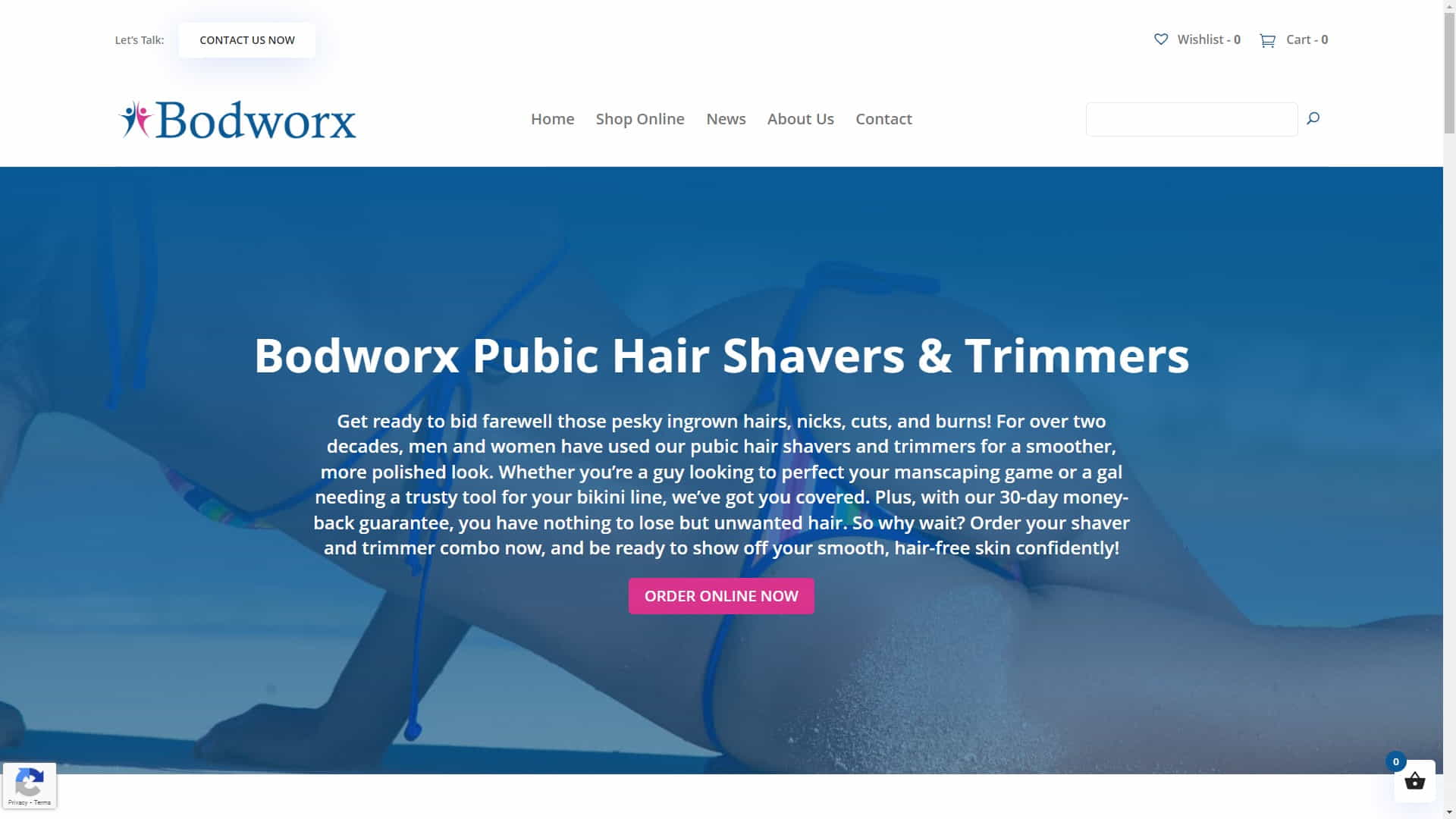
Custom Header for Woocommerce Store

Custom Header for Woocommerce Store

Header Design Principles

To create a standout custom WordPress header, it’s important to follow some basic design principles. These principles will ensure that your header not only looks great but also functions well on your site.

Clarity and Simplicity

Keep your header design clean and straightforward, avoiding clutter or unnecessary elements. A well-designed header is crucial for any website as it enables users to easily locate and access essential features like the logo and navigation menu. By keeping the header clear and straightforward, users can focus on the most critical aspects of your site.

Consistent Branding

Ensure your header design aligns with your overall brand identity. This includes using consistent typography, color schemes, and visual elements. A cohesive brand identity helps build trust with your audience and makes your site more memorable.

Responsive Design

With the increasing variety of devices and screen sizes, it’s essential to ensure your custom header is part of a Mobile-Friendly Website Design. A responsive header will adapt to different screen sizes, providing a consistent user experience across all devices.

Visual Hierarchy

Establish a visual hierarchy within your header design by giving prominence to the most important elements, such as your logo and main navigation. This aids site visitors in navigating your site and finding the content they need.

Custom Header for Website Design Agency

Custom Header for Website Design Agency

Creating Custom WordPress Headers

With your newfound knowledge of header design concepts in hand, you can get started making your own unique WordPress header.

Here is a detailed guide that will help you accomplish your goal:

1. Choose the Right Theme

Some WordPress themes come with built-in options for customizing headers. Choose a theme that offers header customization options, or consider using a page builder plugin that allows for more design flexibility. Read this article if you need to learn How to Choose the Best WordPress Theme for your new website.

2. Plan Your Design

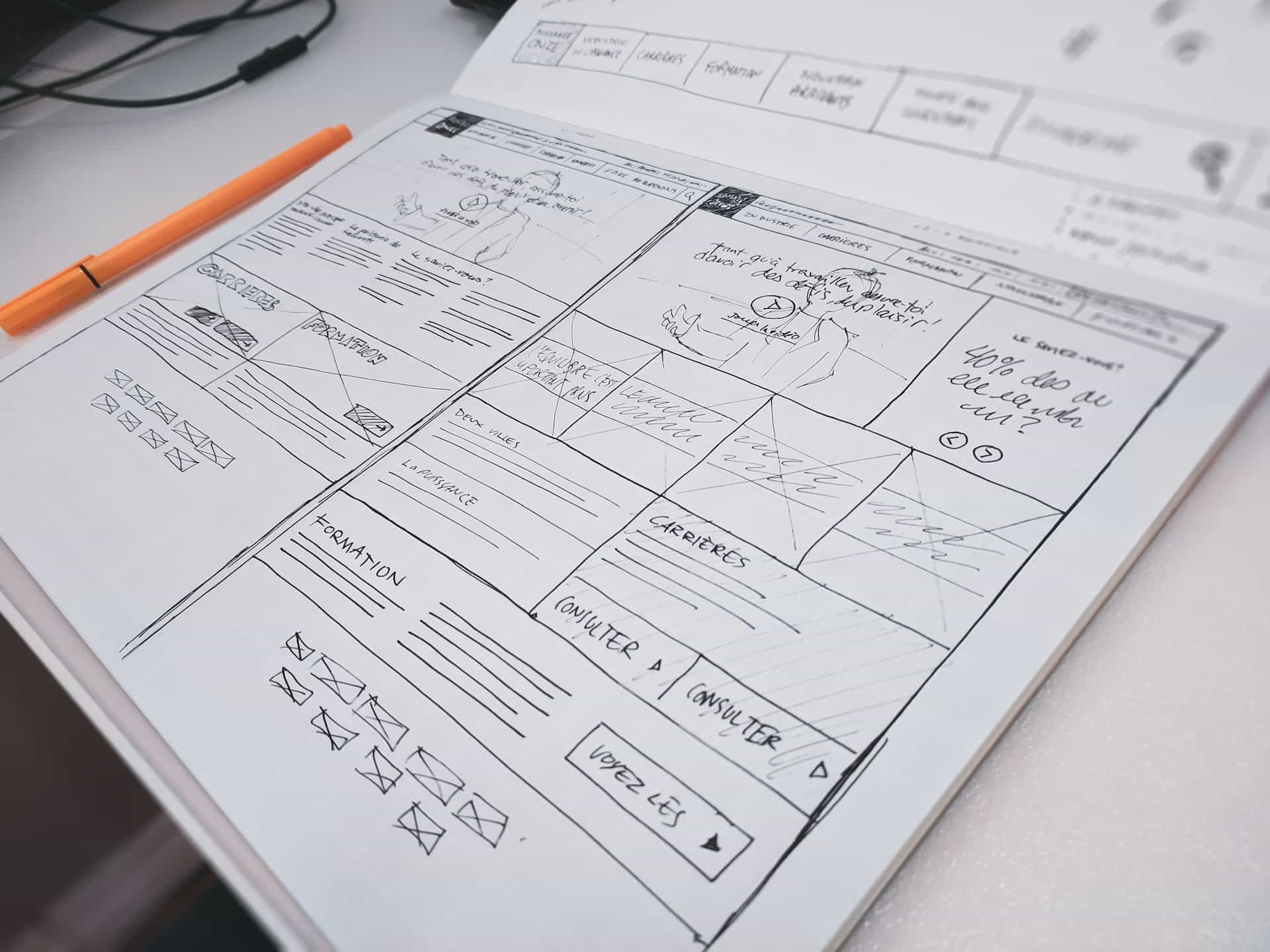
Layout, font, color scheme, and any other visual aspects for your header should all be planned out beforehand. Sketch out your ideas on paper or use a design tool like Adobe XD or Sketch to create a mockup of your header.

3. Create Your Custom Header

Once you have a solid plan in place, use your chosen theme or page builder plugin to create your custom header. Be sure to test your design on different devices and screen sizes to ensure it’s responsive and displays correctly.

4. Optimize for SEO

Don’t forget to optimize your header for SEO by including relevant keywords in your header text and alt tags for any images. If you do this, search engines will rank your site higher.

Working on a Custom Website Header Project

Working on a Custom Website Header Project

An Inspirational Story: David G.

David G., a small business owner, knew that his WordPress website needed a fresh look to attract more customers. Because he assumed it would be difficult and time-consuming, he never tried out bespoke headers. However, after doing some research and discovering the potential impact a well-designed header could have on his site, David decided to give it a try.

David started by choosing a WordPress theme that offered a variety of header customization options. He then spent time planning the perfect header design, focusing on creating a visually appealing layout that aligned with his brand’s identity. After much trial and error, David finally created a custom header that he was proud of. He made sure to optimize his header for SEO, including relevant keywords and alt tags for images.

Once his custom header was live on his site, David noticed an immediate improvement in user engagement. His website’s bounce rate decreased, and visitors spent more time exploring his site. Additionally, his site’s search engine rankings improved, bringing in more organic traffic.

David gained some wisdom from his experiences along the way:

  • Don’t be hesitant to play with with unique headers; doing so can have a major effect on your site’s performance.
  • Take the time to plan your header design carefully, considering layout, typography, and color scheme.
  • Test your header on various devices and screen sizes to ensure it’s responsive and displays correctly.
  • Optimize your header for SEO to improve your site’s visibility in search engine results.

David is now an advocate for custom WordPress headers, sharing his story with other small business owners and encouraging them to give it a try. He thinks a professionally designed header is crucial to making a website memorable and drawing in more visitors.

Custom Header for a WordPress Website Design

Custom Header for a WordPress Website Design

Statistics on WordPress Header Design

Here are some interesting statistics on WordPress header design and its impact on user engagement and website performance:

  • Headers with clear and straightforward designs can increase user engagement by up to 50%.
  • Consistent branding, including header design, can increase revenue by up to 23%.
  • Responsive header designs can improve user experience and increase mobile conversions by up to 30%.
  • Optimizing headers for SEO can lead to a 20% increase in organic search traffic.
Coding a Custom WordPress Header

Coding a Custom WordPress Header

Useful Resources

Here is a list of useful resources for further information on creating custom WordPress headers:

Creating a Wireframe for a Custom Header Design

Creating a Wireframe for a Custom Header Design

User Testimonial

“After learning more about header and footer design principles, I was inspired to create my own custom WordPress header. The results have been amazing! My website’s user engagement and search engine rankings have improved significantly.” – Trina N.

Ash Dermatology Header

Ash Dermatology Header

Expert Comments

Here is a comment from a WordPress website designer on the importance of creating a captivating custom header for your site:

“A well-designed custom header can not only improve your site’s aesthetics but also enhance its overall user experience. Invest time in creating a unique and visually appealing header that aligns with your brand identity.” – Kane Y.

Custom Designed WordPress Header for Atlas Yacht

Custom Designed WordPress Header for Atlas Yacht

Facts About Custom WordPress Headers

Here’s a list of interesting facts related to custom WordPress headers and their impact on website design:

  • WordPress headers typically include a site’s logo, navigation menu, and sometimes a search bar or social media icons.
  • Custom headers can help differentiate your website from competitors, making it more memorable and visually appealing.
  • Headers with clear calls to action can significantly improve user engagement and conversion rates.
  • Responsive header design is crucial for providing a consistent user experience across various devices and screen sizes.
  • Optimizing your header for SEO can improve your site’s visibility in search engine results and increase organic traffic.
Custom Header for Pure Life Nail Salon

Custom Header for Pure Life Nail Salon

Comparing Header Design Tools

When it comes to creating custom WordPress headers, there are various tools and options available. Here’s a comparison of some popular choices:


Built-in Theme Options

  • Customization options offered by your WordPress theme
  • Easy to use; no need for additional plugins
  • Limited design flexibility; dependent on theme

Page Builder Plugins

  • Plugins that allow for greater design flexibility and customization
  • More design options; works with any theme
  • May require a learning curve; additional plugin installation

Custom CSS/HTML

  • Directly editing your theme’s CSS and HTML files to create a custom header
  • Full control over design; no plugin dependency
  • Requires coding knowledge; may be time-consuming
Simple Custom Header For Woocommerce Store

Simple Custom Header For Woocommerce Store

Glossary of Terms

Here’s a glossary of some essential terms related to custom WordPress header design:

Header
The top section of a website, typically containing the site’s logo, navigation menu, and other important elements.
Custom Header
A header specifically designed to match the needs and branding of a particular website, often created using WordPress themes or plugins.
Responsive Design
A design approach that ensures a website’s layout and elements adapt seamlessly to different screen sizes and devices.
Visual Hierarchy
The arrangement of design elements in a way that emphasizes their importance and guides users through the website.
SEO
Search Engine Optimization – the process of improving a website’s visibility in search engine results through various techniques, including optimizing headers.
Wordpress Extra Theme Header

WordPress Extra Theme Header

Conclusion

Creating custom WordPress headers that stand out can significantly improve your website’s aesthetics, user experience, and search engine visibility. You can develop a unique and engaging header that sets your site apart from the competition by grasping the fundamentals of good header design and following a step-by-step procedure.

Remember to experiment with different design elements, optimize your header for SEO, and always ensure it’s responsive and adaptable to various screen sizes and devices. A well-designed custom header can increase your WordPress site’s success if you use the appropriate strategy.

Disclosure: Some of the links in this post could be considered “affiliate links.” If you click on one of those links and buy the item, I’ll get a commission, but it won’t raise your price.

Affiliate Links

James Turner

James Turner

Author/Copywriter
Why Choosing the Best Web Hosting Company Matters in 2025

Find out why choosing the best web hosting company matters in 2025 to boost your site’s performance and skyrocket sales.

Hiring a Website Designer

Hiring a website designer? Discover actionable tips, red flags to avoid, and how to find the right designer to create a website that grows your business.

How to Create a Landing Page Using WordPress

Follow our guide on how to create a landing page using WordPress and the built-in Block Editor, page builder plugins, or specialized themes.

Pin It on Pinterest