Latest Trends in WordPress Website Design

Latest Trends in WordPress Website Design

Home » Social Media » Page 3

Businesses must follow the latest trends in WordPress website design to succeed because staying ahead in any endeavor requires ongoing modification. This thorough guide explores cutting-edge ways to help you develop or update your internet presence. WordPress website design develops with the internet. Businesses prosper and stay ahead by following cutting-edge trends. Let’s discuss WordPress website design trends, their benefits, and how they can help you make informed decisions while developing or maintaining your online presence.

What Is WordPress and Why You Should Use It

A Mobile First Approach to Website Design

“Design is not just what it looks like and feels like. Design is how it works.” – Steve Jobs

Mobile-First Approach

As mobile devices dominate web browsing, adopting a mobile-first approach in WordPress website design is essential. This strategy prioritizes the optimization of websites for mobile devices, ensuring a seamless user experience across various screen sizes and platforms.

Responsive Design

Responsive design allows websites to adapt to different screen sizes and orientations, providing an optimal viewing experience for users on any device. This approach helps maintain a consistent look and feel across devices, increasing user satisfaction and engagement.

Mobile-First SEO

Search engines like Google prioritize mobile-friendly websites in their ranking algorithms. To improve your site’s search engine visibility, implement mobile-first SEO practices, such as optimizing meta tags, utilizing schema markup, and implementing AMP (Accelerated Mobile Pages).

Touch-Friendly Navigation

Designing websites with touch-friendly navigation ensures that users can easily interact with your site on touch-screen devices. Consider implementing larger buttons, intuitive gestures, and accessible menus to enhance the mobile user experience.

Enhancing User Interface and User Experience

A well-designed user interface (UI) and an engaging user experience (UX) are critical components of a successful WordPress website. These elements determine how users interact with your site and directly impact satisfaction and engagement.

Intuitive Navigation

Organize your site’s content in a logical and straightforward manner, making it easy for users to find the information they need. Implementing clear navigation menus, breadcrumbs, and search functionality can significantly enhance the user experience.

Visual Hierarchy

Establishing a strong visual hierarchy guides users through your site’s content, emphasizing important information and improving readability. Utilize headings, subheadings, font sizes, and whitespace to create a balanced and organized layout.

Call-to-Action Buttons

Well-designed call-to-action (CTA) buttons encourage users to take specific actions, such as subscribing to a newsletter or making a purchase. Optimize your CTA buttons by choosing contrasting colors, strategic placement, and persuasive copy to increase conversion rates.

Micro-interactions

Micro-interactions are subtle, interactive design elements that enhance user engagement and provide a more enjoyable browsing experience. Examples of micro-interactions include animated buttons, hover effects, and scroll-triggered animations. These elements can make a website feel more dynamic and responsive to user input.

Optimizing for Voice Search

With the rise of voice assistants like Siri, Google Assistant, and Alexa, optimizing websites for voice search has become increasingly important. To remain competitive, web designers must consider voice search when creating content and structuring websites.

Dark Mode Adoption

Dark mode has become increasingly popular as it provides a visually appealing alternative to traditional light mode interfaces. This feature can enhance user experience by reducing eye strain and improving battery life on mobile devices.

Follow WordPress Web Security Trends to Keep Your Site Secure

Follow WordPress Web Security Trends to Keep Your Site Secure

WordPress E-commerce Trends

As online shopping continues to grow, staying informed about the latest e-commerce trends is vital for businesses selling products or services online. Utilize innovative solutions and strategies to optimize your WordPress e-commerce website.

Personalized Shopping Experiences

Personalizing your e-commerce website based on user behavior and preferences can significantly enhance the shopping experience. Implement personalized product recommendations, targeted promotions, and customized content to increase conversion rates and customer satisfaction.

Mobile Shopping Optimization

Optimize your e-commerce website for mobile devices to cater to the increasing number of users shopping on smartphones and tablets. Implement responsive design, easy-to-use navigation, and mobile-friendly checkout processes to improve the mobile shopping experience.

Secure Payment Solutions

Offering secure and diverse payment options is essential for building trust with your customers. Integrate reliable payment gateways, such as PayPal, Stripe, and Square, to provide a seamless and secure checkout process for your customers.

Prioritizing Web Security

We all know how crucial it is to protect our personal data online, which is why you need to follow the latest trends in WordPress website design security. Companies must safeguard user data because WordPress website security is crucial. Fortunately, security can be improved by employing strong passwords, restricting login attempts, activating two-factor authentication, adding security plugins, and backing up your website regularly.

These precautions can prevent hacking and malware attacks. Website visitors can trust their data when you prioritize security. This boosts your company’s credibility. Every firm should prioritize website security and demonstrate their concern for client privacy and security by protecting WordPress website and user data.

SSL Certificates

Secure Sockets Layer (SSL) certificates encrypt data transferred between your website and users, ensuring secure communication. Install an SSL certificate to protect sensitive information and improve search engine rankings, as search engines prioritize secure websites.

Regular Updates

Updating your WordPress core, themes, and plugins ensures security. Doing so ensures that your website has the latest security fixes and additions, protecting it from vulnerabilities and threats. You can rest certain that your website is secure with regular upgrades.

Two-Factor Authentication (2FA)

Implement two-factor authentication (2FA) to add an extra layer of security to your website’s login process. By requiring users to verify their identity through a secondary method, such as a text message or an authentication app, you can significantly reduce the risk of unauthorized access.

Integrating New Content And Making it More Accessible

Integrating New Content And Making it More Accessible

Multimedia Integration

Incorporating multimedia elements, such as images, videos, and interactive content, can greatly enhance user engagement on your WordPress website. Use multimedia strategically to support your content and create a dynamic, visually appealing website.

Video Content

Embed relevant videos within your website’s content to provide users with engaging, informative material. Video content can help explain complex concepts, showcase products or services, and entertain users, ultimately increasing engagement and dwell time on your site.

Infographics and Visualizations

Utilize infographics and data visualizations to present complex information in a visually appealing and easily digestible format. Well-designed visuals can help convey your message more effectively and enhance user understanding.

Interactive Elements

Incorporate interactive elements, such as quizzes, polls, or calculators, to encourage user engagement and participation. Interactive content can provide valuable insights into user preferences and behavior while keeping users on your site for longer periods.

Website Accessibility

Creating an accessible WordPress website ensures that users with disabilities can easily navigate and interact with your content. Implement accessibility best practices to provide an inclusive user experience for all visitors.

Alt Text for Images

Add descriptive alt text to your website’s images to provide context for users with visual impairments using screen readers. Alt text also benefits your site’s SEO by helping search engines understand the content and context of your images.

Accessible Forms

Design accessible forms with clear labels, logical field order, and easy-to-use input fields. This will help users with disabilities, as well as other users, interact with your site more easily and efficiently.

Keyboard Navigation

Ensure that your website can be navigated using only a keyboard, as some users may be unable to use a mouse or touch screen. Implement tab index attributes, focus states, and keyboard shortcuts to improve keyboard accessibility.

Personalized Digital Marketing Strategies are the Most Effective

Personalized Digital Marketing Strategies are the Most Effective

Personalization and Customization

Personalizing and customizing your WordPress website based on user preferences and behavior can significantly enhance user satisfaction and engagement. Implement tailored content, design elements, and features to create a unique experience for each user.

Dynamic Content

Deliver dynamic content to users based on their preferences, browsing history, and behavior. This may include personalized recommendations, targeted promotions, or tailored content, which can help increase engagement and conversion rates.

User Profiles and Preferences

Allow users to create profiles and set preferences on your website, enabling you to deliver a customized experience. Providing personalized options for layout, theme, or content can help users feel more connected to your website and encourage repeat visits.

Geolocation Targeting

Utilize geolocation data to deliver relevant content, promotions, or language options to users based on their location. Geolocation targeting can help improve user engagement and conversion rates by providing a more tailored experience for each visitor.

Content Marketing Strategies

Effective content marketing strategies are essential for attracting and retaining users on your WordPress website. Create valuable, engaging, and shareable content that resonates with your target audience to drive traffic and increase brand visibility.

Consistent Content Creation

Regularly publish high-quality, informative content that aligns with your brand and audience’s interests. Consistent content creation can help establish your website as a trusted resource and improve search engine rankings.

Storytelling and Authenticity

Brand success requires audience engagement. Sharing actual brand-aligned stories and experiences works well because storytelling can personalize your brand and build trust and loyalty. Share personal stories to connect with your audience. Social networking, blogs, and videos can do this. Genuine storytelling shows your audience the people and ideas behind your brand, revealing what makes it exceptional.

Doing so might make your brand more approachable and relatable. As your audience gets to know your brand, trust and loyalty grow. Sharing your values and mission through storytelling may set you apart from competition and leave a lasting impression. Real storytelling can build trust, loyalty, and brand humanity. Sharing personal tales and experiences that represent your brand’s beliefs and mission can build a lasting engagement with users.

Content Promotion

Quality material is only half the battle, promoting your content on relevant platforms maximizes its impact. Social media management, email marketing, influencer outreach, and more can help you accomplish this goal. Content promotion can boost brand awareness and website traffic and social media promotes content well. Sharing your content across channels increases brand engagement and audience reach. Email marketing also lets you send targeted communications to your target audience. Influencer outreach promotes content, allowing you to reach new customers by working with industry influencers. This boosts brand awareness and credibility.

Promoting your content across several media maximizes its reach and effect. This can grow your audience and brand engagement. Effective content promotion can also position your company as an industry thought leader, boosting credibility and authority. So, againg, it is important to repeat how advertising your content across several media maximizes its reach and impact. Social networking, email marketing, influencer outreach, and other methods can boost website traffic and brand awareness.

Latest Trends in Social Media Design

Latest Trends in Social Media Design

WordPress User Testimonial

“After revamping our WordPress website by incorporating the latest design trends and strategies outlined in this article, we’ve experienced a significant boost in user engagement, traffic, and conversions. The comprehensive, step-by-step approach made it easy for us to implement changes, and the results have been nothing short of spectacular!”

– Janice Davis, A Happy WordPress Website Owner

Final Thoughts on WordPress Trends

In the ever-changing world of WordPress website design, staying informed about the latest trends and best practices is essential for success. By adopting a mobile-first approach, enhancing UI and UX, optimizing performance and SEO, embracing e-commerce trends, prioritizing web security, integrating multimedia, ensuring accessibility, personalizing content, and implementing effective content marketing strategies, you can create a dynamic, engaging, and high-performing website that attracts and retains users.

Stay ahead of the curve by continuously updating your website design knowledge and skills, and don’t hesitate to consult with experts or seek professional assistance when needed. By doing so, you’ll be well-equipped to build a WordPress website that stands out in today’s competitive online landscape.

Disclosure: You may find affiliate links to beneficial resources within this article. You won’t pay more for using our link, but we’ll get a commission. This supports our content creation, and we only suggest products we genuinely believe in. Thank you for being so understanding!

Affiliate Links

James Turner

James Turner

Author/Copywriter
Why Choosing the Best Web Hosting Company Matters in 2025

Find out why choosing the best web hosting company matters in 2025 to boost your site’s performance and skyrocket sales.

Hiring a Website Designer

Hiring a website designer? Discover actionable tips, red flags to avoid, and how to find the right designer to create a website that grows your business.

How to Create a Landing Page Using WordPress

Follow our guide on how to create a landing page using WordPress and the built-in Block Editor, page builder plugins, or specialized themes.

Social Media Strategy

Social Media Strategy

Home » Social Media » Page 3

Create a successful social media strategy to boost your internet presence. Our expert suggestions and best practices will captivate your audience and increase website traffic. Having a social media strategy is vital to the success of your small business, especially in regards to how much benefit you will receive from your online presence.

Merely having a website is not enough, as many small businesses have learned, the hard way. Many businesses are under the mistaken impression that having a website will lead to new clients or customers, but a website is only part of the puzzle. To compete in the market you need to have a presence on sites like Twitter, Facebook, Instagram, Pinterest, and YouTube.


Create Accounts on Top Social Media Networks

Create Accounts on Top Social Media Networks

YOU Can Create and Implement a Social Media Plan on a Budget

As a website designer with over two decades of experience, I know firsthand the power of a bold and creative social media strategy. I know a thing or two about making a splash without breaking the bank. Let me tell you, small business owners, you can do this!

Determine the Target Audience of Your Social Media Strategy

First things first, to a successful social media strategy you will need to figure out who your target audience is and where they’re hanging out online. No sense in posting about your latest artisanal pickles on TikTok if your audience is all about LinkedIn, ya know?

The key to success in reaching your intended audience online is to first understand who they are and then discover where they congregate. Learning about their background, hobbies, and habits is essential. Insights like these can be gleaned from the results of online surveys, mentions on social media, and analysis of website traffic data.

  • Know your demographics: age, gender, location, etc.
  • Analyze website traffic data: use tools like Google Analytics to see where your traffic is coming from and what pages are most popular.
  • Conduct surveys: ask your current customers and target audience directly about their interests and behaviors.
  • Supercharge Your Social Media Strategy with WordPress Plugins: Supercharging your social media strategy becomes effortlessly achievable when you tap into the remarkable potential of WordPress plugins, empowering you to optimize content distribution, engage with your audience, analyze data, and enhance your social media presence with remarkable ease and efficiency.
  • Monitor social media mentions: track what people are saying about your brand and industry on social media platforms.
  • Look at your competition: see where they’re active online and who they’re engaging with.
Creating Social Media Content

Creating Social Media Content

Social Media Content

Next up, let’s talk content. You don’t need a fancy camera or professional editing skills to make your stuff look good. Your smartphone and a basic editing app can do wonders. So, show off your products or services in the best light and make ’em look irresistible!

Tips for Creating Social Media Content

The key to successfully reaching and connecting with your target audience on social media is to create content that is both interesting and useful to them. Maintaining coherence in your brand’s voice, tone, and messaging throughout your content is essential, as is taking into account the platform you’re posting on and the best practices for that platform. When making posts for social media, keep these things in mind:

  • Know your brand voice, tone, and messaging: keep this consistent in all of your social media posts.
  • Consider the platform: each platform has its own unique audience and format, so tailor your content accordingly.
  • Utilize visually appealing content: use images, videos, graphics, and other types of media to make your content stand out.
  • Encourage engagement: ask questions, share polls, and create conversation starters to encourage engagement from your followers.
  • Experiment with different formats: try out new types of content and see what resonates best with your audience.
Collaboration With a Social Media Influencer

Collaboration With a Social Media Influencer

Collaborate With Social Media Influencers

Collaboration is an essential part of any successful social media strategy, folks! Partner with other small businesses or influencers in your industry for cross-promotion love. It’s a win-win situation, trust me.

You increase your brand’s visibility and credibility when you collaborate with influential people on social media. Choosing influencers who share your brand’s values and messaging and having a clear understanding of your objectives, budget, and desired outcomes are essential before beginning to work with influencers. Keeping the following in mind when collaborating with social media influencers is essential.

  • Define your goals: what do you hope to achieve through collaboration with an influencer?
  • Research and choose your influencer: look for influencers who align with your brand values, have an engaged following, and produce high-quality content.
  • Negotiate terms: decide on compensation, post frequency, and other collaboration details.
  • Set clear expectations: You and the influencer should clearly understand the expectations and responsibilities of the collaboration.
  • Measure and evaluate results: track your campaign’s performance and use the data to evaluate its success and make improvements for future collaborations.
Social Media Advertising Campaigns

Social Media Advertising Campaigns

Advertising

Finally, let’s talk about advertising. You don’t have to spend a fortune on ads to get the word out there. Platforms like Facebook and Instagram have budget-friendly options to help you reach your specific audience and drive traffic to your website.

Social media advertising can reach and engage a significant and targeted audience. It’s essential to thoroughly understand your target market before launching a social media advertising campaign. You should also look into and make use of the best advertising options each platform has to offer. When creating your social media advertising strategy, bear the following essential considerations in mind:

  • Know your target audience: understanding demographics, interests, behaviors, and more will help you to effectively target your ads.
  • Utilize multiple ad formats: each platform offers a range of ad formats, so experiment with a few to see what works best for your brand.
  • Set clear goals and KPIs: define what you hope to achieve through your advertising campaigns and track your progress towards these goals.
  • Continuously test and optimize: regularly review and adjust your campaigns to improve their performance and reach your desired results.
  • Work with a budget: determine how much you are willing to spend on advertising and allocate your budget accordingly.

The bottom line is this: be creative, think outside the box, and don’t be afraid to try new things. With some planning, a small business can significantly impact social media. So go out there, have fun, and let’s make the internet a better place, one post at a time!

Plan and Implement a Social Media Strategy

Plan and Implement a Social Media Strategy

Discuss Social Media Integration With Your Designer

Suppose you are in the process of creating a website or considering having a website designed. In that case, you should have a serious talk with your designer about creating a social media strategy and ensure that implementing your social media is part of the design of your website. You will notice on this website that social media icons are on the left side of the page, at the bottom of each page, and in the blog section.

Having a lot of social media links on this site is not essential, but rather, the placement and type of links are. The links on the left side of our pages and the main and individual blog pages are social share links, which allow visitors to share articles and pages they find helpful or interesting. The links at the bottom of every page of this site and on our contact page follow links, which allow visitors to view our social media pages on sites such as Facebook.

Using Social Media to Improve Seo

Using Social Media to Improve Seo

Using Social Media to Improve SEO and Drive Traffic to Your Website

Combining your social media efforts with your search engine optimization (SEO) strategy may significantly impact your website’s visibility and ranking. You can increase your website’s overall authority and relevance in the eyes of search engines by using your social media channels to promote it. The following are some essential ways to combine your SEO with a killer Social Media Strategy:

  • Consistently produce high-quality content: this will attract social media followers and provide valuable information for search engines to index.
  • Utilize social media to build backlinks: backlinks from high-quality and authoritative social media profiles can significantly improve your website’s ranking.
  • Share your content on social media: this can increase the visibility of your content and drive more traffic to your website.
  • Incorporate keywords into your social media posts: including relevant keywords in your posts can improve their visibility in search results.
  • Monitor and analyze your results: track your progress and adjust your strategy to improve your SEO efforts continuously.
Effective Social Media Link Placement

Effective Social Media Link Placement

Keeping Your Accounts Active

Keeping Your Accounts Active

Keeping Your Accounts Active

Digital marketing success relies heavily on your social media presence, so ensure it stays active and exciting. Posting fresh, relevant content consistently, engaging with followers and using social media tools and best practices are all great ways to build and keep a robust and successful social media presence. Here are some important reminders to keep your social media profiles updated:

  • Develop a content calendar: planning and scheduling your social media content in advance can help ensure that your accounts remain active and engaging.
  • Utilize automation tools: tools like Hootsuite and Buffer can help you to manage and schedule your social media content, freeing up time for other essential tasks.
  • Engage with your followers: regularly responding to comments, messages, and other interactions can help build a stronger relationship with your followers and improve your social media engagement.
  • Continuously evaluate and adjust your strategy: regularly monitoring your social media metrics and adjusting your strategy accordingly can help you continually improve your social media efforts.
Creating Social Media Accounts

Creating Social Media Accounts

Creating Social Media Accounts

The procedure for creating an account, whether for personal or professional use, is quick and easy to follow. Basic information about yourself, a unique username, and account verification are all required. A profile picture, bio, and other personal information may be requested by some social media sites.

Before signing up for a social media account, it’s wise to read the fine print and get acquainted with the platform’s policies. What you put on social media can and will be seen by others, so keep that in mind. When using social media, remember always to act professionally and courteously.

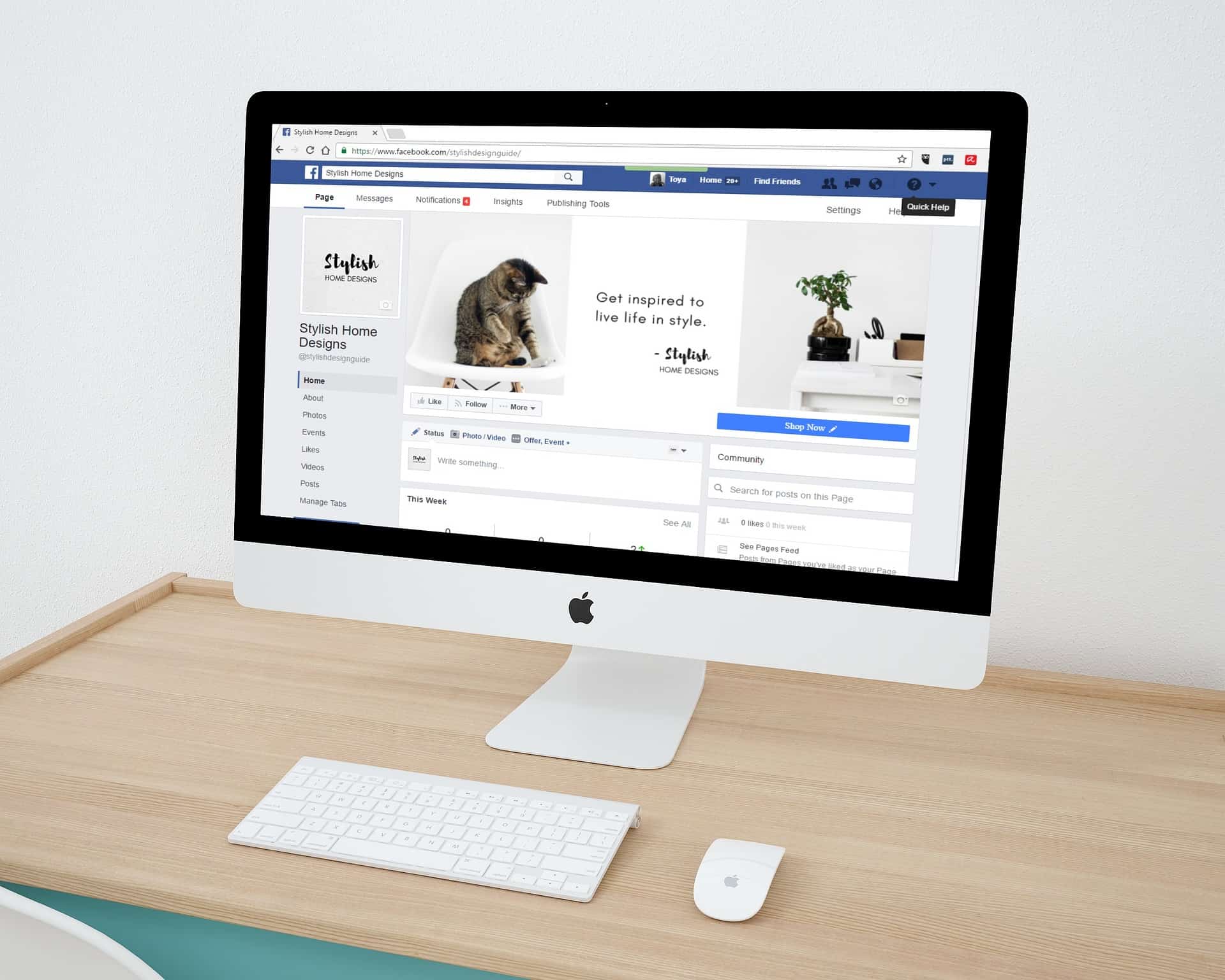
Facebook Account

Create Accounts on Top Social Media Networks

Facebook

Creating a Facebook account is simple and can be done in just a few easy steps:

  1. Go to Facebook’s website: Visit www.facebook.com to start creating your account.
  2. Click on “Create New Account”: This is located on the top right corner of the Facebook homepage.
  3. Fill out your personal information: Enter your first and last name, mobile number or email address, password, and birthday.
  4. Choose your username: Choose a unique username that will be part of your Facebook URL (e.g., facebook.com/yourusername).
  5. Add a profile picture: Upload a profile picture that represents you and is easily recognizable.
  6. Complete your profile: Fill out your About section with your basic information, including your education and work history.
  7. Verify your account: Facebook will send a verification code to your email or mobile number to confirm your account.
  8. Start using Facebook: You can now start using Facebook to connect with friends, join groups, and follow pages that interest you.

Relevant points to keep in mind when creating a Facebook account:

  • Make sure to provide accurate personal information: This will help you keep your account secure and ensure that you can recover it if necessary.
  • Choose a strong password: A strong password helps to keep your account secure and prevent unauthorized access.
  • Complete your profile: A complete profile will help people find and connect with you on Facebook.
  • Verify your account: Verifying your account helps to confirm your identity and keep your account secure.
Twitter Account

Twitter Account

Twitter

Creating a Twitter account is a simple and straightforward process:

  1. Go to Twitter’s website: Visit www.twitter.com to start creating your account.
  2. Click on “Sign up”: This is located on the top right corner of the Twitter homepage.
  3. Fill out your personal information: Enter your full name, email address, and password.
  4. Choose your username: Choose a unique username that will be part of your Twitter URL (e.g., twitter.com/yourusername).
  5. Verify your email: Twitter will send a verification email to the email address you provided. Open the email and click on the verification link to confirm your account.
  6. Personalize your profile: Upload a profile picture and write a bio that represents you and what you’re interested in.
  7. Start using Twitter: You can now start using Twitter to connect with people, share your thoughts, and discover new content.

Relevant points to keep in mind when creating a Twitter account:

  • Make sure to provide accurate personal information: This will help you keep your account secure and ensure that you can recover it if necessary.
  • Choose a unique username: A unique username helps people find and connect with you on Twitter.
  • Verify your email: Verifying your email helps to confirm your identity and keep your account secure.
  • Personalize your profile: A well-personalized profile will help you stand out on Twitter and make a good first impression.
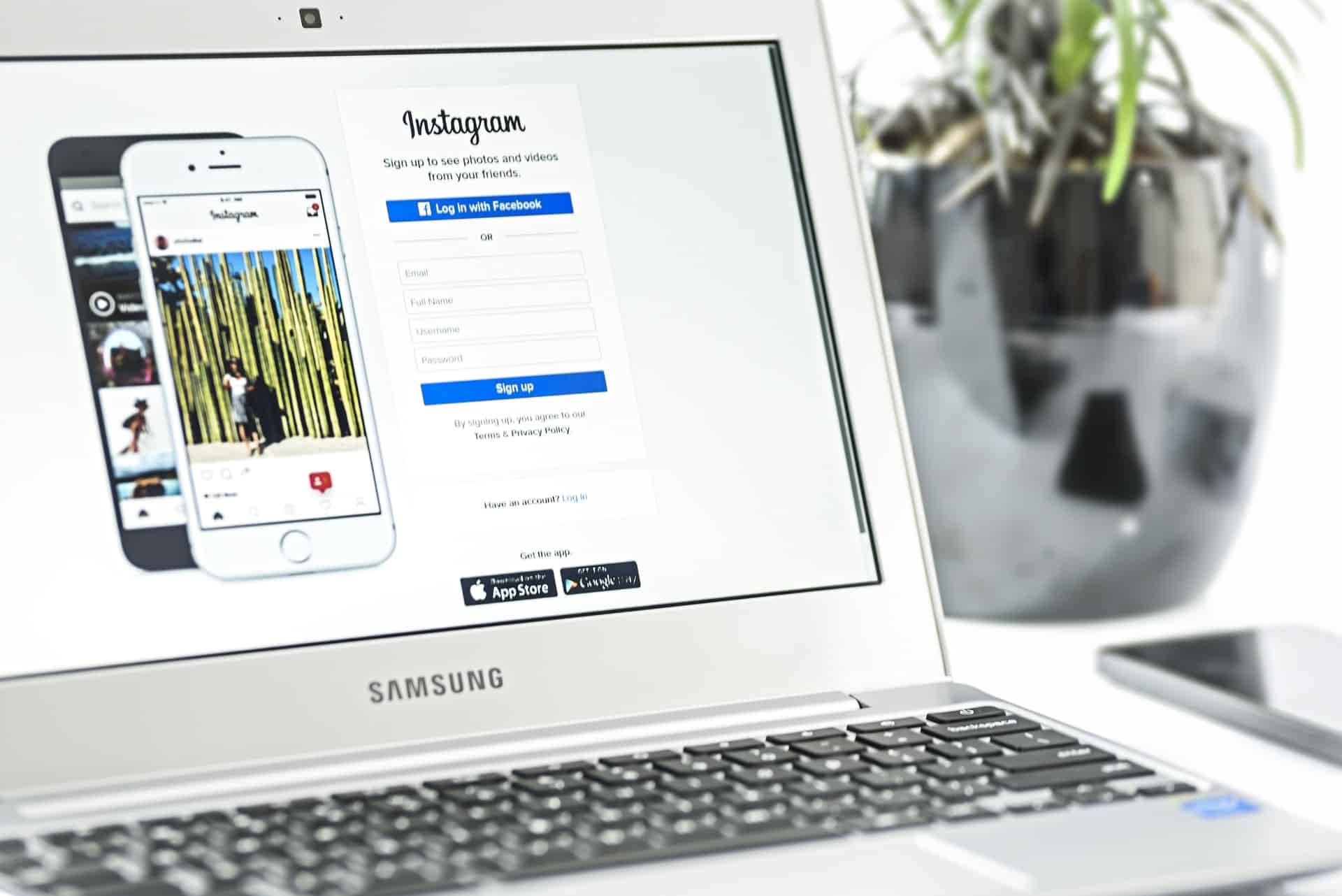
Instagram Account

Instagram Account

Instagram

Creating an Instagram account is easy and can be done in just a few steps:

  1. Download the app: If you haven’t already, download the Instagram app from the App Store or Google Play Store.
  2. Open the app: Once you have the app installed, open it and tap “Sign up.”
  3. Enter your information: Provide your email address or phone number, choose a username and password, and set up your profile.
  4. Add a profile photo: Tap the profile icon in the bottom-right corner of the screen, then tap “Edit Profile” and select or upload a profile photo.
  5. Connect with friends: If you want to find friends on Instagram, you can connect your Facebook account or search for friends using their username or phone number.
  6. Start exploring: Now that your account is set up, you can start exploring and sharing photos, videos, and stories with your followers.

Relevant points to keep in mind when creating an Instagram account:

  • Use a unique username: A unique username makes it easier for people to find and follow you on Instagram.
  • Choose a profile photo that represents you: Your profile photo is one of the first things people will see when they find your account, so make sure it’s a good representation of you.
  • Connect with friends: Connecting with friends is a great way to get started on Instagram and build your following.
  • Be mindful of what you share: Remember that anything you share on Instagram can be seen by others, so be respectful, professional, and considerate of others.
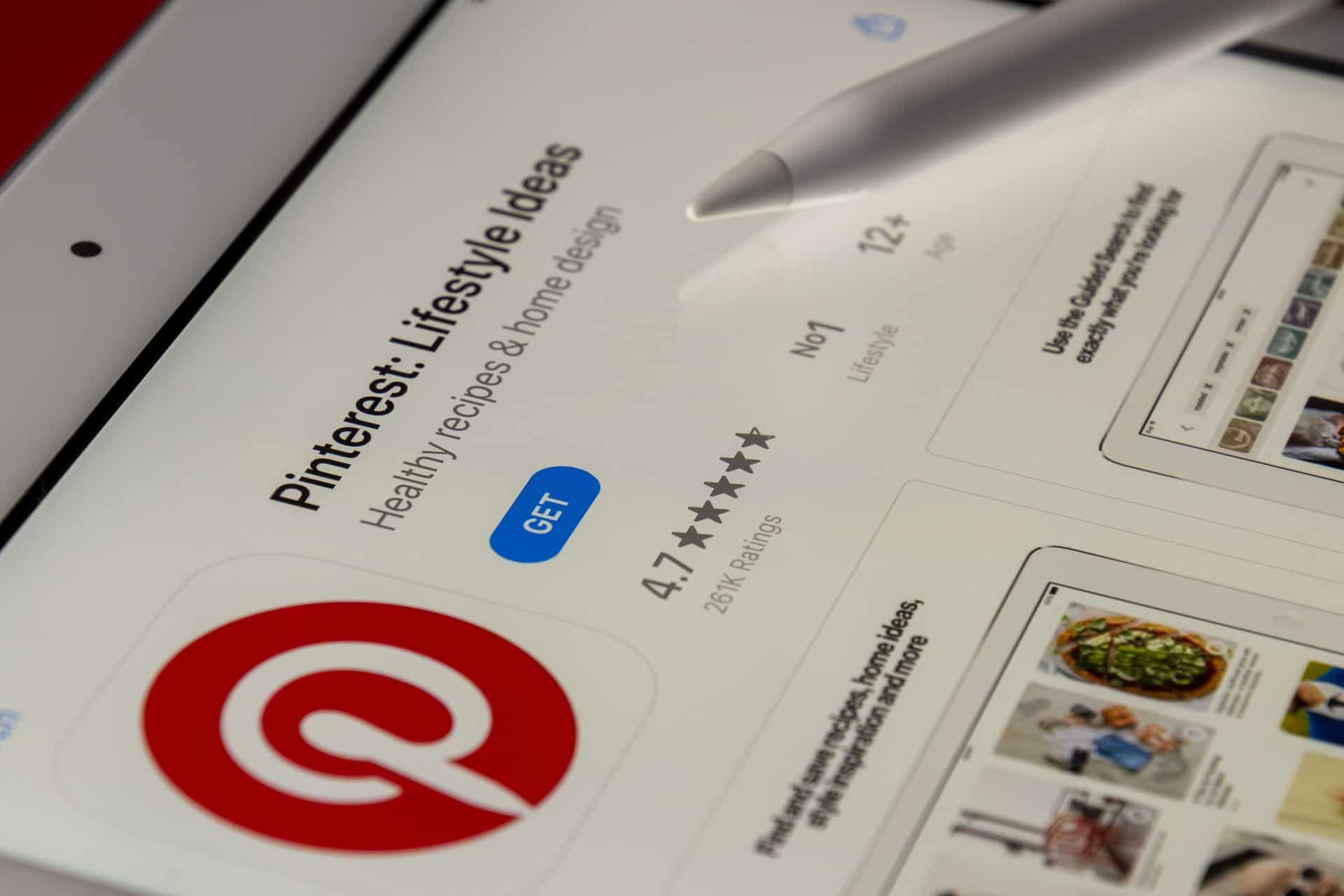
Pinterest Account

Pinterest Account

Pinterest

Creating a Pinterest account is simple and can be done in just a few steps:

  1. Go to Pinterest.com: Visit Pinterest.com and click “Sign up” in the top-right corner.
  2. Enter your information: Provide your email address or phone number, create a password, and click “Sign up.”
  3. Choose your interests: Pinterest will ask you to select topics you’re interested in so it can show you relevant content. Choose as many or as few as you’d like.
  4. Set up your profile: Add a profile photo and a brief description to help others know what you’re about.
  5. Start exploring: Now that your account is set up, you can start exploring and saving pins, boards, and more.

Relevant points to keep in mind when creating a Pinterest account:

  • Choose interests that matter to you: Pinterest will show you content based on the interests you select, so choose wisely.
  • Add a profile photo: A profile photo helps people know that they’re following the right person.
  • Write a profile description: A brief profile description helps people understand what you’re about and what they can expect to see on your boards.
  • Start saving pins: Saving pins is a great way to get started on Pinterest and begin building your boards.
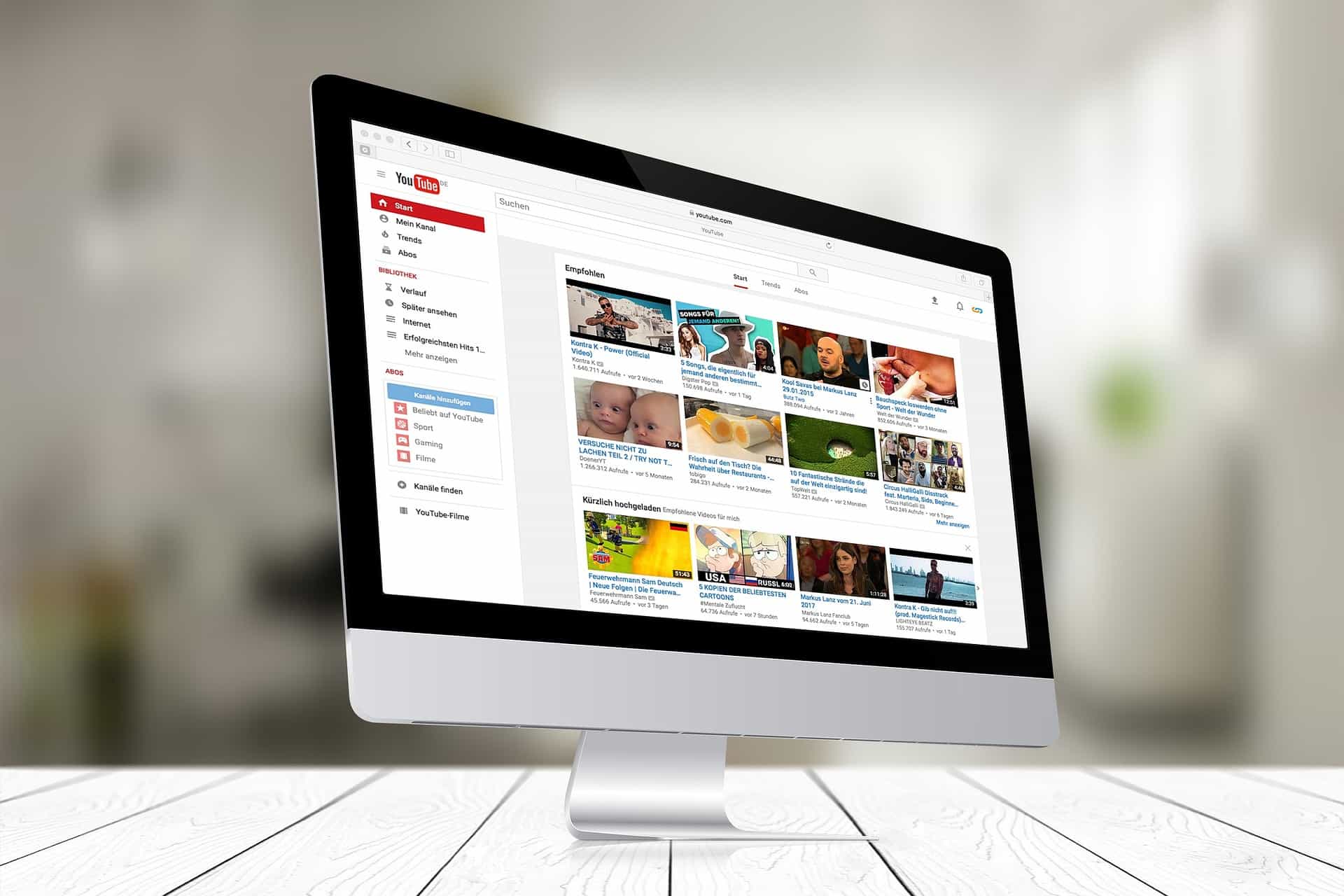
YouTube Account

YouTube Account

YouTube

Creating a YouTube account is easy and can be done in just a few steps:

  1. Go to YouTube.com: Visit YouTube.com and click “Sign in” in the top-right corner.
  2. Sign in with Google: If you have a Google account, you can use it to sign in to YouTube. Click “Sign in with Google” and enter your Google account information.
  3. Create a new account: If you don’t have a Google account, you can create a new YouTube account. Click “Create account” and enter your name, email address, and password.
  4. Add your profile information: Add a profile picture, write a brief description, and set up your channel by choosing a name and customizing your channel settings.
  5. Start watching and uploading videos: Now that your account is set up, you can start watching videos and uploading your own.

Relevant points to keep in mind when creating a YouTube account:

  • Use a Google account: If you have a Google account, you can use it to sign in to YouTube, which makes the process easier and faster.
  • Add a profile picture: A profile picture helps others know that they’re following the right person.
  • Write a profile description: A brief profile description helps others understand what you’re about and what they can expect to see on your channel.
  • Choose a channel name: Choose a channel name that’s easy to remember and reflects the type of content you plan to upload.
  • Customize your channel: Customize your channel’s settings, including the layout, background, and more, to make it your own.
Social Media Strategy Implementation

Create Accounts on Top Social Media Networks

Implement Your Social Media Strategy Now!

Don’t wait another minute; create a successful social media strategy and start engaging users on Facebook, Twitter, and Instagram through your business page and tell the world how great your company is. Using some of the new apps and other tools and having a sound strategy means managing a social media presence doesn’t take a lot of time. So, it is not that hard anymore, and it can be a lot of fun.

Please Note: Depending on your business type, it will be worthwhile to create accounts on additional social media sites, which are either specific to your industry or helpful in promoting your brand. Some of these websites may not be considered social media sites by some “experts.” Still, they may be beneficial for promoting your business, so I have included them in my list of popular social media sites below for your convenience.

  • Facebook
  • Twitter
  • LinkedIn
  • Pinterest
  • Tumblr
  • Dribble
  • TikTok
  • Instagram
  • Flickr
  • Vine
  • MySpace
  • YouTube
  • Discord
  • Tumblr
  • Yelp
  • Vimeo
  • StumbleUpon
  • SoundCloud
  • delicious
  • Reddit
  • Meetup

Disclosure: You may find affiliate links to beneficial resources within this article. You won’t pay more for using our link, but we’ll get a commission. This supports our content creation, and we only suggest products we genuinely believe in. Thank you for being so understanding!

Affiliate Links

James Turner

James Turner

Author/Copywriter

Why Choosing the Best Web Hosting Company Matters in 2025

Find out why choosing the best web hosting company matters in 2025 to boost your site’s performance and skyrocket sales.

Hiring a Website Designer

Hiring a website designer? Discover actionable tips, red flags to avoid, and how to find the right designer to create a website that grows your business.

How to Create a Landing Page Using WordPress

Follow our guide on how to create a landing page using WordPress and the built-in Block Editor, page builder plugins, or specialized themes.

My Island Designs

Pin It on Pinterest