Top 5 Plugins for WordPress Speed Optimization

Top 5 Plugins for WordPress Speed Optimization

If you intend to create a website for your company, make sure to familiarize yourself with the Top 5 Plugins for WordPress Speed Optimization. In addition to making your site load faster, these plugins improve user satisfaction, search engine rankings, and functionality. This article discusses WordPress performance optimization and lists the five best plugins.

No matter your webmaster expertise, site performance is crucial. With the ever-evolving internet landscape, user expectations are higher than ever, and search engines like Google are prioritizing fast-loading websites. To ensure your site stays competitive and delivers a satisfying experience to your visitors, let’s explore the features, benefits, and installation process of each of these top 5 WordPress speed optimization plugins.

Related Articles:

Page Load Time is an SEO Ranking Factor
Be a WordPress Superhero by Improving Your Website Page Load Times

“WordPress speed optimization is the secret ingredient to turning your website into an online Usain Bolt – leaving others in the dust and visitors clicking ‘like’ on your lightning-fast content.” – The Whimsical Webmaster
WP Rocket WordPress Speed Optimization Plugin

1. WP Rocket

WP Rocket is a premium WordPress speed optimization plugin that is both user-friendly and powerful. With its simple setup process and advanced features, WP Rocket is perfect for beginners and experts alike.

Features

  • Page caching
  • Browser caching
  • Gzip compression
  • Lazy load for images and videos
  • Minification and concatenation of CSS, JavaScript, and HTML files
  • Defer JavaScript loading
  • Database optimization

Click here to check out WP Rocket’s official website.

LiteSpeed Cache WordPress Plugin

LiteSpeed Cache WordPress Plugin

2. LiteSpeed Cache

LiteSpeed Cache is a free, high-performance optimization plugin that works best with LiteSpeed Web Server. It offers a variety of optimization techniques, including server-level caching and image optimization.

Features

  • Server-level full-page caching
  • Browser caching
  • Image optimization
  • Minification and concatenation of CSS, JavaScript, and HTML files
  • HTTP/2 push
  • Lazy load for images
  • Database optimization

Visit LiteSpeed Cache’s official website to learn more.

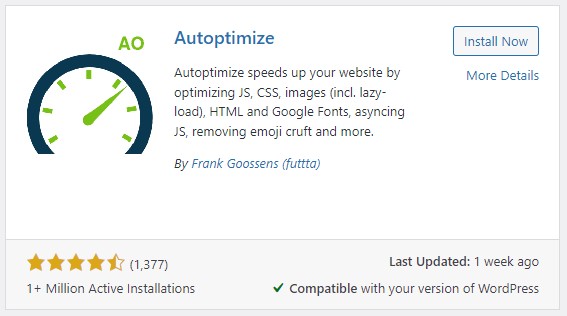
Autoptimize Optimization Plugin for WordPress

Autoptimize Optimization Plugin for WordPress

3. Autoptimize

Autoptimize is an easy-to-use yet powerful optimization plugin concentrating on minifying and combining CSS, JavaScript, and HTML files. For enhanced performance, it can be paired with other caching plugins seamlessly.

Features

  • Minification and concatenation of CSS, JavaScript, and HTML files
  • Image optimization (with integration of ShortPixel Image Optimizer)
  • Asynchronous and deferred loading of JavaScript
  • Google Fonts optimization

Find more information about Autoptimize on their official website.
W3 Total Cache

W3 Total Cache

4. W3 Total Cache

W3 Total Cache is an all-encompassing caching and optimization plugin that boasts an extensive range of features. Its sophisticated settings and customization options make it a top choice for advanced-experience users.

Features

  • Page caching
  • Browser caching
  • Database caching
  • Object caching
  • Minification and concatenation of CSS, JavaScript, and HTML files
  • Content Delivery Network (CDN) integration
  • Mobile-specific caching

Discover more about W3 Total Cache on their official website.

WP Fastest Cache WordPress Plugin

WP Fastest Cache WordPress Plugin

5. WP Fastest Cache

WP Fastest Cache has user-friendly features. Its setup is simple, making it suited for beginners and experts. The plugin’s UI is sleek and easy to configure, so website owners who wish to speed up their site without any work may consider WP Fastest Cache.

WP Fastest Cache optimizes site speed for bloggers, company owners, and online retailers. It improves user experience, page load times, and search engine rankings. WP Fastest Cache is a great caching plugin for optimizing website performance.

Features

  • Page caching
  • Browser caching
  • Minification of CSS, JavaScript, and HTML files
  • Gzip compression
  • Content Delivery Network (CDN) integration
  • SSL and mobile support

Visit WP Fastest Cache’s official website for more information.

Page Load Time is an SEO Ranking Factor

Page Load Time is an SEO Ranking Factor

Inspirational Story: Important Lessons I Learned from a Mountain Hike

Last year, some pals of mine wanted to get out of town and see some mountains, so they planned a hike. They started out bright and early, full of anticipation and enthusiasm.

Steep inclines, loose rocks, and muddy roadways were just some of the obstacles they encountered as they began their trek. They persisted, nevertheless, and supported one another through the tough times. Beautiful landscapes, verdant forests, and an array of vibrant animals greeted them along the route.

Friends got tired as the day went on. A few people debated turning around, but everyone was urged on to keep going. The group was confident that the climb would be worthwhile.

The party reached the summit as the sun sank. The breathtaking vista that greeted them took their breath away. While they took in the breathtaking panorama, they reflected on the lessons they’d picked up along the way:

  • Perseverance: They kept pushing themselves despite setbacks and ultimately succeeded.
  • Teamwork: They worked together, relying on and helping each other out.
  • Appreciation: They discovered the value of the present moment and the wonders of nature.

They took these teachings with them as they down the mountain and used them to improve themselves as people.

Expert Opinions

“As a web developer, I highly recommend WP Rocket for its user-friendly interface and powerful optimization features. It’s made a significant difference in improving the loading speed of my clients’ websites.” – Jesse Carlson, Web Developer

“LiteSpeed Cache has been a game-changer for my e-commerce site. The server-level caching and image optimization features have helped reduce my site’s loading time and improve user experience.” – Trisha H., E-commerce Store Owner

“W3 Total Cache is a fantastic plugin for sophisticated users that want complete control over the caching and optimization settings on their website. It has a plethora of functionality and customization choices.” – Ted Chen, SEO Consultant

Final Thoughts on WordPress Speed Optimization

Improving the user experience, boosting conversion rates, and climbing the search engine ranks all depend on how quickly your WordPress site loads. This article has covered the top 5 plugins for improving your site’s performance. These plugins include WP Rocket, LiteSpeed Cache, Autoptimize, W3 Total Cache, and WP Fastest Cache. Think about what you’ll actually use the plugin for and pick one that fits the bill. It is important to remember to do performance tests both before and after making optimizations to your site.

Disclosure: Some of the links in this post may be “affiliate links.” If you click on one of those links and purchase the item, I will receive a commission, but it will not increase your cost.

Affiliate Links

James Turner

James Turner

Author/Copywriter

Why Choosing the Best Web Hosting Company Matters in 2025

Find out why choosing the best web hosting company matters in 2025 to boost your site’s performance and skyrocket sales.

Hiring a Website Designer

Hiring a website designer? Discover actionable tips, red flags to avoid, and how to find the right designer to create a website that grows your business.

How to Create a Landing Page Using WordPress

Follow our guide on how to create a landing page using WordPress and the built-in Block Editor, page builder plugins, or specialized themes.

How to Boost Your SEO with WordPress: A Comprehensive Guide

How to Boost Your SEO with WordPress: A Comprehensive Guide

Learn how to boost your SEO with WordPress in this comprehensive guide, covering keyword research, content creation, technical optimization, and more. SEO can boost your WordPress website. In the rapidly changing digital landscape, it’s crucial to maximize your site’s potential. This thorough guide will boost SEO performance and online visibility with practical tactics, professional guidance, and insightful insights.

SEO Checklist:

  1. Understand SEO basics
  2. Develop a keyword strategy
  3. Create high-quality content
  4. Choose SEO-friendly themes
  5. Utilize WordPress SEO plugins
  6. Build backlinks
  7. Optimize site architecture
  8. Improve page speed
  9. Ensure mobile optimization
  10. Optimize for voice search
  11. Monitor SEO performance
  12. Optimize for voice searches
SEO Basics for WordPress Search Engine Optimization

SEO Basics for WordPress Search Engine Optimization

“You can’t just ‘SEO’ your website and be done. It’s a forever moving goal post to get traffic.” – Stoney deGeyter

SEO Basics for WordPress

Understand SEO basics to attract organic traffic to your WordPress website (SEO). Search engines assess website quality and relevance using complicated algorithms. Optimizing your website’s content, structure, and technological components can boost visibility and attract your target audience.

Optimizing your website involves choosing the proper keywords, writing good content, and optimizing the user experience. Page performance and mobile responsiveness must also be optimized. SEO boosts search engine rankings and visitors.

On-Page SEO

On-page SEO involves optimizing individual web pages, including content and HTML source code. Key elements of on-page SEO include:

  • Title tags
  • Meta descriptions
  • Heading tags
  • URL structure
  • Internal and external links
  • Image optimization
  • Keyword usage

Off-Page SEO

Off-page SEO involves external efforts to boost your website’s search engine rating. These outside efforts produce high-quality backlinks from reliable sources to your website. Off-page SEO boosts search engine ranks by increasing your website’s authority, relevance, and trustworthiness.

Off-page SEO relies on backlinks from other websites. Guest blogging, influencer outreach, social media marketing, and link exchanges can help. Search engines prefer high-quality backlinks over spammy ones. Off-page SEO can boost website visibility, traffic, and success.

Off-page SEO techniques include:

  • Guest blogging
  • Link reclamation
  • Competitor analysis
  • Content promotion
  • Social media marketing
  • Local SEO and citations
  • Influencer outreach

Technical SEO

Website optimization requires technical SEO. It entails altering a website’s infrastructure to make it search engine-friendly. Technical SEO strategies help search engines understand and access crucial content on a website.

Website performance, architecture, and structured data are prominent technical SEO methods. These tactics can help website owners improve search engine crawlability and user experience. Technical SEO is the foundation of a good SEO campaign.

Key aspects of technical SEO include:

  • Site speed optimization
  • Mobile responsiveness
  • XML sitemaps
  • Site structure and navigation
  • Canonical tags
  • Secure Socket Layer (SSL) certificates

Bonus Tip:

Bonus Tip: Optimizing XML Sitemaps for Indexing Priority

When creating an XML sitemap for your WordPress site, assign priority values to pages and posts that are most important for your SEO strategy. Higher priority values signal search engines to crawl and index those pages more frequently, increasing their chances of ranking higher in search results. Utilize a plugin, such as Yoast SEO or Rank Math, that allows you to set custom priority values for different types of content on your site.

Crafting a Keyword Strategy

If you want to attract the right WordPress visitors, you need a solid keyword strategy. Your target audience’s search phrases can be found by doing keyword research. With this insight, you can develop content that matches their interests and scores well on search engines, boosting site traffic.

Developing content that appeals to your target audience boosts your website’s exposure, keeps visitors on your site longer, and enhances the likelihood of them becoming customers. So, a robust keyword strategy is essential for any successful WordPress site.

Finding the Right Keywords

Use keyword research tools like Google Keyword Planner, SEMrush, and Ahrefs to discover high-volume, low-competition keywords. Consider the following factors when selecting keywords:

  • Search volume
  • Keyword difficulty
  • Relevance to your niche
  • User intent
  • Long-tail keywords

Optimizing Content with Keywords

Once you’ve identified your target keywords, incorporate them strategically into your content:

  • Title tags
  • Meta descriptions
  • Headings and subheadings
  • Body text
  • Image alt tags
  • URLs

Remember to maintain a keyword density of 1-2% to avoid keyword stuffing, which can lead to penalties from search engines.

Bonus Tip:

Utilize Semantic Resonance

Keyword strategies must consider semantic resonance. This method finds semantically related keywords with emotional or cognitive connotations. Doing so lets you construct a unified, compelling content strategy that matches your target audience’s mental models, values, and emotions.

Semantic resonance in your keyword approach boosts content relevance, visibility, and search engine and user experience. This can increase website traffic and content engagement, improving conversion rates and business success.

Selecting And Customizing SEO-Friendly WordPress Themes

Selecting And Customizing SEO-Friendly WordPress Themes

Content Creation for SEO Success

SEO requires high-quality, interesting content. It underpins your website’s SEO. Content that resonates with your target audience and fulfills their search intent improves your website’s search engine rankings. So, you increase organic visitors, which can boost conversions and income.

Create informative, valuable, and entertaining content to get the best results. Keyword research, audience comprehension, and content customization can help you do this. Doing so can boost your website’s SEO and online exposure. Quality content is key in SEO, and it may make a big difference in your digital marketing plan.

Content Types and Formats

Experiment with various content formats to keep your audience engaged and cater to different preferences:

  • Blog posts
  • Long-form articles
  • Infographics
  • Videos
  • Podcasts
  • Ebooks
  • Webinars

Content Promotion

Create a content promotion plan to amplify your content’s reach and attract more backlinks:

  • Social media sharing
  • Email marketing
  • Guest posting
  • Influencer outreach
  • Content syndication

Bonus Tip:

Optimizing for Semantic Search

While keyword optimization is essential, focusing on semantic search can help your content rank higher in search results. Semantic search refers to search engines’ ability to understand the context and intent behind a query rather than just matching keywords. To optimize for semantic search, write content that thoroughly answers users’ questions and includes synonyms or related terms for your target keywords. This approach will make your content more relevant to users and search engines, resulting in improved SEO success.

Selecting SEO-Friendly WordPress Themes

Choosing an SEO-friendly WordPress theme is vital for search engine rankings. By choosing a well-optimized theme, your website will load faster, be mobile-responsive, and have clean code that search engine crawlers can crawl. Your website’s visibility and organic traffic may improve as a result.

It’s important to note that an SEO-friendly theme doesn’t have to sacrifice website aesthetics. Search engine optimization and aesthetics are common in themes. So, choosing a theme that balances beauty and utility is crucial. Finally, choosing an SEO-friendly theme is essential to optimizing your WordPress website for search engines and enhancing its performance.

Qualities of an SEO-Friendly Theme

Look for the following features when selecting an SEO-friendly WordPress theme:

  • Responsive design
  • Fast loading times
  • Clean, well-structured code
  • Schema markup support
  • Compatibility with popular SEO plugins
  • User-friendly navigation
  • Regular updates and support

Bonus Tip:

Consider Schema Markup Compatibility

When selecting an SEO-friendly WordPress theme, ensure it supports schema markup integration. Schema markup is a structured data vocabulary that helps search engines understand the content on your website better. By using schema markup, you can provide additional context for your content, which can improve your search engine visibility and click-through rates. A theme that natively supports schema markup, or is compatible with popular schema markup plugins, will help you optimize your website’s SEO potential more effectively.

Effective Link-Building Techniques for WordPress Site Owners

Effective Link-Building Techniques for WordPress Site Owners

Utilizing WordPress SEO Plugins

WordPress SEO plugins help website owners enhance their search engine rankings. These plugins simplify optimization and help you maximize your content with a wide range of capabilities. These plugins enable XML sitemap production and content analysis to help you enhance your content. Many WordPress SEO plugins integrate social media, making distributing your content easier and boosting its online presence.

If you want to know How to Boost Your SEO with WordPress, then search for a WordPress SEO plugin for your specific need, and it can help boost your website’s search engine rankings. These plugins can optimize your content, boost your site’s exposure, and increase traffic, whether you’re a beginner or an SEO specialist. With so many wonderful options, it’s worth examining the features and selecting the plugin that meets your demands.

Popular WordPress SEO Plugins

Consider using some of these popular SEO plugins to enhance your WordPress site’s SEO performance:

  • Yoast SEO
  • All in One SEO Pack
  • SEOPress
  • Rank Math
  • Schema Pro

Bonus Tip:

Creating Custom SEO Plugin Hooks

Go beyond typical plugin usage and create custom hooks in your theme or child theme’s functions.php file to leverage the full potential of your WordPress SEO plugins. By creating custom hooks, you can further tailor your SEO strategy, injecting metadata or additional markup that might not be available through the plugin’s default settings. This enables you to optimize your content for search engines more effectively while gaining a competitive edge in SERPs. Always remember to thoroughly test any custom hooks to ensure they work as intended and maintain a backup before implementing changes.

Having a solid link building strategy is essential for enhancing your website’s domain authority and search engine rankings. High-quality backlinks from credible sources can provide your website with greater visibility and attract more organic traffic. A good link building strategy involves identifying authoritative websites in your industry and developing relationships with them. This can be done by offering guest posts, collaborating on content, or simply reaching out and requesting a link.

By investing in a strong link building strategy, you can establish your website as a reliable source of information and boost your online presence. This can lead to increased traffic, higher engagement rates, and ultimately more conversions. However, it’s important to keep in mind that link building should be approached carefully and ethically, avoiding any spammy or black-hat techniques that could harm your website’s reputation.

Effective Link Building Strategies

Implement the following link building techniques to enhance your site’s SEO performance:

  • Guest posting on authoritative blogs
  • Creating shareable infographics
  • Conducting expert roundups
  • Outreach to industry influencers
  • Broken link building
  • Collaborating on content projects

Bonus Tip:

Reverse Guest Blogging

Guest posts from industry influencers, bloggers, and specialists can increase your online profile. Instead of guest posting on other websites, highlighting notable speakers on your own platform might help you reach a bigger audience. Encourage guest bloggers to share their posts on social media and link to them from their websites. This can boost website traffic, social media followers, and backlinks.

Influential voices on your platform can boost your brand and reputation. Showing industry experts and thought leaders shows your dedication to quality content. Your website’s different voices can also help you attract new visitors. Guest posts from industry influencers, bloggers, and specialists can boost your digital marketing approach.

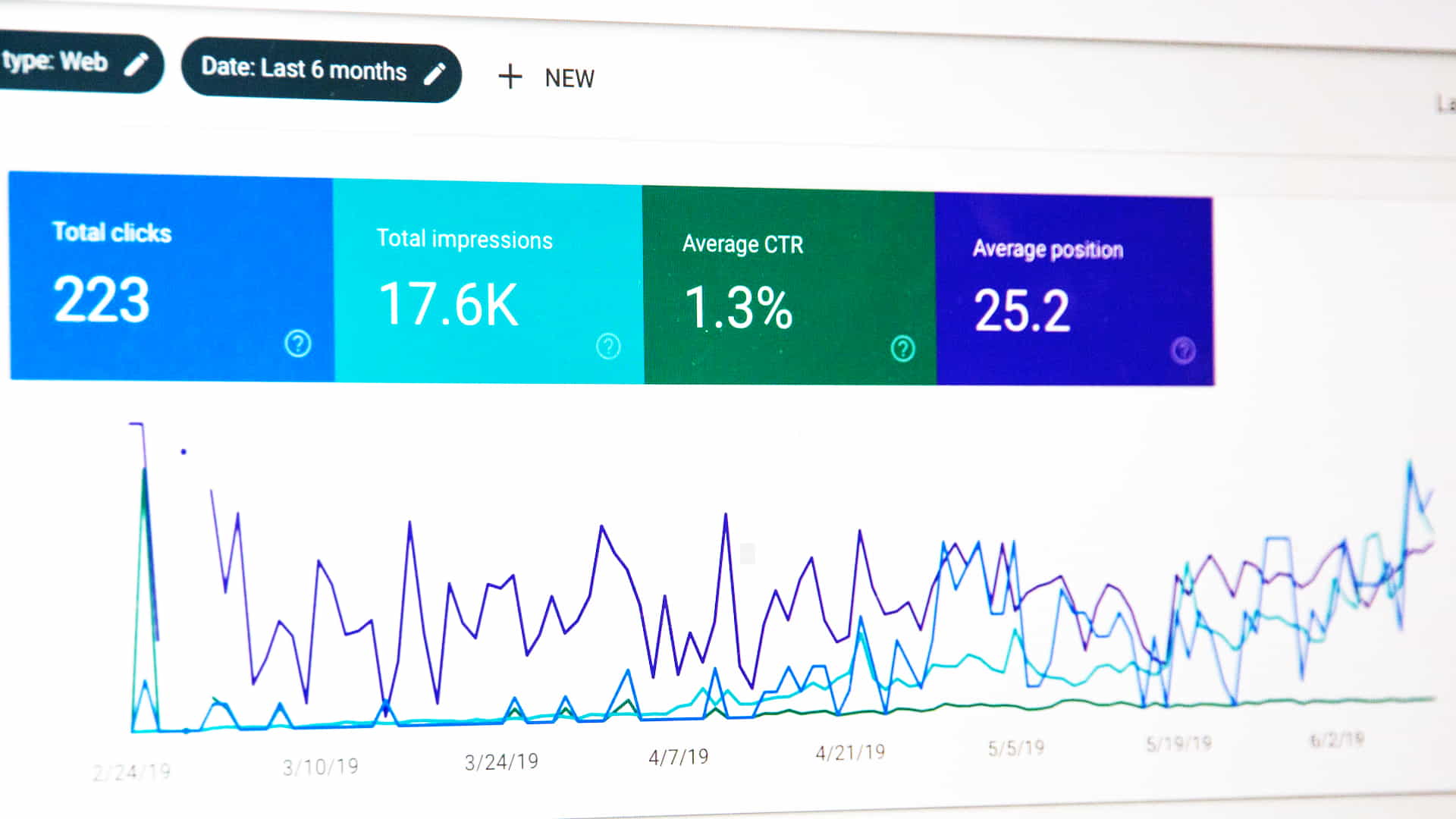
Plugins Can Help With Monitoring SEO Performance

Plugins Can Help With Monitoring SEO Performance

Optimizing Site Architecture

User experience and SEO depend on website architecture optimization. Visitors are more likely to browse your site if it’s well-organized. Visitors are more likely to stay on your site and convert if material is ordered and logical.

Besides increasing user experience, optimizing your site’s architecture makes it easier for search engine bots to crawl and index your material. This can boost your site’s organic traffic and search engine rankings. Search engine bots can better crawl and index your site if it has a clear and structured structure.

Site Architecture Best Practices

Follow these best practices for optimizing your site’s architecture:

  • Implement a logical, hierarchical structure
  • Use descriptive, keyword-rich URLs
  • Create a comprehensive XML sitemap
  • Employ breadcrumb navigation
  • Optimize internal linking
  • Avoid deep nesting of pages

Bonus Tip:

Optimize Content Silos with Adjacent Hub Pages

User experience and SEO depend on website architecture optimization. Visitors are more likely to browse your site if it’s well-organized. Visitors are more likely to stay on your site and convert if material is ordered and logical.

Besides increasing user experience, optimizing your site’s architecture makes it easier for search engine bots to crawl and index your material. This can boost your site’s organic traffic and search engine rankings. Search engine bots can better crawl and index your site if it has a clear and structured structure.

Improving Page Speed

Page speed impacts SEO and user experience. A fast-loading website keeps visitors interested in browsing its content. Smooth and fast surfing reduces site abandonment and bounce rate. Lower bounce rates improve a website’s conversion rate and success.

A fast-loading website also helps SEO (SEO). Google penalizes slow-loading websites. A quick website can boost its SERP ranking and traffic. To improve user experience and search engine rankings, website owners must emphasize page speed.

Page Speed Optimization Techniques

Use the following techniques to enhance your website’s loading speed:

  • Optimize images and compress file sizes
  • Enable browser caching
  • Minify CSS, JavaScript, and HTML files
  • Use a Content Delivery Network (CDN)
  • Implement lazy loading
  • Remove unnecessary plugins and widgets

Bonus Tip:

Enable DNS Caching with Service Workers

Service employees improve website performance. They alter network requests and cache resources as client-side proxies. DNS caching can speed up service worker pages. This method speeds up a browser’s domain lookup and third-party resource connection. Your application can cache DNS replies for frequently requested domains by enrolling a service worker. This speeds up loading and improves browsing.

Service workers must be registered in your application to cache DNS. You can then cache DNS answers for frequently requested domains. Doing so speeds up connecting to external resources. DNS requests for frequently requested domains are eliminated, reducing network stress. Optimizing page speed this manner improves user experience and website performance.

WordPress Mobile Optimization Tips

WordPress Mobile Optimization Tips

Mobile Optimization

Online traffic is mostly from mobile devices. To provide a good user experience, you must optimize your WordPress site for mobile. Mobile optimization improves search engine rankings, which boosts your site’s visibility.

WordPress mobile optimization can be achieved by using responsive design, optimizing pictures and videos, reducing page load times, and making content mobile-friendly. By adopting these measures, you may improve your site’s mobile experience and online exposure.

Mobile Optimization Tips

Follow these tips to ensure your WordPress site is mobile-friendly:

  • Choose a responsive theme
  • Test your site on multiple devices
  • Implement mobile-friendly navigation
  • Optimize images for mobile
  • Utilize Accelerated Mobile Pages (AMP)
  • Compress and minify code

Bonus Tip:

Employ Prefetch DNS Requests

To speed up the mobile browsing experience, implement DNS prefetching. This technique allows the browser to resolve domain names before a user follows a link, reducing latency. Add the ‘dns-prefetch’ attribute to your link tags, specifying the domain to prefetch, like this: <link rel=”dns-prefetch” href=”//example.com”>. Incorporate prefetching for crucial third-party resources and popular links to optimize mobile browsing.

Bonus Tip 2:

Consider disabling pop-ups on mobile devices

Pop-ups can be a nuisance on mobile devices as they can slow down the page load time and be difficult to close on small screens. Consider disabling pop-ups or using alternative methods to display important information or promotions to mobile users, such as a banner or in-line content.

Tracking Success with Analytics

Monitoring your website’s performance and SEO success is essential for informed decision-making and plan refinement. KPIs help you find areas for development and make data-driven decisions. Analytics tools can measure traffic, bounce rates, and conversion rates to assess SEO and marketing performance.

Monitoring your website’s performance and SEO can help you stay ahead. It lets you spot trends and adjust rapidly to keep your website competitive. With the correct analytics tools, you can understand your audience and their behavior and design personalized marketing campaigns that resonate with visitors. Monitoring your website’s performance and SEO is essential for small business owners and marketing professionals.

Analytics Tools for WordPress

Consider using these analytics tools to monitor your WordPress site’s performance:

  • Google Analytics
  • Google Search Console
  • SEMrush
  • Ahrefs
  • MonsterInsights

Key Performance Indicators (KPIs)

Track the following KPIs to measure your SEO success:

  • Organic traffic
  • Keyword rankings
  • Bounce rate
  • Pages per session
  • Average session duration
  • Conversion rate
  • Domain authority

Bonus Tip:

Reverse Goal Path Tracking

Instead of just tracking the typical forward path users take to complete a goal, use reverse goal path tracking to see the steps users took before arriving at a particular goal. This can provide valuable insights into what actions and behaviors are leading to conversions or other desired outcomes.

Bonus Tip2:

The Power of Negative Metrics

Tracking income, traffic, and engagement is how businesses measure performance. Positive indicators show a company’s performance, but negative measures should not be ignored. Bounce rate, cart abandonment rate, and churn rate might all indicate areas for development. A corporation can discover and fix issues affecting its success by evaluating and addressing these negative measures.

Negative measurements may seem contradictory, yet they can be advantageous in the long term. A corporation can improve its performance and chances of success by recognizing and fixing unfavorable indicators. Hence, companies must track both positive and negative metrics to receive a complete picture of their performance and make informed decisions for long-term success.

Voice Search Optimization May Be the SEO of Tomorrow

Voice Search Optimization May Be the SEO of Tomorrow

Voice search has become an increasingly popular way for people to interact with search engines and find information online. This trend is particularly important for SEO, as it presents new opportunities for businesses to reach their target audience. Voice search typically involves using natural language queries, which can differ from typed queries.

This means that businesses need to take into account how people are searching via voice and optimize their content accordingly. By doing so, they can improve their chances of appearing in voice search results, which can lead to increased website traffic and ultimately, more business.

Here are some relevant points to consider when optimizing for voice search:

  • Use natural language in your content and consider how people might ask questions verbally
  • Focus on long-tail keywords, which tend to be more conversational and may be more likely to be used in voice search queries
  • Optimize your website for local search, as voice search is often used for location-based queries
  • Ensure your website is mobile-friendly, as many voice searches are done via mobile devices
  • Provide concise and clear answers to frequently asked questions on your website, as these may be featured in voice search results
  • Consider creating content in a format that is easy for voice assistants to read and understand, such as structured data or featured snippets.
Crafting an Effective Keyword Strategy for Your Website

Crafting an Effective Keyword Strategy for Your Website

WordPress User Testimonial

This guide was a game-changer for my WordPress site! The detailed instructions and actionable tips helped me transform my website’s SEO performance and skyrocket my organic traffic. Kudos to the author for creating such a valuable resource! – Paul Kent

Final Thoughts on Boosting Your SEO with WordPress

Boosting your SEO with WordPress requires a comprehensive approach that encompasses keyword research, content creation, technical optimization, and ongoing monitoring. By implementing the strategies outlined in this guide, you’ll be well on your way to improving your website’s search engine rankings and driving more organic traffic to your site.

A holistic WordPress SEO strategy is needed to boost search engine rankings and organic traffic. This involves keyword research, excellent content, technological optimization, and website performance monitoring. This advice will improve your SEO efforts and search engine rankings.

First, do a thorough keyword study to find the best search terms for your website. Keyword research tools can find high-volume, low-competition keywords. This will assist you match user search intent and boost your website’s rating.

Next, write interesting, keyword-rich material by learning How to Create a WordPress Content Strategy for Your Business. This will increase search engine rankings and website traffic. Your information should be well-structured, readable, and useful. WordPress SEO requires technical optimization. Your website should be well-designed, fast, and mobile-friendly. This will improve user experience and show search engines that your website is high-quality and deserves a higher ranking.

Finally, track your website’s rating, traffic, and conversion rate. This helps you find areas for improvement and alter your plan. WordPress SEO requires keyword research, content development, technical optimization, and monitoring. These tactics will boost your website’s search engine rankings and organic visitors.

Watch Our YouTube Video: “How Do I Customize the Appearance of My WooCommerce Store?”

Disclosure: You may find affiliate links to beneficial resources within this article. You won’t pay more for using our link, but we’ll get a commission. This supports our content creation, and we only suggest products we genuinely believe in. Thank you for being so understanding!

Affiliate Links

  • Fast, dependable Web Hosting at a fair price, and Turbo hosting for resource-intensive websites like WooCommerce stores.
  • The Divi WordPress Theme is compatible with WooCommerce and even allows you to create custom WooCommerce product pages.
James Turner

James Turner

Author/Copywriter

Why Choosing the Best Web Hosting Company Matters in 2025

Find out why choosing the best web hosting company matters in 2025 to boost your site’s performance and skyrocket sales.

Hiring a Website Designer

Hiring a website designer? Discover actionable tips, red flags to avoid, and how to find the right designer to create a website that grows your business.

How to Create a Landing Page Using WordPress

Follow our guide on how to create a landing page using WordPress and the built-in Block Editor, page builder plugins, or specialized themes.

How to Get Better Rankings

How to Get Better Rankings

Take Your Rankings to The Top With Search Engine Optimization, Better Local SEO

To get better rankings in major search engines like Google and Bing, you must create a great site containing content your visitors will find helpful. Of course, It’s a little more complicated than that, but we’re here to walk you through the process, so let’s get started!

Watch Our YouTube Video “Learn WordPress SEO in 5 Minutes: Okay, 7 Minutes” and Get Better Rankings

Step 1: Determine Your Goal

This step should be pretty straightforward but also essential; you need a clear goal to achieve the desired results and get better rankings for your website. Although a website can accomplish more than one goal, it is easier to focus on one.

Get Better Rankings with Search Engine Optimization
Local SEO – Search Engine Optimization

What is Your Goal?
To create a successful site, you need to have a goal and plan precisely how you will reach that goal. If you want your website to rank well, your plan needs to be focused, so don’t try to be all things to all people. The best course of action is almost always focusing on a niche, then explaining to your target audience why you are the best for widgets in town.

KNOW YOUR…

  • Self
  • Competition
  • Audience
  • Limits
“Google is pushing for ALL sites to be secure. Your URL should begin with “https” instead of “http” which means the site is secured using an SSL Certificate.”
Use SEO to Get Better Rankings and More Traffic

Use SEO to Get Better Rankings and More Traffic

Step 2: Creating Your Website

Now that you have set a goal to get better rankings, and more traffic, create a plan, and understand the target audience, it’s time to create a fantastic website. Every aspect of your website design should be focused on accomplishing your goal, which means you need to get your visitors to do something. What that something is will vary depending on your goals, but make sure your website is like a funnel with all points leading to your something.

  • Sell Products
  • Promote Services
  • Branding
  • Generate Leads
  • Customer Service
  • SOMETHING!
Social Media Footprint
Create a Social Media Footprint

Step 3: Creating a Digital Footprint

Although there are many factors involved in the ranking process, one of the most important factors is reputation. How does Google know you can be trusted? How do the search engines know whether or not you are reliable? One of the fastest, easiest and best ways to establish your reputation is to create a digital footprint.

How Do I Create a Digital Footprint?

Creating a digital footprint is pretty easy, and it is something that MUST be done to protect your brand and to grow your business online. As soon as your site is live you need to start registering accounts on all the top social networks and other authority sites. This will help you begin the process of creating a digital footprint.

You can start by getting listed on the sites below if applicable, but this is only the beginning and you should spend time researching sites that are specific to your industry and get listed on or interact with any sites that could benefit your business.

Suggested Accounts

  • Google My Business
  • Twitter
  • Facebook
  • Yelp
  • YP.com
  • LinkedIn
  • Tumblr
  • YouTube

There are, of course, many more sites out there, but this is a good start. Remember, be consistent and create pages using your exact name if at all possible. If you have not registered your business yet, you may want to consider creating a unique name to ensure you can secure facebook.com/yourname and twitter.com/yourname instead of a variation of your name, which could be confusing and make branding more difficult.

Facebook
Google +
Twitter
Social Media

Step 4: Making Time Makes a Difference

We all want to get better rankings, but few of us, including myself, set aside time to accomplish our goals. Unfortunately, improving your rankings will require hard work on your part. However, the good news is that few of your competitors will set aside time each day to improve their search engine rankings, which means you can rank very well for your chosen keywords if you put forth the effort.

Create a Marketing Plan That Works for You

Being a website designer with 20 years of experience, you may be shocked that I have never dedicated time to marketing my business. As a professional, I have spent a great deal of time marketing my business, but I have only recently set aside time dedicated solely to that purpose.

My Plan is Simple, and it Works for Me

You need to create a plan that works for you because that is the only way you will stick to it. My plan is simple; I get to work an hour earlier each day and devote that hour to creating new content for my site, updating existing content, social media management, and other related tasks. In the future, I may consider devoting specific days to content, social media, and other marketing efforts because it may be more efficient.

Suggested Marketing Efforts

How and when you do these things are not as important as doing them. However, I believe it helps to set aside time each day to promote your business. Increasing your search engine rankings, promoting your brand on social media sites, and networking with other businesses in your area are all fantastic ways to grow your business online and offline.

Creating a Local SEO Strategy for Your Business

Creating a Local SEO Strategy for Your Business

Step 5: Creating an Effective SEO Strategy for Local Businesses

A local business must have a strong internet presence to get better rankings and reach potential clients in your neighborhood. Your company can stand out in search engine results and draw the proper clients to your website with an effective optimization (SEO) plan. Here are some guidelines for developing a successful SEO plan for your neighborhood business.

1. Conduct keyword research

Understanding the internet search terms used by your target clients is essential before you begin optimizing your website. You can use this to decide what to concentrate on in your SEO strategy. You can use free tools like Google Keyword Planner to find keywords relevant to your company and sector.

2. Optimize your Google My Business listing

Google My Business is a free tool allowing businesses to manage their online presence across Google, including search results. Ensure your Google My Business listing is up-to-date and accurate, including your name, address, phone number, and operating hours. You should also add photos and encourage customers to leave reviews, as positive thoughts can positively impact your ranking in search results.

3. Use local keywords and structured data

Incorporating local keywords into your website and content can help search engines understand the location of your business and improve your visibility in local search results. You should also include structured data, such as Schema.org markup, to give search engines more information about your business and services.

4. Build quality backlinks

Backlinks from other reputable websites can help improve your website’s authority and ranking in search results. Focus on building relationships with local businesses and organizations, and consider creating valuable content, like blog posts or infographics, that other websites may want to link to.

5. Monitor your progress and adjust as needed

SEO is ongoing; therefore, it’s important to keep an eye on the effectiveness of your website and make any necessary improvements. Track the visibility and traffic to your website and look for opportunities to enhance using tools like Google Search Console and Google Analytics.

Local SEO Tip: Optimize Your Google My Business Listing

An effective SEO strategy is crucial for local businesses looking to reach potential customers online. You can improve your website’s ranking and visibility by conducting keyword research, optimizing your Google My Business listing, using local keywords and structured data, building quality backlinks, and regularly monitoring your progress.

Sample Online Marketing Plan for Businesses

Sample Online Marketing Plan for Businesses

Bonus Step: Sample Online Marketing Plan

A well-structured plan and the appropriate tools can make it possible to reach and engage your target audience even if developing and implementing an internet marketing strategy can be a challenging process. To create and carry out an online marketing strategy, follow these steps:

  1. Identify your target market: Determine the age, gender, region, hobbies, and behavioral patterns of your target audience to start. You can use this information to choose the most effective methods and strategies for reaching them.
  2. Conduct market research: To comprehend the current market trends and customer needs, research your sector and your competitors. This will enable you to distinguish your brand from competitors and develop a distinctive value proposition.
  3. Set your goals: Define clear, measurable, and attainable goals for your internet marketing efforts. These could include increasing website traffic, generating leads, improving customer engagement, and boosting sales.
  4. Choose your channels: Choose the channels that will be most successful in reaching your target audience based on your study and comprehension of them. Search engines, social networking, email marketing, and online advertising are a few examples.
  5. Develop your content: Produce entertaining, pertinent, and high-quality content that appeals to your target demographic and advances your marketing objectives. This might apply to e-books, infographics, films, and blog entries.
  6. Launch and monitor your campaign: Execute your online marketing strategy, monitor your development, and assess the impact of your efforts. Make necessary adjustments by using analytics tools to track important metrics like website traffic, conversions, and engagement.
  7. Refine and adjust your strategy: Based on the outcomes of your efforts, continually assess and improve your internet marketing plan. To gradually enhance your performance, try out new strategies, compare various plans of action, and make data-driven choices.

Relevant Points:

  • Identify target audience demographics
  • Conduct market research
  • Set clear and measurable marketing goals
  • Choose effective marketing channels
  • Develop high-quality, relevant content
  • Launch and monitor your campaign
  • Use analytics to track results and adjust strategy
  • Continuously refine and adjust your marketing plan.
Search Engine Optimization Tips and Final Thoughts

Search Engine Optimization Tips and Final Thoughts

Unleashing the Power of SEO: The Ultimate Guide

Digital marketing’s key component of search engine optimization (SEO) may make or break your online presence. Your website’s organic traffic generation, exposure on search engine result pages (SERPs), and, eventually, your bottom line can all benefit from this. Understanding the ins and outs of SEO is crucial for success in the digital age; regardless of your level of marketing experience, there are things you can do right now to improve your rankings.

SEO Questions Answered

Best SEO Tips

A few best practices remain timeless in the often-complex and dynamic world of SEO. When optimizing your website for search engines, keep the following in mind:

  • Conduct keyword research to understand what your target audience is searching for and what terms they are using.
  • Ensure that your website is fast and responsive, and that it provides a good user experience.
  • Make sure your website is well-organized and easy to navigate.
  • Publish high-quality, relevant content that provides value to your target audience.
  • Build high-quality backlinks from reputable websites to demonstrate to search engines that your website is authoritative and trustworthy.

Top 3 SEO Strategies

In order to be effective, SEO demands a well-thought-out plan over the long run. The top three SEO tactics that you should be concentrating on are as follows:

  1. Technical SEO: This involves optimizing your website’s technical aspects, such as website speed, mobile responsiveness, and site structure, to ensure it’s easy for search engines to crawl and index your content.
  2. On-page SEO: This involves optimizing individual web pages for search engines, including optimizing your content for keywords, using descriptive title tags and meta descriptions, and using header tags to structure your content.
  3. Off-page SEO: This involves building high-quality backlinks from other reputable websites to increase your website’s visibility and authority in the eyes of search engines.

Golden Rule of SEO

The cornerstone of SEO is to design a website that works well for both users and search engines. This entails developing a quick, responsive, user-friendly website that offers high-quality, relevant material that your target audience is searching for. By prioritizing users, you’ll organically optimize your website for search engines, which will eventually improve search engine ranks and boost organic traffic.

Do and Don’ts of SEO

It’s critical to understand what to do and what not to do with SEO if you want to succeed. Some of the most significant SEO dos and don’ts are listed below:

Do’s of SEO

  • Do conduct keyword research to understand what your target audience is searching for.
  • Do publish high-quality, relevant content that provides value to your target audience.
  • Do build high-quality backlinks from reputable websites.
  • Do optimize your website’s technical aspects, such as website speed and mobile responsiveness.

Don’ts of SEO

  • Don’t engage in any black hat SEO tactics, such as keyword stuffing or link spamming, as these practices can get your website penalized or banned by search engines.
  • Don’t publish low-quality, irrelevant content just for the sake of having content on your website.
  • Don’t build low-quality backlinks from spammy websites, as these links can harm your website’s reputation and search engine rankings.
  • Don’t ignore the importance of user experience, as this can negatively impact your search engine rankings and drive users away from your website.

What Does an SEO Strategy Look Like?

A successful SEO plan should take the following actions and be customized to your company and target market:

  1. Keyword research to understand what your target audience is searching for.
  2. Analysis of your website’s current technical and on-page optimization to identify areas for improvement.
  3. Creation of high-quality, relevant content that provides value to your target audience and is optimized for keywords.
  4. Building high-quality backlinks from reputable websites to increase your website’s visibility and authority.
  5. Continuous monitoring and adjustment of your SEO strategy as search engines and your target audience’s search habits evolve over time.

What is an SEO Checklist?

A thorough list of tasks and best practices known as an SEO checklist will assist you make sure that your website is search engine optimized. Among the items in an SEO check list could be:

  1. Conducting keyword research and analyzing your target audience’s search behavior.
  2. Optimizing your website’s technical aspects, such as website speed, mobile responsiveness, and site structure.
  3. Ensuring that your website’s content is high-quality, relevant, and optimized for keywords.
  4. Building high-quality backlinks from reputable websites.
  5. Monitoring your website’s search engine rankings and traffic to measure the success of your SEO efforts.

What are the 7 Types of SEO?

There are seven main types of SEO, including:

  1. Technical SEO
  2. On-page SEO
  3. Off-page SEO
  4. Local SEO
  5. Content SEO
  6. E-commerce SEO
  7. Voice Search Optimization

Each type of SEO focuses on a different optimization aspect and has its unique set of best practices. To succeed with SEO, it’s important to comprehensively understand each type and how they work together to improve your website’s search engine rankings.

What is the Most Difficult Part of SEO?

The most challenging part of SEO is often staying up-to-date with the constantly evolving search engine algorithms and best practices. Search engines like Google are always updating their algorithms to provide users with the most relevant and high-quality results. This means that SEO strategies that were once effective may no longer be as impactful. Staying informed about the latest developments in SEO and continuously adjusting your strategy is essential for success in the long-term.

How Do I Rank High in SEO?

To rank high in SEO, you need to comprehensively understand how search engines work and what they look for in a website. This includes optimizing your website’s technical aspects, such as website speed and mobile responsiveness, as well as creating high-quality, relevant content that is optimized for keywords and provides value to your target audience. Additionally, building high-quality backlinks from reputable websites and continuously monitoring and adjusting your SEO strategy can help increase your website’s visibility and search engine rankings over time.

What negatively affects SEO?

Numerous variables can have a detrimental effect on the SEO of your website. The most frequent offenders are shown in the list below:

  • Keyword stuffing: Using the same term too frequently on your website will lower its ranking. Aim to incorporate keywords into your content naturally so as to improve user experience.
  • Duplicate content: Search engines prefer original content, so ensure your website has unique, high-quality content. Copying text from other websites or using spun content will not help your SEO.
  • Lack of mobile optimization: A mobile-friendly website is essential for SEO as more and more people access the internet using mobile devices. Make sure your website is user-friendly and responsive across all platforms.
  • Poor website design and navigation: The design and layout of your website should be user-friendly and easy to navigate. A confusing website can lead to a high bounce rate and negatively impact your SEO.
  • Neglecting technical SEO: Technical SEO includes things like optimizing your website’s structure and making sure that it is easy for search engines to crawl and index your pages. Neglecting technical SEO can harm your website’s ranking.

What is the best SEO tool?

Many different SEO tools are available, and the best one for you will depend on your specific needs and budget. Some popular SEO tools include:

  • Google Analytics: This free tool provides data and insights on your website’s traffic and performance. You can use this information to improve your website’s SEO and make more informed decisions about your content and marketing strategies.
  • Ahrefs: Ahrefs is a paid tool that analyzes your website’s backlinks and keyword ranking. It is an essential tool for conducting competitor research and staying on top of your SEO efforts.
  • SEMrush: SEMrush is a thorough SEO tool that offers information on your website’s rating, traffic, and backlinks, competitor analysis and keyword research. SEO experts frequently utilize this premium tool.

Why is SEO so difficult?

SEO can be difficult for a number of reasons. First of all, because search engines regularly modify their algorithms, what was formerly successful might no longer be. Second, SEO takes a lot of time and work since you have to produce excellent content, develop a solid network of backlinks, and ensure that your website is technically sound. Finally, it can be challenging to rank highly due to the intense rivalry in search engine rankings. However, if you have a firm grasp of SEO best practices and make a continuous, ongoing effort, you can make your website rank highly.

Do short blog posts hurt SEO?

Although a blog post’s length has no direct bearing on its SEO, lengthier content can be better for your website. A longer blog article might offer more information and specifics about a certain issue, which can help users see your website as a reliable resource for information. This can thus lengthen consumers’ stays on your page and reduce bounce rates, both of which are good things for search engines. Additionally, larger blog entries may give you more chances to use pertinent keywords, internal links, and external connections, which may help your SEO.

In conclusion, SEO is a crucial component of online marketing and greatly influences how visible, and popular your website is. You may efficiently raise the search engine ranking of your website and attract more targeted visitors by adhering to best practices and remaining current with the most recent trends and algorithms. Concentrating on producing high-quality, pertinent, and well-optimized content and constantly reviewing and modifying your plan as necessary, whether you’re just getting started or trying to improve your current SEO strategy. When used properly, SEO can be a potent tool for expanding your internet visibility and boosting commercial success.

Internet Marketing and SEO for Small Businesses

Internet Marketing and SEO for Small Businesses

Final Thoughts on SEO

Careful planning and perfect execution of that plan will ensure your success, so take your time throughout the process. Work smart, do your research, and KNOW your goal and how you plan to reach that goal. Don’t be afraid to ask family, friends, or professionals for advice or assistance, but remember you are the boss, so be the boss and make good, well-informed choices.

Summary

  1. Plan and Define Your Goals
  2. Build an Amazing User-Focused Site
  3. Create a Size 14 Digital Footprint
  4. Carefully Manage Your Online Presence
  5. Online Marketing Plan

Editors Notes:

Updated on 8/24/2018: Added Step 4 to include additional information that may benefit your SEO efforts.

Updated on 02/03/2023: Added Step 5, a “Bonus Step,” and “Unleashing the Power of SEO: The Ultimate Guide,” an SEO guide containing excellent information on what you should and should not be doing to ensure your website ranks on search engines. We have also added a sample internet marketing plan to help small businesses promote their website and business online.

Disclosure: You may find affiliate links to beneficial resources within this article. You won’t pay more for using our link, but we’ll get a commission. This supports our content creation, and we only suggest products we genuinely believe in. Thank you for being so understanding!

Affiliate Links

James Turner

James Turner

Author/Copywriter

Why Choosing the Best Web Hosting Company Matters in 2025

Find out why choosing the best web hosting company matters in 2025 to boost your site’s performance and skyrocket sales.

Hiring a Website Designer

Hiring a website designer? Discover actionable tips, red flags to avoid, and how to find the right designer to create a website that grows your business.

How to Create a Landing Page Using WordPress

Follow our guide on how to create a landing page using WordPress and the built-in Block Editor, page builder plugins, or specialized themes.

My Island Designs

Pin It on Pinterest