Essential WordPress Maintenance Tasks

Essential WordPress Maintenance Tasks

Success with your WordPress website in the fast-paced digital age depends on its upkeep. Routine maintenance neglected can cause performance problems, security flaws, and a bad user experience. Seven essential WordPress maintenance tasks that you just cannot afford to overlook will be revealed in this post.

Question by Cassidy K.:

“What are the most critical maintenance tasks I should perform on my WordPress site?”

Answer:

These critical tasks include regular backups, updating the WordPress core, themes, and plugins, conducting security checks, optimizing the database, checking for broken links, monitoring performance, and performing SEO audits. These actions help ensure your site remains secure, fast, and user-friendly.

WordPress Backup Process

WordPress Backup Process

“Think of your website as a garden. Regular maintenance ensures it flourishes and remains free from weeds.” – James T.

WordPress Website Backup Process

WordPress Website Backup Process

Regular Backups

Importance of Frequent Backups

You must periodically back up your website. It guards against technical breakdowns, hackers, and unintentional data loss. Restoring your site following a disaster can be difficult, if not impossible, without a current backup.

Recommended Backup Plugins and Tools

UpdraftPlus, BackupBuddy, and VaultPress are just a few of the trustworthy plugins that may automate the backup procedure. It’s simple to make sure your data is always protected using these products’ scheduled backups.

Updating WordPress Core, Themes, and Plugins

Why Keeping Everything Updated is Crucial

Updates frequently include security patches, speed boosts, and new features. Ignoring updates could make your website more prone to attacks and create compatibility problems.

How to Safely Update Your WordPress Site

Always backup your website before updating WordPress. Theme and plugin updates come after the WordPress core update. Test your website after every upgrade to be sure everything functions as it should.

Wordfence Security Plugin for WordPress

Wordfence Security Plugin for WordPress

Security Checks

Conducting Regular Security Audits

Frequent security audits help to find weaknesses and defend your website against attacks. Keeping an eye on your website for unusual behavior and quickly resolving any problems is crucial.

Recommended Security Plugins and Practices

For all around protection, use plugins like Wordfence, Sucuri, and iThemes Security for comprehensive protection. Put into practice good passwords, two-factor authentication, and frequent password changes as well.

WordPress Database Optimization Tasks

WordPress Database Optimization Tasks

Database Optimization

Importance of Optimizing Your Database

Your website may slow down if needless data fills up your database over time, making this an essential WordPress maintenance task. Frequent tuning keeps your website effective and fast.

Tools and Techniques for Database Maintenance

Spam, post revisions, and other superfluous material can be removed from your database using plugins like WP-Optimize, and WP-Sweep can clean up your database by removing spam, post revisions, and other redundant data. Schedule routine cleanings to maintain your database fast and slim.

Checking Broken Links on a Website

Checking for Broken Links on a Website

Impact of Broken Links on User Experience and SEO

Broken links irritate visitors and lower your search engine results. Maintaining the integrity of your website and ensuring a seamless user experience requires routinely looking for and repairing broken links.

Tools for Finding and Fixing Broken Links

Spot broken links with tools like Broken Link Checker, Ahrefs, and Screaming Frog to identify broken links. Update or delete the links to fix them and raise SEO and user experience.

WordPress Performance Monitoring Tools

WordPress Performance Monitoring Tools

Performance Monitoring

Keeping an Eye on Website Speed and Performance

A slow website can drive visitors away and harm your SEO, as speed is now a ranking factor. Regular performance monitoring is one of the most important essential WordPress maintenance tasks because it helps you identify and address speed issues promptly.

Tools for Monitoring and Improving Performance

Tracking the performance of your website is made easy with Google PageSpeed Insights, GTmetrix, and Pingdom. Apply their suggestions to speed and efficiency-optimize your website.

Checking Website Performance Metrics

Checking Website Performance Metrics

SEO Audits

Regularly Checking and Improving Your SEO

SEO audits guarantee that search engines will find your website optimized. Checking often might point up areas that need work, which can help you keep and raise your search results. Learn How to Boost Your SEO with WordPress to improve the search engine rankings of your website.

Tools for Conducting SEO Audits

Complete SEO audits with the aid of tools like Yoast SEO, SEMrush, and Moz. Gain more visibility for your website and improve your SEO plan by using their insights.

Updating WordPress Core Themes and Plugins

Updating WordPress Core Themes and Plugins

Inspirational Story on WordPress Maintenance

Elliott M. here, and I manage a little WordPress website for my family-run bakery. A few years ago, I gave website upkeep very little thought. As long as I constantly updated information, I thought everything would go without a hitch. But one day I discovered my website had been hacked into. It was a horror; I couldn’t get into my admin panel and my website was sending me to dubious websites.

Helpless, I called a specialist, who stressed the value of routine maintenance. I came to see that I was ignoring important chores like security checks and backups. I started studying WordPress maintenance, resolved to prevent such problems in the future.

Weekly WordPress Backups

Using UpdraftPlus to create a weekly backup routine provided me piece of mind as I knew I could fix my website if something went wrong. I also started routinely scanning and installed Wordfence for security. WP-improve helped me improve my database, and Broken Link Checker helped me find any broken links.

These modifications changed my website completely. It got safer and performed better, as well. Page loads slowed down, and my SEO positions rose. Something had been taken off of my shoulders.

I would have given maintenance first priority right away if I could go back. Preventing problems is a far easier task than fixing them after they happen. I counsel other website owners to set aside time for routine upkeep. The advantages much exceed the work, despite its intimidating appearance.

My bakery website functions perfectly now, so I can concentrate on expanding my company rather than worrying about technological problems. I’m thrilled with the outcome and regular upkeep has become second nature. Lesson learned, WordPress Maintenance is the Key to a Successful Online Business, which is why I have a regular maintenance schedule that involves backing up my website, SEO audits, and ensuring a security plugin is always monitoring my site.

WordPress Website Maintenance Faqs

WordPress Website Maintenance Faqs

Do’s and Don’ts

Do’s

  • Do regularly back up your site
  • Do update the WordPress core, themes, and plugins
  • Do conduct regular security audits
  • Do optimize your database
  • Do check for broken links
  • Do monitor your site’s performance
  • Do perform regular SEO audits

Don’ts

  • Don’t neglect updates
  • Don’t ignore security warnings
  • Don’t let your database get cluttered
  • Don’t overlook the importance of broken links
  • Don’t forget to monitor site speed
  • Don’t skip SEO audits


FAQs

Q: How often should I back up my WordPress site?

A: It depends on how frequently you update your site. For high-traffic sites or those with frequent updates, daily backups are recommended. For others, weekly backups may suffice.

Q: What are the signs of a hacked WordPress site?

A: Common signs include unexpected redirects, unfamiliar admin accounts, and unusual server activity. Regular security scans can help detect these issues early.

Final Thoughts on WordPress Website Maintenance Secrets

Final Thoughts on WordPress Website Maintenance Secrets

Final Thoughts on Essential WordPress Maintenance Tasks

Regular maintenance is crucial for a high-performing, secure, and user-friendly WordPress site. You can keep your site in top shape by implementing these essential WordPress maintenance tasks.

Here’s a WordPress Maintenance Checklist to Get You Started:

Don’t wait for issues to arise—start implementing essential these maintenance tasks today to ensure your WordPress site remains healthy and competitive. For professional assistance, consider hiring our expert team to manage your website’s maintenance needs.

Disclosure: You may find affiliate links to beneficial resources within this article. You won’t pay more for using our link, but we’ll get a commission. This supports our content creation, and we only suggest products we genuinely believe in. Thank you for being so understanding!

Affiliate Links

James Turner

James Turner

Author/Copywriter
Are you looking for a tech blogger and sales copywriter who can turn your message into a powerful tool for persuasion? Look no further than James Turner, a seasoned professional with over 25 years of experience in the tech industry. With a deep understanding of how to craft words that connect with readers and drive results, James is a master of the art of persuasive writing.

Why Choosing the Best Web Hosting Company Matters in 2025

Find out why choosing the best web hosting company matters in 2025 to boost your site’s performance and skyrocket sales.

Hiring a Website Designer

Hiring a website designer? Discover actionable tips, red flags to avoid, and how to find the right designer to create a website that grows your business.

How to Create a Landing Page Using WordPress

Follow our guide on how to create a landing page using WordPress and the built-in Block Editor, page builder plugins, or specialized themes.

5 Reasons to Hire a Professional WordPress Website Designer

5 Reasons to Hire a Professional WordPress Website Designer

In today’s digital age, having a professional website is crucial for any business looking to establish credibility and attract customers. While many DIY options are available, let’s explore 5 reasons to hire a professional WordPress designer for your business website and discuss the numerous benefits that can significantly improve the success of your online presence.

Question by Nina K.:

Q: My DIY website looks decent, but is it really worth hiring a professional WordPress designer?

Answer:

Absolutely. A professional WordPress designer brings expertise in custom design, enhanced user experience, and SEO optimization, which can significantly boost your site’s performance and attract more customers. Unlike DIY sites, professionals ensure seamless functionality and provide ongoing support, saving you time and hassle. Investing in a professional designer is a strategic move that pays off in long-term business growth and online success.

Why You Should Hire a WordPress Website Design Company

Why You Should Hire a WordPress Website Design Company

“A professional website is not just a digital business card; it’s your business’s online hub.” – Anonymous

Custom Business Website Design Solutions

Custom Business Website Design Solutions

Custom Design Tailored to Your Brand

A skilled designer will produce a unique website that accurately captures your corporate style, which is one of the top 5 reasons to hire a professional WordPress designer. Unlike generic templates, using a custom design guarantees that your website is unique and appeals to your intended audience.

Why Custom Design Matters

A distinctive design made especially for your company contributes to making an impression that will be remembered. Effective communication of the personality and values of your brand is achieved by a personalized design.

Examples of Custom Designs

Strongly expressing their brand message are companies like Apple and Nike that use bespoke designs. Find out more about consistent branding strategies used by top companies.

Enhanced User Experience (UX)

Maintaining visitors on your website and turning them into clients depend heavily on user experience. Experienced designers concentrate on building a user-friendly, quickly loading website that is also mobile responsive to guarantee a smooth experience for your visitors.

Importance of User Experience

A good user experience makes people stay longer and interact with your material more. Bounce rates drop and conversion rates rise.

Key Elements of Good UX

Fast loading times, mobile-friendliness, and easy navigation are hallmarks of good UX. Discover how the user experience is improved by usability principles.

WordPress Website Optimized for SEO

WordPress Website Optimized for SEO

SEO Optimization

A well-designed website must appear in search results and be easy to index for search engines. Expert designers include SEO best practices in their design process to improve search engine results and increase organic traffic to your website.

On-Page SEO Techniques

Skilled designers maximize header tags, meta descriptions, and title tags to increase your website’s search engine visibility.

Off-Page SEO Strategies

Professional off-page SEO techniques include creating backlinks and raising domain authority. Get further information on successful off-page SEO techniques.

Advanced Functionality and Integrations

Do you need an integration with outside tools, a booking system, or an e-commerce store? Experts can add sophisticated features and guarantee easy integrations to satisfy your company’s requirements and offer a seamless user experience.

Common Integrations

Extensions to MailChimp, Google Analytics, and payment systems improve functionality and user experience. Expert designers guarantee these integrations are effective and smooth.

Custom Features

Whether creating a sophisticated e-commerce system for an online store or a bespoke booking system for a salon, skilled designers can customize features to suit certain business requirements.

Ongoing Support and Maintenance

A website must be updated regularly to be secure and function well. Professional services provide Website Maintenance to manage changes, resolve problems, and guarantee your website stays in excellent condition.

Regular Updates

Performance and security depend on keeping your WordPress core, themes, and plugins current. Experts manage these upgrades quickly and with little disruption.

Security Monitoring

Early detection and resolution of threats is facilitated by ongoing security monitoring. Find out why WordPress security matters.

Elements of User Experience UX Design

Elements of User Experience UX Design

Inspirational Story

I, Eliza J., started the process of creating my first company website when I was a young entrepreneur. I was initially intrigued by the idea of doing it myself, as I thought I would have complete control and save money. The complexity, though, soon became clear. I wasted several hours attempting to fix problems and personalize themes, only to have a poorly working and unprofessional website.

Having come to see the value of having a polished online presence, I chose to work with a WordPress designer. The metamorphosis was amazing. Knowing my brand and objectives, my designer produced a unique design that really captured my company’s personality. The site loaded faster, bounce rates dropped, and navigating became more natural.

Proper Search Engine Optimization is Critical

Another revolutionary development was SEO optimization. Thanks to the designer’s skill, my website started to rank higher on search engines, which increased organic traffic. Modern features, including a smooth e-commerce setup and an integrated booking system, improved client comfort and increased sales.

Continuous maintenance and support offered further peace of mind. My website was kept safe and current through routine upgrades, security monitoring, and quick problem-solving.

Reflecting on My Decision to Hire a WordPress Website Designers

Looking back, one of the best things I did for my company was to hire a professional. More traffic, more engaged users, and more conversions have proven the investment worthwhile. Should I start over, I would immediately engage a qualified designer. I would counsel other business owners to see the need for professional experience. It produces outcomes that a do-it-yourself method frequently cannot match and saves time and frustration.

Ultimately, spending money on a qualified WordPress designer improves your online presence and gives you more time to concentrate on expanding your company. Giving your website needs to experts is a calculated decision that will pay off in the long run and propel your company forward.

Hiring a Team of Professional WordPress Designers

Hiring a Team of Professional WordPress Designers

Do’s and Don’ts

Do’s

  • Do invest in a custom design that reflects your brand.
  • Do ensure your website is mobile-friendly.
  • Do incorporate SEO best practices.
  • Do integrate necessary functionalities.
  • Do maintain regular updates and security checks.

Don’ts

  • Don’t rely on generic templates for your website.
  • Don’t overlook the importance of user experience.
  • Don’t ignore SEO optimization.
  • Don’t neglect ongoing maintenance.
  • Don’t try to handle complex integrations yourself.

FAQs

Q: Why should I hire a professional WordPress designer?

A: A qualified WordPress designer guarantees that your website is unique, search engine optimized, user-friendly, and has cutting-edge features. Maintenance and support are also offered continuously.

Q: How does a professional designer improve user experience (UX)?

A: Expert designers produce user-friendly, quickly loading, and mobile responsive websites that guarantee a seamless experience for visitors.

Q: What SEO benefits do professional designers provide?

A: They optimize header tags, meta descriptions, and title tags—elements that raise your website’s search engine ranking and draw in more organic traffic—by integrating SEO best practices into the design process.

Q: Can a professional designer integrate advanced features?

A: They can certainly include sophisticated features to improve user experience and satisfy corporate requirements, such as booking systems, e-commerce storefronts, and integrations with outside technologies.

Q: What kind of ongoing support do professional designers offer?

A: To ensure your website is safe and functions properly, they offer frequent upgrades, security monitoring, and quick issue resolution.

Glossary

Custom Design: A unique website design made to meet a company’s particular requirements and personality.

User Experience (UX): The satisfaction and ease of use a user gets while interacting with a website.

SEO (Search Engine Optimization):  Making a website more visible in search engine results and drawing in natural traffic is known as SEO or search engine optimization.

Advanced Functionality: Integrations and specialized elements that improve a website’s functionality and user experience.

Ongoing Support: Professionals continuously update websites to guarantee their best possible performance and security.

Integrating Advanced Functionalities in a Website

Integrating Advanced Functionalities in a Website

Final Thoughts

Engaging a skilled WordPress designer is a calculated action that will help your company in many ways. Expertise in SEO optimization, continuous support, custom design, and improved user experience can greatly increase your online presence. For a review of the 5 reasons to hire a professional WordPress designer for your business website, consider this checklist:

  • Invest in a custom design that reflects your brand.
  • Ensure your website is mobile-friendly and user-friendly.
  • Incorporate SEO best practices into the design.
  • Benefits of WordPress Website Design for Business Owners
  • Integrate necessary functionalities for a smooth user experience.
  • Maintain regular updates and security checks.

Are you ready to elevate your website? Contact us now to discuss how our expert WordPress design services can help your company.

Disclosure: This article contains affiliate links to helpful websites. We will receive a commission even though using our link will cost you nothing extra. This keeps us producing interesting content. We suggest goods that we genuinely think are good. I appreciate your help!

Affiliate Links

James Turner

James Turner

Author/Copywriter

Are you looking for a tech blogger and sales copywriter who can turn your message into a powerful tool for persuasion? Look no further than James Turner, a seasoned professional with over 25 years of experience in the tech industry. With a deep understanding of how to craft words that connect with readers and drive results, James is a master of the art of persuasive writing.

Why Choosing the Best Web Hosting Company Matters in 2025

Find out why choosing the best web hosting company matters in 2025 to boost your site’s performance and skyrocket sales.

Hiring a Website Designer

Hiring a website designer? Discover actionable tips, red flags to avoid, and how to find the right designer to create a website that grows your business.

How to Create a Landing Page Using WordPress

Follow our guide on how to create a landing page using WordPress and the built-in Block Editor, page builder plugins, or specialized themes.

Inclusive Design: Making Your WordPress Site Accessible

Inclusive Design: Making Your WordPress Site Accessible

Website design moves quickly, and accessibility is now a need rather than a luxury. Anybody can interact with your material on an accessible WordPress website, regardless of their skill level. From reading text to navigating menus, inclusive design expands the audience for your website and improves user experience for everyone.

Imagine yourself perusing a gorgeously designed website where the navigation is a labyrinth, the writing is too small, and the images don’t have alt descriptions. Right, frustrating. Imagine now people who have to overcome such obstacles on a daily basis. It is the goal of inclusive design to remove these obstacles and provide a smooth experience for all.

Question from the Community

Question from Olivia M.: “How can I implement accessibility on my WordPress site and why is it so important in website design?”

Answer: Accessibility in website design matters because it guarantees that everyone, including those with disabilities, can use your website. Along with expanding your audience, this diversity improves SEO and shows social responsibility. Implementing accessibility involves using accessible themes, giving photos alt texts, making sure your WordPress site is keyboard navigable, and including legible content.

Designing for Inclusion

Designing for Inclusion

“Designing for inclusion is like adding ramps to your website—it helps everyone get to where they need to go.” – Anonymous

Why Website Accessibility Matters

Why Website Accessibility Matters

Why Accessibility Matters

In website design accessibility refers to building a web that is useable by everyone, not only compliance. This covers those with impairments of the visual, auditory, motor, and cognitive systems. In addition to adhering to standard practices, the accessibility of your WordPress website demonstrates your dedication to diversity.

Starting with Accessible Themes

Selecting the appropriate theme starts your path to an accessible website. WordPress provides several themes made with accessibility in mind. To be sure a theme satisfies fundamental accessibility requirements, look for those labelled as “accessibility-ready.”

Adding Alt Text to Images

For screen reader users, alt text—alternative text—for images is essential. It gives visually challenged people a written explanation of your visuals, so they can access your content. Be brief yet descriptive when providing alt text, which is an essential part of the Image Optimization process.

Ensuring Keyboard Navigability

Many disabled people use their keyboards to navigate web pages rather than their mice. Increasing accessibility of your website is achieved by making it completely keyboard navigable. This is making sure keyboard commands can be used to access and use all interactive components.

Providing Clear and Readable Text

Readability depends critically on text clarity, so this should be part of the inclusive design process. Choose easily adjustable text sizes, use enough contrast between text and background, and select readable fonts. Plain, straightforward language is also helpful for understanding.
Web Designer Testing the Accessibility of a Website

Web Designer Testing the Accessibility of a Website

Testing Your Site’s Accessibility

Testing is a critical step in ensuring your site’s accessibility. Use tools like WAVE and Axe to identify and fix accessibility issues. Regular testing helps maintain compliance and improve user experience.

Additional Resources

For further guidance on making your WordPress site accessible, explore resources from W3C Web Accessibility Initiative and the WordPress Developer Handbook.

Making Your Website Accessible to Everyone

Making Your Website Accessible to Everyone

Inspirational Story

Meet Clara J., a driven web designer who used to consider accessibility a last resort. An email from a visually challenged user who was having trouble navigating her website inspired her to embrace inclusive design, alerting Clara to the need to make her website available to all.

To begin with, Clara studied accessibility concepts for website design. She read papers, joined forums where professionals exchanged their knowledge, and attended webinars. The more she studied, the more she appreciated the enormous influence accessible design has on people’s lives.

Clara started by changing to an accessible WordPress theme. Features included in this theme eased the navigation of her website for those with disabilities, which means The Art of Choosing the Perfect WordPress Theme can help you create a more inclusive design for your visitors. To ensure screen readers could explain the picture content to visually challenged viewers, she additionally included detailed alt text to every picture.

Keyboard Navigation is Essential to Creating an Inclusive Design

Clara next concentrated on enhancing keyboard navigation. Using just a keyboard, she examined her website, finding and repairing any inaccessible parts. It was illuminating to see how difficult this procedure could be for people who use keyboards for navigating.

Clara additionally improved the readability of her material by selecting readable typefaces and raising text contrast. She also made her website more user-friendly for people with visual impairments by making sure that all text sizes could be easily changed.

Clara had many obstacles along the way. Among the most important was striking a balance between accessibility and beautiful design. She had to make difficult choices a lot, putting use ahead of aesthetics. All of it was worthwhile, though, given the kind comments from her users.

Clara’s dedication to accessibility enhanced her website’s search engine optimization as well. As search engines started to favor her approachable design, traffic, and interaction rose. More significantly, she got sincere letters from people who valued her work to increase inclusivity on the internet.

Clara looks back proudly upon her experience. She came to see that accessible design is a need, not merely a fad. She counsels other web designers to test and enhance their sites often, starting with small, doable adjustments. Clara’s tale is evidence of the potential of inclusive design to improve the web for all.

How to Get Inclusive Design Right

How to Get Inclusive Design Right

Do’s and Don’ts

Do:

  • Use accessible WordPress themes
  • Add descriptive alt text to images
  • Ensure keyboard navigability
  • Provide clear and readable text
  • Regularly test your site’s accessibility

Don’t:

  • Ignore accessibility best practices
  • Overlook alt text for images
  • Use low contrast text
  • Neglect keyboard navigability
  • Assume accessibility is a one-time fix

Learn More About Inclusive Design Principles

Learn More About Inclusive Design Principles

FAQs

Q: What is website accessibility?

A website’s accessibility is its design and development for use by individuals with different disabilities. This covers providing websites that are legible, readable, and useable to people with cognitive, motor, visual, and hearing disabilities.

Q: Why should I care about accessibility on my WordPress site?

A concern with accessibility indicates that you respect user experience and inclusivity. A site that is easily navigable attracts more visitors, boosts search engine optimization, and shows social conscience. Bettering the web for all is more important than merely complying.

Q: How do I test my site’s accessibility?

A: Check your website’s accessibility with programs like WAVE, Axe, and Lighthouse. These resources point up areas that want work and offer recommendations for improving accessibility on your website. Frequent testing guarantees continued usability and compliance.

Q: What are some quick wins for improving accessibility on my WordPress site?

A: To begin, choose an accessibility-ready theme, give photos alt text, make sure the site is navigable with a keyboard, and enhance text readability. Without involving major changes, these adjustments can greatly improve the accessibility of your website.

How Website Accessibility Impacts Visitors

How Website Accessibility Impacts Visitors

Final Thoughts on How Inclusive Design Can Make Your WordPress Site Accessible to All

Beyond merely adhering to rules, inclusive design aims to make the Internet accessible for all. Its principles can help you improve user experience, raise SEO, and demonstrate your dedication to diversity.

Here are some key points to remember:

  • Choose accessibility-ready WordPress themes
  • Add descriptive alt text to all images
  • Ensure your site is navigable via keyboard
  • Use clear, readable text with sufficient contrast
  • Regularly test and update your site’s accessibility

Disclosure: You may find affiliate links to beneficial resources within this article. You won’t pay more for using our link, but we’ll get a commission. This supports our content creation, and we only suggest products we genuinely believe in. Thank you for being so understanding!

Affiliate Links

James Turner

James Turner

Author/Copywriter

Are you looking for a tech blogger and sales copywriter who can turn your message into a powerful tool for persuasion? Look no further than James Turner, a seasoned professional with over 25 years of experience in the tech industry. With a deep understanding of how to craft words that connect with readers and drive results, James is a master of the art of persuasive writing.

Why Choosing the Best Web Hosting Company Matters in 2025

Find out why choosing the best web hosting company matters in 2025 to boost your site’s performance and skyrocket sales.

Hiring a Website Designer

Hiring a website designer? Discover actionable tips, red flags to avoid, and how to find the right designer to create a website that grows your business.

How to Create a Landing Page Using WordPress

Follow our guide on how to create a landing page using WordPress and the built-in Block Editor, page builder plugins, or specialized themes.

Top 10 Reasons Divi Designers Boost Your Online Presence

Top 10 Reasons Divi Designers Boost Your Online Presence

Imagine elevating your digital footprint with unparalleled creativity and technical expertise. This isn’t just any fantasy—it’s the reality when you integrate Divi designers into your web development team. Known for their proficiency with the Divi Theme for WordPress, these designers bring more than just aesthetic appeal to the table. They create dynamic, SEO-friendly websites that not only look beautiful but perform exceptionally on search engines.

But why choose a Divi designer specifically for your online projects? Let’s dive into the compelling reasons why businesses and individuals alike are turning to these skilled professionals to enhance their online presence through powerful WordPress themes.

Meet Lucy B., an Aspiring Entrepreneur

“I’ve heard about Divi, but why is it better for my business website?” asks Lucy B., an aspiring entrepreneur eager to break into the online marketplace.

Lucy, like many others, stands at the crossroads of numerous WordPress themes, yet Divi stands out for its robust features and flexibility. Divi designers specialize in this theme, harnessing its powerful built-in tools and advanced visual builder technology to craft bespoke websites that are not only visually engaging but optimized for user experience and SEO.

Divi Builder Plugin

Divi Builder Plugin (Can Also Be Added as a Page Builder)

“Choosing a Divi designer is like giving your website a jet pack; it not only flies but soars high above the competition in style.” – James T.

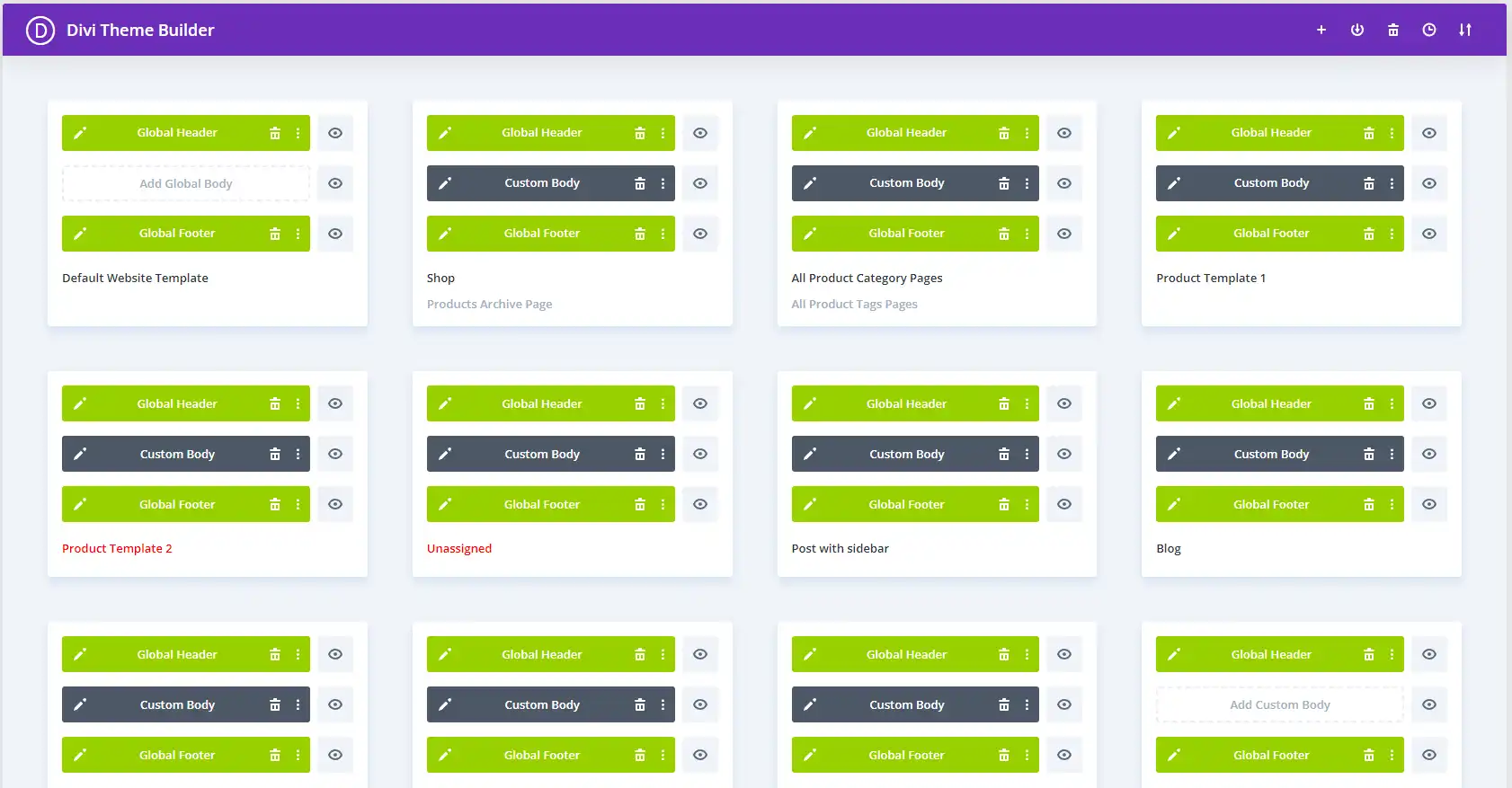
Divi Theme Builder Header Footer Page Templates

Divi Theme Builder Header and Footer Page Templates

Pre-built Modules for Quick Setup and Extensive Customization

Hundreds of pre-made modules that are simply dragged and dropped into place make building websites with Divi easier. Testimonials and portfolio galleries to e-commerce shop modules are all covered by these modules. Along with expediting the design process, this guarantees uniformity and usefulness everywhere.

Streamlining Web Development

Pre-built modules allow companies wishing to launch rapidly to have a polished and fully working website up and running quickly. Divi designers skillfully blend these components to create aesthetically pleasing and useful websites.

Responsive Design Out of the Box With the Ability to Fine Tune Your Websites Appearance on Phones, Tablets, and PC’s

With desktop surfing now outpacing mobile, having a flexible website is essential rather than optional, which makes this one of the top 10 reasons Divi designers boost your online presence. Divi designers create stunning, flawlessly working websites on PCs, tablets, and smartphones. By guaranteeing a constant experience for your audience, this responsiveness can greatly increase engagement rates and SEO rankings.

Mobile-First Approach

Divi’s mobile-first design ensures that your website will look great on mobile devices, which is important because Google gives mobile-friendly websites higher search results. Divi designers improve the user experience and boost the SEO of your website by emphasizing Mobile-Friendly Website Design during all phases of the web development and design process.

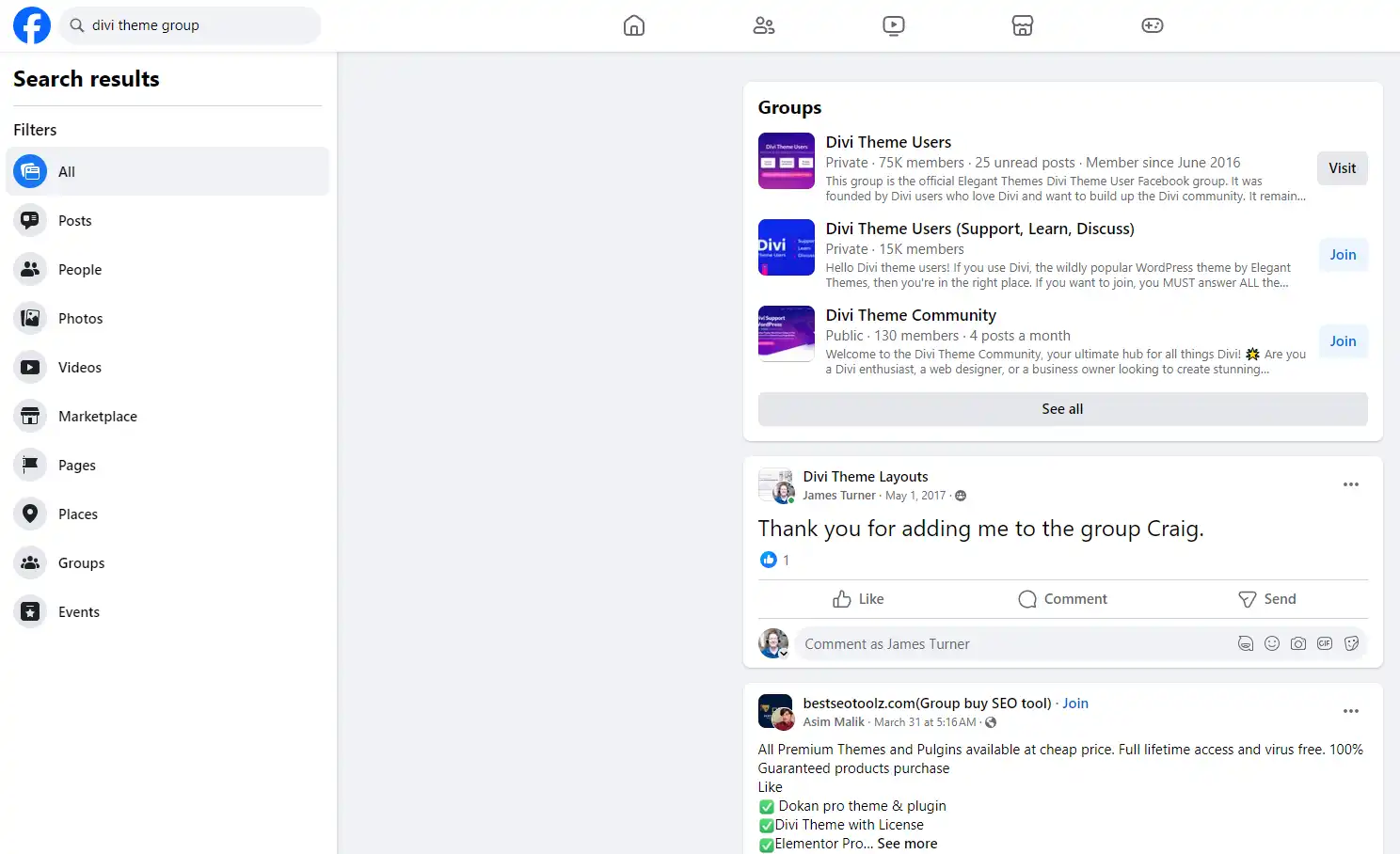
Divi Theme Groups on Facebook

Divi Theme Groups on Facebook

Divi Offers Enhanced SEO Capabilities

SEO was considered when creating the Divi WordPress Theme. Divi’s whole design, from schema markup to code cleanliness, is geared at increasing your website’s search engine results visibility. Using these capabilities, Divi designers make sure your website not only satisfies but surpasses the most recent SEO guidelines.

Optimizing for Search Engines

The SEO features included within Divi allow designers to efficiently target your desired keywords, enhance meta tags, and create URLs that are search engine friendly. This careful on-page Search Engine Optimization strategy helps to rank your website higher in search results, increasing traffic and leads.

The Divi Theme Community is Huge and Support is Available Through the Developer and Countless Other Channels

Selecting Divi has the further advantage of giving you access to a sizable development and design community. With forums, tutorials, and outside resources, this active community makes it simple to identify fixes and improvements for your website.

Leveraging Community Knowledge

Whether you need creative inspiration or are having technical problems, the Divi community is a priceless resource. Divi designers frequently use this combined expertise to improve their craft and provide their clients with excellent websites.

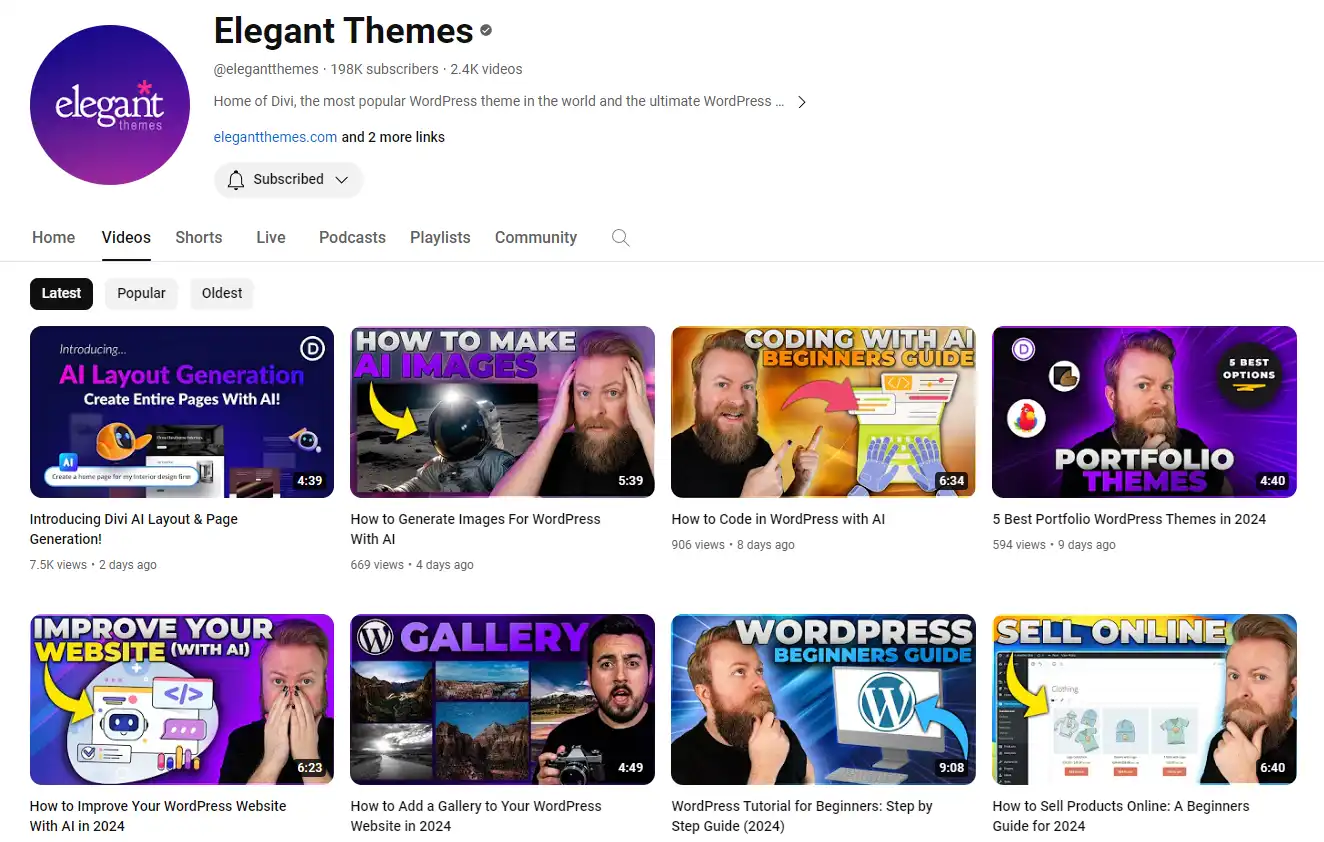
Divi Videos on Youtube

Divi Videos on Youtube

The Divi Theme is Highly Secure and Reliable

Any internet presence should prioritize security. Divi designers have expertise in implementing strong security measures to shield your website from possible dangers. They usually update the Divi theme and use WordPress security best practices to ensure your website’s safety.

Building Trust with Your Audience

More than only safeguarding information, a secure website helps your visitors trust you. Consumers are more likely to interact with your site when they feel their information is secure. Long-term partnerships and a devoted clientele need this trust.

E-commerce Readiness and Integration With WooCommerce

Divi is a great e-commerce option because it works well with WooCommerce for companies wishing to start selling online. Divi designers can produce aesthetically pleasing, useful web stores that give customers a simple way to shop. Divi lets you guarantee that your products are presented exquisitely and that the buying process is simple and easy. Besides, the purpose of having a website is to generate more leads or increase sales by taking advantage of the fact you can reach more customers online, which makes this one of the most important of all the top 10 reasons Divi designers boost your online presence.

Optimizing for Conversions

Because Divi and WooCommerce integrate so smoothly, designers can optimize e-commerce websites for conversions. Every component—from product displays to checkout procedures—is carefully designed to boost sales and improve the consumer experience.

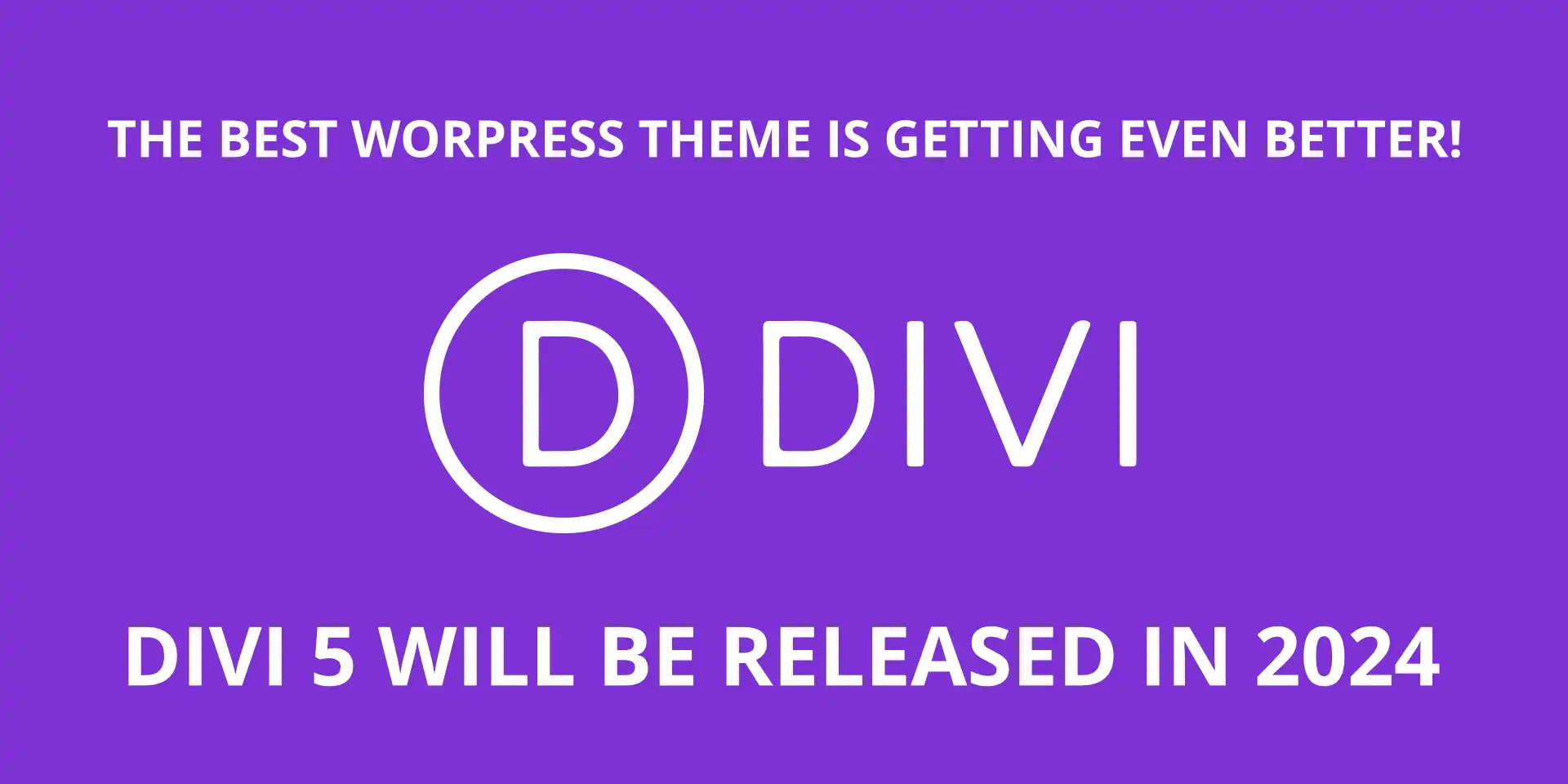
Divi Theme Version 5 Release

Divi Theme Version 5 Release is Coming in 2024

Elegant Themes Makes Frequent Updates and Improvements to the Divi Theme for WordPress

New functionality, bug fixes, and security improvements to the Divi theme are always being added. Divi designers keep up with these changes and include the most recent enhancements to maintain your website modern and well-optimized. In addition to improving the security and effectiveness of your website, this dedication to staying current also increases its lifespan in the always changing digital world.

Staying Ahead of Web Trends

Regular upgrades enable Divi websites to keep up with the newest web trends and technologies. Taking this proactive step guarantees that your website is competitive and relevant, providing users with the greatest possible experience.

Divi Has Tight Integration with Many Marketing Tools

Because of the way Divi is built, designers may improve the Marketing potential of your website with a multitude of marketing tools and plugins. Divi can easily interface with solutions that increase the online interaction and reach of your company, from email marketing to social media integration and beyond.

Expanding Your Digital Marketing Strategy

Using analytics tools, SEO plugins, or targeted lead forms, connecting these systems with your Divi website increases lead collection, traffic analysis, and successful marketing strategy refinement.

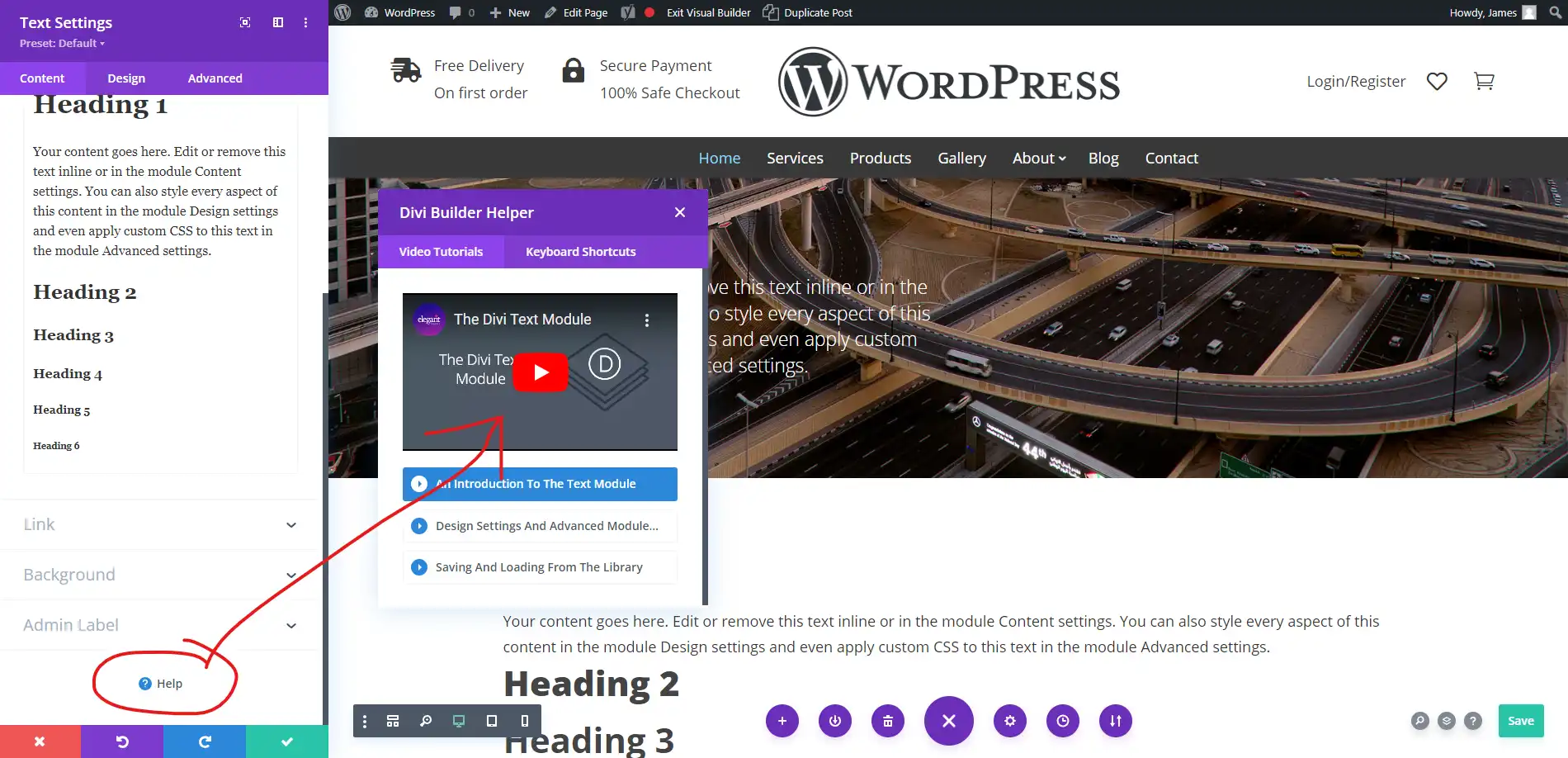
Divi Theme Help Features

Divi Theme Help Features

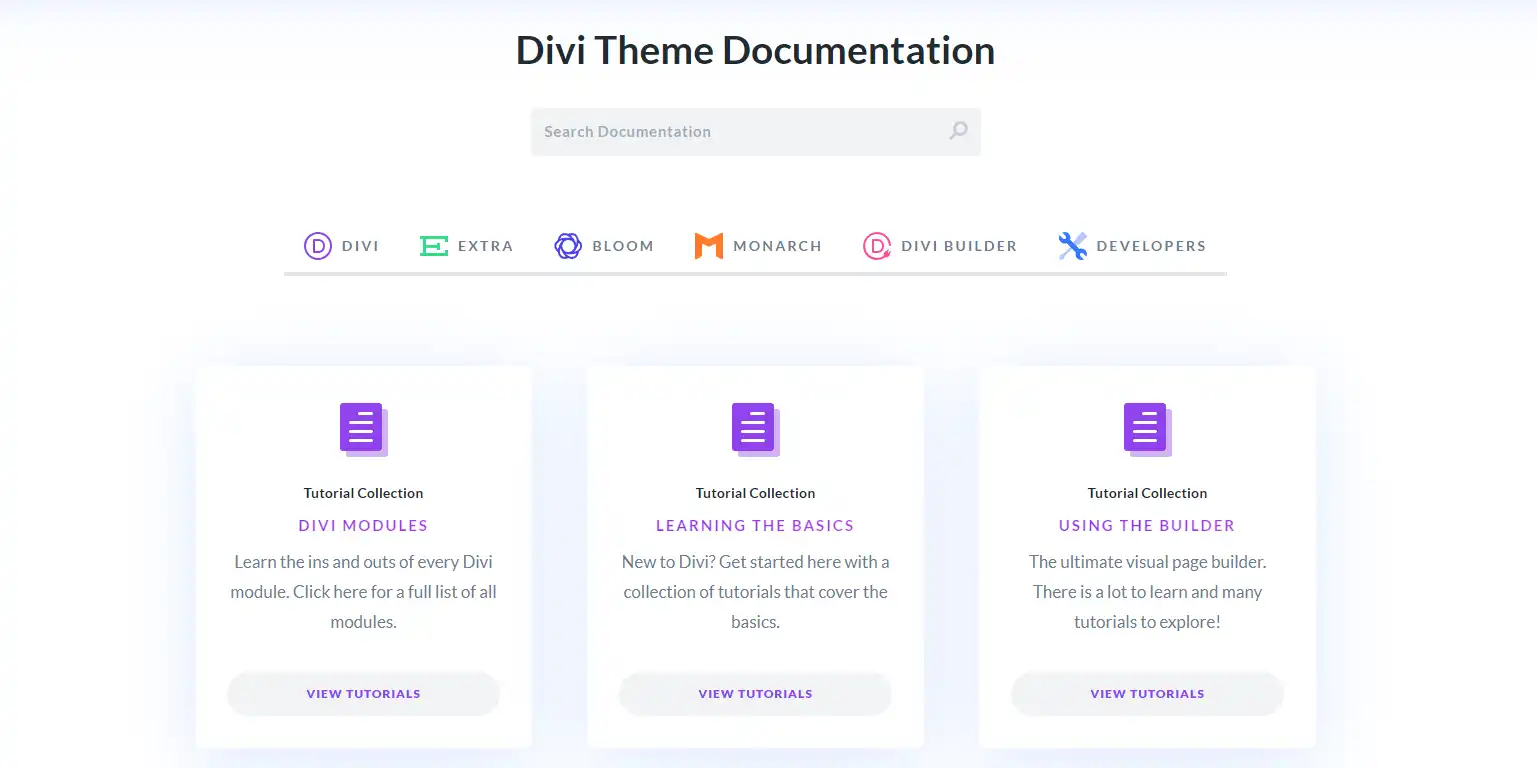
Divi Theme Documentation

Divi Theme Documentation

Training and Educational Resources

Divi is a learning platform as well as a theme. Divi is easy for anyone to become adept with because of the wide selection of articles, videos, and tutorials available. Designers will find great use for this abundance of information, as will clients who want to run their website on their own after launch.

Empowering Clients and Designers

Divi designers enable their clients with these educational materials, giving them the information they need to make wise choices about the layout and operation of their website. It comes down to creating a website that is not only aesthetically pleasing but also functionally sound and long-term manageable by the client.

Inspirational Story on the Reasons Divi Designers Boost Your Online Presence

The Journey of Emily S.: From Novice to Divi Expert

Once a small business owner, Emily S. was daunted by the difficulties of building an internet presence. She happened into the Divi WordPress theme with little technical expertise and a restricted budget. She chose to jump in, not only to create her website but also to learn the program that runs it, drawn in by its promise of simplicity and versatility.

Using community forums, tutorials, and a little trial and error, Emily turned her simple website into an eye-catching, fully functioning online store. Her adventure didn’t end with the launch of her website; she kept tinkering with Divi’s extensive feature set until she was skilled enough to provide Divi design services to others.

These days, Emily’s company prosperes not only from her goods but also from the great user experience she provides on her website. She gives Divi and the active neighborhood that helped her credit for her accomplishments. Her experience is proof positive that utilizing technology and local resources can transform difficult situations into rewarding ones.

Emily offers people just beginning on her adventure advice. Arrive to Divi with an open mind. Though there is a high learning curve, the vista is breathtaking from the summit. Remember, too, that the community is always available to help.

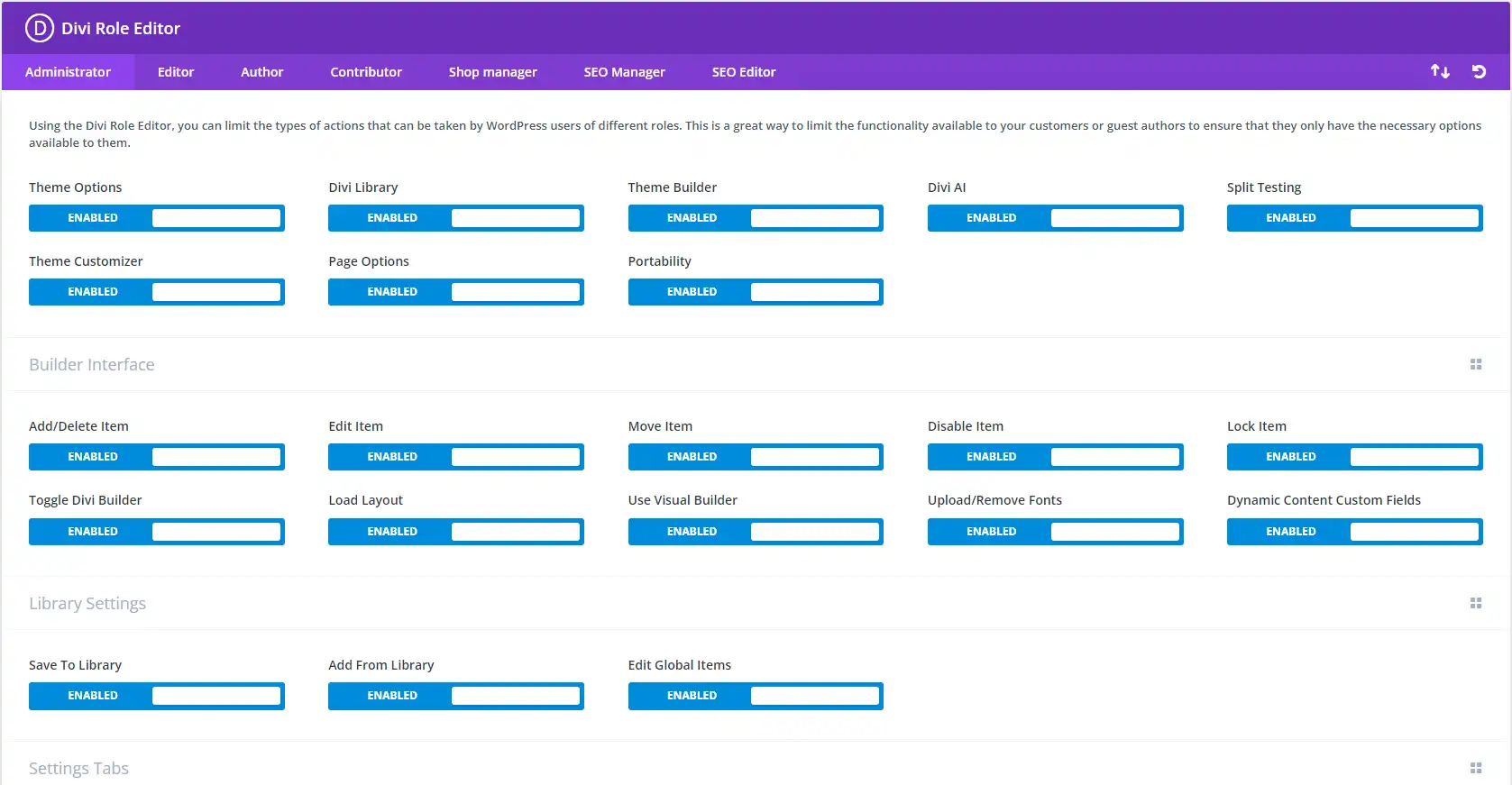
Divi Role Editor

Divi Role Editor (Limit Client Access)

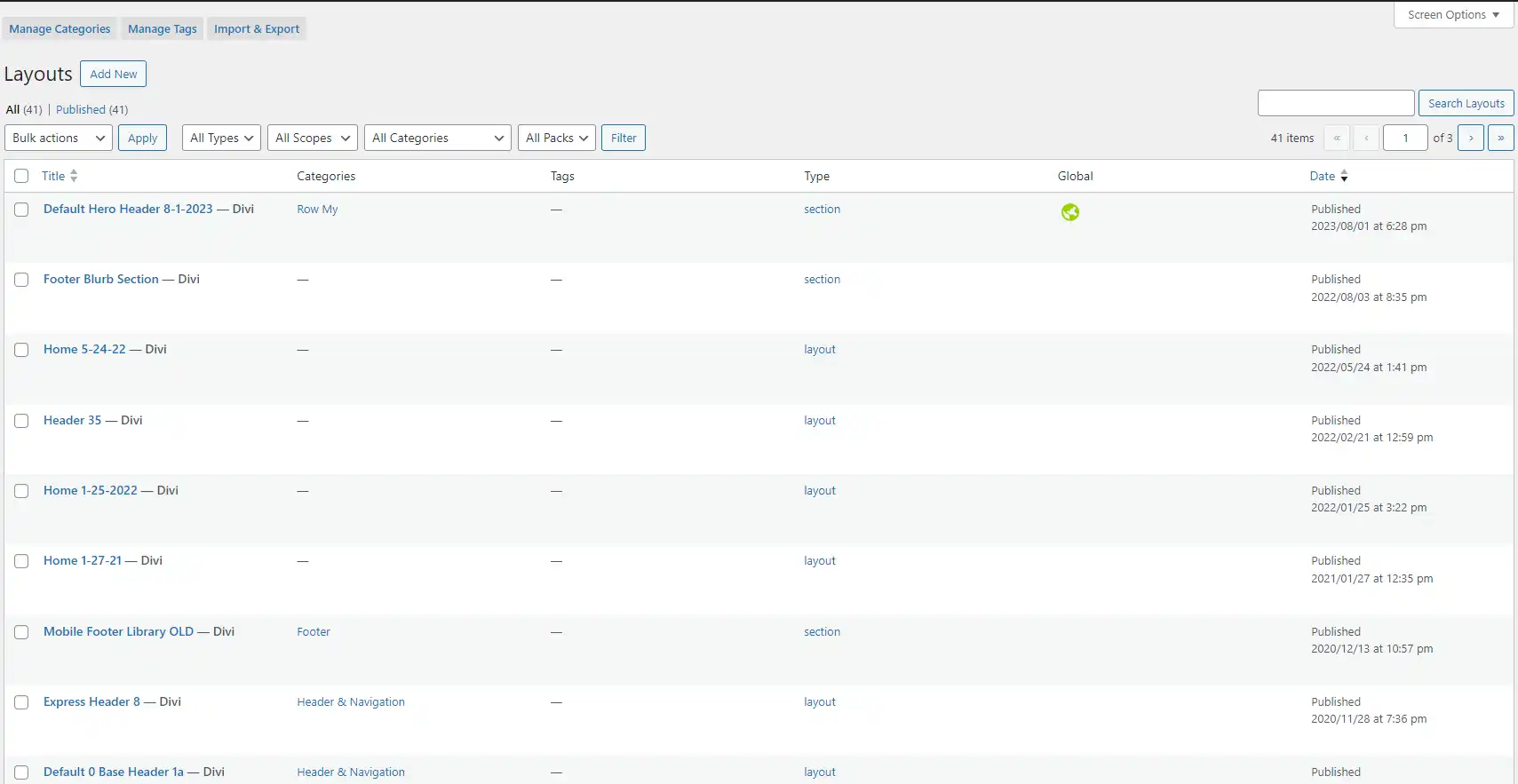
Divi Library Layouts

Divi Library Layouts

FAQs

Common Questions About Divi Designers

  • What makes Divi different from other WordPress themes? Divi is special because, for both novices and seasoned developers, it provides an all-in-one solution with its visual builder, many customizing choices, and robust community support.
  • Can Divi be used for e-commerce websites? Needless to say! WooCommerce and Divi work together perfectly to let users effortlessly build stunning and useful online stores.
  • Is Divi SEO-friendly? Indeed, Divi is made with search engine optimization in mind; it has clean code and works with well-known SEO plugins.
  • How often is Divi updated? To keep your website current and safe, Divi is updated frequently with new features, bug fixes, and security improvements.
  • Where can I find Divi tutorials and resources? Divi was created by Elegant Themes, which provides a plethora of documentation, blog entries, and tutorials. Moreover, a lot of independent developers and bloggers impart their knowledge on several web platforms.

Do’s and Don’ts of Using Divi

Do:

  • Utilize the Divi builder for its intuitive design capabilities.
  • Regularly update your theme and plugins to maintain site security.
  • Explore the range of modules to enhance your site’s functionality.
  • Take advantage of the community forums for support and inspiration.

Don’t:

  • Overload your site with unnecessary plugins that can slow down your site.
  • Ignore the mobile responsiveness settings within Divi.
  • Neglect SEO best practices while designing your site.
  • Forget to backup your site regularly, especially before updating.
Divi 5 Sneak Peek

Divi 5 Sneak Peek

Final Thoughts on the Top 10 Reasons Divi Designers Boost Your Online Presence

Choosing a Divi designer can transform your website from a mere digital presence to a robust marketing tool that captivates and converts, and this article on the top 10 reasons Divi designers boost your online presence is your first step to online success. With its comprehensive features, supportive community, and regular updates, Divi is more than just a WordPress theme—it’s a powerful asset for any online endeavor.

Ready to Use Divi to Improve Your WordPress Website?

Remember, whether you’re a seasoned professional or just starting out, the journey with Divi is filled with opportunities for growth and success. Embrace it, and let your online presence flourish!

Disclosure: You may find affiliate links to beneficial resources within this article. You won’t pay more for using our link, but we’ll get a commission. This supports our content creation, and we only suggest products we genuinely believe in. Thank you for being so understanding!

Affiliate Links

James Turner

James Turner

Author/Copywriter

Are you looking for a tech blogger and sales copywriter who can turn your message into a powerful tool for persuasion? Look no further than James Turner, a seasoned professional with over 25 years of experience in the tech industry. With a deep understanding of how to craft words that connect with readers and drive results, James is a master of the art of persuasive writing.

Why Choosing the Best Web Hosting Company Matters in 2025

Find out why choosing the best web hosting company matters in 2025 to boost your site’s performance and skyrocket sales.

Hiring a Website Designer

Hiring a website designer? Discover actionable tips, red flags to avoid, and how to find the right designer to create a website that grows your business.

How to Create a Landing Page Using WordPress

Follow our guide on how to create a landing page using WordPress and the built-in Block Editor, page builder plugins, or specialized themes.

Transforming Website Design Pain Points into Strengths

Transforming Website Design Pain Points into Strengths

In the rapidly evolving digital landscape, a well-crafted website is a cornerstone of business success, so let’s start transforming website design pain points into strengths. As consumers increasingly turn to the Internet for shopping, information, and services, companies without a strong online presence find themselves at a significant disadvantage. However, the journey to launching a website is often beset with challenges that can be daunting, especially for businesses making their first foray into the online world.

Understanding the Challenges of Common Website Pain Points Businesses Encounter

Understanding these challenges is the first step toward overcoming them. This article aims to shed light on the most common pain points businesses encounter when creating a website, including budget constraints, lack of technical expertise, time constraints, SEO and visibility issues, design and user experience considerations, security concerns, and the necessity of mobile optimization. By identifying these issues early on, businesses can develop strategies to navigate them effectively, ensuring a smoother path to establishing a compelling online presence that resonates with their target audience.

The goal of this discussion is to highlight the obstacles and offer insight and solutions that empower businesses to craft websites that are not only functional but also engaging, secure, and visible in the vast expanse of the digital realm. Let’s embark on this journey together, exploring the pain points and uncovering the keys to successful website creation.

Question by Jake W.:

“What is the most common pain point businesses face when creating a website?”

Answer:

The most common pain point is budget constraints. Many businesses struggle with the costs associated with website development, including design, development, maintenance, and SEO services. Managing these costs effectively while achieving a professional and functional website is a significant challenge for businesses, especially small and medium-sized enterprises.

WordPress

“In the journey of website creation, obstacles are not roadblocks but stepping stones to innovation and growth. Navigating through challenges like budget constraints and technical complexities sharpens our focus, leading to a digital presence that resonates deeply with our audience.” – James T.

Identifying Website Design Pain Points

Identifying Website Design Pain Points

Identifying Pain Points

As we journey through the intricacies of creating a compelling online presence, understanding the landscape is crucial to identifying website design pain points. Following the introductory insights into the significance of a website in today’s digital era, it’s essential to delve into the core challenges businesses face. The “Identifying Pain Points” section is a crucial pivot from acknowledging the necessity of web presence, discussed in earlier sections, to confronting the hurdles head-on. Here, we will explore various obstacles such as budget constraints, lack of technical expertise, and time constraints, among others, laying the groundwork for navigating these challenges with strategic finesse.


Budget Constraints

One of the most immediate concerns for businesses embarking on website creation is the financial investment required. The costs associated with developing, launching, and maintaining a website can vary widely, often reaching into the thousands of dollars for custom designs, advanced functionalities, and professional SEO services. For small businesses and startups operating on tight budgets, these expenses can be particularly daunting.

Budget constraints not only impact the scope of the project but can also lead to compromises on quality and functionality. However, it’s essential for businesses to view their website as an investment rather than just an expense. A well-designed website can serve as a powerful marketing tool, generating leads, building brand awareness, and driving sales. To navigate these financial challenges, businesses must carefully plan their budgets, prioritize essential features, and explore cost-effective solutions such as website builders or freelance developers, without sacrificing the site’s effectiveness or user experience.


Lack of Technical Expertise

Another significant hurdle for many businesses is the lack of in-house technical expertise. The process of building a website encompasses a wide range of skills, including web design, development, content creation, and SEO. Without a knowledgeable team to navigate these complexities, businesses may find themselves at a loss, facing delays, or settling for a subpar online presence.

This challenge often forces businesses to seek external help, which can further inflate costs and introduce risks related to reliability and quality. Yet, the alternative—investing in training or hiring in-house professionals—can be just as costly and time-consuming. The key lies in finding a balance between outsourcing and developing internal capabilities, leveraging tools and platforms designed for ease of use, and seeking partnerships with reputable service providers who can guide the process and ensure a high-quality outcome.

Time Constraints and SEO Issues

Time Constraints and SEO Issues

Time Constraints

The timeline for creating a website can be a source of stress for businesses, especially those under pressure to launch their online presence swiftly. From initial design to development, testing, and launch, each phase of the website creation process demands careful attention and sufficient time to ensure quality outcomes. However, external pressures, such as market competition or internal deadlines, often push businesses to rush these stages, potentially compromising the site’s functionality, security, and user experience.

To manage time effectively, businesses should set realistic timelines that account for the complexities of web development. This includes allocating extra time for unforeseen challenges, revisions, and testing. Project management tools and methodologies can help keep the project on track, while clear communication with developers or agencies ensures that expectations are aligned. While the desire to go live as soon as possible is understandable, patience and attention to detail during the development process are crucial for long-term success.


SEO and Visibility Issues

Securing a visible spot on search engine results pages (SERPs) is crucial for driving traffic to a new website, yet mastering Search Engine Optimization (SEO) remains a significant challenge for many businesses. SEO involves a myriad of factors, from keyword research and content creation to technical optimization and link building. As search engine algorithms continue to evolve, this is one of the most difficult to address website design pain points. Staying abreast of the latest SEO trends and techniques becomes an ongoing task that requires expertise and dedication.

Businesses can tackle these challenges by either developing SEO skills in-house or partnering with SEO professionals. It’s also important to integrate SEO considerations from the earliest stages of website design, ensuring that the site is built on a solid foundation for future visibility. Regularly updated, high-quality content, along with a technically sound website structure, can significantly improve a site’s ranking over time. Remember, SEO is not a one-time task but a continuous effort that plays a critical role in a website’s success.

Web Design and User Experience

Web Design and User Experience

Design and User Experience

Design and user experience (UX) are pivotal in determining how visitors interact with a website. A well-designed website not only looks appealing but also offers intuitive navigation, fast load times, and accessible information, factors that contribute significantly to retaining visitors and converting them into customers. However, achieving a balance between aesthetic appeal and functionality can be challenging, particularly for businesses without a background in web design.

To overcome these challenges, businesses should focus on the user journey, mapping out each step a visitor takes from landing on the site to completing a desired action. This approach helps identify potential pain points and areas for improvement. Utilizing web design best practices, such as responsive design, clear call-to-action buttons, and streamlined navigation, can greatly enhance user experience. Furthermore, gathering feedback from real users and making iterative improvements based on this feedback can ensure the website meets the needs and expectations of its target audience.

  • Visit Digital.gov for more information on website Usability.


Security Concerns

In an era where cyber threats are increasingly common, ensuring the security of a website is paramount for businesses. Security vulnerabilities not only pose a risk to company data but also to the sensitive information of customers. Breaches can lead to significant financial loss and damage to a business’s reputation. Despite its critical importance, many businesses struggle with implementing robust security measures due to the complex nature of cybersecurity.

To mitigate these risks, businesses should prioritize security from the outset of the website design process. This includes using secure web hosting services, installing SSL certificates for data encryption, regularly updating software and plugins to patch vulnerabilities, and implementing strong access controls. Additionally, educating staff on cybersecurity best practices and considering the services of cybersecurity professionals can further enhance a website’s defenses. Remember, an investment in security is an investment in your business’s longevity and trustworthiness.


Mobile Optimization

With over half of global web traffic coming from mobile devices, mobile optimization is no longer optional for businesses; it’s essential. A website that isn’t optimized for mobile use can frustrate users, lead to higher bounce rates, and negatively impact SEO rankings. Mobile optimization involves designing your site so it looks and performs well on mobile devices, including fast loading times, responsive design, and touch-friendly navigation.

To achieve this, businesses must adopt a mobile-first approach, testing the website’s performance and layout on various devices and browsers to ensure a seamless user experience. Implementing responsive design techniques allows a website to automatically adjust to the screen size and orientation of the device being used. Additionally, optimizing images and leveraging caching can improve load times, further enhancing the mobile user experience. Prioritizing mobile optimization ensures that all visitors have a positive experience on your site, regardless of the device they use.

Overcoming Common Pain Points

Overcoming Common Pain Points

Strategies for Overcoming Pain Points

Having identified the website design pain points for businesses aiming to create a website, it’s essential to discuss strategies for overcoming these obstacles. Success in website creation demands a blend of strategic planning, leveraging the right tools, and engaging with professional expertise when necessary.

Leveraging Technologies and Platforms: Numerous website builders and content management systems (CMS) offer user-friendly interfaces and customizable templates that can significantly reduce the complexity, time, and cost associated with website development. These platforms often include SEO tools, mobile optimization features, and security measures, making it easier for businesses to address many of the pain points discussed.

Engaging with Professional Services: While do-it-yourself approaches are cost-effective, partnering with web development and digital marketing professionals can provide businesses with the expertise needed to create a high-quality website that meets their specific goals. This collaboration can also offer valuable insights into industry best practices, emerging trends, and innovative solutions to enhance the website’s effectiveness.

Educating and Training Teams: Investing in the education and training of in-house teams can empower businesses to manage their website more effectively over the long term. Understanding the basics of web design, SEO, and cybersecurity can help businesses make informed decisions and maintain their site with greater independence.

Adopting a Phased Approach: Building a website doesn’t have to be an all-or-nothing project. Adopting a phased approach allows businesses to launch a basic but functional website quickly and then iteratively add features and improvements over time. This strategy can help manage costs and reduce time to market, while still providing room for growth and optimization.

By adopting these strategies, businesses can navigate the complex process of website creation more smoothly, turning the challenges into opportunities for growth and success in the digital landscape.

Questions from Small Business Owners

Questions from Small Business Owners

Frequently Asked Questions

How can small businesses afford a professional website?
Small businesses can explore cost-effective platforms, utilize templates, and prioritize essential features to reduce costs. Additionally, considering a phased development approach allows for gradual investment.
Is it necessary to hire a professional for website SEO?
While basic SEO can be managed in-house with the right tools and knowledge, hiring an SEO professional can provide advanced strategies and competitive edge, particularly in saturated markets.
How long does it typically take to create a website?
The timeline varies greatly depending on the complexity of the site, ranging from a few weeks for basic sites to several months for more complex projects. Setting realistic timelines and expectations is crucial.
Can a business website be successful without a big budget?
Yes, success depends more on strategic planning, quality content, and effective SEO than on the size of the budget. Utilizing free and low-cost resources effectively can yield substantial results.
How often should a website be updated or redesigned?
Websites should be reviewed and updated regularly to ensure content is fresh, functionality is intact, and the design remains engaging. Major redesigns are typically considered every 2-3 years or as needed based on performance and trends.
Final Thoughts on Website Design Pain Points

Final Thoughts on Website Design Pain Points

Final Thoughts on Common Website Design Pain Points

Creating a website is a significant undertaking for any business, characterized by a unique set of challenges and opportunities. By understanding the common website design pain points—budget constraints, lack of technical expertise, time constraints, SEO and visibility issues, design and user experience, security concerns, and mobile optimization—businesses can better prepare for the journey ahead. Embracing strategic planning, leveraging modern technologies and platforms, engaging with professional services, and adopting a phased approach are all critical steps toward overcoming these obstacles.

The digital landscape is constantly evolving, and with it, the best practices for website creation. However, the core principles of strategic planning, user-centric design, and continuous improvement remain constant. Businesses that are able to navigate these challenges effectively can not only create a website that serves as a powerful tool for growth and engagement but also establish a strong foundation for their online presence in the years to come.

Disclosure: You may find affiliate links to beneficial resources within this article. You won’t pay more for using our link, but we’ll get a commission. This supports our content creation, and we only suggest products we genuinely believe in. Thank you for being so understanding!
Affiliate Links

James Turner

James Turner

Author/Copywriter

Are you looking for a tech blogger and sales copywriter who can turn your message into a powerful tool for persuasion? Look no further than James Turner, a seasoned professional with over 25 years of experience in the tech industry. With a deep understanding of how to craft words that connect with readers and drive results, James is a master of the art of persuasive writing.

Why Choosing the Best Web Hosting Company Matters in 2025

Find out why choosing the best web hosting company matters in 2025 to boost your site’s performance and skyrocket sales.

Hiring a Website Designer

Hiring a website designer? Discover actionable tips, red flags to avoid, and how to find the right designer to create a website that grows your business.

How to Create a Landing Page Using WordPress

Follow our guide on how to create a landing page using WordPress and the built-in Block Editor, page builder plugins, or specialized themes.

My Island Designs

Pin It on Pinterest