
Benefits of WordPress Website Design for Business Owners

Benefits of WordPress Website Design for Business Owners

Home » WordPress » Page 11

Every business owner wants a strong online presence, and a great website is key. Entrepreneurs worldwide embrace WordPress, a robust CMS. It’s popular—why? This article discusses the numerous benefits of WordPress website design for business owners and individuals. WordPress powers 40% of websites. It’s ideal for companies of all sizes due to its versatility, ease of use, and extensive feature set.

Its user-friendliness makes WordPress popular because it makes website creation and management easy for non-techies. Its simple interface lets you add pages, blog posts, and multimedia without scripting.

Building Ecommerce Shopping Websites With WordPress is Easy

Building Ecommerce Shopping Websites With WordPress is Easy

“WordPress is not just a platform, it is an ecosystem that enables endless possibilities.” – Anonymous

Ease of Use

WordPress excels in providing a user-friendly experience to its users. Even individuals with minimal technical expertise can efficiently manage their websites. The intuitive interface, simple navigation, and drag-and-drop features make it a breeze to create and update content.

Effortless Content Creation

One of the primary reasons behind WordPress’s immense popularity is its ease of content creation. You can effortlessly draft, edit, and publish content on your website. Moreover, the platform supports a variety of multimedia elements such as images, audio files, and videos.

Streamlined Website Management

WordPress allows for streamlined website management with its centralized dashboard. This feature enables you to monitor and control every aspect of your website, including content updates, theme customization, plugin management, and more.

Flexibility

WordPress offers unparalleled flexibility, catering to a vast array of industries and niches. Whether you run a small blog or a large e-commerce store, the platform has the tools and features to help your business thrive.

Customization Options

With a myriad of customization options, you can tailor your website to fit your unique brand identity. From choosing the perfect theme to customizing fonts, colors, and layouts, WordPress allows for endless possibilities.

Adaptable Functionality

As your business grows and evolves, so do your website’s needs. WordPress accommodates these changes with its adaptable functionality. The platform’s extensive plugin library and integration capabilities ensure that your website remains up-to-date and competitive.

WordPress Website Designs are Scalable for Any Size Business

WordPress Website Designs are Scalable for Any Size Business

Scalability

Scalability is a critical consideration for businesses of all sizes and one of the best benefits of WordPress website design for business owners. WordPress delivers on this front, ensuring your website grows seamlessly as your business expands.

Efficient Resource Management

WordPress’s efficient resource management capabilities enable your website to handle increased traffic and content without slowing down or experiencing downtime. This allows your website to grow in tandem with your business.

Flexible Hosting Options

WordPress provides a wide range of hosting options, catering to different budgets and requirements. As your website grows, you can easily migrate to a more powerful hosting plan, ensuring that your site remains fast, secure, and reliable.

SEO Friendliness

Search engine optimization (SEO) is vital for driving organic traffic to your website. WordPress is inherently SEO-friendly, making it easier for you to optimize your site for search engines and attract a larger audience. WordPress websites are optimized for search engine rankings. Its clean and semantic coding lets search engines crawl and index your website’s content.

Clean Code

WordPress follows best coding practices, ensuring clean and efficient code. This helps search engines to easily crawl and index your website, improving your site’s search engine ranking.

SEO Plugins

WordPress offers numerous SEO plugins that can further optimize your website for search engines. These plugins assist with keyword research, meta tags, XML sitemaps, and more, giving you the tools you need to enhance your website’s visibility online.

Yoast SEO and All in One SEO Pack are WordPress plugins that improve your website for search engines. These plugins make metadata, XML sitemaps, and SEO best practices easy.

WordPress Website Designs are Affordable for Both Short and Long Term

WordPress Website Designs are Affordable for Both Short and Long Term

Affordability

WordPress is an affordable solution for businesses of all sizes, and just one more of the excellent benefits of WordPress website design. Its open-source nature and cost-effective themes and plugins make it a budget-friendly option for website design and development.

WordPress offers a wide range of free and premium themes that can be adjusted to match your brand’s style. With time and patience, you won’t need to spend thousands on a web designer to produce a beautiful website.

WordPress websites need plugins to provide functionality. You’ll discover the right plugin from 58,000 available options. Several plugins are free or have a nominal one-time fee, making them cheap for business owners on a budget.

Low Startup Costs

Getting started with WordPress is relatively inexpensive. The platform is free to use, and many themes and plugins are available at no cost. This allows you to build a professional-looking website without breaking the bank.

Cost-Effective Maintenance

WordPress’s ease of use and extensive resources make maintaining your website affordable. You can handle most updates and modifications in-house, reducing the need for costly professional assistance.

Support

WordPress boasts a vast and active community that provides invaluable support to users. Whether you encounter technical issues or need advice on website design, you can rely on the WordPress community for assistance.

WordPress has a wealth of official resources for help, including as documentation, forums, and tutorials, which can be found on their website. Users of all skill levels can benefit greatly from the information and guidance offered by these sources.

Forums and Documentation

WordPress offers comprehensive documentation and forums where users can seek guidance and share their experiences. These resources provide answers to common questions and solutions to technical challenges. You may rely on the WordPress community in addition to the official assistance. WordPress has millions of users and developers all over the world, so if you run into trouble you may easily find solutions.

Professional Assistance

If you require professional help, there is no shortage of WordPress experts available for hire. From developers to designers, you can find a specialist to tackle any issue or improvement you have in mind.

Plugins

Plugins are one of the most powerful aspects of WordPress, allowing you to extend your website’s functionality and features with ease. With thousands of plugins available, you can customize your site to meet your specific needs.

Feature Enhancement

Plugins enable you to add features like contact forms, social media integration, and e-commerce capabilities to your website. This allows you to create a more engaging and functional online presence for your business.

Improved Performance

Performance-enhancing plugins can help optimize your website for speed and user experience. From caching to image optimization, these plugins ensure that your site runs smoothly and efficiently.
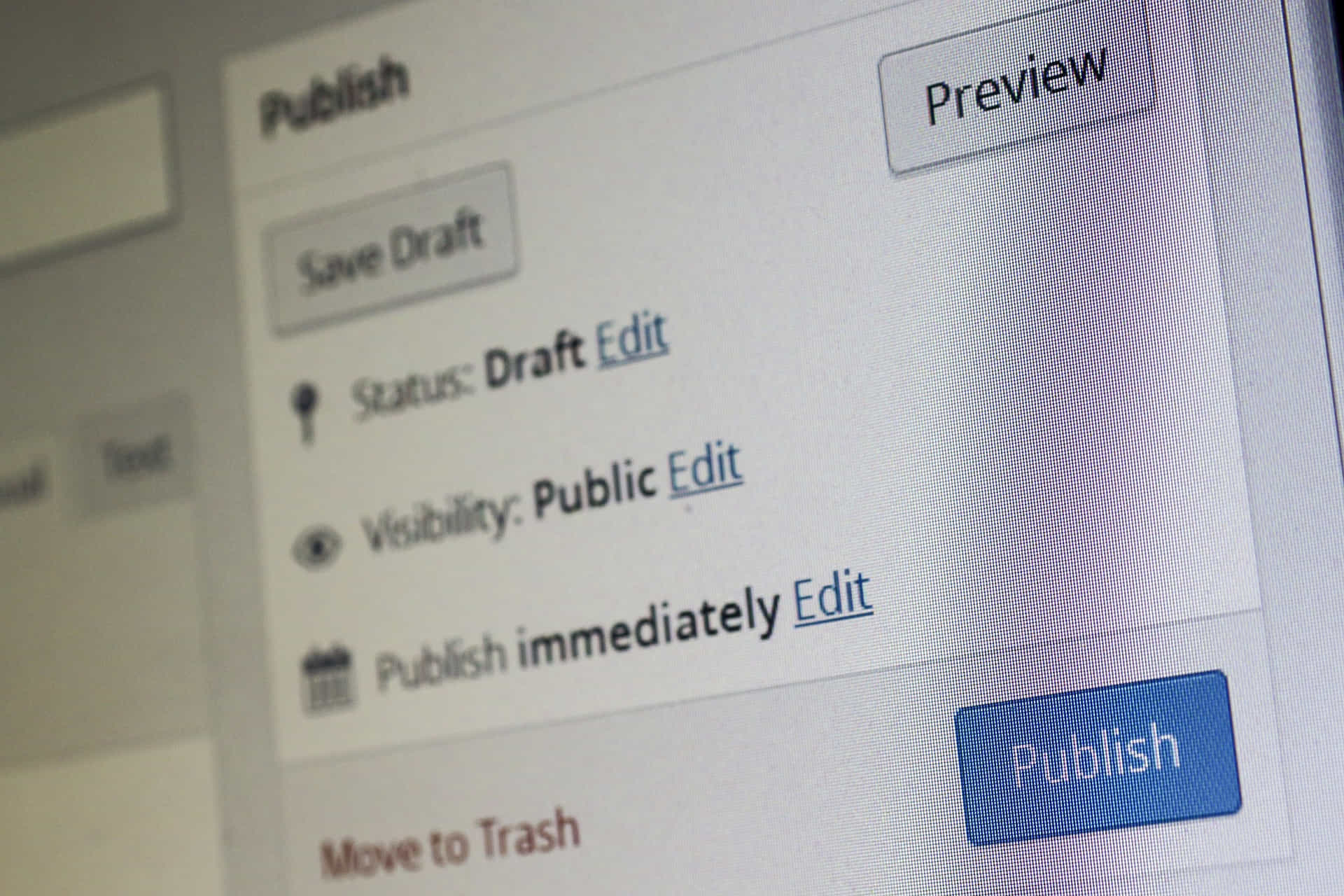
Updates and Maintenance Keep WordPress Websites Secure

Updates and Maintenance Keep WordPress Websites Secure

Themes

WordPress offers a vast selection of themes, allowing you to create a visually stunning and unique website. These pre-designed templates can be easily customized to match your brand identity and industry requirements.

Professional Appearance

A well-designed theme can give your website a professional appearance that leaves a lasting impression on your visitors. With countless themes to choose from, you can find the perfect design to showcase your brand.

Responsive Design

Responsive design is crucial in today’s mobile-driven world. Many WordPress themes are mobile-friendly, ensuring that your website looks great and functions seamlessly on all devices and screen sizes.

Today’s digital landscape requires responsive site design, where more than half of internet consumers utilize mobile devices. WordPress themes are responsive, guaranteeing your website looks fantastic and works well on smartphones, tablets, and desktop computers.

WordPress websites support multiple browsers and devices. No matter what device or browser your visitors use, your website will appear appropriately, delivering a good user experience.

Security

Security is a top priority for any business website, and WordPress takes it seriously. The platform regularly releases updates and patches to protect your site from potential threats and vulnerabilities.

Security Plugins

WordPress offers a variety of security plugins that can further bolster your website’s defenses. These plugins assist with malware scanning, firewalls, and more, providing additional protection.

Best Practices

By following WordPress best practices, you can further enhance your website’s security. Regular updates, strong passwords, and reliable hosting providers can help keep your site safe and secure.

Community

One of the most significant advantages of using WordPress is its vibrant and supportive community. From developers to business owners, the WordPress community fosters collaboration, innovation, and growth.

Shared Knowledge

The WordPress community is a treasure trove of knowledge and expertise. Users openly share their experiences, tips, and solutions, helping others learn and grow.

Collaborative Innovation

WordPress’s open-source nature encourages collaborative innovation. Developers from around the world contribute to the platform’s improvement, ensuring that it remains cutting-edge and relevant in the ever-evolving digital landscape.

WordPress Websites Make Digital Marketing Easier for Businesses

WordPress Websites Make Digital Marketing Easier for Businesses

Frequently Asked Questions

  1. Is WordPress suitable for large-scale business websites?
    Yes, WordPress is a scalable solution that can accommodate websites of any size, from small businesses to large enterprises.
  2. Can I migrate my existing website to WordPress?
    Yes, there are various tools and plugins available to help you migrate your current website to WordPress, ensuring a smooth transition.
  3. Do I need to know how to code to use WordPress?
    No, WordPress is designed to be user-friendly, and you can create and manage a website without any coding knowledge.
  4. How often should I update my WordPress website?
    It’s essential to keep your WordPress website up-to-date by regularly installing core updates, theme updates, and plugin updates. This ensures your website remains secure, functional, and compatible with the latest web standards.
  5. Is it possible to create an e-commerce website using WordPress?
    Yes, WordPress offers a variety of e-commerce plugins, such as WooCommerce, that allow you to create an online store and manage products, inventory, shipping, and payments directly from your website.

Final Thoughts

The benefits of a WordPress website design for your business are too numerous to mention in this article, but, from ease of use and flexibility to scalability and support, the advantages are clear. By harnessing the power of this versatile platform, you can create a stunning, high-performing website that drives growth and success for your business.

WordPress Business User Testimonial

“My WordPress website has been a game-changer for my business. It’s easy to use, looks great, and has helped attract more customers than ever before. I couldn’t be happier!” – Paul Taylor, Taylor Consctruction

Disclosure: You may find affiliate links to beneficial resources within this article. You won’t pay more for using our link, but we’ll get a commission. This supports our content creation, and we only suggest products we genuinely believe in. Thank you for being so understanding!

Affiliate Links

James Turner

James Turner

Author/Copywriter

Why Choosing the Best Web Hosting Company Matters in 2025

Find out why choosing the best web hosting company matters in 2025 to boost your site’s performance and skyrocket sales.

Hiring a Website Designer

Hiring a website designer? Discover actionable tips, red flags to avoid, and how to find the right designer to create a website that grows your business.

How to Create a Landing Page Using WordPress

Follow our guide on how to create a landing page using WordPress and the built-in Block Editor, page builder plugins, or specialized themes.

Are Most Websites Built with WordPress?

Are Most Websites Built with WordPress?

Home » WordPress » Page 11

Many people wonder if most websites are built with WordPress and the answer is WordPress is a well-liked CMS because it is simple to use for website creation and maintenance. That is why WordPress is the most popular content management system (CMS). It is very popular with small business owners, webmasters, and website design agencies because of its accessibility and flexibility regarding management, then umber of useful plugins, and fantastic themes and page builders that make it easy for almost anyone to create a website.

Nonetheless, with the abundance of website creation and content management system possibilities, one may reasonably speculate why WordPress has come to dominate the market. In this article, we’ll dive into the numbers and examine the benefits and drawbacks of using WordPress to create and manage your website.

What Is WordPress and Why You Should Use It

What Is WordPress and Why You Should Use It

“WordPress powers over 40% of all the websites on the Internet. It’s an incredible achievement and testament to its versatility, user-friendliness, and the incredible community that supports it.” – Matt Mullenweg, co-founder of WordPress.

What is WordPress?

WordPress, a boundless and open-source content management system, was first introduced to the public in the year of 2003. Built utilizing the programming languages of PHP and MySQL, it has since become well-known for its versatility, ease of use, and expansive selection of plugins and themes.

With WordPress, users are not limited in their website creation endeavors. They have the ability to generate an array of websites, ranging from simple blogs to intricate e-commerce emporiums, galleries, and beyond. One of the key benefits of utilizing WordPress is its user-friendly interface, which is intuitive and easy to navigate, even for those without a technical background.

The platform’s vast array of plugins and themes adds to its allure, allowing users to customize their website to their specific needs and aesthetic preferences. WordPress’s plugin library boasts over 58,000 options, offering users an extensive selection of features to choose from.

Moreover, WordPress is continually evolving, with regular updates and improvements made to its functionality and security. This ensures that the platform remains up-to-date with the latest technological advancements and security protocols.

Overall, WordPress provides users with a reliable and dynamic platform for website creation and management. Its ease of use, flexibility, and abundance of features make it a popular choice for users of all technical backgrounds.

WordPress vs. Other Platforms

While WordPress is the most popular CMS in the world, there are other website builders and platforms available. Some of the most popular alternatives to WordPress include:

  • Wix
  • Squarespace
  • Shopify
  • Drupal
  • Joomla

Each platform has its own strengths and weaknesses, and the choice ultimately comes down to the specific needs of your website. If you are interested in learning How to Get Started With WordPress the Right Way, this article can help.

WordPress Market Share is Huge

WordPress Market Share is Huge

WordPress Market Share

According to W3Techs, WordPress currently powers 42.4% of all websites on the internet. This means that WordPress is by far the most popular CMS in the world, with no other platform coming close to its market share.

WordPress is a free and open-source CMS that facilitates the generation, administration, and distribution of website content. From its first introduction in 2003, it has rapidly become the most widely used content management system (CMS) worldwide, accounting for 42.4% of all websites as of February 2023, according to W3Techs.

There are numerous causes behind WordPress’s immense success. The first and largest benefit is that it requires no technical knowledge whatsoever to operate. The platform features a simple interface, several available themes and plugins, and a vibrant community of developers and users who are always willing to help out.

WordPress is also very adaptable, serving as a foundation for everything from personal blogs to elaborate online stores and intranets. Its adaptability has made it a favorite among both individuals and organizations since it can be used to build a website or administer an online presence in a way that best serves the individual or company’s specific needs and objectives.

The fact that it is open source also plays a large role in WordPress’s success. This means that the source code is freely available to anyone who wants to view or make changes to it, opening up a wealth of possibilities for personalization and fresh ideas. It also means that there is a sizable group of people working tirelessly to enhance the platform, iron out any kinks, and add any features that users could find useful.

WordPress’s popularity is a result of its user-friendliness, adaptability, and dedication of its user base and developer community. WordPress has become the de facto standard content management system for millions of websites throughout the world, and its popularity is only expected to grow.

The Advantages of Building a Website With WordPress

The Advantages of Building a Website With WordPress

Advantages of WordPress

1. Easy to Use

WordPress is known for its user-friendly interface, which makes it easy for anyone to create and manage a website. Even if you have no prior web development experience, you can quickly learn how to use WordPress to build and maintain your site.

2. Vast Selection of Plugins and Themes

One of the biggest advantages of WordPress is its extensive library of plugins and themes. With over 58,000 plugins and thousands of themes available, you can easily customize your site to suit your needs and preferences.

3. Strong Community Support

WordPress has a large and active community of users and developers who are always willing to help with any questions or issues. This means you can easily find support and resources online if you ever need assistance with your site.

The WordPress support forum is an online community where users can seek assistance, share knowledge, and troubleshoot WordPress-related issues. The forum is an excellent resource for WordPress users of all skill levels, from novices to seasoned professionals.

One of the most significant advantages of the WordPress support forum is that it is free and open to everybody. Individuals with WordPress experience can ask questions and receive answers from other users. This is especially useful for novices new to the platform and may require assistance with simple activities such as installing themes and plugins or setting up their website.

Users can browse the forum archives for answers to frequent problems in addition to asking queries. This might save you a lot of time because other users have already answered many questions. The forum also has many lessons, articles, and other tools to assist users in improving their WordPress skills.

The WordPress support forum also has the advantage of being a community-driven platform. Users can work together, share ideas, and learn from one another. This may be a terrific method to meet and connect with other WordPress users, whether they’re other bloggers, developers, or company owners.

Overall, the WordPress support forum is an excellent resource for anyone who works with the WordPress platform. Whether new or seasoned, the forum may help you troubleshoot problems, learn new skills, and interact with other WordPress users.

For more information on WordPress, visit the WordPress Support Forum.

4. SEO-Friendly

WordPress is designed to be SEO-friendly, with built-in features that make it easy to optimize your site for search engines. This can help improve your site’s visibility and attract more organic traffic.

5. Affordable

WordPress is a free CMS, which means that you can build and manage your site without incurring any software costs. While there may be additional expenses associated with hosting, themes, and plugins, these are often much more affordable than hiring a web developer to build a custom site from scratch.

Disadvantages of WordPress

1. Security Risks

WordPress is a central content management system, making it a common target for hackers and cyber attacks. While there are steps you can do to secure your site, such as using strong passwords and keeping your plugins and themes up to date, security flaws are always a possibility.

2. Maintenance and Updates

Because WordPress is constantly evolving, you’ll need to regularly update your site to ensure that it stays secure and up to date. This can require significant time and effort, especially if you have a large or complex site.

3. Customization Limitations

While WordPress offers a wide range of customization options, there may be limitations to what you can do with your site without custom development work. This can be incredibly frustrating if you have a specific site vision requiring advanced functionality.

4. Plugin Compatibility Issues

With so many plugins available for WordPress, it can be challenging to ensure that all of your plugins work well together. Some plugins may not be compatible with your site’s theme or other plugins, leading to site functionality and performance issues.

5. Learning Curve

While WordPress is relatively easy to use, a learning curve is still involved. If you’re new to web development, you may need to learn the basics of HTML, CSS, and PHP to customize your site fully.

Common Myths People Have About WordPress

Common Myths People Have About WordPress

Common Myths About WordPress

1. WordPress is Only for Blogs

WordPress was originally intended for blogging, but it has now evolved into a robust CMS that can be used for any website. WordPress is capable of handling everything from e-commerce stores to portfolios. For example, you can learn How to Create a Website for a Nail Salon or How to Create a WordPress Website for Your Restaurant.

2. WordPress Sites Look Generic

While some WordPress sites may appear similar due to popular themes, various customization options are available to make your site stand out. You can construct a distinctive and engaging site that matches your business and style with the correct design and development work.

3. WordPress is Not Secure

While WordPress is susceptible to security threats, there are numerous methods you can take to protect your site. You can reduce the danger of cyber attacks and keep your site secure by using strong passwords, keeping your site and plugins up to date, and employing security plugins.

When Should You Use WordPress?

WordPress is an excellent alternative for anyone who wants to quickly and easily create a website without requiring substantial web programming skills. It’s also a wonderful choice for people looking for a versatile and adaptable CMS that can manage a wide range of website kinds and sizes.

Some specific situations where WordPress may be the best choice include:

  • Blogging
  • Small business websites
  • E-commerce stores
  • Portfolio websites
  • Non-profit websites

When Should You Avoid WordPress?

While WordPress is a great choice for many websites, there are some situations where it may not be the best option. Some reasons to avoid WordPress include:

  • You have little technical expertise: While WordPress is user-friendly and relatively straightforward to set up, it may be more difficult to use than other website builders or CMS solutions if you have low technical knowledge or experience.
  • You must have a high-performance website: While WordPress can be optimized for performance, it may not be the best solution if you have a significant volume of traffic or sophisticated features. A more specialized CMS or custom-built solution may be more appropriate for your requirements.
  • You will require a very simple website: WordPress may be overkill if you only require a simple website with a few pages of information and no advanced features. A static site generator or website builder may be a better alternative in this scenario.
  • You desire complete control over the coding of your website: While WordPress allows for considerable customisation, if you want complete control over the code of your website, you should pick a more flexible CMS or a custom-built solution.
  • WordPress, as previously said, requires frequent maintenance to keep it secure and functioning efficiently. This involves installing updates, backing up data, and keeping an eye out for security flaws.
  • You have a restricted budget: While WordPress is free to use, the price of hiring developers or purchasing premium plugins and themes can rapidly mount up. If you are on a tight budget, you may want to look into a less expensive website builder or CMS.
  • You’ll need a website with the following e-commerce features: While WordPress provides e-commerce capabilities with plugins such as WooCommerce, a specialist e-commerce platform may be a better alternative if you require particularly specific e-commerce functionality, such as interaction with a certain payment gateway or delivery supplier.

In these circumstances, different CMS choices or custom web development work may be considered to guarantee your site fulfills your specific demands.

Examples Of Websites Designed With WordPress

Examples of Websites Designed With WordPress

Examples of High-Profile Websites Built with WordPress

WordPress is used by a wide range of websites, from small blogs to large corporations. Some high-profile websites that are built with WordPress include:

  • The New Yorker – The New Yorker is a well-known magazine that has been around for nearly 100 years. The magazine’s website is built on WordPress, and it’s used for its flexibility and ease of use. WordPress allows the magazine’s team to easily publish articles, manage their archives, and make updates to their website quickly.
  • BBC America – BBC America is the US version of the British Broadcasting Corporation (BBC) and it also uses WordPress for its website. The platform allows the site to be customized easily to meet the specific needs of the organization. WordPress is also secure, making it an ideal choice for a high-traffic website like BBC America.
  • The Walt Disney Company – WordPress powers several of the Walt Disney Company’s websites, including the Disney Parks Blog, which is a popular destination for fans of the company’s theme parks. WordPress is a great choice for Disney because it’s easy to use, even for people who aren’t tech-savvy, and it’s scalable, so it can handle the huge amount of traffic that Disney’s websites receive.
  • The New York Times Company – The New York Times Company uses WordPress for several of its websites, including The New York Times itself, which is one of the most popular news websites in the world. WordPress is an ideal choice for the Times because it’s flexible, easy to use, and it allows for quick updates and changes to be made to the website.
  • Sony Music – Sony Music is one of the largest music companies in the world, and it uses WordPress for its corporate website. WordPress allows Sony to easily manage and update its website, and it’s also secure, making it a good choice for a large company that deals with sensitive information.
  • The White House – The official website of the White House, the residence of the President of the United States, is built on WordPress. WordPress allows the White House to easily publish news, speeches, and policy statements, while also providing a platform for citizen engagement through comments and petitions.
  • The Smithsonian Institution – The Smithsonian Institution is the world’s largest museum and research complex. Its website is built on WordPress because the platform allows the museum to easily manage its vast collection of exhibits, while also providing a platform for visitor engagement through multimedia galleries and interactive features.
  • The National Football League (NFL) – The official website of the NFL, the premier professional football league in the United States, is built on WordPress. WordPress allows the NFL to easily manage and update its content, including news, scores, and statistics, while also providing a platform for fan engagement through social media integrations and fantasy football leagues.
  • Kettlebell Kings – Kettlebell Kings is an online retailer that specializes in kettlebells and related fitness equipment. The company’s website is built on WordPress and uses the WooCommerce plugin to manage its ecommerce operations. WooCommerce allows Kettlebell Kings to easily manage its product catalog, process payments, and handle shipping and logistics. In addition, the platform provides a range of customization options, allowing the company to create a unique and engaging online shopping experience for its customers. Kettlebell Kings’ use of WordPress and WooCommerce demonstrates how these platforms can be used to sell niche products online, while also providing a platform for brand building and customer engagement.
  • Allbirds – Allbirds is a sustainable footwear company that uses WordPress to power its online store. The company’s website is built on WordPress and uses the WooCommerce plugin to manage its ecommerce operations. WooCommerce allows Allbirds to easily manage and update its product catalog, process payments, and handle shipping and logistics. WordPress also offers a range of customization options, allowing Allbirds to create a unique and engaging online shopping experience for its customers. Allbirds’ use of WordPress and WooCommerce demonstrates how these platforms can be used to sell physical products online, while also providing a platform for brand building and customer engagement.

These websites demonstrate the versatility and scalability of WordPress, showing that it can be used to power sites of all sizes and types.

Overall, WordPress is a popular choice for websites because it’s easy to use, customizable, and secure. These ten examples show how a variety of organizations use WordPress to meet their specific needs, whether it’s managing archives for a magazine, publishing news for a major newspaper, or promoting the latest music for a major record label.

WordPress is Well Coded for Stability and Performance

WordPress is Well Coded for Stability and Performance

Final Thoughts on the Popularity of WordPress

So, do the majority of websites use WordPress? The answer is unequivocally “yes.” According to the data, WordPress now powers over 42% of all websites on the internet, making it the world’s most popular CMS.

While WordPress may not be the greatest option for every website, it does provide a number of benefits that make it a popular choice among many website owners. Its ease of use, large selection of plugins and themes, and strong community support make it an excellent choice for people looking to quickly and easily establish a website.

If you’re thinking about adopting WordPress for your website, you should examine the pros and disadvantages to see if it’s the best fit for your individual needs. You can design a beautiful and useful website that meets your aims and exceeds your expectations if you take the appropriate approach.

WordPress FAQs

  • Is WordPress easy to use?

    Yes, WordPress is known for its user-friendly interface that makes it easy for even non-technical users to create and manage a website.

  • Can WordPress be used for e-commerce?

    Yes, WordPress can be used to create an e-commerce store using plugins like WooCommerce, we even offer A Step-by-Step Guide to Setting Up a WooCommerce Store. To further enhance the looks and functionality of your store there are numerous themes, child themes, and plugins available that can help you create a professional online store.

  • Is WordPress secure?

    WordPress can be vulnerable to security risks, but there are many measures you can take to protect your site, such as using strong passwords, keeping your site and plugins up to date, and using security plugins like WordFence.

  • Can WordPress handle high levels of traffic?

    Yes, WordPress can handle high levels of traffic, but you may need to optimize your site and hosting to ensure that it can handle the load. As an example, it powers New York Times website, one of the most popular news websites in the world.

  • Is WordPress the best choice for every website?

    No, while WordPress is a great option for many websites, there may be situations where alternative CMS options or custom development work are more appropriate.

NOTICE: This article contains informational data that may change. For reliable, up-to-date information, visit the companies websites.

Disclosure: You may find affiliate links to beneficial resources within this article. You won’t pay more for using our link, but we’ll get a commission. This supports our content creation, and we only suggest products we genuinely believe in. Thank you for being so understanding!

Affiliate Links

James Turner

James Turner

Author/Copywriter

Why Choosing the Best Web Hosting Company Matters in 2025

Find out why choosing the best web hosting company matters in 2025 to boost your site’s performance and skyrocket sales.

Hiring a Website Designer

Hiring a website designer? Discover actionable tips, red flags to avoid, and how to find the right designer to create a website that grows your business.

How to Create a Landing Page Using WordPress

Follow our guide on how to create a landing page using WordPress and the built-in Block Editor, page builder plugins, or specialized themes.

How Do I Choose the Best Payment Processor for WooCommerce?

How Do I Choose the Best Payment Processor for WooCommerce?

Home » WordPress » Page 11

There are now millions of online stores powered by WooCommerce, making it one of the world’s most widely used e-commerce platforms and increasing the number of people searching for the best payment processor for WooCommerce. Whether running an online store or providing a service, you need a secure payment processor to receive customer payments and keep things running smoothly. With so many possibilities, picking the best one might be challenging. In this article, we’ll look at choosing the best payment gateway for WooCommerce and the various considerations to consider.

Finding the Processor that Best Meets Your Needs

Finding the Processor that Best Meets Your Needs

“The right payment processor can mean the difference between a smooth checkout process and lost sales.”

Finding the Right Payment Processor

One of the most crucial choices you’ll have to make while managing an internet store is picking a reliable payment processor. The safety of your financial dealings, the cost of using the service, and the options available to you are all affected by this. Considering all the alternatives carefully will help you pick the best one that serves your demands.

Here, we’ll discuss what you should look for in a payment gateway for WooCommerce and how to make that decision. We’ll walk you through all the details so you can choose the safest, most cost-effective option for your company, no matter how many bells and whistles it requires.

Finding the Right Payment Processor

Finding the Right Payment Processor

Factors to Consider

Before settling on a payment gateway for your WooCommerce store, several things should be considered. Some of these aspects are safety, cost, and functionality. Let’s examine these in greater detail down below.

Security

Security is of utmost importance when it comes to payment processing. You want to ensure your customers’ information is safe and secure and that your transactions are protected against fraud and other cybercrime. Look for payment processors that use SSL encryption and have robust security measures to protect your customers’ sensitive information. It’s also a good idea to choose a PCI-compliant payment processor that has been certified by a reputable security organization.

Fees

The costs incurred by your payment processor are an additional crucial issue to consider. Some processors impose monthly fees, transaction fees, and other tucked-away charges that can mount up quickly and chip away at your revenues. To determine which processor offers the best value for your company, evaluate the fees associated with each one you’re thinking about.

Features

The features provided by each payment processor should be taken into account alongside security and fees. Recurring payments, subscriptions, and platform connections are some of the more sophisticated capabilities offered by some processors. Before committing to a payment gateway, be sure it has all the tools you need to run your business smoothly.

Payment Processor Comparison: PayPal, Stripe, Square, and Merchant Accounts

FeaturesPayPalStripeSquareMerchant Account
Fees2.9% + $0.30 per transaction2.9% + $0.30 per transaction2.9% + $0.30 per transactionVaries by provider, typically ranging from 1.5% to 3% per transaction
Payout Time1-2 business days2-7 business days1-2 business daysVaries by provider, typically 1-2 business days
Integration with WooCommerceAvailable as a pluginAvailable as a pluginAvailable as a pluginRequires custom integration
Acceptance of Major Credit CardsYesYesYesYes
Additional FeaturesRecurring payments, subscriptions, and invoicingCustomizable checkout process, subscriptions and recurring paymentsIn-person and online payments, mobile card reader, invoicingMore flexible payment processing, ability to negotiate lower fees, dedicated account manager

PLEASE NOTE: Rates and features change often, so you should always visit the website of the credit card processing company directly for the latest information. The information provided here will not be updated and is only a general comparison.

As you can see, each of the payment processing options—PayPal, Stripe, Square, and merchant accounts—has advantages and disadvantages. While Square offers a complete set of services for both online and offline transactions, PayPal and Stripe are excellent choices for businesses seeking for a simple and uncomplicated solution. Larger companies that process many transactions and require a more adaptable payment processing solution should use merchant accounts.

Online Payments Checklist

  • Security measures in place (SSL encryption, PCI compliance, etc.)
  • Transparent fee structure (no hidden fees)
  • Features that meet your business needs (recurring payments, subscriptions, integrations, etc.)
  • Positive customer reviews and testimonials
  • Easy integration with the WooCommerce platform


Payments Processors for WooCommerce Online Stores

Payments Processors for WooCommerce Online Stores


WooCommerce Payment FAQs

In this section, we’ll answer some of the most common questions about choosing a payment processor for WooCommerce.

What is the best payment processor for WooCommerce?

The best payment processor for WooCommerce will vary depending on your specific business needs and preferences. Some popular options include PayPal, Stripe, and Square. It’s essential to consider factors such as security, fees, and features when making your decision.

Are there any free payment processors for WooCommerce?

Some free payment processors are available for WooCommerce, but they often come with limitations and hidden fees. It’s important to research and compares the fees associated with each processor to find the one that offers the best value for your business.

How do I integrate a payment processor with WooCommerce?

Integrating a payment processor with WooCommerce is typically a straightforward process. Most payment processors offer plugins or integrations designed explicitly for WooCommerce. Simply install the plugin, enter your account information, and start processing payments.


Credit Card Processing Services


Choosing the Right WooCommerce Payment Processor is Essential to Your Success

A crucial choice that could affect your online business’s performance is selecting the best payment processor for WooCommerce. You can choose the best processor by doing research and taking into account aspects like security, costs, and features. Your clients’ checkout experience may be made simple and profitable with the correct payment processor in place.

Expert Opinions on PayPal, Stripe, and Square

“Stripe is the payment processor I always suggest to entrepreneurs. It’s user-friendly, costs less than the alternatives, and contains functionalities that can be vital in expanding your company’s horizons.” -Tom Kincaid, E-commerce Expert

“PayPal is a dependable and trusted payment processor for WooCommerce. It’s an excellent solution for enterprises of all sizes, thanks to its robust security features and global reach.” – Summer Stevenson, Online Retail Expert

“When it comes to businesses looking for a payment processor that can handle both online and in-person transactions, Square is an excellent choice. Because of its straightforward interface as well as its affordable rates, it is frequently selected as the best option by companies of all sizes.” – Jim Lawrence, Small Business Advisor


Woocommerce Logo


Online Payment Processing Resources

PayPal Online and Offline Payment ProcessingStripe Online Payment Processor

Square Payment Processing Service


e-Commerce Statistics

According to recent data, Stripe is used by over 2 million businesses globally, processing over $100 billion in payments annually. PayPal is used by over 300 million customers worldwide and processes over 10 billion transactions each year. Square is used by over 2 million businesses and processes over $90 billion in payments annually.


How Pam Created a Successful Online Store

How Pam Created a Successful Online Store


Inspirational Stripe Story

Meet Mandy, a proprietor of a tiny company that sells handmade jewelry online. She was having trouble selecting the best payment processor for her company. She tried a few other things, but she wasn’t happy with the costs, safety precautions, or features provided. She then found Stripe. She was finally able to expand her company and attract new clients because to its reasonable rates, robust security measures, and cutting-edge features. Now a proud Stripe user, Mandy enthusiastically suggests it to other proprietors of small businesses.

Online Checkout Joke

“Why did the payment processor cross the road? To get to the other side of the checkout process!”

Square Testimonial

“After adopting Square for my business, I have changed my initial skepticism. The features are just what I wanted, the rates are fair, and the security is top-notch. I have given it to all of my business associates. Square, many thanks!” – Timmy T., Online Entrepreneur

The WordPress Support Forum

For more information on WordPress, and support, visit the WordPress Support Forum.

Everything You Need to Know About WooCommerce Payments

Everything You Need to Know About WooCommerce Payments

WooCommerce Payments: Everything You Need to Know

WooCommerce is an effective solution for online stores because it facilitates several payment gateways. This article will assist you, whether you’re new to WooCommerce or have been using it for a while, learn everything you need to know about WooCommerce payments. We will go over everything you need to know to get started, from establishing a payment gateway to linking a bank account.

Does WooCommerce have payment processing?

WooCommerce Payments is the name of WooCommerce’s in-house method of accepting credit card payments. Customers’ payments can be easily processed and deposited into your bank account using this system. WooCommerce Payments offers a wide variety of tools and capabilities to help you efficiently handle your online store’s financial transactions, and it interacts effortlessly with your WooCommerce shop.

How does WooCommerce Payments work?

WooCommerce Payments works by connecting to your WooCommerce store and processing payments directly through the platform. When a customer makes a purchase on your website, the payment is processed through WooCommercePayments and the funds are transferred directly to your bank account. The process is secure, fast, and reliable, making it easy for you to manage your payments and grow your business.

What are the disadvantages of WooCommerce?

Although WooCommerce is a robust system with numerous benefits, you should be aware of a few drawbacks. For people unfamiliar with online shopping, the platform’s complexity and lack of intuitive design can be a significant barrier to entry. There are some businesses for which WooCommerce isn’t the best option since it lacks certain functionality or connectors. The use of plugins and other technologies, however, makes it simple to get the most out of WooCommerce for your business despite these drawbacks.


Can You Use Paypal With WooCommerce

Can You Use Paypal With WooCommerce


How much does PayPal charge for WooCommerce?

With WooCommerce, the fees for utilizing PayPal depend on the payment processing option you select. For instance, you may use PayPal Standard for free with WooCommerce, although it has some restrictions. There could be monthly fees and per-transaction fees associated with using PayPal Payments Pro and other payment processing services. If you want to get the most bang for your buck, you should look at the prices of each available choice and pick the one that delivers the best overall value to your company.

Do you need a payment gateway for WooCommerce?

A payment gateway is not required by WooCommerce, however it is strongly suggested. To safeguard your customers’ private information and guarantee that you are paid for your goods and services, consider using a payment gateway. A payment gateway can also simplify the checkout process for your consumers and improve the efficiency with which you handle payments.

How much does WooCommerce charge for Stripe payments?

WooCommerce does not charge any fees for using Stripe as a payment processor. However, Stripe itself does charge transaction fees for each payment processed through their platform. These fees typically range from 2.9% + $0.30 per transaction, but may vary depending on the specific payment processing option you choose. It’s important to review the fees associated with each option and choose the one that offers the best value for your business.

Can you use PayPal with WooCommerce?

WooCommerce supports PayPal integration, yes. You may easily accept payments from consumers and have the funds transferred to your PayPal account because PayPal is one of the most popular payment processing alternatives for WooCommerce. You can begin accepting PayPal payments from customers once you’ve installed the PayPal plugin for WooCommerce and configured your account settings.


Free Payment Processors for WooCommerce

Free Payment Processors for WooCommerce


How do I set up a payment gateway in WooCommerce?

Setting up a payment gateway in WooCommerce is a straightforward process that can be completed in just a few steps. First, you’ll need to choose a payment gateway and create an account with that provider. Next, you’ll need to install the plugin for your chosen payment gateway and configure the settings to connect your WooCommerce store. Finally, you’ll need to test your payment gateway to ensure that it is working correctly and that you can process payments securely and reliably.

Can you add Zelle to WooCommerce?

A third-party plugin does exist to integrate Zelle with WooCommerce, so the answer is yes. WooCommerce doesn’t have built-in support for Zelle, but there are a number of plugins that can be used to add Zelle compatibility so that you can take payments from customers using the service. Simply install a plugin from the WooCommerce plugin library that integrates Zelle with your online store.

Do I need a PayPal business account for WooCommerce?

To accept payments with WooCommerce using PayPal, a business account is required. You may take payments from consumers and have the funds deposited straight into your PayPal account with a PayPal business account, among other business-centric features and benefits. It’s easy to set up a PayPal business account; just head on over to the PayPal website and sign up for a new account using your company details.

Is WooCommerce PayPal free?

Other PayPal payment processing solutions may include costs, however using PayPal Standard with WooCommerce is free. Examples include the monthly cost and additional transaction fees associated with PayPal Payments Pro, a premium alternative that provides access to more advanced features and capabilities than those available with standard PayPal. Think over the costs of each solution and pick the one that works best for your company.

What is the difference between WooCommerce PayPal Standard and PayPal Payments?

WooCommerce PayPal Standard is a free payment processing option that allows you to accept payments from your customers through PayPal. It is a simple and straightforward option that is ideal for small businesses and startups. On the other hand, PayPal Payments is a paid option that provides advanced features and capabilities, such as the ability to process recurring payments and manage subscriptions. If you need more robust payment processing options, PayPal Payments may be a better choice for your business, but it does come with additional fees and costs.


Connecting a Bank Account to WooCommerce

Connecting a Bank Account to WooCommerce


How do I connect my bank account to WooCommerce?

You can accept bank transfers using WooCommerce if you utilize a payment gateway that allows them. You may transfer money from your WooCommerce store straight into your bank account by linking it to a popular payment gateway like PayPal or Stripe. Follow the payment gateway’s on-screen prompts to link your bank account. In some cases, you’ll need to submit extra information, including your bank’s routing number and account number, to finish up.

How does WooCommerce integrate with Venmo?

WooCommerce does not natively integrate with Venmo, but you can add Venmo as a payment option to your WooCommerce store using a third-party plugin. There are several plugins available that allow you to integrate Venmo into your WooCommerce store and accept payments from your customers. To add Venmo to WooCommerce, simply search for a suitable plugin in the WooCommerce plugin repository and install it on your website.

What payments does WooCommerce accept?

WooCommerce takes a wide variety of payment types, such as PayPal, bank wires, credit cards, and debit cards. How customers can make purchases on your WooCommerce store is determined by the payment gateway you employ and the extensions you enable. Stripe and PayPal are just two of the many widely used payment gateways that facilitate accepting payments from clients all over the world and in a variety of different currencies.

How do I withdraw money from WooCommerce?

With a payment gateway that allows for bank transfers, you can take funds from your WooCommerce store. Your payment gateway account is where clients’ payments will be deposited once they have been processed. You can then use those funds to do things like make online purchases or deposit them into your bank account. Be sure to consult the documentation given by your chosen payment gateway for further information on how to make withdrawals from your WooCommerce store.

NOTICE: Many of the facts listed in this article are subject to change, and is only informational in nature. Please refer to the websites of the companies and entities referenced in this article for accurate, up to date information.

Disclosure: Some of the links in this post are “affiliate links,” but not all. If you click on one of those links and purchase the item, I will receive a commission, but it will not increase your cost.

James Turner

James Turner

Author/Copywriter

Why Choosing the Best Web Hosting Company Matters in 2025

Find out why choosing the best web hosting company matters in 2025 to boost your site’s performance and skyrocket sales.

Hiring a Website Designer

Hiring a website designer? Discover actionable tips, red flags to avoid, and how to find the right designer to create a website that grows your business.

How to Create a Landing Page Using WordPress

Follow our guide on how to create a landing page using WordPress and the built-in Block Editor, page builder plugins, or specialized themes.

A Step-by-Step Guide to Setting Up a WooCommerce Store

A Step-by-Step Guide to Setting Up a WooCommerce Store

Home » WordPress » Page 11

It has never been simpler to launch an online shop, just follow our step-by-step guide to setting up a WooCommerce store and you will be selling your products or services online in no time. With the growth of eCommerce, there are many platforms available to help you set up your own store, and one of the most popular options is WooCommerce. This platform is easy to use, customizable, and has a wealth of features to help you get your store up and running quickly. There are also many excellent plugins, themes, and support forums available.

“Successful businesses are built on a foundation of hard work, determination, and a never-ending drive to improve and evolve.”

Table of Contents

  1. Introduction
  2. Requirements
  3. Installing WooCommerce
  4. Configuring Your Store
  5. Adding Products
  6. Payment Settings
  7. Shipping Options
  8. Tax Settings
  9. Customer Accounts
  10. Checklist
  11. FAQ
  12. Conclusion
  13. Expert Comments
  14. Resources
  15. Statistics
  16. Inspirational Story
  17. Cool Comment
  18. Testimonial


WordPress and WooComerce Online Shopping Cart Website

WordPress and WooComerce Online Shopping Cart Website

Introduction to Setting up WooCommerce

For those who use WordPress, WooCommerce is a free plugin that may be used to build a fully-featured online store. Product administration, payment processing, delivery options, and more are just some of the many functions it offers. This tutorial will show you how to install the WooCommerce plugin, set up your store’s configurations, add products, and more.

Requirements

There are a few things that must be in place before you can begin setting up your WooCommerce store. You’ll need a WordPress site to get started. If you don’t already have a blog, creating one with WordPress.org is simple and free. A domain name and site hosting are the next steps; services like Bluehost and SiteGround are good places to start looking.

Choosing a Domain Name

Customers will type in your domain name to visit your online shop, so it should be something catchy and related to your business. Domain registrars like GoDaddy and Namecheap are where you should go to get your domain name registered.

Web Hosting

Hosting is the service that allows your website to be accessed by the public. Although there are numerous alternatives, we advise going with a WordPress-specific host like Bluehost or SiteGround for your WooCommerce business. These hosts make it simple to set up WordPress on your site and give solid performance and helpful customer service.

Installing the WooCommerce WordPress Shopping Cart Plugin

Installing the WooCommerce WordPress Shopping Cart Plugin

Installing WooCommerce

Your WordPress site is ready for WooCommerce installation once you’ve acquired a domain name and web hosting. To explain how:

Step 1: Log in to Your WordPress Dashboard

Assuming you already have a WordPress site up and running with a custom domain and web hosting, all that’s left to do is install WooCommerce. In this way:

Step 2: Install the WooCommerce Plugin

From your dashboard, go to the “Plugins” section and click “Add New.” In the search bar, type “WooCommerce” and click the “Search Plugins” button. Once you’ve found the WooCommerce plugin, click the “Install Now” button, and then the “Activate” button once installation is complete.

Step 3: Set Up WooCommerce

As soon as you’ve installed and enabled the WooCommerce plugin, you’ll have access to its setup wizard. Instructions for setting up an online storefront, from naming your company and entering your contact information to creating a secure payment gateway and flexible shipping options.

Restaurant Taking Online Orders and Offering Delivery Service

Restaurant Taking Online Orders and Offering Delivery Service

Configuring Your e-Commerce Store

Configuring your store’s settings is the next step after installing WooCommerce and completing the setup wizard. This entails establishing a variety of monetary and logistical parameters, such as shipping and billing methods and tax rates.

Payment Options

When it comes to accepting payments, WooCommerce works with a wide range of services. Go to “WooCommerce” in your control panel and then “Settings” to configure your payment gateway. To choose your preferred method(s) of accepting payments, go to that page’s “Payments” section. Set up each gateway by following the on-screen directions.

Shipping Options

You can also configure your store’s delivery choices with WooCommerce. Flat-rate shipping, as well as free shipping and other options, are included. Go to “WooCommerce” > “Settings” to configure your delivery options. Choose the “Shipping” menu item and configure your shipping areas and options.

Tax Settings

WooCommerce streamlines the process of configuring your store’s tax settings. Visit the “WooCommerce” area of your control panel, then select “Settings.” To modify your tax settings, such as your tax classes and rates, go to the Tax menu.

WooCommerce Online Jewelry Store

WooCommerce Online Jewelry Store

Adding Products to a WooCommerce Store

Now that your shop is ready to go, you can begin adding stock. WooCommerce streamlines the process of managing your inventory by allowing you to quickly and easily upload photos, descriptions, and more.

Creating a Product

The “Add Product” button may be found in the “Products” area of your WooCommerce control panel. You can then fill in the blanks with your product’s name, description, price, and more. Pictures and other media can also be included to further demonstrate your product’s value.

Product Categories and Tags

To make it easier for shoppers to locate specific items, WooCommerce permits you to classify and tag your products. You can create new categories and tags for your products under the “Product Categories” and “Product Tags” sections of your WooCommerce administration panel. Afterwards, you can make it easier for buyers to locate your products by categorizing them and adding tags when you create them.

Managing Inventory

To help you keep track of your stock, WooCommerce also has an inventory management system. Setting inventory targets, indicating when an item is sold out, and more fall under this category. Access the product you wish to change in the “Products” area of your WooCommerce dashboard. You can adjust the quantity in stock, mark the item as sold out, and more from this screen.

Ordering From a WooCommerce Store Using a Mobile Phone

Ordering From a WooCommerce Store Using a Mobile Phone

Payment Settings

Before, we noted that WooCommerce is compatible with a wide range of payment processors. Here, we’ll delve deeper into how to set up your store’s payment methods and guarantee a safe and secure checkout process for your consumers.

Choosing a Payment Gateway

You and your customers can select the most convenient payment option among those supported by WooCommerce. PayPal, Stripe, and Authorize.net are just a few of the most well-known choices. The “WooCommerce” section of your control panel is where you’ll find the option to select a payment processor. To choose your preferred method(s) of accepting payments, go to that page’s “Payments” section. If you need more help deciding you may want to read the article How Do I Choose the Best Payment Processor for WooCommerce?

Securing Your Checkout

It is essential to offer a safe method of payment at checkout for your customers. You can rest assured that your clients’ personal information will be safe when they shop with WooCommerce because it is compatible with SSL certificates. In order to implement an SSL certificate, you must first get one from a certificate authority like GlobalSign or Comodo and then put it up on your website. You may tell WooCommerce to use your newly installed SSL certificate by navigating to the “WooCommerce” section of your dashboard and selecting “Settings.” You can then go to the “Checkout” menu and turn on “Force secure checkout” if you’d like.

Woocommerce Shipping Options USPS Shipping and Delivery

Woocommerce Shipping Options USPS Shipping and Delivery

Shipping Options

Here, we’ll delve deeper into the process of establishing delivery methods for your WooCommerce business. It entails establishing shipping lanes, routes, and costs, among other things.

Setting Up Shipping Zones

The WooCommerce admin panel includes a Shipping Zones plugin that lets you divide up the world into shipping regions. Go to “WooCommerce” > “Settings” to establish shipping zones. Go to the tab labeled “Shipping” and configure your shipping areas. Depending on your needs, you can create as many distinct shipping zones as you like, each with its own unique shipping options and pricing.

Adding Shipping Methods

Different shipping options, such as flat fee, free shipping, and others, are available on WooCommerce. Click “WooCommerce” > “Settings” on your control panel to add shipping options. Then, you can tailor your delivery options for each geographic region by clicking the “Shipping” button. Rates, delivery windows, and other choices can all be tailored to each individual mode of transport.

Managing Shipping Rates

Using WooCommerce, you can customize shipping costs based on a number of factors, like product weight or size, delivery location, and more. Shipping costs can be adjusted in the “WooCommerce” area of your control panel. Navigate to the tab labeled “Shipping” and then choose the shipping option you wish to control. Shipping costs per zone and many settings can be adjusted from this location.

eCommerce Flower Shop Takes Business Online

eCommerce Flower Shop Takes Business Online

Tax Settings

Here, we’ll delve deeper into how to configure WooCommerce’s tax settings. There are a number of things involved in this process, the most prominent being the establishment of tax brackets and rates.

Setting Up Tax Classes

WooCommerce has a feature that lets you create tax categories for your products. This is helpful if your state has varied tax rates for various product categories. Go to “WooCommerce” > “Settings” on your control panel to configure tax classes. There, you can create new tax categories by clicking the “Tax” button. Then, when you make a product, you can label it with a tax category to specify what kind of tax should be levied on it.

Setting Up Tax Rates

With WooCommerce, you may define different tax rates for different tax types. Go to “WooCommerce” > “Settings” on your dashboard to configure tax rates. Choose the tax category you wish to administer from the drop-down menu under “Tax” at the top of the screen. Rates can be individually adjusted for each country or state.

e-Commerce Shopping Cart Using WordPress and WooCommerce

e-Commerce Shopping Cart Using WordPress and WooCommerce

WooCommerce Customer Accounts

WooCommerce facilitates the creation of customer accounts on your shop’s website. Customers will appreciate the time and work saved, while retailers will gain useful data to better tailor their offerings to their clientele.

Enabling Customer Accounts

Go to “WooCommerce” > “Settings” to activate client accounts on your store’s dashboard. Make sure the “Allow customers to create an account on the “My Account” page option is turned on by going to the “Accounts & Privacy” tab and clicking on it.

Managing Customer Information

WooCommerce’s “Customers” dashboard section is where all customer data is kept. Name, email, and purchase history are just some of the details that can be accessed from this page. If you need to save this data for future reference, you can export it as a comma-separated values (CSV) file.

Checklist

Here is a checklist of all the tasks you must finish in order to set up your WooCommerce store, to aid you in tracking your progress:

  • Set up a WordPress website
  • Purchase a domain name and web hosting
  • Install WooCommerce
  • Complete the WooCommerce setup wizard
  • Configure your store settings, including payment and shipping options and tax settings
  • Add your products to the store
  • Set up payment options, including choosing a payment gateway and securing your checkout
  • Configure shipping options, including setting up shipping zones and methods and managing shipping rates
  • Set up tax options, including tax classes and rates
  • Enable customer accounts and manage customer information

WooCommerce FAQs

Frequently asked questions with any answers to common questions you might have about setting up a WooCommerce store on your domain:

Q: What is WooCommerce?

A: The WordPress plugin WooCommerce facilitates online sales. Adding products, handling stock, and accepting payments are just some of the cinchier aspects of running an internet business with this.

Q: How do I set up a WooCommerce store?

A: WooCommerce stores require a WordPress installation, a domain name, and web hosting. Then, you may set up your store’s payment, shipping, and tax methods by installing the WooCommerce plugin and following the on-screen prompts. When everything is set up, you may add products and manage stock, payments, and delivery.

Q: What payment options does WooCommerce support?

A: The payment gateways that WooCommerce is compatible with are not limited to PayPal and Stripe. In WooCommerce’s configurations, you can establish whichever methods of payment you and your clients find most convenient.

Q: How do I set up shipping options for my store?

A: In order to configure your store’s shipping choices, head to the “Shipping” area of WooCommerce’s configurations. You have the flexibility to determine shipping costs depending on a variety of factors, including the size and weight of the items being shipped, their final destination, and more.

Q: Can customers create accounts on my store?

A: If you enable the option in the “Accounts & Privacy” section of the WooCommerce settings, consumers will be able to create accounts on your store.

WooCommerce Gift Cards for Online Shopping Site

WooCommerce Gift Cards for Online Shopping Site

Conclusion

It’s easy to get your online store up and running with WooCommerce. WooCommerce simplifies the process of running an online store by making it simple to do everything from adding products to accepting payments. A WooCommerce shop is a great way for any business owner, big or little, to expand their clientele and increase revenue. The question then becomes, “Why wait?” Get started immediately with WooCommerce store setup.

Expert Comments

Sam Tillis, E-commerce Expert: “WooCommerce is a powerful online store plugin for the WordPress platform. It’s a terrific option for both smaller shops and major corporations thanks to its robust features and user-friendly interface.”

Patty Blair, Online Business Coach:  “You should use WooCommerce if you want to open an online store. Because of its compatibility with WordPress, it’s a simplified and easy-to-use option for companies of any size.”

Ben Phillips, E-commerce Consultant:  “WooCommerce is an adaptable system that provides store owners with many different choices and features. You may use WooCommerce to sell anything from physical goods to digital downloads to services.”

Resources

WooCommerce Statistics

According to recent data, WooCommerce powers over 30% of all online stores. In addition, WooCommerce stores have processed over $63 billion in sales to date. These statistics show the growing popularity and success of WooCommerce as an e-commerce platform.

Inspirational Story

Michelle was an artistic young lady who loved making jewelry. For as long as she could remember, she had hoped to be self-employed, but had no idea how to get started. That is, until she stumbled upon online shopping.

Michelle’s online jewelry store got its start on the WordPress platform. She was able to get her foot in the door of online commerce with the help of this platform because of how intuitive it was for her to utilize. Soon after, she installed WooCommerce, which made it simple to set up an online shop and keep track of inventory.

Now that her website was live, Michelle could give her whole attention to her wares. She took great care in creating each item of jewelry, and she only used the best materials. She snapped stunning pictures of her wares and uploaded them to her shop alongside descriptive copy and prices.

Michelle implemented the PayPal payment system onto her website to facilitate the purchasing of her jewelry. Customers could confidently make online purchases with this method without worrying about their financial data being compromised. Michelle was ecstatic to see the positive reception her items were getting from clients, and the steady increase in daily orders.

Michelle’s online jewelry company flourished with the support of WordPress, WooCommerce, and the PayPal payment gateway. She was able to attract customers from all around the world, and her company expanded rapidly. Michelle was pleased with her accomplishments and appreciative to have the resources necessary to launch her own firm.

After a few years, Michelle’s online jewelry store was well-established, and she was recognized all over the globe as a leading expert in her field. She valued her customers’ patronage and felt accomplished that she had established a company that allowed her to do what she loved every day. Michelle’s success is a prime example of the transformative potential of modern technology in the realm of online business.

Cool Comment

“Creating a WooCommerce store is like to baking a cake – it may take some time to get everything just so, but in the end, you’ll have a lovely and delectable website ready to sell your products!”

WooCommerce User Testimonial

“WooCommerce? It’s more like Woo-hoo eCommerce! With this shopping cart system, opening and running an online store is as easy as pie. What more can I say?” – Jenny T.

Disclosure: You may find affiliate links to beneficial resources within this article. You won’t pay more for using our link, but we’ll get a commission. This supports our content creation, and we only suggest products we genuinely believe in. Thank you for being so understanding!

Affiliate Links

James Turner

James Turner

Author/Copywriter

Why Choosing the Best Web Hosting Company Matters in 2025

Find out why choosing the best web hosting company matters in 2025 to boost your site’s performance and skyrocket sales.

Hiring a Website Designer

Hiring a website designer? Discover actionable tips, red flags to avoid, and how to find the right designer to create a website that grows your business.

How to Create a Landing Page Using WordPress

Follow our guide on how to create a landing page using WordPress and the built-in Block Editor, page builder plugins, or specialized themes.

How to Install WordPress in Minutes

How to Install WordPress in Minutes

Home » WordPress » Page 11

Considering starting your own website? WordPress, the most popular CMS, is recommended and you can launch your website quickly by following a few simple steps. From choosing a domain name and getting web hosting to installing WordPress, this guide covers everything. With this complete tutorial, you can confidently design a successful website.

Planning a WordPress Install is an Important First Step

Planning a WordPress Install is an Important First Step

Installing WordPress is like baking a cake, just follow the recipe and you’ll end up with a delicious website!

Requirements

Before you begin, there are a few things you’ll need to make sure you have:

  • A domain name (e.g., yourwebsite.com) – Your website’s domain name is its internet address. GoDaddy or Namecheap are good domain registrars that allow you to choose an easy-to-remember and spell name and a domain extension that matches your website’s purpose (such as .com for commercial sites or .org for non-profits). This will assist your target audience in accessing your website.
  • Web hosting (a place for your website to live on the internet) – This service saves and makes available the files on your website is this one. Numerous web hosting solutions are available, including A2 Hosting.  When selecting a web hosting service, compare the various possibilities and pick one with the required features and resources. The amount of space and bandwidth offered, the responsiveness of customer care, and the intuitiveness of the hosting control panel are all important considerations.
  • FTP software (to upload WordPress to your hosting account) – To move the WordPress files from your PC to your web hosting account, utilize this software. Cyberduck and FileZilla are two popular choices. Before beginning the installation procedure, ensure the software is downloaded and prepared to use.
Register a Domain Name That People Can Remember

Register a Domain Name That People Can Remember

Domain and Hosting

Buying a domain name and web hosting is the first step in building your website. The address people will use to find your website is a domain name (e.g. www.yourwebsite.com). The service that actually stores and makes the files on your website accessible to the public is called web hosting. If you are not sure how to find a web host, you can read our article on How to Choose the Best WordPress Web Hosting Company for detailed information on this topic.

Registering the Right Domain Name for Your Brand

Choosing your brand’s domain name doesn’t have to be difficult! With ingenuity, research, and foresight, you can get a domain name that appeals to your target demographic and boosts your online presence. In the digital age, a distinctive and relevant domain name is the foundation of your brand identification, helping customers find and engage with you.

Start domain name brainstorming using your brand’s soul. Your mission, values, and USPs? Keep it simple and memorable. Try alternative business-related keywords and phrases. Check domain name availability and trademark infringement after compiling a list. Secure common domain extensions like.com,.net, and.org, as well as country-specific extensions. Multiple extensions safeguard your brand from cybersquatters and provide clients extra options to find you online.

  • Choosing the right domain name
  • Selecting a top-level domain (TLD) and second-level domain (SLD)
  • Ensuring the domain name is easy to remember and spell
  • Making sure the domain name accurately represents your brand or business

Signing Up for Web Hosting

Embarking on your website creation journey begins with obtaining web hosting services. Web hosting is, in a nutshell, the provision of necessary tools and storage for your website’s files, ensuring your site is accessible online.

Consider dependability, efficiency, pricing, and customer service when choosing a web host. The goal is to find a provider that delivers an optimal combination of features and resources while adhering to your budgetary constraints.

  • The importance of web hosting for a website
  • Factors to consider when choosing a web hosting provider
  • Reliability, performance, cost, and customer support
  • Selecting a web hosting provider that offers the right balance of features and resources
Download WordPress from the Official Website

Download WordPress from the Official Website

Download and Upload

It’s time to download the WordPress software after your domain and hosting are set up. The most recent version is available for download at WordPress.org. Utilize your FTP program to upload the files to your hosting account after saving them to your PC.

The files for your website will reside in this directory, so be sure to upload the files there. This directory is typically the “public html” or “www” folder. To keep everything organized, you should make a brand-new folder just for your WordPress installation. Future file management will be more straightforward as a result of this. To guarantee a successful installation, upload every file and folder, not just the main WordPress folder.

How to Use Filezilla FTP Software

Filezilla FTP software is a powerful tool for transferring files between your computer and web server. However, FTP software can be scary to individuals who have never used it before. The good news is that operating Filezilla is simple and intuitive.

You can quickly and easily get Filezilla functioning with just a few easy clicks. Filezilla streamlines every step of handling the files for your website.

  • What makes Filezilla a user-friendly tool
  • Step-by-step guide on how to connect to your web server with Filezilla
  • How to upload and download files with Filezilla
  • How Filezilla makes managing your website files more accessible than ever before
A Step by Step WordPress Configuration Guide

A Step by Step WordPress Configuration Guide

Configuration

Upon successfully uploading WordPress to your web hosting account, the next action is to initiate the configuration process. This entails the creation of a database and the input of particular details about your site, such as its title and administrative login credentials. To generate a new database, access your web hosting control panel.

The database name, username, password, and hostname must be saved for configuration. The database name, admin username, and password, along with other site-specific details, will be requested as you establish the database.

The newly created database, site title, admin username, and password will be requested. For the admin account, it is advisable to opt for a unique and secure combination of username and password.

Initial WordPress Configuration: Step-by-Step Instructions

With the appropriate assistance, you can customize your WordPress website. The initial setup procedure involves several critical steps, such as selecting a hosting provider, installing WordPress, and customizing your site’s appearance and functionality.

Here is a detailed step-by-step guide on how to configure your WordPress site:

  1. Pick a hosting provider: The first step in creating a WordPress website is choosing one. You have various options, including shared hosting, VPS, dedicated hosting, and managed WordPress hosting. When choosing, consider factors like storage capacity, bandwidth, security, customer support, and cost.
  2. Register a domain name: After choosing a web server, register a domain name. Website visitors type your domain name into their browsers. Opt for a domain name that’s easy to recall, encapsulates your brand’s essence, and isn’t excessively lengthy.
  3. Install WordPress: Following domain name registration, it’s time to install WordPress. This process is quick and straightforward since many hosting providers offer a one-click installation option. WordPress’s installation wizard lets you manually install it if your hosting provider doesn’t.
  4. Choose a theme: WordPress offers various themes with unique styles and designs. You can select a theme that aligns with your brand or business and provides the necessary features. You don’t need to worry too much about finding the perfect piece Carriers; you can change it anytime. We recommend the Divi Theme for WordPress.
  5. Customize your site: Personalizing your website involves adding plugins and widgets and adjusting settings such as your site’s title and tagline. You can easily modify your website’s appearance by incorporating your logo, a background image, and distinctive fonts.
  6. Create pages and posts: Begin generating pages and posts to populate your site with content. Pages, like your About Us page, are utilized for static content, while seats are employed for dynamic content, such as blog entries.
  7. Launch your site: Lastly, make your website live by publishing it on the internet. With your site up and running, you can start promoting it, adding content, and engaging with visitors.
How to Complete the WordPress Installation Process

How to Complete the WordPress Installation Process

Completing Installation

It’s time to finish the installation now that the database and configuration have been set up. You will be guided through the procedure and prompted to enter any additional information by the installation script. You will be taken to the login page for your new website once the installation is complete.

To log in, enter the admin username and password you specified during configuration. The WordPress dashboard will then be displayed to you, where you can begin adding content and modifying your website. For security and performance reasons, keep your WordPress installation and any installed plugins updated.

WordPress is Installed Time for a Cupcake

WordPress is Installed Time for a Cupcake

Conclusion

Although the initial setup of WordPress might seem difficult, with some forethought and preparation, the procedure can be finished in a matter of minutes. Following these suggestions will help you build a website. You can master the platform and create a genuinely unique and expert online presence by keeping your website and software up to date, taking advantage of the wealth of tools and tutorials available to you, and keeping your software and website updated.

Check Out Our YouTube Channel

On our YouTube channel, Website Design & Tech, we are adding content for business owners and people interested in tech topics and how-to videos like “How long does it take to build a WordPress website? A 7-minute, step-by-step beginner guide.

Resources to Help You Get Started With WordPress

For further reading, we recommend checking out the WordPress Codex or consulting the WordPress Support Forum.

Disclosure: You may find affiliate links to beneficial resources within this article. You won’t pay more for using our link, but we’ll get a commission. This supports our content creation, and we only suggest products we genuinely believe in. Thank you for being so understanding!

Affiliate Links

James Turner

James Turner

Author/Copywriter

Why Choosing the Best Web Hosting Company Matters in 2025

Find out why choosing the best web hosting company matters in 2025 to boost your site’s performance and skyrocket sales.

Hiring a Website Designer

Hiring a website designer? Discover actionable tips, red flags to avoid, and how to find the right designer to create a website that grows your business.

How to Create a Landing Page Using WordPress

Follow our guide on how to create a landing page using WordPress and the built-in Block Editor, page builder plugins, or specialized themes.

My Island Designs

Pin It on Pinterest