

Using a website builder is the best option if you want a website but don’t have the funds to employ a professional. Finding the best website builder might be difficult for beginners. We promise not to leave you hanging though. In this article, we’ll compare and contrast several of the best WordPress website builders currently available, so you can make a well-informed decision.
WordPress Website Builder Table of Contents
- Overview of WordPress Website Builders
- Comparing the Top WordPress Website Builders
- Choosing the Right WordPress Website Builder
- Conclusion
Overview of WordPress Website Builders
With the help of a WordPress website builder, you can make a website and make whatever changes you want to it without knowing any code. Most commonly, these constructors are offered as a WordPress plugin or theme. They provide a user-friendly interface that only requires dragging and dropping elements, as well as a number of premade layouts and extensive personalization choices.
Numerous WordPress website builders exist, each with its unique set of features and capabilities. Some are preferable for more advanced users, while others are ideal for newcomers. Some are tailored for particular kinds of websites, such portfolios or shops. There are both more and less expensive options.

WordPress Website Theme and Page Builders
“In the world of website building, WordPress is the wizard and website builders are the magic wand – choose wisely, and the sky’s the limit for your digital domain.”
Comparing the Top WordPress Website Builders
It can be overwhelming to look at all of the options for WordPress website builders, but picking the one that best suits your needs is crucial. The functionality, template choices, and cost structures offered by the various website builders vary widely. While some, like Elementor and Beaver Builder, give customers a vast variety of design options and templates, others, like Divi and WP Bakery Page Builder, take a more streamlined and simplified approach. Your website’s level of personalization should be proportional to your budget for site development, your level of technical expertise, and the time you have available for site development. Explore your options by comparing and contrasting the best WordPress website builders, and you’ll soon have the website of your dreams up and running.
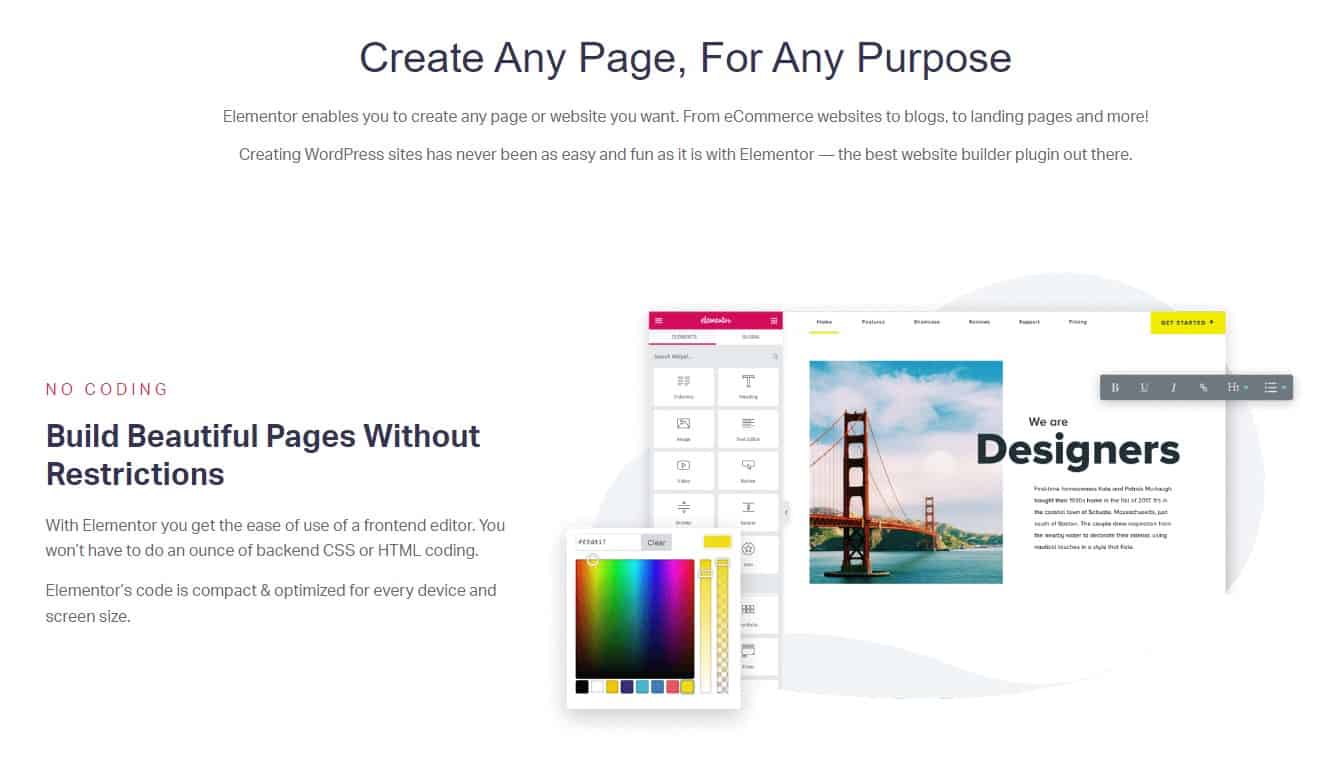
Elementor Page Builder
Elementor
Among the many WordPress site-creation plugins available, Elementor stands out for its user-friendliness and versatility. It has a user-friendly drag-and-drop interface, stock layouts, and extensive personalization possibilities. It also has a sizable user and developer base, so there are many guides and tutorials available to help you get started.
Elementor’s versatility and ease-of-use for newcomers are two of the program’s greatest strengths. The price is also reasonable, with a free version and a paid version that starts at $59 per year (2/10/2023). Some of the key features of Elementor include:
- A drag-and-drop interface for easy customization
- A wide range of pre-designed templates to choose from
- A large library of widgets and elements to add to your website
- Integration with popular WordPress plugins and services
- A live design feature that allows you to see your changes in real-time
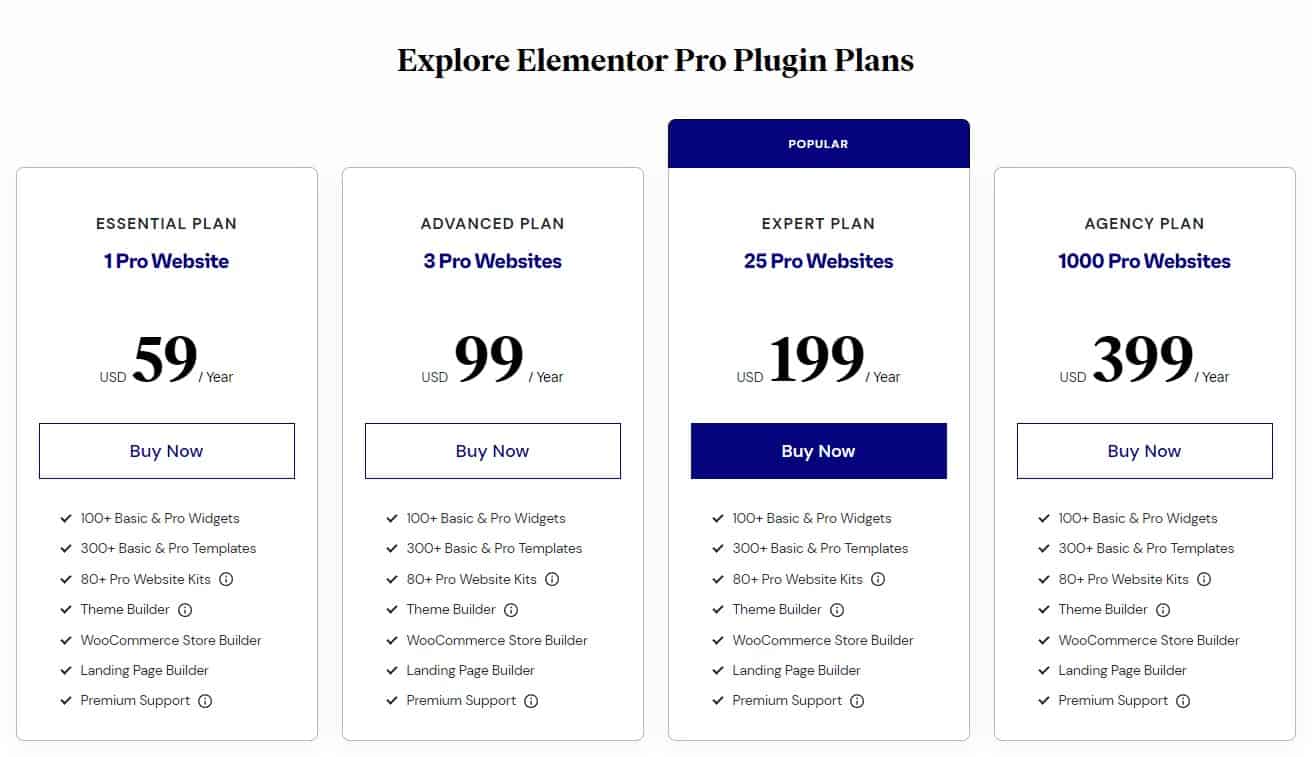
Elementor Page Builder Pricing Plans
In some cases, particularly on sites with many widgets and other components, Elementor may take a while to load. You’ll probably need to upgrade to the commercial version of Elementor to unlock its full potential, as the free version has several features and functionality restrictions.
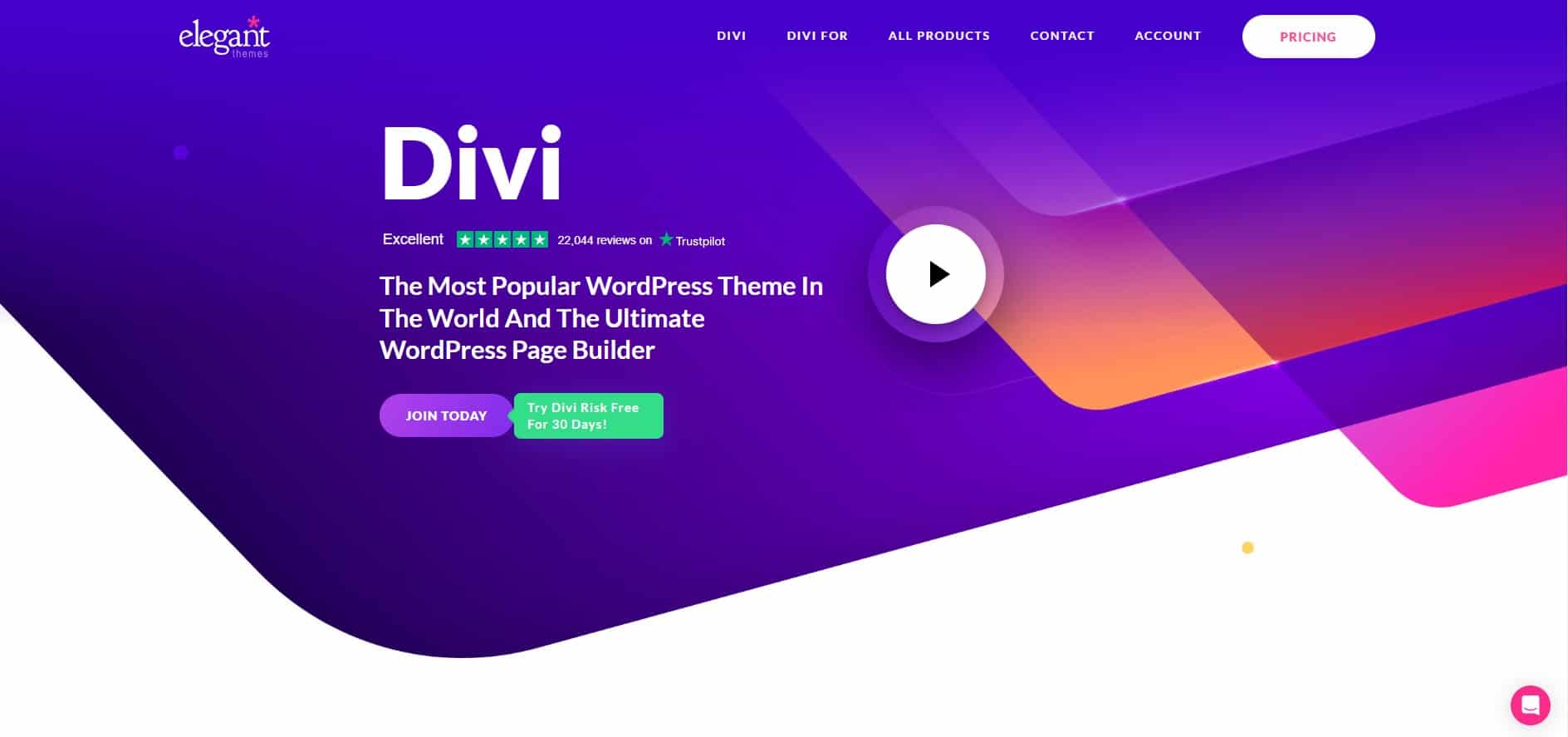
Divi WordPress Page Builder and Theme

Divi Website Builder Image Settings
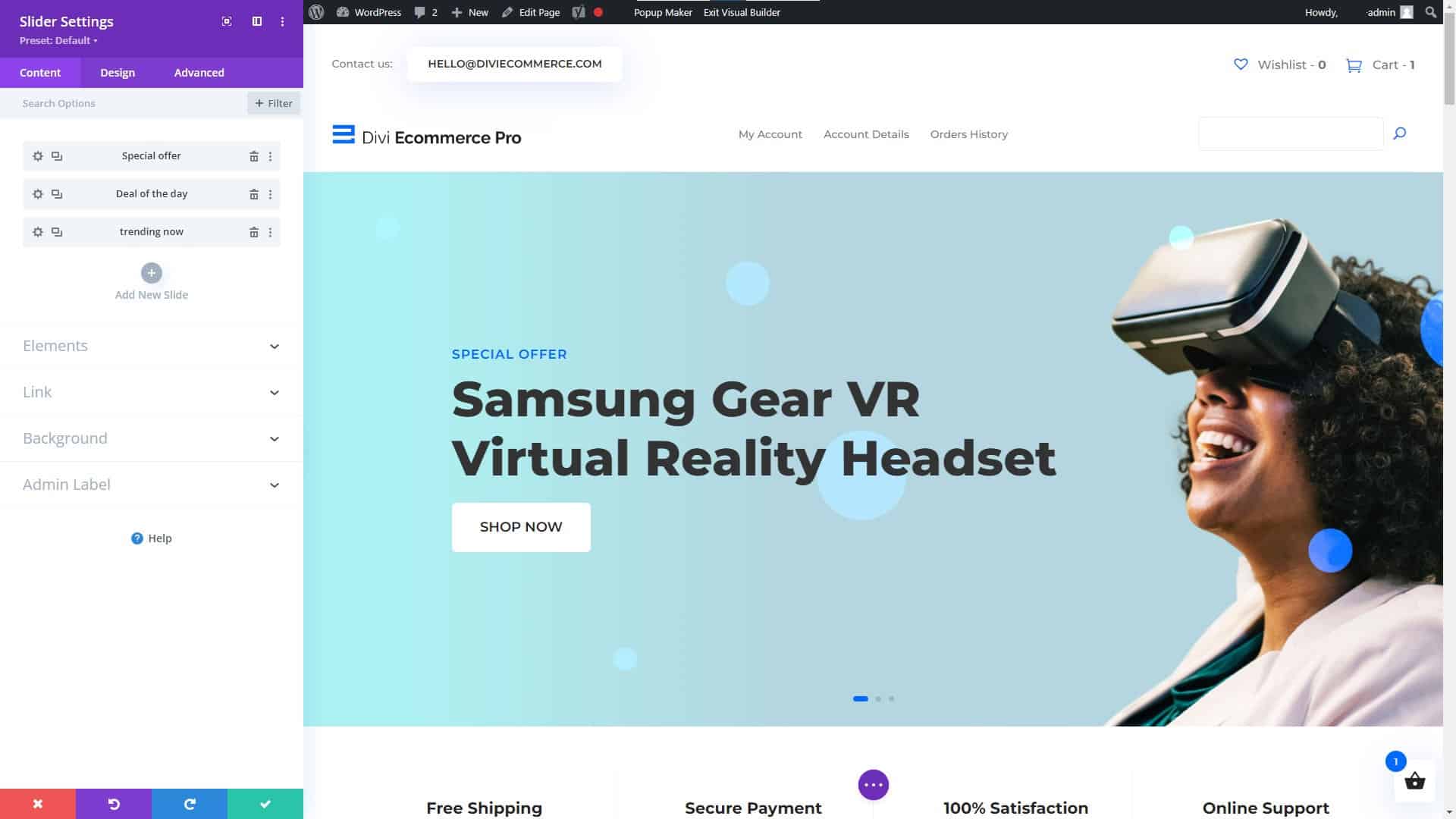
Divi Website Builder for WordPress Slider Settings
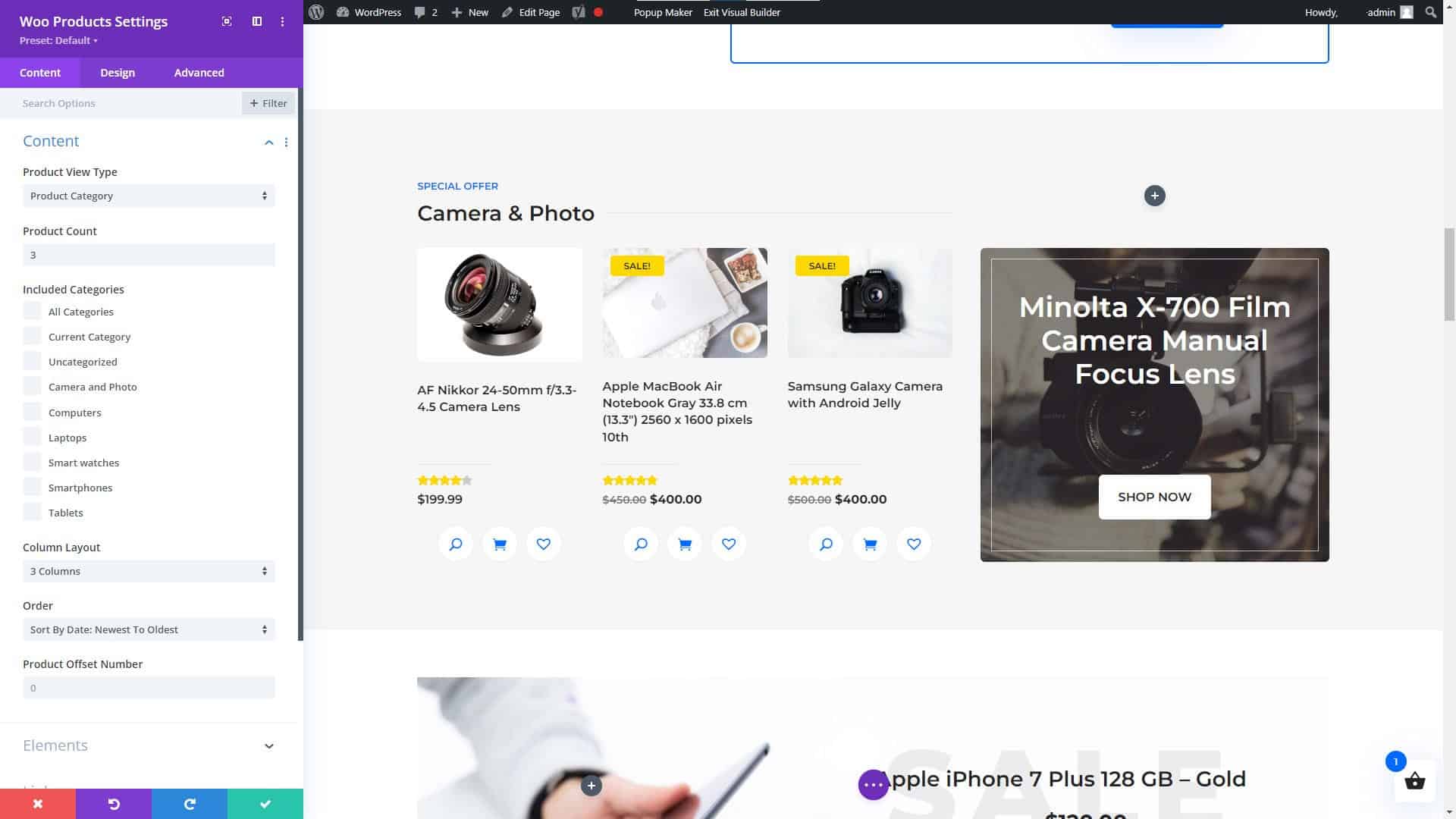
Divi Website Builder WooCommerce Products Module
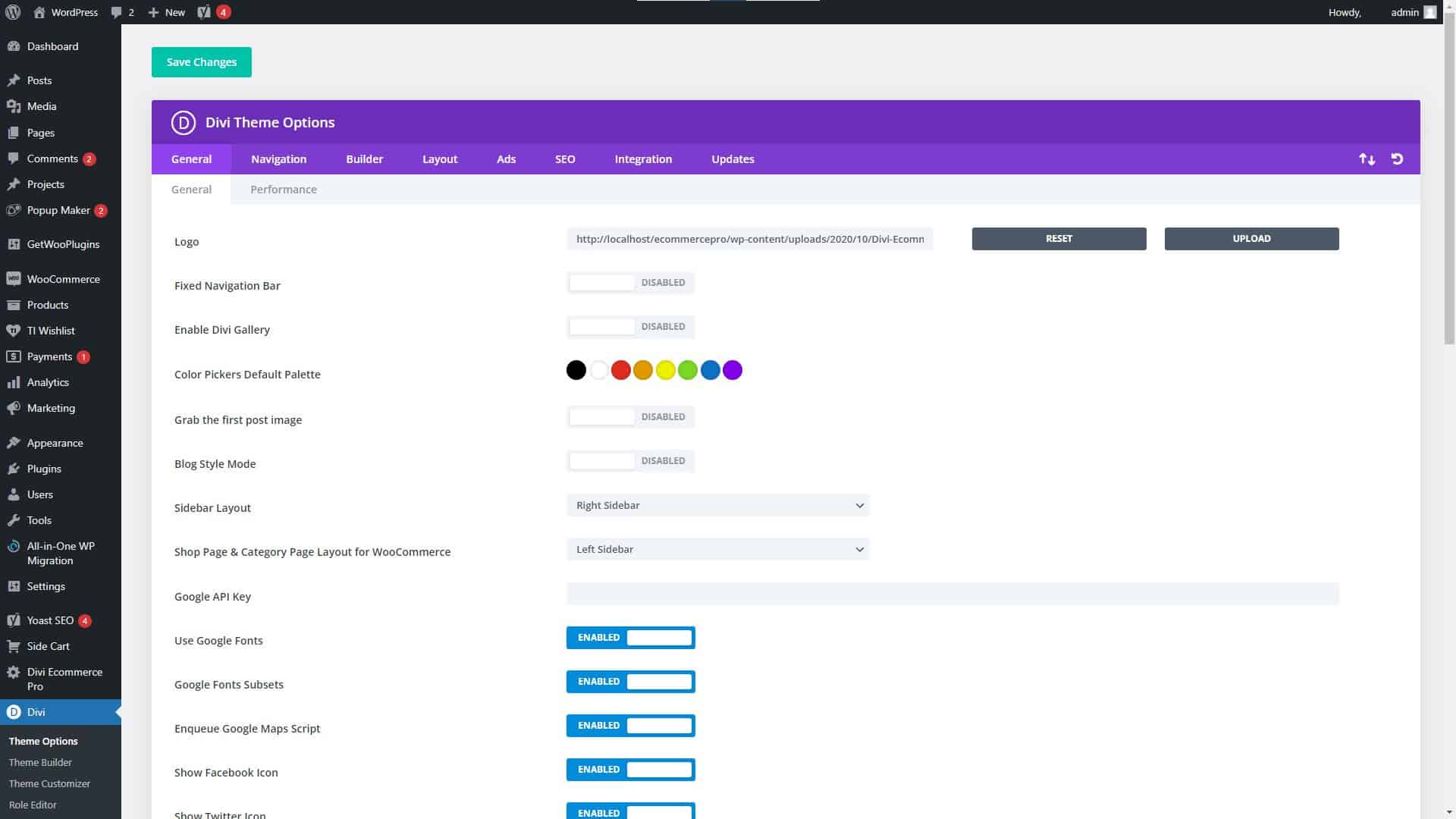
Divi Website Builder Theme Settings
Divi
When it comes to WordPress website builders, Divi is another popular option due to its versatility and user-friendliness. It has a user-friendly interface that only requires dragging and dropping elements, as well as several choices for personalization. As a result of its popularity, there is a wealth of documentation and how-to guides available online to help you get started.
Get the Divi Theme for WordPress and start building your future, today!
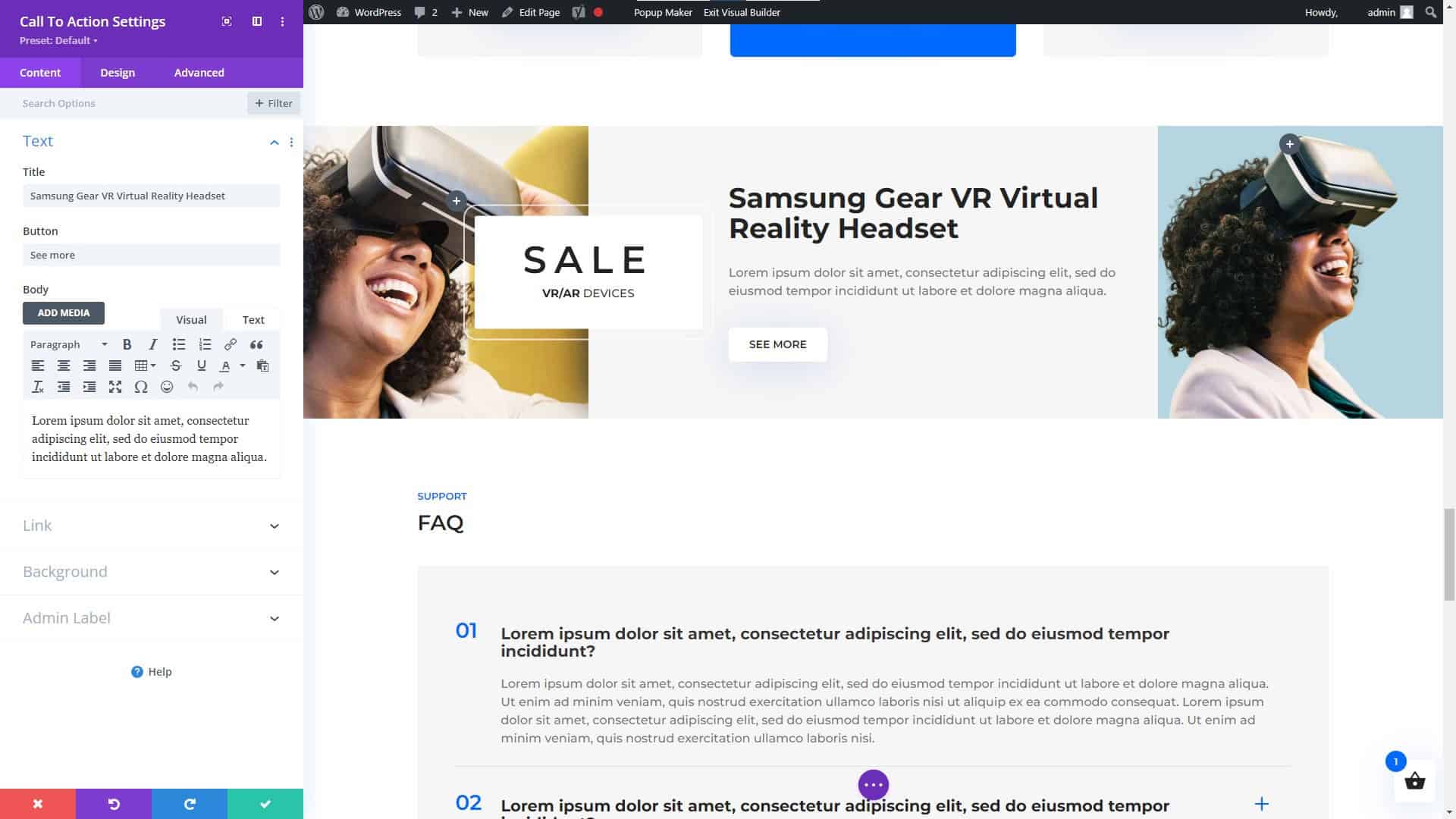
Divi Website Builder for WordPress Call to Action Module
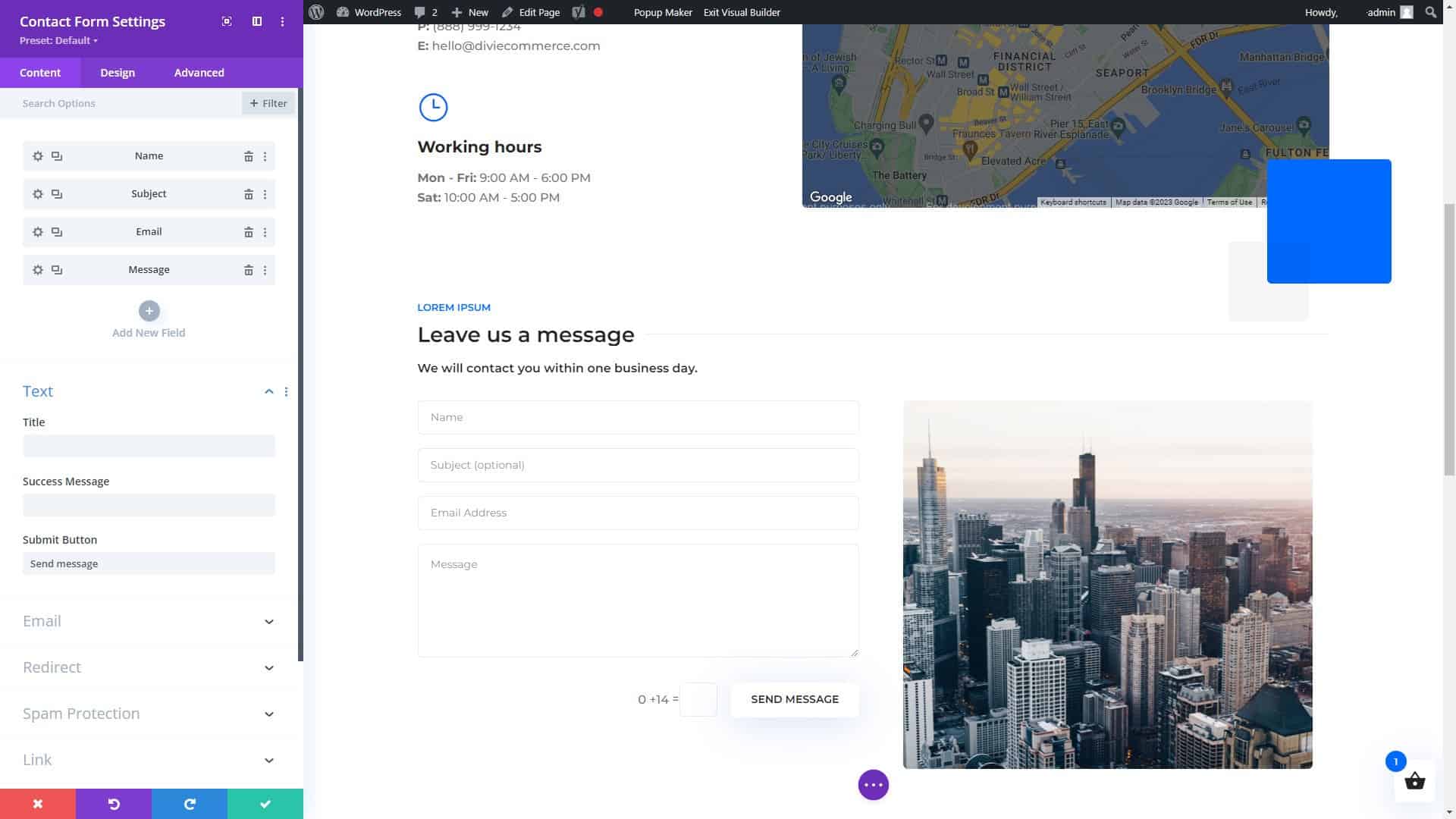
Divi Page Builder for WordPress Contact Form Settings
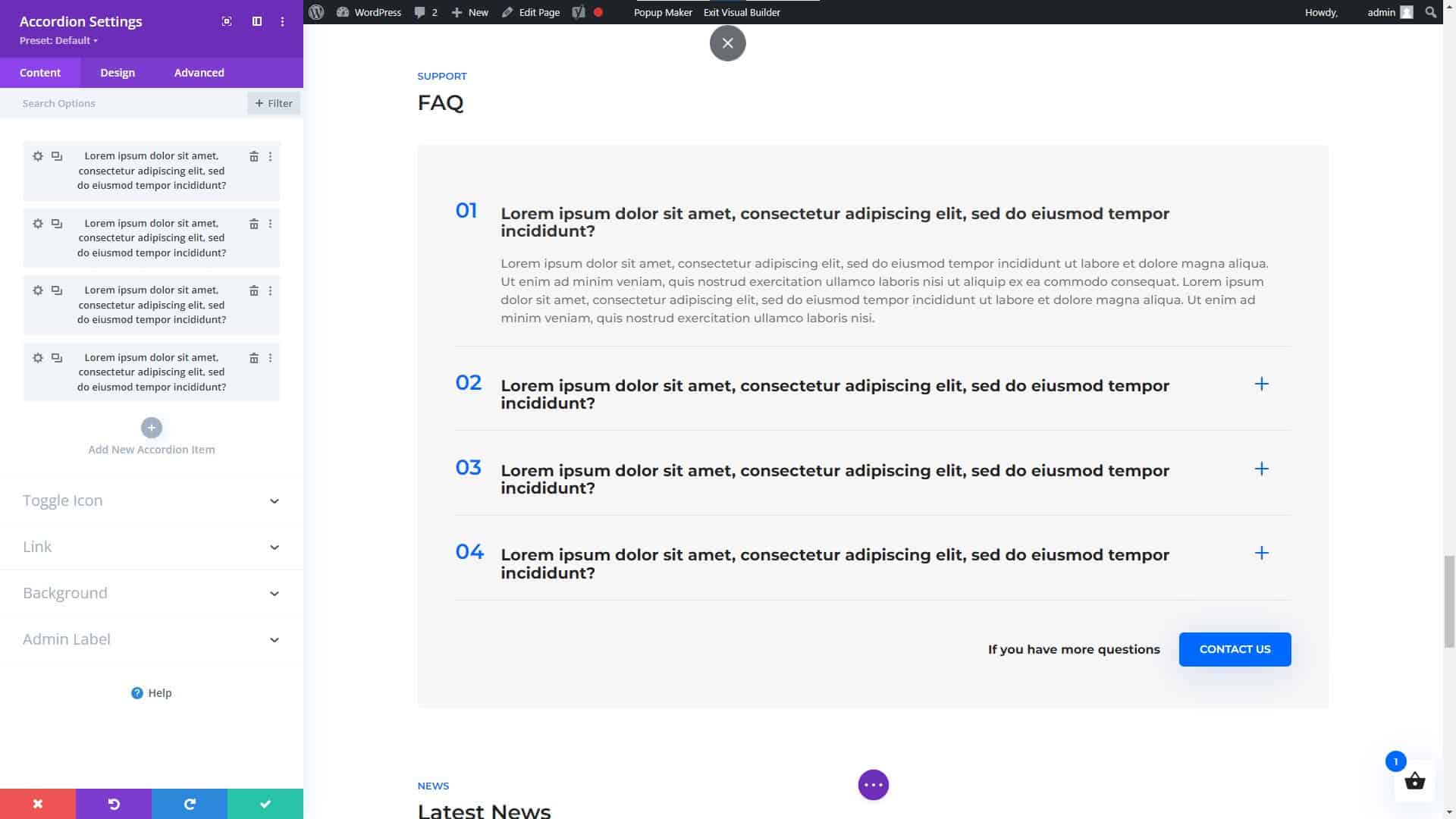
Divi Website Builder for WordPress Accordion Module
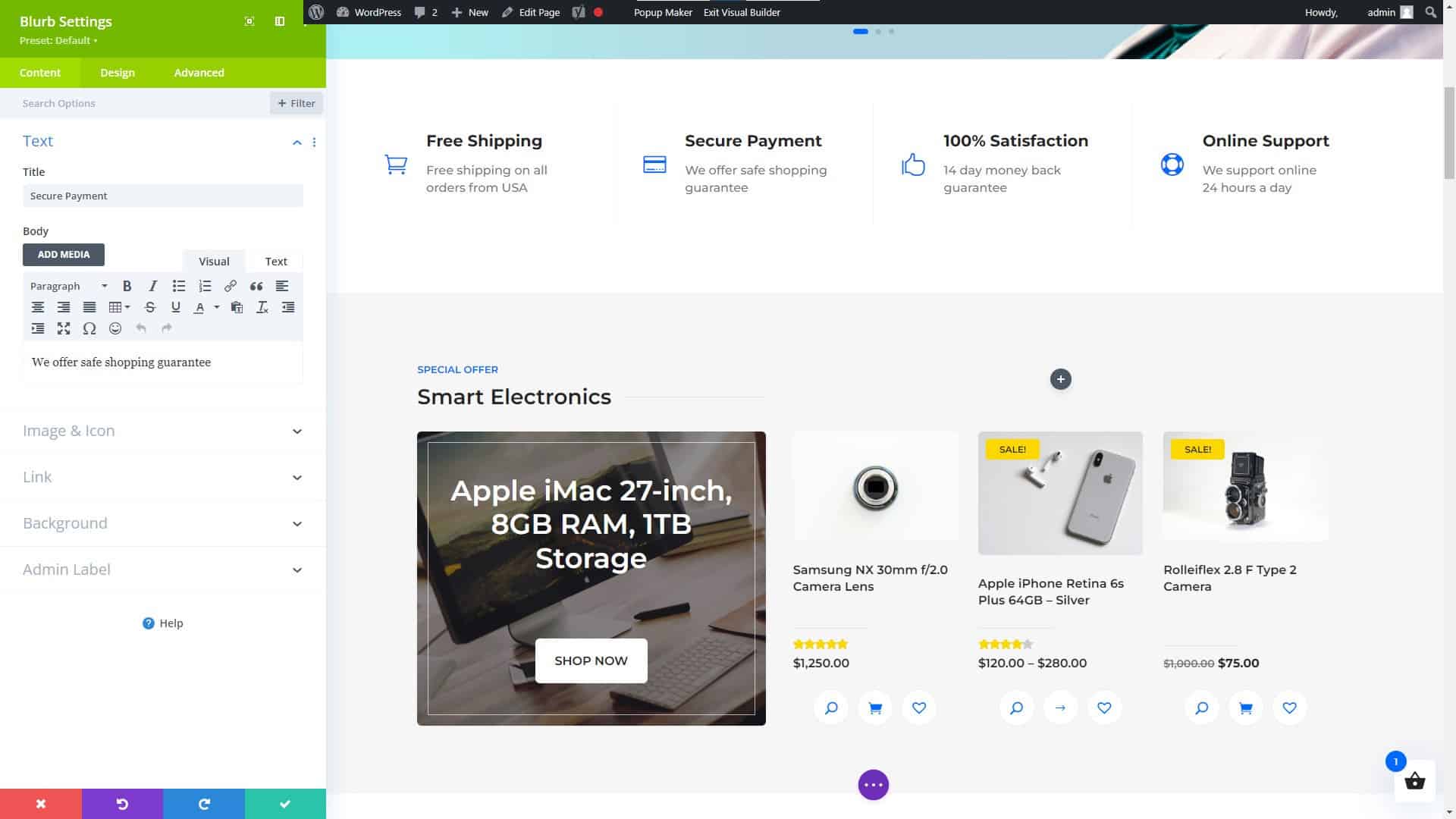
Divi Website Builder Blurb Settings
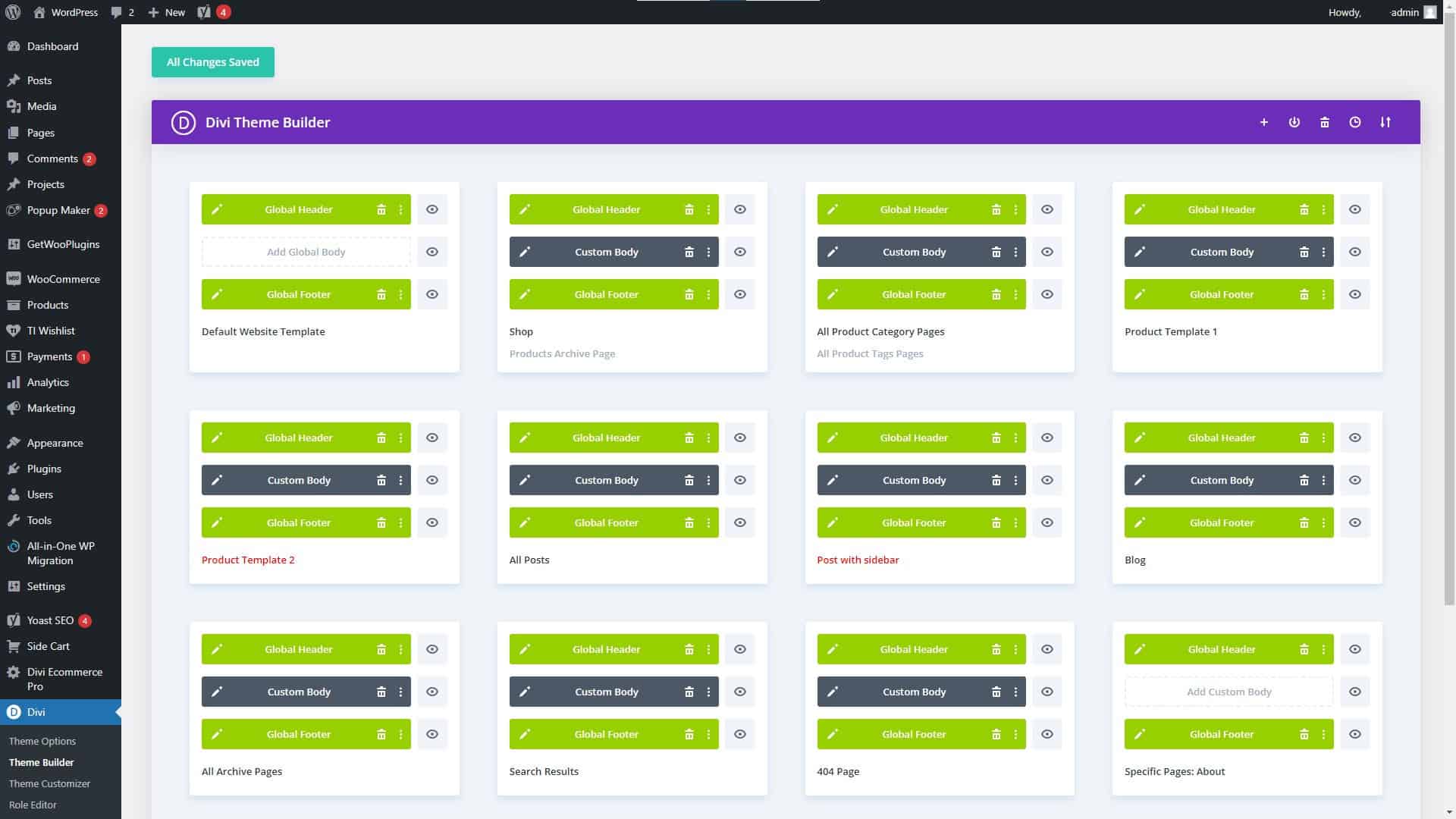
Divi Theme Builder Settings
Divi Theme Features and Advantages
Divi’s many useful features and options are one of its primary selling points. Additionally, it comes equipped with a theme builder that lets you create unique layouts without having to learn how to code. Among Divi’s many great qualities are:
- A HUGE number of third-party themes, modules, plugins, and fellow users offering everything you could possibly need to create an amazing website.
- A drag-and-drop interface for easy customization
- A wide range of pre-designed templates to choose from
- A large library of widgets and elements to add to your website
- Integration with popular WordPress plugins and services
- A live design feature that allows you to see your changes in real-time
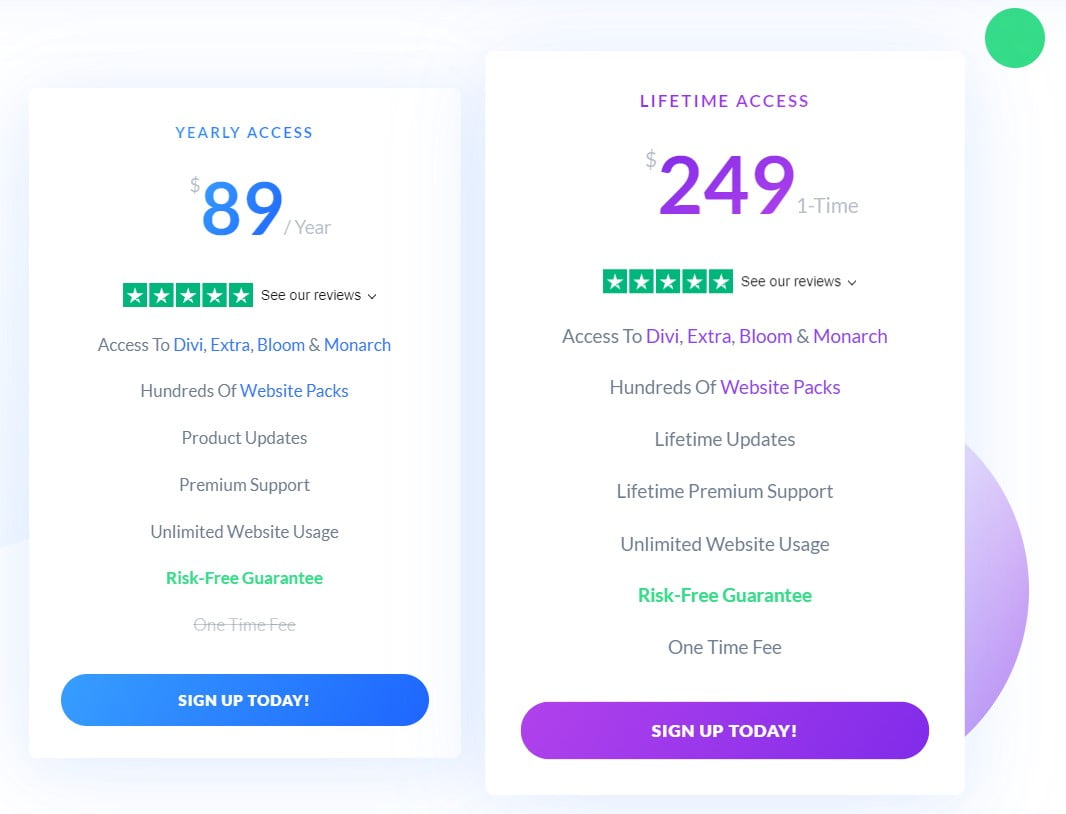
Elegant Themes Membership Pricing Plans
Divi Pricing, Pros, and Cons
Divi’s loading time used to be a problem on some sites, especially those with many widgets and elements. However, a major update of Divi was released on August 18, 2021, with the goal of “Speeding Up Divi From Every Angle,” according to my tests and the many sites I have created using Divi, it was a huge success.
Additionally, it is one of the most expensive website builders on the market, with pricing starting at $89 per year (2/10/2023).
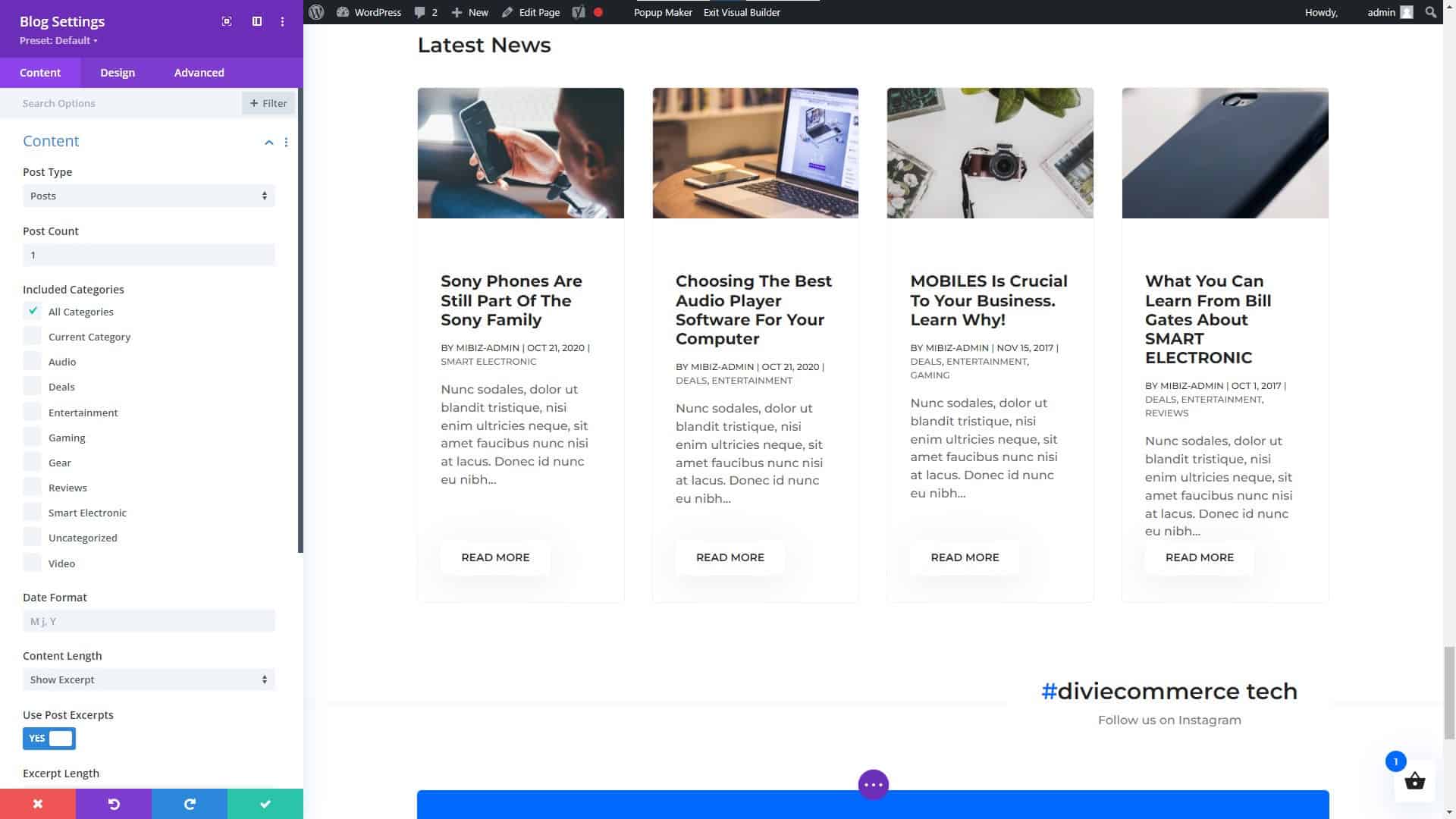
Divi Builder Blog Module Settings
Divi Modules (NOT a Complete List)
Hhere are some of the main categories of modules that you can expect to find with Divi:
- Basic Modules: These modules include Text, Image, Gallery, Video, Audio, Button, Number Counter, and more.
- Design Elements: These modules include Call to Action, Blurb, Testimonial, Pricing Table, and more.
- Layout Elements: These modules include Fullwidth Header, Fullwidth Menu, Fullwidth Slider, Fullwidth Map, and more.
- Blog Modules: These modules include Post Title, Post Meta, Post Navigation, Author Box, and more.
- Portfolio Modules: These modules include Portfolio, Portfolio Slider, Portfolio Grid, and more.
- WooCommerce Modules: These modules include Products, Product Slider, Product Category, and more.
- Lead Generation Modules: These modules include Optin, Bloom, and more.
- Social Media Modules: These modules include Follow, Share, and more.
These are but a few of the many possible module types available in the Divi framework. Keep in mind that the specific modules and their names may change over time, so it is always a good idea to visit the Divi website for the most up-to-date information.
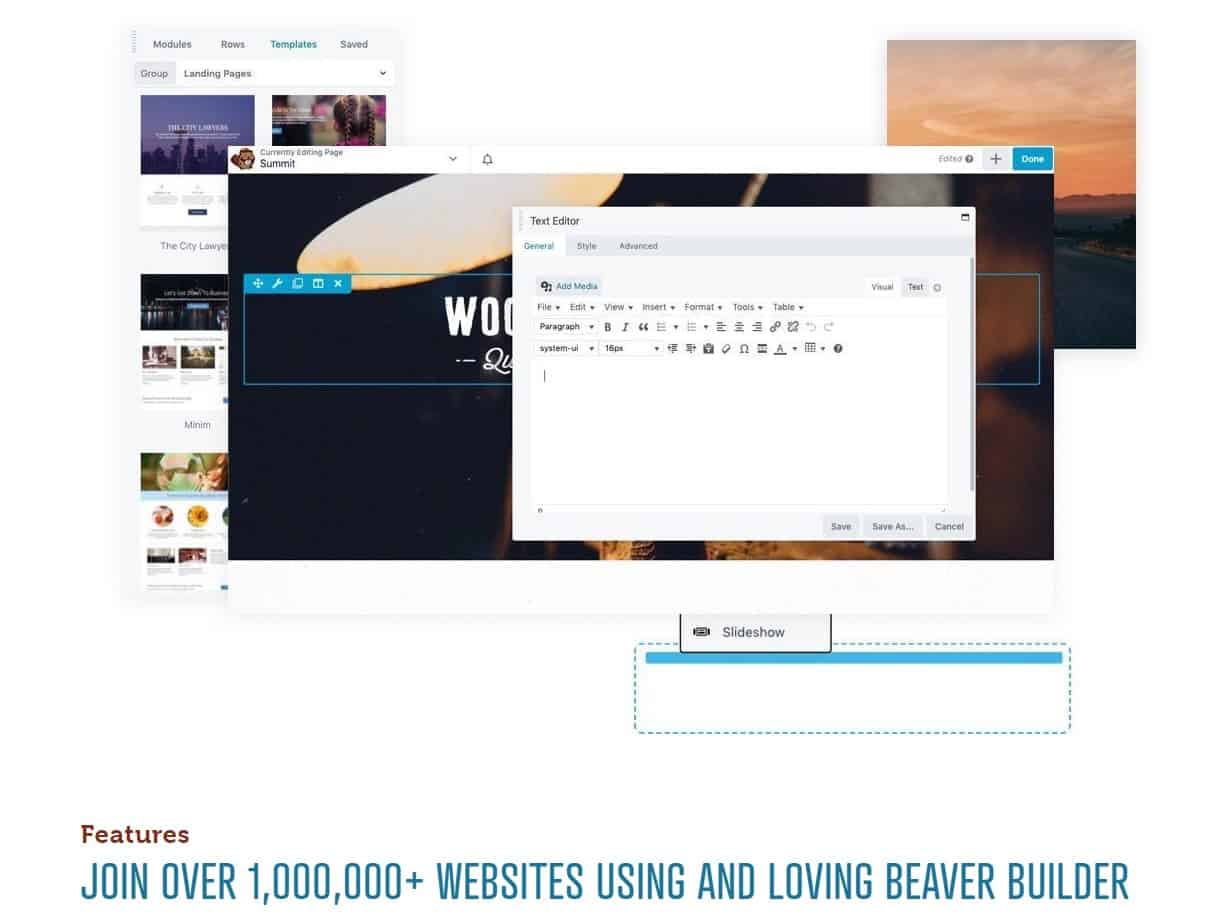
Beaver Builder Page Builder
Beaver Builder
Among the many WordPress site-construction plugins available, Beaver Builder stands out for its user-friendliness and flexibility. It has a user-friendly interface where you can simply drag and drop elements, as well as a number of customizable pre-made layouts. You may discover many guides and tutorials to help you get started thanks to its enormous user and developer base.
Beaver Builder’s flexibility in providing a wide variety of features and capabilities is one of its primary strengths. It also includes a theme creator that lets you make unique layouts without learning to code. Here are a few of Beaver Builder’s most notable capabilities:
- A drag-and-drop interface for easy customization
- A wide range of pre-designed templates to choose from
- A large library of widgets and elements to add to your website
- Integration with popular WordPress plugins and services
- A live design feature that allows you to see your changes in real-time
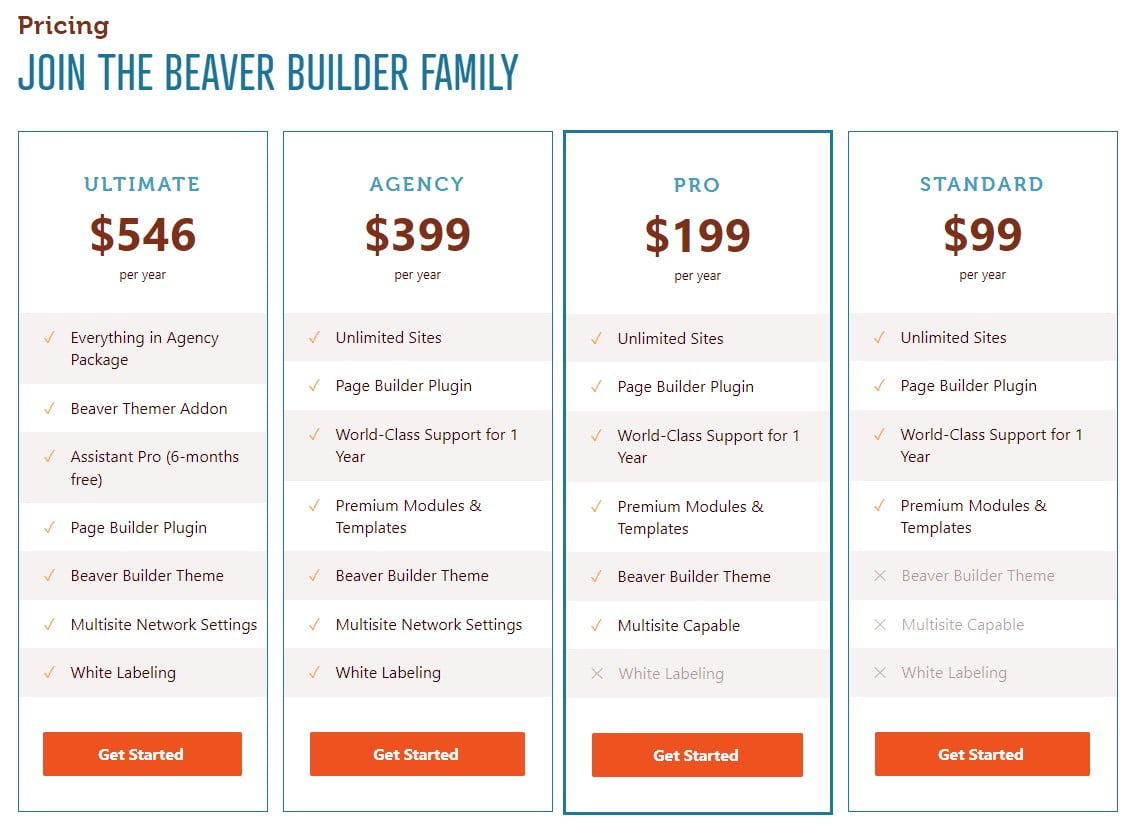
Beaver Builder Pricing Plans
One of the downsides of Beaver Builder is that it can be a bit more expensive than some of the other website builders on the market, with pricing starting at $99 for the standard version (2/10/2023) and $199 for the pro version (2/10/2023). Additionally, some users have reported that the interface can be a bit confusing, particularly for beginners.
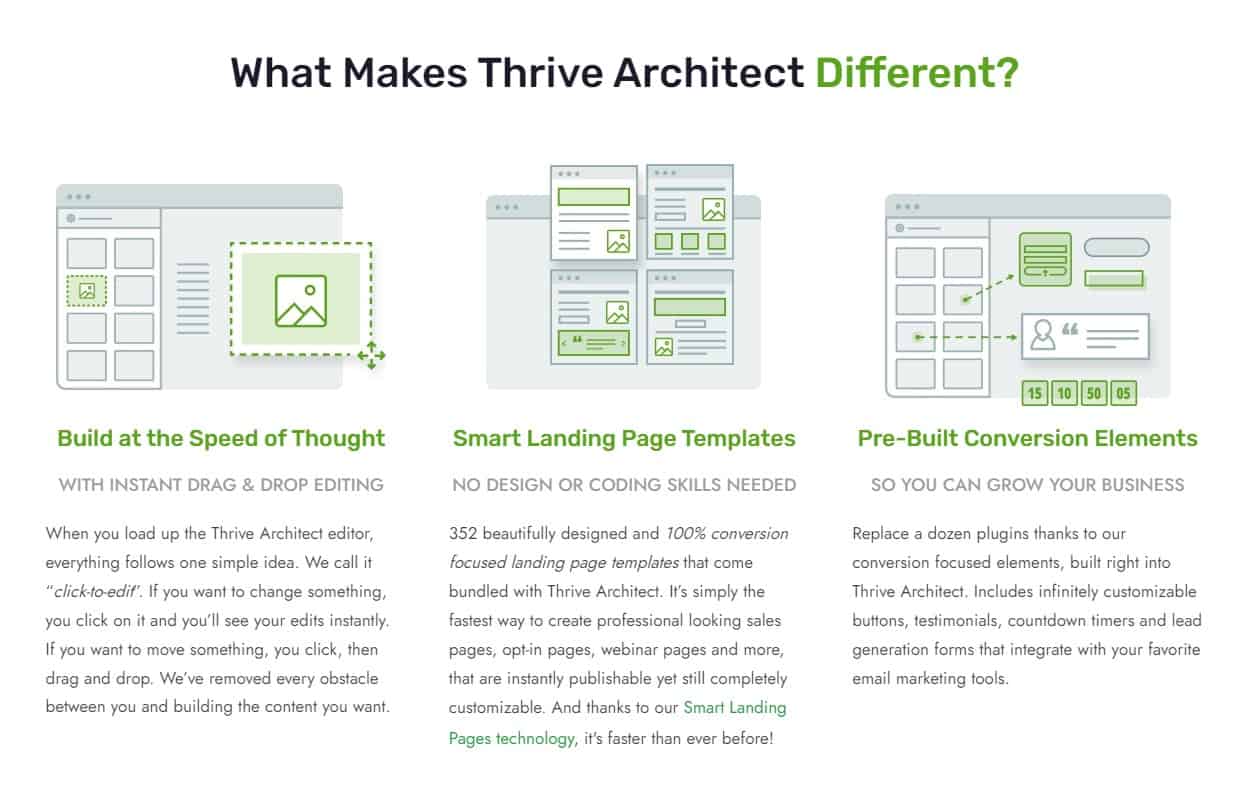
Thrive Architect Page Builder
Thrive Architect
In the world of WordPress website builders, Thrive Architect stands out for its user-friendliness and flexibility. It has a user-friendly interface where you can simply drag and drop elements, as well as a number of customizable pre-made layouts. You may discover many guides and tutorials to help you get started thanks to its enormous user and developer base.
Thrive Architect’s versatility lies on its many useful features and capabilities. It also includes a theme creator that lets you make unique layouts without learning to code. Among Thrive Architect’s many useful features are:
- A drag-and-drop interface for easy customization
- A wide range of pre-designed templates to choose from
- A large library of widgets and elements to add to your website
- Integration with popular WordPress plugins and services
- A live design feature that allows you to see your changes in real-time
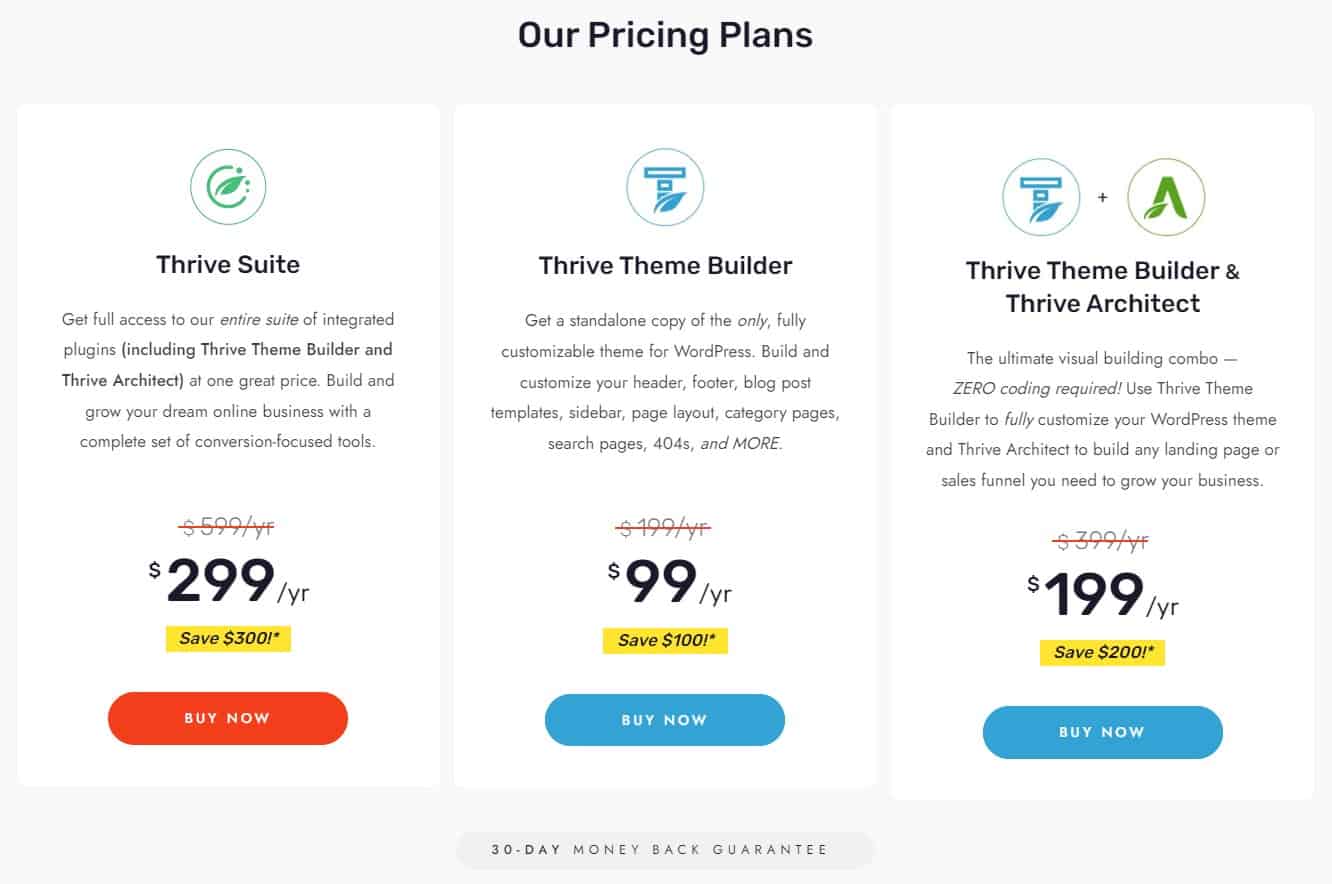
Thrive Architect Page Builder Pricing Plans
One of the downsides of Thrive Architect is that it can be a bit more expensive than some of the other website builders on the market, with pricing starting at $67 for the standard version (2/10/2023). Additionally, some users have reported that the interface can be a bit confusing, particularly for beginners.

WordPress Page Builders Do Not Require Knowledge of Coding
Choosing the Right WordPress Website Builder
Choosing a WordPress page builder is not as simple as it may seem. Price, features, compatibility, sales or users, usability, functioning, updates, and developer reliability should all be considered. Each aspect is critical in picking the best page builder for your requirements. Some themes, like Divi, include a builder, so you can get more information on How to Choose the Best WordPress Theme to make an informed decision.
Choosing a WordPress page builder can be daunting, so we’ve compiled this handy checklist to help you narrow down your options.
Price: What is the cost of the page builder, and does it fit within your budget?
Features: Does the page builder have all the features you need to build your website, such as responsive design, custom fonts, and e-commerce integration?
Compatibility: Does the page builder work seamlessly with your WordPress theme and other plugins?
Number of sales or users: How many people have used or purchased the page builder, and what are their experiences with it?
Ease of use: Is the page builder user-friendly, and does it have a straightforward interface that’s easy to navigate?
Functionality: Does the page builder have all the functionalities you need to build your website, such as drag-and-drop functionality, and the ability to add custom CSS?
Update schedule: How often does the developer release updates for the page builder, and are they reliable and bug-free?
Reliability of the developer:
Ask yourself if the page builder’s creator can be relied upon to deliver high-quality software and responsive customer service.
With this information in hand, you may confidently select the most suitable WordPress page builder. For your convenience, we have expanded upon three of the most important factors to keep in mind while deciding on the best WordPress website builder for your business or personal site below.
Features and Functionality
Features and functionality are two of the most crucial factors to think about when selecting a WordPress website builder. It’s important to note that different builders cater to different skill levels. Some are tailored to certain niches, like portfolios or e-commerce sites. Also, prices vary widely from one option to the next.
Before settling on a website builder, it’s wise to evaluate your needs. Do you want or require a lot of room for personalization? Do you wish there was a theme creator preinstalled? Are you trying to find a simple to operate program? When deciding on a website builder, these are crucial factors to consider.
Ease of Use
When deciding on a WordPress website builder, simplicity of use is an additional point to think about. It’s crucial to select a builder that’s simple to use, even if you’re just starting out with website creation, and some are more user-friendly than others.
Find a website creator that has a user-friendly drag-and-drop interface, several design possibilities, and premade templates. You should also consider the size of the tool’s user and developer community as an indicator of its accessibility.
Pricing
Finally, when deciding on a WordPress website builder, cost should not be ignored. It’s crucial to do some research and pick a builder that works within your budget.
A website builder’s recurring fees should also be taken into account. There are both subscription-based and one-time payment options among the available builders. Also, some constructors provide a free version, but the more sophisticated capabilities are only available in a paid upgrade.
Before settling on one, it’s important to weigh the upfront expenditures against the total over the life of the website. Add the price of any further tools or subscriptions you may need.
The Final Word on WordPress Website and Page Builders
Conclusion
For those without prior experience, settling on a WordPress website builder can feel like an overwhelming undertaking. You can choose a product that works for your demands and your budget if you take into account things like features and functionality, convenience of use, and pricing.
Elementor, Divi, Beaver Builder, and Thrive Architect are just a few of the greatest WordPress website builders, and we’ve reviewed them all here. Each of these resources has advantages and disadvantages; pick the one that works best for you.
To reiterate, it is crucial to locate a tool that is not only affordable, but also meets your needs in terms of usability, features, and functionality. And don’t be shy about reaching out to others for advice and assistance.
The WordPress Support Forum
For more information on WordPress, and support, visit the WordPress Support Forum.
NOTICE: All pricing listed within this article was accurate on the date this article was published (02/10/2023). However, pricing changes, so please refer to the developers’ websites listed in this article for their latest prices. You may even get lucky and find the cost is less due to a Black Friday sale, anniversary sale, Cyber Monday sale, or another special offering.
Disclosure: You may find affiliate links to beneficial resources within this article. You won’t pay more for using our link, but we’ll get a commission. This supports our content creation, and we only suggest products we genuinely believe in. Thank you for being so understanding!
Affiliate Links
- Web Hosting that is fast, dependable, and affordable.
- The Divi WordPress Theme is the #1 best selling WordPress theme.

James Turner
Author/Copywriter
