How to Create a WordPress Content Strategy for Your Business

How to Create a WordPress Content Strategy for Your Business

Home » Blog » Page 2

To succeed in today’s competitive digital landscape, businesses need a robust online presence to thrive. A finely crafted approach to creating a WordPress content strategy for your business can play a vital role in increasing website visitors, enhancing sales, and establishing a reputable brand. This post offers useful recommendations and insightful viewpoints to assist you in developing an appealing content plan on the WordPress platform. By doing so, your business can create a strong online following that will help your brand dominate your niche.

Question: What is the most important aspect of a content strategy? – Sarah P.

Answer: One of the critical elements of developing a content plan is understanding your intended viewers and fashion content that aligns with their interests. This requires investigating their requirements, inclinations, and challenges and producing proficient content that caters to those aspects.

“The saying goes, “Content reigns supreme, yet context holds the crown.” It is imperative to generate meaningful content, but comprehending your viewers’ necessities is just as vital.” – Unknown

Understand Your Target Audience to Create Great Content

Understand Your Target Audience to Create Great Content

Understanding Your Audience

In order to produce content that strikes a chord with your intended audience, it is essential to be able to understand their requirements, inclinations, and difficulties. This encompasses investigating and crafting buyer personas, which are imaginary profiles of your desired consumers. A few helpful sources of knowledge include:

After you have recognized your target viewers, these WordPress content marketing tips will help you adjust the information on your website to cater to their requirements and inclinations, making sure to attain better participation and contentment.

Choosing the Right Content Types

Different content types serve different purposes and resonate with different audiences. Consider incorporating a mix of the following types of content in your strategy:

  • Blog posts
  • Infographics
  • Videos
  • Podcasts
  • Case studies
  • E-books and whitepapers

Try out various arrangements to figure out and effective content strategy for WordPress that connects most with your viewers and harmonizes with your business objectives.

Keyword Research and Optimization

Keyword research is a crucial aspect of any content strategy when the goal is optimizing WordPress content for SEO. It helps you identify the search terms your target audience is using, enabling you to create content that ranks well on search engines. Some popular tools for keyword research include:

Optimize your content for your chosen keywords by incorporating them naturally within the text, headings, meta descriptions, and image alt tags. However, avoid keyword stuffing and maintain a keyword density of 1-2% for optimal SEO performance.

Create an Editorial Calendar

Create an Editorial Calendar

Creating an Editorial Calendar

An editorial calendar helps you plan and organize your content strategy, ensuring consistency and efficiency. Key components of an effective editorial calendar include:

You should frequently review and revise your publication schedule to keep your content plan on course and follow your business objectives.

Promoting Your Content

Generating first-class content is merely a part of the challenge; promoting it efficiently is essential to access your desired viewers and stimulate engagement. Some commonly used WordPress content promotion strategies are:

  • Social media sharing
  • Email marketing
  • Influencer outreach
  • Guest posting on relevant industry blogs
  • Content syndication

Track the efficacy of your promotional activities and modify your tactics as necessary to optimize your outreach and involvement.

Monitoring Results and Adjusting Your Strategy

Page views, bounce rate, social media shares, and conversion rates are a few of the signs you should observe to measure your content’s triumph. Regularly inspecting these metrics will enable you to understand what’s functioning well and what could be improved. Adjust your content plan accordingly to guarantee ongoing accomplishments and expansion.

My Content Strategy - by Jasper K

My Content Strategy – by Jasper K

My Content Strategy Journey – by Jasper K.

When I started my business, I knew little about content marketing and struggled to generate traffic and leads. After researching and implementing a content strategy, I saw significant improvements in my website’s performance and overall business growth. This is what I acquired throughout the process that taught me how to create a WordPress content strategy:

  • Comprehending my intended audience was crucial to producing content that connected with them.
  • Experimenting with different content formats allowed me to discover what worked best for my audience and business goals.
  • Regular keyword research and optimization helped improve my search engine rankings and drive more organic traffic.
  • An editorial calendar was essential for keeping my content strategy organized and consistent.
  • Promoting my content effectively expanded my reach and increased engagement.
  • Monitoring performance metrics and adjusting my strategy accordingly ensured ongoing growth and success.

Reflecting on the past, I am content that I dedicated the time to learn about content strategy and committed to implementing it. If I could do anything differently, I would have started sooner and sought help from experienced professionals to accelerate my progress.

WordPress Content Strategy Stats and Resources

WordPress Content Strategy Stats and Resources

Statistics on Content Marketing:

  • 70% of marketers are actively investing in content marketing (source: HubSpot)
  • Content marketing generates over three times as many leads as outbound marketing and costs 62% less (source: Demand Metric)
  • 60% of marketers create at least one piece of content each day (source: Thought Leaders)

Useful Resources:

Expert Comments:

“Keyword research and optimization are essential for driving organic traffic to your WordPress site. However, don’t forget about user experience and quality; search engines are increasingly focused on delivering the best possible results for users, so prioritize creating valuable, engaging content that addresses your audience’s needs.” – Emily S., SEO Specialist

List of WordPress Content Creation Facts

List of WordPress Content Creation Facts

List of WordPress Content Creation Facts:

  • A successful content strategy can drive traffic, engagement, and leads for your WordPress website.
  • Knowing your target audience is essential in crafting content that strikes a chord with them.
  • Testing different content formats can assist you in uncovering what resonates best with your audience and aligns with your business goals.
  • Keyword research and optimization are vital for improving search engine rankings and driving organic traffic.
  • An editorial calendar can help you stay organized and maintain consistency in your content strategy.
  • Promoting your content effectively is essential for expanding your reach and increasing engagement.
  • Monitoring performance metrics and adjusting your strategy as needed can ensure ongoing success and growth.

Comparing Main Points:

In summary, the main components of a successful WordPress content strategy include:

  • Identifying and understanding your target audience
  • Choosing the right content formats and topics
  • Conducting keyword research and optimizing your content for SEO
  • Creating and maintaining an editorial calendar
  • Effectively promoting your content to reach your target audience
  • Regularly monitoring performance metrics and adjusting your strategy as needed

Glossary of Terms Related to Content Strategies:

  • Content Strategy – A blueprint for producing, circulating, and promoting content to fulfill distinct business objectives, like amplifying brand recognition, boosting website traffic, or creating leads.
  • Target Audience – The group of individuals you aim to communicate with via your content, recognized by attributes such as demographics, interests, and requirements.
  • Keyword Research – The process of identifying words and phrases that people use to search for information online, to optimize content for search engines and attract organic traffic.
  • Editorial Calendar – A schedule and planning tool for organizing and managing the creation and publication of content.
  • Content Promotion – The process of sharing and distributing content to reach a wider audience and increase engagement.
  • Performance Metrics – Data metrics employed to evaluate content triumph, such as page views, bounce rate, social media shares, and conversion rates.
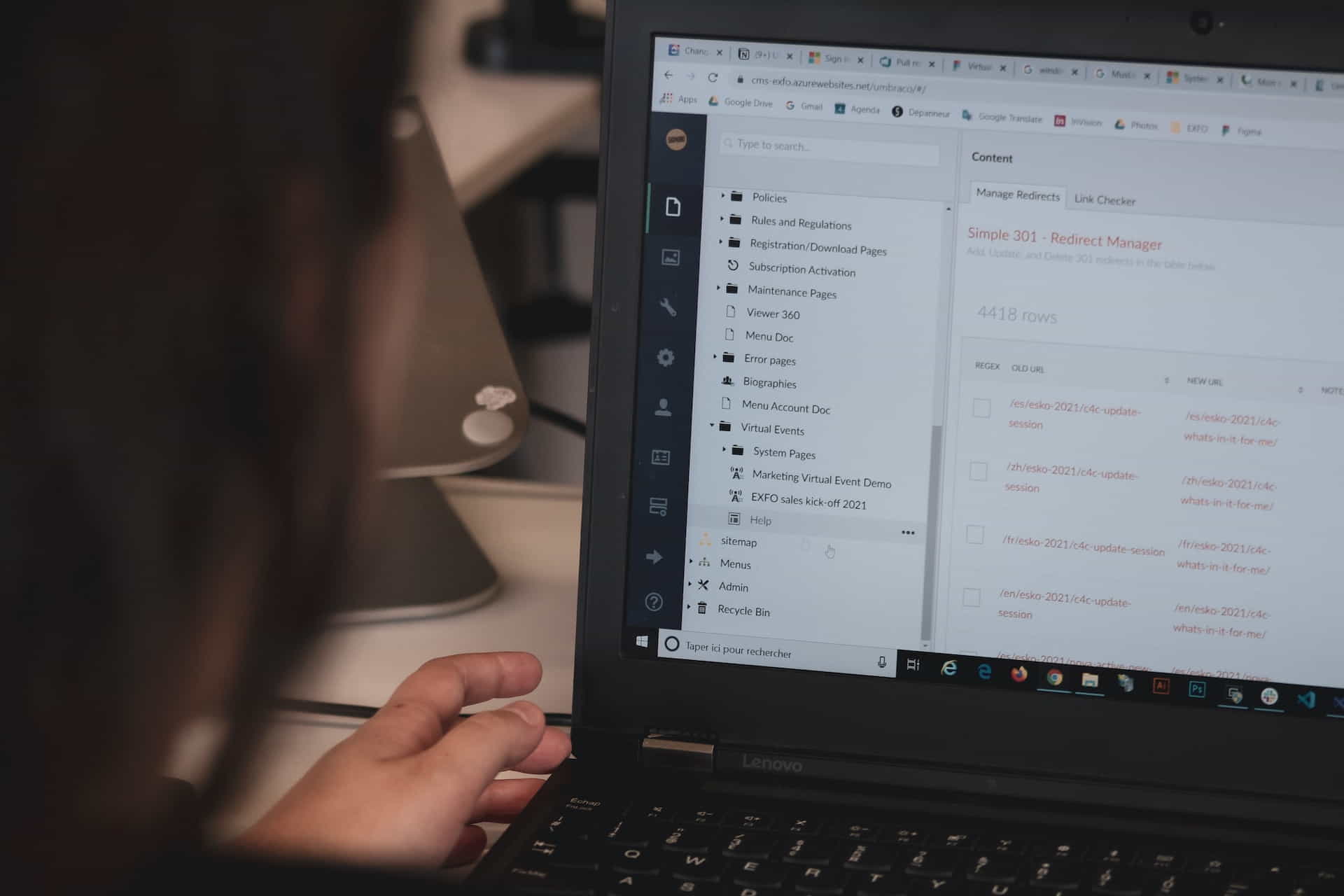
Creating a Winning WordPress Content Strategy

Creating a Winning WordPress Content Strategy

Content Creation Do’s and Don’ts:

  • Do conduct research on your intended audience and customize your content to fulfill their requirements and preferences.
  • Don’t neglect the importance of keyword research and optimization for driving organic traffic.
  • Do create and maintain an editorial calendar to stay organized and consistent in your content strategy.
  • Don’t underestimate the power of effective content promotion for expanding your reach and increasing engagement.
  • Do monitor performance metrics regularly and adjust your strategy as needed to ensure ongoing success and growth.
  • Don’t overlook experimenting with various content arrangements and promotional tactics to determine the most effective methods for your business.

Final Thoughts on Creating a Content Strategy

To build a winning content plan for your business on WordPress, you need to know your audience well, try different content types, tweak it for better search engine rankings, market it well, and keep improving based on measurable results. By heeding the guidance shared in this piece, you can craft a WordPress content strategy that creates more visitors, participation, and sales for your website, eventually aiding your company’s progress and expansion.

Disclosure: Some of the links in this post could be considered “affiliate links.” If you click on one of those links and buy the item, I’ll get a commission, but it won’t raise your price.

Affiliate Links

James Turner

James Turner

Author/Copywriter

Why Choosing the Best Web Hosting Company Matters in 2025

Find out why choosing the best web hosting company matters in 2025 to boost your site’s performance and skyrocket sales.

Hiring a Website Designer

Hiring a website designer? Discover actionable tips, red flags to avoid, and how to find the right designer to create a website that grows your business.

How to Create a Landing Page Using WordPress

Follow our guide on how to create a landing page using WordPress and the built-in Block Editor, page builder plugins, or specialized themes.

10 Reasons Why WordPress is the Best Platform for Blogging

10 Reasons Why WordPress is the Best Platform for Blogging

Home » Blog » Page 2

Considering the initiation of a new blog or revamping your current one? If so, consider which platform best caters to your requirements. In this article, we shall delve into ten reasons why WordPress is the best platform for blogging, equipping you with comprehensive knowledge for a well-informed choice. We will explore aspects ranging from its user-friendly nature to its extensive plugin ecosystem, showcasing the distinctive qualities that set WordPress apart from its rivals.

Q & A

Question: “Hey, my name is Jennifer S. and I was wondering if WordPress is really the best platform for blogging?”

Our Answer: Hi Jennifer S., absolutely! WordPress is an exceptional choice for bloggers due to its user-friendly nature, flexibility, and extensive features.

“Due to its user-friendly layout, customizable capabilities, and supporting community, WordPress is the blogging standard. It’s the ideal platform for creating a professional and engaging blog that can captivate and grow an audience.”

WordPress Offers Ease of Use for Bloggers

WordPress Offers Ease of Use for Bloggers

1. Ease of Use

People like WordPress because it is simple to use. Even if you are not technically competent you can easily understand How Blogging Can Help Your Business, because WordPress is simple to install and configure. With the intuitive dashboard and built-in content editor, creating and managing content is a breeze.

2. Flexibility

One of the reasons WordPress is the best platform for blogging is you can use it to create a wide range of websites, from simple blogs to complex e-commerce enterprises. Its large theme and plugin collection allow for website customization to meet your specific needs and wants.

Customizable Themes

WordPress has a large variety of both free and premium themes designed to fulfill the demands of a wide range of industries and niches. These themes are easily customizable to match your brand’s own character and design.

Extendable with Plugins

The WordPress Plugin Repository offers a whopping number of over 58,000 plugins that enable you to enhance WordPress’s primary features in infinite ways.

3. SEO-friendly

WordPress is structured to help your website rank higher in search engine results (SEO). permalinks, metadata, and clean, efficient coding make it SEO-friendly. Yoast SEO and other SEO plugins can help optimize your content and boost your website’s search engine rankings.

4. Vast Plugin Ecosystem

WordPress’s plugin ecosystem is one of the main reasons bloggers love it. You can find a plugin for almost every aspect of your blog, from boosting your website’s security to enhancing its performance. This enables you to effortlessly expand your site’s functionality without the need for technical expertise or hiring a developer.

5. Large Community of Users and Developers

WordPress boasts a vibrant, bustling community of users and developers who constantly strive to enhance the platform and offer a helping hand. You can find many online forums, blogs, and how-to guides ready to assist you with any bumps. With WordPress, you’re never flying solo – help is just a stone’s throw away, which is why many business owners know How to Leverage the WordPress Community for Better SEO.

A Wide Variety of Built in Blogging Features

A Wide Variety of Built in Blogging Features

6. Built-in Blogging Features

WordPress was initially designed as a blogging platform, so it comes with various built-in features tailored explicitly for bloggers. This includes support for multiple authors, comments, tags, and categories and an easy-to-use content editor that supports rich media like images and videos.

7. Responsive Design

As more people access the web on their smartphones, having a mobile-friendly website is critical. The majority of WordPress themes, thankfully, are made with responsive designs, ensuring that your site not only looks amazing but also functions flawlessly on all devices.

8. Security

WordPress takes security seriously and constantly releases updates to protect users against vulnerabilities. Several security plugins, like Wordfence, can further strengthen your site’s defenses. WordPress offers a firm foundation for keeping your website secure, despite the fact that no platform is immune to security threats.

9. Regular Updates

Thanks to a dedicated developer community, WordPress is a constantly expanding open-source platform. With frequent updates, you can be sure that your site stays current, boasting the newest features, top-notch security, and performance boosts.

10. Cost-effective

WordPress is a cost-effective solution for bloggers, as the platform is free. While some expenses are associated with running a website, such as hosting and premium themes/plugins, these costs are generally affordable. They can be easily managed even on a tight budget.

Blogging Can Change Your Life

Blogging Can Change Your Life

How WordPress Changed My Blogging Life

Hey! I’m Victor F., and I’ve been a blogger for ages. I started out using a different platform, and honestly, it was driving me nuts. Customizing was a struggle, features were scarce, and learning the ropes felt like scaling Everest. That’s when I bumped into WordPress and thought, “Hey, let’s see what this is all about!”

Switching to WordPress felt like I’d struck gold. It was super user-friendly, and with a treasure trove of plugins and handy blogging tools, I could zero in on crafting wicked content instead of wrangling with tech snafus. In no time, my blog traffic and engagement skyrocketed, and it just fueled my blogging fire!

If I had a time machine, I’d tell my past self to kick off my blogging escapades with WordPress from the very start. The platform’s flexibility and control turned my blog into a thriving online gig. I’m stoked with the results, and I owe a huge thanks to the awesome WordPress community for supporting me every step of the way.

If you’re thinking about hopping on the WordPress bandwagon, here’s some tried-and-true advice:

  • Explore the vast plugin universe to make your site your own and add rad features.
  • Pick a responsive theme, so your site looks slick on any gadget.
  • Keep your ear to the ground for updates and security best practices to ensure your site’s as safe as a vault.
  • Get your hands on SEO plugins and tools to scale the search engine ladder.
  • And remember, the friendly WordPress community is always there if you need a helping hand.

Thanks to WordPress, I’ve built a blog that makes my heart swell, and I have no doubt it’s the top-notch choice for bloggers far and wide.


Some Statistics on WordPress and Blogging

  • WordPress powers over 40% of all websites on the internet (source).
  • There are over 58,000 plugins available in the WordPress Plugin Repository (source).
  • Approximately 70 million new blog posts are published on WordPress each month (source).
  • WordPress sites receive over 400 million unique visitors each month (source).
WordPress User Tools and Resources

WordPress User Tools and Resources

Useful Resources

User Testimonial

“I’ve tried many blogging platforms, and WordPress is the best. Its user-friendliness, endless customization choices, and slick built-in blogging tools let me build a site that’s not just a perfect fit for my brand but also keeps my audience hooked. I’m so thankful for the tight-knit WordPress community and the boatload of resources they offer—it’s been a game-changer for growing my blog.” – Felicia G.


Expert Opinions

WordPress is my go-to SEO recommendation. The platform’s built-in SEO capabilities and plugins like Yoast SEO make it easier for website owners to optimize their content and boost their search engine rankings.” SEO Consultant Michael R.

List of Facts

  • WordPress is an open-source platform, making it free to use and customize.
  • It offers a user-friendly interface, even for those with limited technical knowledge.
  • WordPress has a vast ecosystem of plugins that can add functionality to your site.
  • Most WordPress themes are responsive, ensuring that your site looks great on all devices.
  • The platform has a large, active community of users and developers who provide support and resources.
Comparing the Best Blog Platforms for Copywriting

Comparing the Best Blog Platforms for Copywriting

Comparison of Popular Blogging Platforms

WordPress might be a popular pick for loads of bloggers, but even after reading the 10 reasons why WordPress is the best platform for blogging, you may not be convinced it’s not the only game in town. Other choices are available, and each has its own pros and cons, so let’s see how they measure up:

  • Platform
    • WordPress
    • Blogger
    • Medium
    • Wix
  • Pros
    • Extensive plugin ecosystem, customizable, large community (WordPress)
    • Easy to use, free, owned by Google (Blogger)
    • Focus on content creation, simple interface, built-in audience (Medium)
    • Drag-and-drop website builder, customizable templates (Wix)
  • Cons
    • May require some technical knowledge for advanced customization (WordPress)
    • Limited customization, fewer features (Blogger)
    • Less control over design and monetization (Medium)
    • Less flexible than WordPress, fewer plugins (Wix)

Glossary of Terms

  • Plugin: A piece of software that adds specific features or functionality to a WordPress site.
  • Responsive Design: A design approach that ensures a website looks and functions well on various devices and screen sizes.
  • SEO: Search Engine Optimization – the process of improving a website’s visibility in search engine results.
  • Theme: A pre-designed template that determines the appearance and layout of a WordPress site.
WordPress is the Best Blogging Platform for Business

WordPress is the Best Blogging Platform for Business

Do’s and Don’ts for WordPress Blogging

  • Do’s
    • Keep your WordPress site updated and secure.
    • Choose a responsive theme for a better user experience.
    • Utilize plugins to add functionality and features to your site.
    • Optimize your content for search engines using SEO plugins and tools.
    • Engage with the WordPress community for support and resources.
  • Don’ts
    • Ignore security best practices and updates.
    • Use a non-responsive theme that may not display well on all devices.
    • Overload your site with unnecessary plugins that may slow it down or cause compatibility issues.
    • Neglect SEO best practices, making it harder for your site to rank in search engine results.
    • Attempt to navigate the platform without seeking help when needed.

Final Thoughts on Why WordPress is the Best Choice for Blogging

After thorough analysis, it is evident that WordPress is the optimal platform for blogging. This conclusion is based on several factors: its intuitive user interface, versatile customization capabilities, robust plugin ecosystem, and welcoming community. The platform’s built-in search engine optimization features and mobile-responsive design further contribute to its suitability for bloggers who aim to establish a compelling and professional web presence that is easy to find and navigate.

WordPress offers a wealth of resources and support for those starting or seeking to expand their blogs. It is the best platform for blogging, and wide usage has created a vast knowledge base, making it simple to troubleshoot any issues that may arise. With all these fantastic benefits, it’s no surprise that WordPress remains the leading choice for bloggers.

Disclosure: Some of the links in this post could be considered “affiliate links.” If you click on one of those links and buy the item, I’ll get a commission, but it won’t raise your price.

Affiliate Links

James Turner

James Turner

Author/Copywriter

Why Choosing the Best Web Hosting Company Matters in 2025

Find out why choosing the best web hosting company matters in 2025 to boost your site’s performance and skyrocket sales.

Hiring a Website Designer

Hiring a website designer? Discover actionable tips, red flags to avoid, and how to find the right designer to create a website that grows your business.

How to Create a Landing Page Using WordPress

Follow our guide on how to create a landing page using WordPress and the built-in Block Editor, page builder plugins, or specialized themes.

The Best WordPress Tips and Tricks for Beginners

The Best WordPress Tips and Tricks for Beginners

Home » Blog » Page 2

Check out our list of the best WordPress tips and tricks for beginners, which covers topics like choosing a theme, vital plugins, writing content, mastering SEO, and more. With the help of this thorough guide, maximize the potential of your WordPress website. Beginning your adventure as a new WordPress user can be exciting and intimidating. With the help of this thorough book, you’ll have the most effective methods and industry insights at your disposal to begin creating your distinctive online presence. Let us make it simple for you to become an expert in WordPress.

Beginner’s Checklist

  • Select an exceptional hosting provider.
  • If you are a beginner, we recommend choosing a web host that offers cPanel.
  • Choose a versatile theme like Divi.
  • Install essential plugins.
  • Create compelling audio, video, and written content.
  • Optimize for SEO (search engine optimization).
  • Implement security measures.
  • Learn how to enhance website performance.
  • Customize your website design to build a unique brand and maximize brand awareness.
  • Engage with your audience as often as possible.
  • Regularly update and maintain your website.
Getting Started With WordPress the Right Way

Getting Started With WordPress the Right Way

“Success is not final, failure is not fatal: It is the courage to continue that counts.” – Winston Churchill

Starting Right with WordPress

Embarking on your WordPress journey begins with choosing a robust hosting provider. This critical decision can impact your website’s performance, security, and scalability. Keep in mind the following criteria when selecting the ideal host:

Exploring Hosting Options

There are a plethora of hosting options available, each catering to different needs and budgets. Consider the following types of hosting:

  • Shared Hosting: A budget-friendly choice for beginners where multiple websites share the same server resources. If you are looking for web host that offers performance, cPanel, and other features your busienss needs, we recommend A2 Hosting.
  • Virtual Private Server (VPS): A more robust option, offering dedicated resources on a shared server. This is suitable for growing websites with moderate traffic.
  • Dedicated Hosting: Ideal for high-traffic websites, providing a dedicated server with complete control over resources and configurations.
  • Managed WordPress Hosting: A hassle-free choice, specifically tailored for WordPress users. Managed hosting includes WordPress-specific optimizations, automatic updates, and expert support.
  • How to Get Started With WordPress the Right Way: A tutorial created to teach beginners the fundamentals of WordPress and help them get a website up and running quickly. We go over everything from deciding on a host to setting up WordPress to tailoring a website to the specific needs of a business.

Choosing the Perfect WordPress Theme

Selecting a theme that aligns with your website’s purpose and aesthetic is crucial to creating a cohesive online presence. There are myriad themes available, both free and premium. Reflect on the following aspects when choosing the right theme:

Theme Features and Customization

Ensure the theme offers ample customization options, responsive design, and compatibility with popular plugins. Additionally, verify that the theme’s coding follows WordPress coding standards and is regularly updated.

Theme Reviews and Support

Examine user reviews and ratings to gauge the theme’s quality and performance. Opt for themes backed by reputable developers who provide prompt and reliable support.

Recommended WordPress Theme

There are thousands of free and premium WordPress themes to choose from, so we recommend doing your homework to find the best theme for your business. With that said, we have been using the Divi WordPress Theme for over 10 years because it is the most versatile and feature-rich theme available.

Choosing and Adding Essential WordPress Plugins

Choosing and Adding Essential WordPress Plugins

Unleashing Plugin Power

Plugins are invaluable tools that extend the functionality of your WordPress website. From enhancing SEO to bolstering security, there is a plugin for virtually every need. Be judicious in your plugin selection, as overloading your website with plugins may negatively impact performance. Focus on incorporating essential plugins:

Essential WordPress Plugins for Beginners

  • SEO: Yoast SEO, All in One SEO Pack, or Rank Math are top choices for optimizing your website’s search engine visibility.
  • Security: Secure your website with plugins such as Wordfence, Sucuri, or iThemes Security.
  • Caching: Boost your website’s performance with caching plugins like WP Rocket, W3 Total Cache, or WP Super Cache.
  • Backups: Ensure data protection by employing backup plugins like UpdraftPlus, BackupBuddy, or VaultPress.
  • Contact Forms: Create user-friendly forms with plugins such as Contact Form 7, WPForms, or Ninja Forms.
  • Checkout Our List of Essential WordPress Plugins for Every Website

Content Creation Strategies

Content is the backbone of your website, and producing engaging, informative, and valuable content is key to attracting and retaining visitors. Employ these content creation strategies to captivate your audience:

Identify Your Target Audience

Understand your audience’s needs, preferences, and pain points to create content that resonates with them. Utilize analytics tools to glean valuable insights into your audience demographics and interests.

Experiment with Content Types

Vary your content offerings by including blog posts, videos, infographics, and podcasts. Diversifying your content types caters to different learning styles and preferences, fostering greater engagement.

Establish a Content Schedule

Maintain consistency in publishing by establishing a content schedule. Regularly sharing fresh content signals to search engines that your website is active and up-to-date, thereby improving SEO.

Promote Your Content

Maximize the reach of your content by sharing it across social media platforms, engaging with online communities, and leveraging email marketing campaigns.

Tips and Tricks for SEO Mastery

Optimizing your website for search engines is vital for driving organic traffic. Master the art of SEO by focusing on these key aspects:

Keyword Research

Identify the most relevant and valuable keywords for your content by utilizing keyword research tools like Google Keyword Planner, SEMrush, or Ahrefs.

On-Page SEO

Optimize your content by incorporating target keywords in headings, meta descriptions, URLs, and image alt tags. Additionally, ensure that your content is well-structured, easy to read, and provides value to the reader.

Off-Page SEO

Build your website’s authority by acquiring quality backlinks from reputable sources. Engage in guest posting, social media marketing, and content promotion to foster natural backlink growth.

Understanding and Implementing WordPress Security

Understanding and Implementing WordPress Security

Fortifying WordPress Security for Beginners

WordPress website security is crucial. You can secure your internet presence by actively implementing a variety of strong security measures. Maintaining your WordPress site helps prevent vulnerabilities and increase its defenses, protecting your digital domain.

A thorough security strategy identifies and eliminates threats while strengthening your site’s defenses against potential attackers. Site security requires secure access credentials and adding layers of protection to minimize the likelihood of unauthorized invasions, which will protect your WordPress website.

Use Strong Passwords

Employ complex, unique passwords for your WordPress login and hosting account. You should also consider using a password manager to securely store and generate strong passwords. One of the most useful features of a password manager is the ability to easily change your password by generating a new password, which the manager will automatically save.

Enable Two-Factor Authentication

Add an extra layer of security by enabling two-factor authentication (2FA) for your WordPress login. This requires users to verify their identity through an additional method, such as a mobile app or SMS.

Monitor and Scan for Threats

Regularly monitor your website for potential security vulnerabilities and malware by utilizing security plugins like Wordfence, Sucuri, or iThemes Security. These security plugins are easy to configure and you can set one up and have it protecting your site in no time.

Optimizing Performance 101

A fast, responsive website is essential for providing an exceptional user experience and improving SEO. Optimize your website’s performance with these tactics:

Image Optimization

Compress and resize images to reduce file sizes, improving page load times. Utilize image optimization plugins like ShortPixel, Imagify, or Smush for easy image compression. You can also use programs on your PC to size and optimize your images prior to uploading them.

Caching

Implement caching solutions to store and serve static versions of your web pages, reducing server load and speeding up page load times. Employ caching plugins like WP Rocket, W3 Total Cache, or WP Super Cache for effortless caching implementation. If your website is hosted on a LiteSpeed server you can use the LiteSpeed cache plugin, which we highly recommend.

Use a Content Delivery Network (CDN)

Enhance your website’s performance by distributing your content across a global network of servers. CDNs like Cloudflare, Amazon CloudFront, or StackPath ensure that your content is served from the server closest to the user, reducing latency and improving load times.

Customizing WordPress Using CSS Themes and Page Builders

Customizing WordPress Using CSS Themes and Page Builders

WordPress Customization Techniques

Personalizing your WordPress website lets you express your own brand and create an exceptional visitor experience. By distinguishing your site, you build audience loyalty and engagement. Consider the methods discussed below to improve the impact your website makes on visitors. A user-friendly interface requires optimizing your site’s layout and structure. You increase visitor engagement by making navigation and content discovery easy.

By meticulously applying these approaches, you’ll transform your WordPress website into an amazing digital destination that exudes your brand’s essence and enthralls users, creating long-term connections and engagement. Your website will reflect your business identity with attention to detail and a commitment to personalisation.

Leverage Visual Page Builders

Visual page builders enable you to design and customize your website with a user-friendly, drag-and-drop interface. Popular options include Elementor, Divi, and Beaver Builder.

Incorporate Custom CSS

For more granular control over your website’s appearance, delve into custom CSS. This allows you to modify specific design elements, such as colors, fonts, and layout, to match your desired aesthetic.

Employ Child Themes

Utilize child themes to safely customize your website without altering the original theme files. This ensures that your customizations remain intact when updating the parent theme.

Engaging with the WordPress Community

The WordPress community is a rich resource of knowledge, support, and inspiration. Connect with fellow WordPress users, developers, and enthusiasts through the following channels:

Participate in Forums

Join the conversation on the official WordPress support forums or other popular forums, such as WPBeginner, WPMU DEV, and Stack Exchange. These platforms offer invaluable advice, troubleshooting assistance, and networking opportunities.

Attend Meetups and Conferences

Participate in local WordPress meetups and conferences, such as WordCamp, to learn from industry experts, share ideas, and expand your network. These events provide a platform for knowledge exchange, collaboration, and professional growth.

Join Online Groups and Communities

Connect with like-minded individuals through social media groups, Slack channels, and other online communities. These groups foster a supportive environment for sharing experiences, discussing challenges, and celebrating successes.


Find Friendly, Knowledgable Help

WordPress Resources Tips and Tricks for Beginners

WordPress Resources Tips and Tricks for Beginners

More WordPress Resources, Tips, and Tricks

Supplement your WordPress knowledge with these valuable resources:

  • WordPress.org: The official WordPress website, featuring documentation, support forums, and plugin/theme directories.
  • WPBeginner: A comprehensive resource for WordPress tutorials, tips, and tricks tailored for beginners.
  • WPMU DEV Blog: An extensive collection of articles, tutorials, and news covering all aspects of WordPress development and management.
  • Yoast SEO Blog: A leading source of SEO-related content, with a focus on optimizing WordPress websites for search engines.
  • WordPress TV: A video platform featuring presentations, interviews, and tutorials from WordPress events around the world.

Further Reading

Expand your WordPress expertise by diving into these informative books:

  1. WordPress for Dummies by Lisa Sabin-Wilson
  2. Professional WordPress: Design and Development by Brad Williams, David Damstra, and Hal Stern
  3. WordPress: The Missing Manual by Matthew MacDonald
  4. WordPress All-in-One For Dummies by Lisa Sabin-Wilson
  5. WordPress Plugin Development by Brad Williams, Justin Tadlock, and John James Jacoby

These insightful tips and abundant resources will help you learn WordPress website creation and management. Explore web design and its many tools and approaches to build a stellar online presence.

Be abreast of WordPress’s latest developments, innovations, and best practices to sustain your site’s growth. Keep up with this dynamic community to adapt to the changing web design world. Try new things as you learn WordPress. Embrace opportunities to learn and improve. You’ll build a resilient website by being persistent and curious.

Melody Thompson Writes a WordPress User Testimonial

Melody Thompson Writes a WordPress User Testimonial

Testimonial from a WordPress Beginner

“As a WordPress novice, this comprehensive guide has been an indispensable resource. It’s truly a one-stop shop for all things WordPress, from setup to security. Thanks to these tips, my website has been transformed into a bustling hub of activity!” – Melody Thompson

Final Thoughts on WordPress Tips and Tricks

Embarking upon the WordPress odyssey can spark immense exhilaration, bestowing a sense of accomplishment and gratification. Harnessing an arsenal of adroit stratagems and ingenious techniques, you shall construct a multifaceted, impervious, and high-octane online haven that captivates your target audience’s inquisitiveness, ultimately catapulting you toward a zenith of digital mastery.

As you immerse yourself in this enthralling journey, you’ll encounter a cornucopia of opportunities to learn, experiment, and refine your web creation prowess. Embrace the ever-evolving landscape, hone your skills, and forge a distinctive presence in the boundless digital sphere. The road ahead is rife with discovery and potential, beckoning the intrepid explorer within to conquer new horizons and redefine the limits of innovation.

Disclosure: You may find affiliate links to beneficial resources within this article. You won’t pay more for using our link, but we’ll get a commission. This supports our content creation, and we only suggest products we genuinely believe in. Thank you for being so understanding!

Affiliate Links

James Turner

James Turner

Author/Copywriter

Why Choosing the Best Web Hosting Company Matters in 2025

Find out why choosing the best web hosting company matters in 2025 to boost your site’s performance and skyrocket sales.

Hiring a Website Designer

Hiring a website designer? Discover actionable tips, red flags to avoid, and how to find the right designer to create a website that grows your business.

How to Create a Landing Page Using WordPress

Follow our guide on how to create a landing page using WordPress and the built-in Block Editor, page builder plugins, or specialized themes.

How Blogging Can Help Your Business

How Blogging Can Help Your Business

Home » Blog » Page 2

How and Why You Should be Blogging

Done right blogging can help you build a stronger brand, and help your business grow faster by increasing the ranking of your website and thus generating more sales or leads. Sadly, many people get off to a poor start, so they see little or no benefit from all their hard work, and fail to maintain their enthusiasm for blogging.

Step 1: Blog What You Know or Love

Picking a theme for your blog is easy because you are great at something, right? Use your knowledge of a specific topic or love of your business to help you decide a general theme for your blog. Just remember the goal is to grow your business, so you don’t want the focus of your blog to be too narrow or too broad.

Blog What You Know
Blog What You Know… Maybe You Own a Tea House?

Are You a Great Writer?
If you are a writer, then you don’t need a lot of help other than the advice we have already given you, pick a theme and focus on relevant topics that don’t stray too far from the keywords and keyword phrases that will help potential customers or clients find your website and the products or services you offer easier.

If You’re Not a Great Writer, Then Stick to the Facts

If you’re not a great writer, this is the best piece of advice you will ever get, STICK TO THE FACTS. Writing about what you know and what you do on a daily basis is easy, informative, and full of the keywords people use to search for your business. This will also help you stay motivated to create great content on a regular schedule, which will keep your visitors engaged and generate higher rankings in search engines.

“If you want to grow your business by blogging, write about what you know and love, and stick to the facts.”

Do More by Blogging Facts You Know

Step 2: Create a Blog Post Template

Creating an attractive and functional blog post template will help keep you focused when you are writing new articles and it will also make it easier for your readers to scroll through your post to find what they are looking for if they are not interested in reading your entire blog post, which is quite common.

This blog post is a googe example of a template that is attractive, flexible, and functional. You will notice we use the tried and true steps method because people love step by step guides. However, you can easily remove the steps and use it to blog on topics that do not lend themselves to a step by step format. We also try to keep our paragraphs short, add bold text above paragraphs, and include high-quality pictures when we feel it is helpful to the reader.

How to Use the Blog Post Template You Created

The theme we use allows you to save pages, posts, sections, and just about anything else to a library. It will also ask you if you would like to clone a page or use a layout from your library when creating a new post. These features make creating new blog posts incredibly easy. However, you can also start new posts by installing the “Duplicate Post” plugin by LittleBizzy and cloning either your template (saved as a draft) or your last post, then changing the blog title, headings, body text and pictures, while maintaining the general layout of your post.

Blog Post Research
Blog Post Research

Step 3: Blog Post Research

If you followed our earlier advice, then this is going to go very well. You are blogging about a topic you know and love, so researching these topics is going to take less time and be more enjoyable. If you have old notes, relevant business information, or other data that will help you write your blog post now is the time to organize your notes and gather any additional information.

Organized Inspiration

Sit down at your desk with a cup of green tea and think about how you are going to present this information to your readers. How you arrange your information is not as important as having or creating a system that works for you.

If you are visual by nature, you may want to lay out images on your desktop or computer for inspiration. As an example, we created a folder of pictures for this blog post, gave each of them a relevant name and then decided which pictures would be best for this post. You can move the pictures you don’t use to another folder and use them on a future blog post. And since they have already be named, sized, and optimized for your website, you will save time creating future posts.

Blogging Conducive Atmosphere
Create a Pleasant Atmosphere

Step 4: Create a Conducive Blogging Atmosphere

Because you are planning to blog regularly, you need to ensure your blogging space has a fantastic atmosphere, which is going to be different for each person. Don’t worry if your view is different than the picture above, for some people a neat office desk with multiple monitors may look just as beautiful

I prefer a full-on geek atmosphere with a three monitor setup, and a room full of desktop computers, a laptop, two cell phones, a landline, tablet, several routers, and numerous other devices because I am a proud geek. I love this type of environment because it matches my personality and relates to the things I blog about.

Organize Your Blog Space
Get Organized

Organize Your Blogging Space

You have created a pleasant atmosphere for blogging, and now you need to make sure it is also well organized. Once again, remember, this is going to be a long-term project, so a pleasant and well-organized workspace is going to be essential. However, “well organized” is going to mean something different for everyone, so be sure you are creating a workspace that is suitable for you!

Get Motivated to Blog
Get Excited and Stay Motivated

Step 5: Get Motivated to Blog

Fantastic, you finally have everything in place to start your first blog or create your next blog post. However, you need to get motivated, and stay motivated to make this work. It is unlikely that you are going to see any results from what may be a clumsy first attempt to write an article but with hard work and determination you will get better, a lot better.

Stay Motivated

Don’t lose faith, never quit, and keep on going no matter what anyone including that voice in your head says. You can and will make this work if you keep working on your business, blog, and your website.

Five Fantastic Quotes from Henry Ford

“Even a mistake may turn out to be the one thing necessary to a worthwhile achievement.”

“Obstacles are those frightful things you see when you take your eyes off your goal.”

“If you think you can do a thing or think you can’t do a thing, you’re right.”

“Failure is simply the opportunity to begin again, this time more intelligently.”

“You can’t build a reputation on what you are going to do.”

Research
Equipment
Infographics
Blog Anywhere

Step 6: Autopost to Your Social Media Accounts

Autoposting to social media accounts is a great way to create more exposure for your articles and Get Better Rankings. While the value of social signals in Google’s algorithms is a hotly debated topic, their ability to generate more links is not, and everyone agrees more links from the right websites will improve your rankings.

This strategy will only work if you create high-quality content because no one wants to share useless or poorly written articles. You will need to put in a lot of effort to get results, but you will be well rewarded if you create fantastic content.

Social Media Autoposting Plugins

These WordPress plugins will help you share your articles on popular social media sites like Facebook, Twitter, and LinkedIn.

Wait a Month or Two Before Sharing Your Posts on Social Media

We highly recommend waiting a month or two to share your articles on your social media accounts, which gives Google time to index the post, attribute the original content to your website, and your regular readers’ incentive to visit your site to find the latest posts.

Make it Easy for Your Readers’ to Share Your Posts

You will also want to consider using a social sharing plugin because it will make it much easier for your readers’ to share your blog posts. There are many excellent WordPress Social Media Sharing Plugins available that will help you share your posts.

Bonus Top Ten Blooging Success Tips

Bonus Top Ten Blooging Success Tips

Top 10 Blogging Tips

This thorough list helps new and seasoned bloggers improve their material, engage readers, and develop their online presence. Follow this expert advice and methods to build a successful blog that engages readers and stands out in the competitive blogging market.

1. Choose Your Niche

Selecting a specific niche for your blog will help you focus your content and attract a targeted audience. Consider your passions, expertise, and market demand when choosing a topic. Stick to your niche and become an authority in that area.

2. Focus on Quality Content

High-quality content is essential to attracting and maintaining readers, enhancing search engine results, and establishing your expertise in your industry. Create creative, well-researched, and visually appealing content that resonates with your target audience to make your blog stand out.

Consider these when creating high-quality content:

  • Originality: Create material that highlights your voice, perspective, and knowledge. Search engines punish plagiarism and duplicate material. Create original content that showcases your unique voice and perspective. Always avoid plagiarism and creating duplicate content.
  • Value: Provide readers helpful tips, advise, or suggestions. Content should educate, enlighten, entertain, or inspire.
  • Research: To deliver reliable, relevant, and current information, investigate your themes. Support your claims with credible sources. Invest time in researching your topics thoroughly, and ensure your content is accurate and up-to-date. Google is a great starting point for any research.
  • Structure: Use headings, subheadings, bullet points, and numbered lists to break up your material and make it easy to read.
  • Visuals: Use relevant images, diagrams, infographics, or screenshots to explain your arguments, improve your blog’s aesthetics, and interest viewers. Avoid copyright difficulties by using royalty-free photos or rights. Incorporate relevant images, diagrams, or screenshots to illustrate your points and make your content visually appealing. Use free resources like Unsplash for high-quality images.
  • Proofreading/editing: Rewrite your material to remove typos, grammatical flaws, and uncomfortable phrases. Writing well improves readability and shows professionalism and attention to detail.

By focusing on these key characteristics, you can develop high-quality content that engages readers, boosts blog visibility, and ensures its long-term success.

3. Optimize for SEO

Search engine optimization (SEO) is crucial for increasing your blog’s visibility. Focus on the following elements:

  • Long-tail keywords in titles, headings, and content
  • Proper keyword density (1-2%)
  • Meta descriptions and title tags
  • Internal and external linking
  • Image optimization (file size, alt text, and captions)

Use SEO tools like Ahrefs to research keywords and monitor your progress.

4. Maintain a Consistent Schedule

Maintain a regular posting schedule to interest visitors and encourage search engines to index your content. Consistency is key to creating a devoted following and online presence. A regular posting schedule is crucial to your blog’s growth. Consistency keeps readers engaged and encourages search engines to index your content frequently.

To keep a schedule, try doing these things:

  • Plan Ahead: Plan blog posts with a content calendar. This will help you stay organized and produce content regularly.
  • Realistic Objectives: Post daily, weekly, or monthly. Avoid overcommitting to your blog.
  • Your Tasks: Consider batching research, writing, and editing. This method can improve productivity and make it easier to publish regularly.
  • Automate Publishing: Schedule blog posts to publish automatically. This will keep your material posted even when you’re away.
  • Be Responsible: Post regularly. Share your goals with your audience or a blogging friend for accountability and incentive.

Maintaining a consistent schedule engages readers, boosts search engine rankings, and sets your site up for long-term success.

5. Engage Your Audience

Interacting with your readers helps build trust and loyalty. Here are some ways to engage your audience:

  • Respond to comments and messages
  • Ask for feedback and suggestions
  • Conduct polls or surveys
  • Encourage social sharing and user-generated content

6. Promote Your Content

Maximize your blog’s exposure by promoting it through various channels:

  • Social media platforms like Facebook, Twitter, and LinkedIn
  • Email marketing campaigns
  • Guest posting on related blogs
  • Participating in online forums and communities

7. Networking and Collaboration

Build relationships with other bloggers, influencers, and industry experts to expand your network and increase your blog’s reach. Collaborate on content, share each other’s work, and learn from their experiences.

8. Monitor Analytics and Adjust

Track your blog’s performance using tools like Google Analytics. Monitor metrics such as traffic, user behavior, and engagement. Use this data to identify what’s working, and what’s not, and adjust your strategy accordingly.

9. Keep Learning and Using Resources

Stay updated on blogging best practices and industry trends. Continuously improve your skills and knowledge by reading blogs, attending webinars, and participating in online courses. Utilize resources like Copyblogger and ProBlogger to stay informed.

10. Be Patient and Persistent

Blogging success takes time. Be persistent. Maintain quality material, blog promotion, and audience engagement. Your blog will flourish with time and work. Blogging requires perseverance. Growing your following, search engine ranking, and specialty authority require time and effort. To stay motivated and committed, remember these:

  • Anticipate Realistically: Blogging success takes time. Establish reasonable goals for your blog’s growth and avoid being discouraged by short-term disappointments.
  • Goals First: Set quantifiable blog goals and track your success. Focus on these goals and enjoy every achievement.
  • Learn from Mistakes: Learn from your mistakes and improve your blog and strategy.
  • Be Flexible: Change your blogging strategy as your audience and industry change. Be aware of current trends and best practices and adapt to stay competitive.
  • Keep Going: Maintain quality material, blog promotion, and audience engagement. Maintain your blog even when results aren’t apparent.

Transform Your Blogging Game By Consistently Applying These Invaluable Tips!

Use these Top 10 Blogging Strategies to establish an engaging site that ranks well in search engines. Quality content, SEO optimization, reader engagement, and ongoing learning will ensure long-term success. Patience and persistence will help you overcome obstacles, stay motivated, and build a successful blog.

Blogging
Final Thoughts on Blogging

Final Thoughts

Giving careful thought to each step of this process will save you a lot of time and effort in creating blog articles and posting them to your social media accounts. The goal of this article is to make blogging easier because you will need to be diligent and highly motivated to be successful.

Failure is not in your vocabulary. Learn from each post, and your skills and productivity will gradually increase. Soon you will be writing fantastic articles that will garner the attention and links they deserve.

Summary

  1. Blog What You Know or Love
  2. Stick to the Facts
  3. Use a Blog Post Template
  4. Research Every Blog Topic
  5. Blog in a Pleasant Atmosphere
  6. Be Motivated and Stay Motivated
  7. Autopost to Social Media
  8. Make it Easy to Share Your Posts

Disclosure: You may find affiliate links to beneficial resources within this article. You won’t pay more for using our link, but we’ll get a commission. This supports our content creation, and we only suggest products we genuinely believe in. Thank you for being so understanding!

Affiliate Links

James Turner

James Turner

Author/Copywriter

Why Choosing the Best Web Hosting Company Matters in 2025

Find out why choosing the best web hosting company matters in 2025 to boost your site’s performance and skyrocket sales.

Hiring a Website Designer

Hiring a website designer? Discover actionable tips, red flags to avoid, and how to find the right designer to create a website that grows your business.

How to Create a Landing Page Using WordPress

Follow our guide on how to create a landing page using WordPress and the built-in Block Editor, page builder plugins, or specialized themes.

Pin It on Pinterest