Driving Website Traffic with Google Posts

Driving Website Traffic with Google Posts

The importance of driving website traffic with Google posts for online businesses cannot be understated. It’s the heart and soul of your digital footprint, the critical yardstick by which success is measured. But how does one consistently funnel high-quality, relevant traffic to their website? A potential game-changer that is often overlooked is Google Posts. With the right approach, Google Posts can revolutionize your web traffic generation.

To Get Started with Google My Business, visit their help section!

Master the Art of Crafting Engaging Google Posts

Optimize your online presence by driving website traffic with Google posts, using strategies that work. Master the art of crafting engaging posts to boost your brand. Learn proven strategies for maximizing your posts’ impact and capturing your target audience’s attention. Uncover the secret to harnessing the mighty force of Google Posts as part of your Social Media Strategy, propelling your brand’s prominence and an influx of visitors to your website.

Question from Nelson D.:

What are Google Posts exactly?

Answer

Nelson, that is a genuinely outstanding question! Google Posts, a remarkable Google My Business feature, allows businesses to disseminate their content directly within Google search results. It is powerful for amplifying prominence and engagement with your desired demographic.

Google Logo

Google Logo

“Google Posts permits businesses to communicate directly with their customers through Google’s platform.” – Barry Schwartz, Search Engine Roundtable
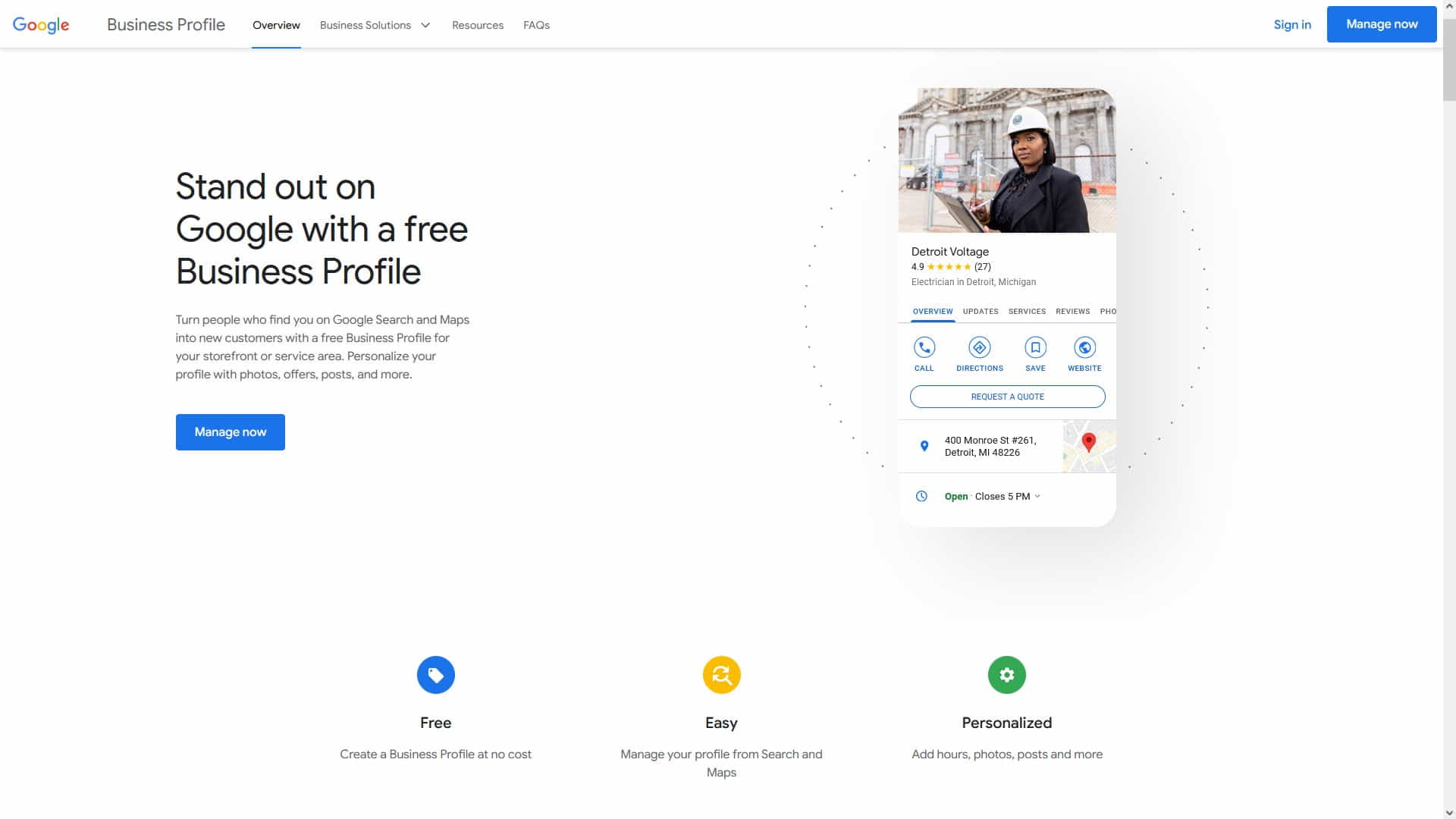
How to Create a Google My Business Account

How to Create a Google My Business Account

Understanding Google Posts

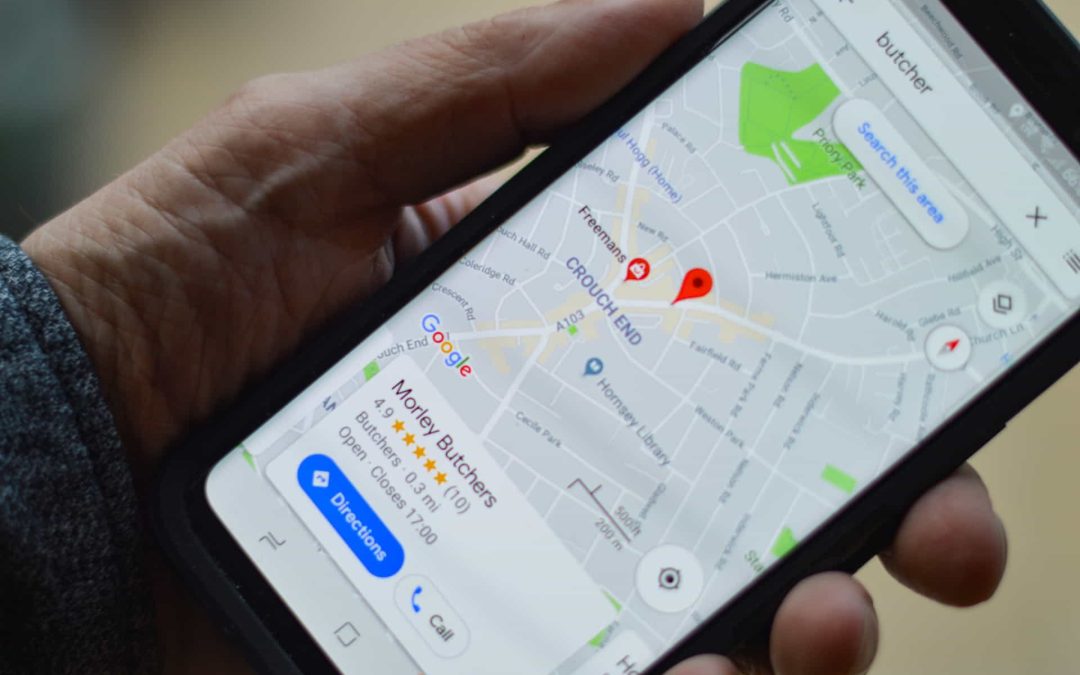
Google Posts is a versatile feature offered within Google My Business, allowing businesses to share key updates, events, offers, and more directly in Google search results and on Google Maps. They serve as an excellent tool for enhancing online visibility, engaging the target audience, boosting Local SEO, and driving website traffic with Google posts has become one of the strategies that work incredibly well for businesses of all sizes.

Learn about creating Posts for Your Google My Business Profile.

These posts reflect an active and customer-focused business, thereby increasing credibility. Though concise, Google Posts can make a significant impact, thus becoming integral to a comprehensive online marketing strategy, including Supercharging Your Social Media Strategy with WordPress Plugins. Plugins can accomplish various tasks faster, like posting to multiple social media platforms at one time, automatically, or on a regular schedule.


What are Google Posts?

  1. Definition and purpose: Google Posts are brief updates that appear directly on the Google search results page when your business is searched for. They present a wonderful opportunity to engage your target audience and direct traffic to your website.
  2. Placement in Google search results: Google Posts are displayed in the Knowledge Panel of a Google search, a prime area that immediately catches user attention.
  3. Types of Google Posts: There are several types of Google Posts to fit different needs, including COVID-19 updates, offers, products, upcoming events, and more. Choosing the right type for your post helps communicate your message effectively.
  4. Duration of visibility: Typically, Google Posts are visible for seven days unless they are event-related, in which case they are visible until the event ends. This necessitates frequent updates for maintaining visibility.
  5. Interactivity: Google Posts allow businesses to interact directly with their audience through call-to-action buttons, encouraging users to learn more, sign up, buy, or get in touch.

Benefits of Google Posts

  1. Increased visibility in search results: Because Google Posts are displayed directly in search results, they dramatically enhance the visibility of your business.
  2. Enhanced engagement with target audience: Google Posts allow businesses to share updates, offers, events, and more, fostering greater interaction with your target audience.
  3. Improved Local SEO: For local businesses, Google Posts can improve Local SEO by providing additional, relevant content that Google can index. This can enhance the likelihood of your business showing up in local search results.
  4. Increased Credibility: Regular updates and quality content shared via Google Posts can increase your business’s credibility. These posts reflect a business that’s active, engaged, and committed to communicating with customers.
  5. Promotion of Specific Content: Google Posts provide an excellent platform to promote specific content such as blog posts, white papers, case studies, or promotional offers. The direct visibility in search results makes it a powerful promotional tool.
  6. Quick Updates: Need to share urgent news or last-minute changes? Google Posts lets you do that instantly, ensuring your audience stays informed in real time.
  7. Drive Conversions: A well-crafted Google Post, complete with a compelling CTA, can direct potential customers to take the desired action, thus driving conversions and boosting business performance.

Optimizing Google Posts for SEO

Optimizing Google Posts for SEO

Optimizing Google Posts for SEO

Optimizing Google Posts for SEO involves more than just creating a catchy headline; it necessitates careful keyword research, including identifying and utilizing long-tail keywords for better targeting. Crafting compelling content is another critical aspect. The goal is to attract the reader’s attention and encourage engagement, and this can be achieved through effectively structured body content, naturally incorporated relevant keywords, and the use of high-quality, optimized images or videos. These steps, while simple, can significantly increase the visibility of your Google Posts and, consequently, drive more traffic to your website.


Keyword Research

  1. Identifying relevant keywords for Google Posts: Research and select relevant keywords that align with your business and your target audience’s search behavior. Google Keyword Planner and Ubersuggest are handy tools for this task.
  2. Utilizing long-tail keywords for better targeting: Long-tail keywords, which are more specific phrases, can help you reach a more targeted audience and often have less competition than shorter, more common keywords.
  3. Checking the keyword competition: Use SEO tools to understand the competition for your keywords and to discover new opportunities.
  4. Analyzing keyword trends: Keep track of trending keywords in your industry to catch potential high traffic opportunities.
  5. Revising keyword strategy regularly: Keyword popularity can change over time. Regular revision of your keyword strategy can help maintain its effectiveness.

Crafting Compelling Content

  1. Writing attention-grabbing headlines: The headline of your Google Post is the first thing people see, so make it count. Ensure it is engaging, informative, and includes your targeted keyword.
  2. Structuring the body content effectively: Keep your message clear and concise, focusing on one key point or idea. Include a compelling call to action (CTA) to guide users to your website.
  3. Incorporating relevant keywords naturally: Use your selected keywords organically within the content. Forced or awkward keyword usage can detract from the user experience.
  4. Using storytelling techniques: Stories can captivate your audience and make your posts more memorable. Consider using a narrative approach when relevant.
  5. Addressing the reader’s needs or pain points: Content that directly addresses the needs or problems of your audience tends to perform well. Keep your customer in mind when crafting your posts.
  6. Creating a sense of urgency: Invoking a sense of urgency can motivate users to take action quickly. This can be particularly effective for time-limited offers or events.

Image and Video Optimization

  1. Choosing high-quality images/videos: Use engaging, high-quality visuals to increase click-through rates. Remember, the image or video you choose should be relevant to the content of your Google Post.
  2. Optimizing image alt tags and descriptions: Include descriptive alt text and descriptions for your images/videos, utilizing your keywords where appropriate. This can improve accessibility and SEO.
  3. Ensuring fast loading times: Optimize your images and videos to ensure they load quickly, maintaining a smooth user experience.
  4. Using captivating thumbnails: Thumbnails can greatly impact the click-through rate of your videos. Make sure they are engaging and accurately represent the video content.
  5. Optimizing video length: The ideal length for your video can depend on the platform and the audience. Monitor engagement levels to determine the most effective video length for your posts.
  6. Including subtitles and transcripts: These not only improve accessibility but also provide additional content that search engines can index.

Best Practices for Driving Website Traffic

Best Practices for Driving Website Traffic

Best Practices for Driving Website Traffic

Driving website traffic effectively requires a blend of strategic techniques. Including clear and persuasive Call-to-Actions (CTAs) within Google Posts can direct users toward desired actions. Leveraging social media channels to promote these posts can extend reach and engagement, fostering additional traffic flow. Meanwhile, monitoring and analyzing performance is the key to refining and sustaining these efforts. Tools like Google Analytics can help track traffic and conversions, enabling businesses to make data-driven decisions that optimize the effectiveness of their posts and overall strategy.

As you continue to develop your digital marketing strategy, one aspect you shouldn’t overlook is the potential of Google posts. Google posts can significantly improve your visibility in search results, thus enhancing your online presence. Driving website traffic with Google posts requires consistently posting engaging content, using relevant keywords, and integrating call-to-action buttons that directly link to your website. By mastering these tactics, you can turn Google posts into a powerful traffic-driving tool for your website.


Call-to-Action (CTA) Optimization

  1. Including clear and persuasive CTAs in Google Posts: Encourage users to take the desired action, such as visiting your website or contacting your business, by including a compelling CTA in your Google Post.
  2. Encouraging users to visit the website: Use persuasive language and highlight the benefits of clicking through to your site, such as valuable information, unique insights, or exclusive deals.
  3. Testing different CTAs: Experiment with various CTA formats and messages to identify what resonates most with your audience.
  4. Aligning CTAs with post content: Ensure your CTA is relevant to the content of the post, providing a logical next step for the audience.

Leveraging Social Media

  1. Promoting Google Posts on social media platforms: Share your Google Posts on various social media platforms to reach a wider audience. Remember to tailor your message to suit the tone and style of each platform.
  2. Engaging with the audience and encouraging sharing: Prompt your followers to engage with your posts and share them within their networks. This can greatly extend the reach of your posts.
  3. Utilizing paid promotions: Consider using paid promotions on platforms like Facebook and Twitter to extend your reach further.
  4. Optimizing for each platform: Remember that each social media platform has unique characteristics. Tailor your sharing strategy to fit these nuances.

Monitoring and Analyzing Performance

  1. Utilizing Google Analytics to track traffic and conversions: Google Analytics is essential for website performance analysis. This fantastic tool lets you track website traffic, analyze user behavior, and improve conversion rates. Google Analytics can unleash a wealth of data that can help you optimize your online presence and skyrocket your digital success.
  2. Making data-driven decisions for optimization: Use the insights gained from Google Analytics to make informed decisions about improving your Google Posts and driving more traffic to your site.
  3. Setting and monitoring KPIs: Define what success looks like for your Google Posts and monitor these KPIs regularly.
  4. Adjusting strategy based on analytics: Regularly review and adjust your Google Posts strategy based on the data you gather to improve results continually.

Case Studies for Businesses Using Google Posts

Case Studies for Businesses Using Google Posts

Case Studies: Successful Examples

Case Study 1: GreenSphere Innovations

  1. Overview of the company’s strategy: GreenSphere Innovations, a forward-thinking enterprise specializing in sustainable consumer products, realized the potential of driving website traffic with Google posts as a critical marketing tool. They adopted an intricate strategy to promote their innovative line of eco-friendly items. By leveraging Google Posts, they targeted niche but high-impact keywords related to “eco-friendly,” “sustainable,” and “green living” within their industry, alongside their brand name.
  2. Results achieved through Google Posts: The results were nothing short of impressive. Within six months, GreenSphere reported a remarkable 30% uptick in organic website traffic. What’s more, sales of their eco-friendly products saw an incredible surge, increasing by a whopping 25%. Their well-planned and thoroughly researched keyword strategy and engaging content on their Google Posts were pivotal in this success. In essence, Google Posts served as a beacon, directing interested and conscious consumers toward their eco-friendly product line.

Case Study 2: ElectraNova Technologies Inc.

  1. Analysis of another company’s approach: ElectraNova Technologies Inc., a trendsetter in the tech industry, devised an inventive approach to using Google Posts. Instead of solely promoting products or services, they utilized this platform to share thought leadership content and valuable insights about emerging industry trends. Their posts were artfully crafted, incorporating keywords that targeted specific industry topics, novel technologies, and market trends.
  2. Key takeaways and lessons learned: The outcome of ElectraNova Technologies’ Google Posts strategy was a testament to the power of delivering valuable, targeted content. They saw a solid 20% increase in website traffic attributed to their Google Posts. But that wasn’t all – the quality of traffic improved as well. Visitors landing on their site from Google Posts spent significantly more time exploring their content than visitors from other traffic sources. This indicated a higher level of engagement and interest in what ElectraNova Technologies had to offer, amplifying the effectiveness of its Google Posts strategy.
Google My Business Icon Logo

Google My Business Icon Logo

Frequently Asked Questions (FAQs)

How often should I create Google Posts?
The goal should be to produce high-quality pieces that add value for your audience, even though consistency requires that you have a regular posting schedule. One to three weekly postings are enough to start driving website traffic with Google posts.

Can Google Posts help with local SEO?
Yes, Google Posts can significantly assist with local SEO. Businesses can create posts relevant to their local audience, use local keywords, and promote local events or offers. Google Posts appear in both Google search and map results, which can help improve local visibility.

Do Google Posts have an expiration date?
Yes, most Google Posts expire after seven days. The exception to this rule is event posts, which expire after the event date. Regular posting can help maintain your presence in Google search results.

Can I include links in my Google Posts?
Absolutely! In fact, including links to your website in your Google Posts is a great way to drive traffic. You can link to blog posts, product pages, event registrations, and more. The key is to ensure that the linked content aligns with the post content and provides additional value to the audience.

Are Google Posts available for all types of businesses?
Google Posts are available to any business with a Google My Business account. This includes businesses of all sizes and across industries. Whether you’re a local bakery or a multinational corporation, you can use Google Posts to engage with your audience and drive traffic to your website.

Do You Have Questions About Other Social Media Platforms?

Social media platforms each have their specific features and guidelines. Suppose your goals include broadening your Instagram audience, creating trending posts on Tumblr, or polishing your LinkedIn profile for career advancement. In that case, it’s crucial to comprehend the unique aspects of each platform. The following is an extensive list of resources that explore the fine points of different social media sites. These guides offer valuable advice and deep insights, aiding you in crafting a winning online strategy.

Creating Engaging Google Posts to Drive Traffic

Creating Engaging Google Posts to Drive Traffic

Final Thoughts on Creating Engaging Google Posts to Drive Traffic to Your Website

As we’ve explored in this article, Google Posts offer an effective way to drive website traffic and engage with your target audience. By optimizing your posts with relevant keywords, creating compelling content, and analyzing your performance, you can enhance your online visibility and conversion rates.

Always remember to follow the Google My  Business Profile Posts Content Policy.

Remember, the benefits of Google Posts extend beyond mere traffic generation. They allow you to establish direct communication with your audience, showcase your offerings, and share important updates, contributing to a robust and effective SEO strategy.

Maintaining a competitive edge is imperative in the fast-paced digital marketing realm. By integrating Google Posts into your marketing mix, you’re keeping pace with the changes and leveraging opportunities to connect with your audience in meaningful ways.

So why wait? Start driving website traffic with Google posts today and unlock new avenues for growth and engagement. Your audience awaits!

Disclosure: You may find affiliate links to beneficial resources within this article. You won’t pay more for using our link, but we’ll get a commission. This supports our content creation, and we only suggest products we genuinely believe in. Thank you for being so understanding!

Affiliate Links

James Turner

James Turner

Author/Copywriter
Are you looking for a tech blogger and sales copywriter who can turn your message into a powerful tool for persuasion? Look no further than James Turner, a seasoned professional with over 25 years of experience in the tech industry. With a deep understanding of how to craft words that connect with readers and drive results, James is a master of the art of persuasive writing.

Why Choosing the Best Web Hosting Company Matters in 2025

Find out why choosing the best web hosting company matters in 2025 to boost your site’s performance and skyrocket sales.

Hiring a Website Designer

Hiring a website designer? Discover actionable tips, red flags to avoid, and how to find the right designer to create a website that grows your business.

How to Create a Landing Page Using WordPress

Follow our guide on how to create a landing page using WordPress and the built-in Block Editor, page builder plugins, or specialized themes.

Proven Pinterest Strategies that Drive Website Traffic

Proven Pinterest Strategies that Drive Website Traffic

Pinterest is not merely a platform for the exchange of ideas and the discovery of inspiration. It’s a powerful tool; proven Pinterest strategies can drive traffic to your website, leading to more leads or sales for your business. By employing the proper tactics, one can expand their reach to a broader demographic, effectively captivate their audience, and enhance their online prominence. Start implementing these Pinterest strategies today and experience the difference they can make for your business.

Create a Pinterest Social Media Strategy

When most people think of Pinterest, they envision creative mood boards, inspiring DIY projects, and mouthwatering recipes. But did you know this visually-driven social media platform is also a powerhouse tool for Social Media Strategy and Search Engine Optimization (SEO)? That’s right! Pinterest is much more than a collection of beautiful images—it’s a robust mechanism that can drive a significant surge of traffic to your website, amplify brand awareness, and even boost sales. And the best part? Fear not, for this matter is not as complicated as it may initially appear. With the right strategies, you too can turn Pinterest into a traffic-generating powerhouse for your online presence.

Question from Margo T:

“I run a small online boutique and I’m considering Pinterest as part of my marketing strategy. But, is Pinterest genuinely effective for driving website traffic?”

Answer

Absolutely, Margo. The crux of the matter lies in comprehending the distinctive dynamics of Pinterest and deftly harnessing them to your benefit. This article shall expertly navigate you through every stage of the voyage, revealing time-tested tactics to seize the mighty potential of Pinterest for your enterprise.

Pinterest Text Logo

Pinterest Text Logo

“Pinterest can be a game-changer for your business, transforming pins into conversions.” – Ben Silbermann, CEO of Pinterest.

Understanding Pinterest for Business

Understanding Pinterest for Business

Understanding Pinterest for Business

Before diving into specific strategies, it’s crucial to grasp what Pinterest is and how it operates. Unlike other social media platforms where users primarily engage with people they know, Pinterest users leverage the platform as a visual search engine, creating and engaging with collections of ideas, products, and inspiration. Pinterest users are proactive, using pins to plan new projects, discover products, and curate ideas. This behavior offers a unique advantage for businesses: a highly engaged audience that is ready and eager to interact with your brand.

With over 400 million active users worldwide and a predominantly female audience of 18 to 49, Pinterest provides access to a demographic with high purchasing power. According to Pinterest Business statistics, Pinterest drives 33% more traffic to shopping sites than Facebook, making it an invaluable tool in any marketer’s Social Media Strategy. With the right approach, your business can tap into this potential and drive meaningful engagement and conversions.

Creating a Pinterest Business Account

How do you then begin using Pinterest for business? The first step is to set up a Pinterest Business Account. While the process is straightforward, optimizing your profile requires a thoughtful approach. Your profile is the first impression users have of your brand on Pinterest. Hence, creating a profile that communicates your brand identity and resonates with your target audience is essential.

Start by choosing a relevant username and profile picture—typically, your business name and logo. For the ‘About’ section, craft a compelling description that includes relevant keywords about your business. This helps Pinterest understand what your business does and ensures that you appear in relevant search results. Remember, it is imperative to incorporate a hyperlink to your esteemed website and establish interconnections with various social media platforms to amplify your visibility.

Developing a Pinterest Strategy for Your Business

Developing a Pinterest Strategy for Your Business

Developing an Effective Pinterest Strategy

Creating an account is just the beginning. To truly harness the power of Pinterest, you need an effective strategy. A clear Pinterest strategy serves as your roadmap, guiding your activities on the platform to ensure they align with your business goals. Here, keyword research is king. Much like Google SEO, Pinterest SEO hinges on understanding what your target audience is searching for and using those insights to create and optimize your pins and boards.

Analyzing your competitors can also provide valuable insights. Look at their top-performing pins and boards to understand what works for your industry or niche. Use these insights to inform your own strategy, but remember: imitation is not the goal. Instead, use this information to inspire original content that will resonate with your audience.

As for content, Pinterest offers a range of options including standard pins, video pins, and rich pins, each with its own advantages. Standard pins are great for sharing images and infographics, video pins are perfect for tutorials or behind-the-scenes content, and rich pins provide more context by including real-time pricing, availability, and recipe information.

Remember, Pinterest is a visual platform, so the aesthetic appeal of your pins is crucial. Ensure your pins are high-quality, visually compelling, and communicate your message. A well-designed pin can significantly increase engagement and drive more traffic to your website. To supercharge your Pinterest strategy further, consider this Pinterest Strategy Guide to learn more proven Pinterest strategies that drive website traffic.

Optimizing Pins and Boards for SEO

Pinterest is not only a social media platform, but also a robust search engine. This means that to maximize your visibility on Pinterest, you need to optimize your pins and boards for Pinterest SEO. But what does this entail?

First, let’s talk about your pins. Each pin has an image (or video), a title, and a description. To optimize your pins for SEO, include relevant keywords in the pin title and description. This helps Pinterest understand what your pin is about and makes it more likely for your pin to appear in relevant searches. Remember, however, that while keywords are essential, they should be used naturally. Keyword stuffing can deter users and may even result in Pinterest penalizing your account.

Next, your boards. Each board on your Pinterest account is a collection of pins under a specific category or theme. To optimize your boards for SEO, include relevant keywords in the board title, description, and categories. This increases the chances of your board appearing in relevant searches, driving more traffic to your pins and your website.

Strategies to Increase Engagement on Pinterest

Strategies to Increase Engagement on Pinterest

Increasing Engagement on Pinterest

Any social media strategy, including Pinterest’s, depends on engagement. High levels of engagement increase your reach and visibility on the platform, thereby driving more traffic to your website. Here are some proven Pinterest strategies to boost engagement.

One strategy is to pin and repin content regularly. Consistency signals to Pinterest that your account is active and valuable, which can increase your visibility in users’ feeds and search results. However, don’t sacrifice quality for quantity. Ensure every pin offers your audience value and aligns with your brand.

Another tactic is to engage with other users. Responding to comments, engaging with other pins, and participating in group boards can all help boost your visibility and reach on the platform. Engagement should be authentic—aim to build relationships rather than boost your numbers.

Finally, don’t forget to promote your Pinterest account on your other channels. Adding a Pinterest follow button to your website, or a link to your account in your email newsletter can accomplish this. The more ways people can find your Pinterest account, the more traffic you’ll drive to it.

Tracking and Adjusting Your Strategy

When crafting your Pinterest strategy, it is imperative to prioritize making informed decisions based on data. Regular monitoring and analysis of your performance can provide invaluable insights, exposing the true effectiveness of your efforts and distinguishing the wheat from the chaff. This invaluable data empowers you to refine your approach as necessary meticulously.

The analytics tool bestowed by Pinterest is an invaluable resource for comprehending your performance on the platform. It bestows a plethora of data on various metrics, including impressions, clicks, and saves. By meticulously analyzing this data, you can precisely identify the pins and boards that effectively captivate attention, while also identifying those that may require a slight enhancement.

However, do not merely become entangled in the figures. Always be cognizant of the engagements you are having with your target audience. Comments and messages can bestow upon you a profound comprehension of the desires and resonances of your esteemed audience, thereby serving as a compass to navigate the treacherous waters of content creation.

Finally, always remember that SEO is not a mere sprint but a rigorous marathon. Patience is key in reaping the rewards of your hard work. Do not let discouragement cloud your vision if immediate triumph eludes you. Consistency, relentless testing, and an insatiable hunger for knowledge shall ultimately yield concrete outcomes. Perseverance and proven Pinterest strategies that drive website traffic are key to success.

Supercharge Your Social Media Strategy

Supercharge Your Social Media Strategy

Tools to Supercharge Your Pinterest Strategy

Managing a Pinterest account takes work, especially when managing multiple social media platforms. Fortunately, there are numerous tools available and proven Pinterest strategies that can streamline your Pinterest management and boost your results.

From scheduling tools like Tailwind that allow you to plan and automate your pins, to graphic design tools like Canva that help you create visually stunning pins, these tools can save you time and make your Pinterest strategy more effective.

Additionally, consider utilizing WordPress plugins that are designed to enhance your Pinterest presence. These plugins can help Supercharge Your Social Media Strategy with everything from adding a Pinterest ‘Pin It’ button to your website, to optimizing your images for Pinterest SEO.

Building Your Pinterest Community

A vibrant Pinterest community can potentially magnify your reach and engagement on the platform exponentially. By skillfully constructing and fostering a devoted community centered around your esteemed brand, you can cultivate steadfast adherents who actively interact with your captivating content and generously disseminate it amongst their esteemed followers, thus magnifying your esteemed influence.

One must diligently and genuinely engage in constructing a thriving community on Pinterest. Regularly pinning valuable content, promptly responding to comments, synergistically collaborating with other brands, and actively engaging with your followers’ content are all imperative strategies for maximizing your brand’s impact. The objective is to forge a bilateral dialogue that nurtures a spirit of camaraderie and engenders a perception of worth and attentiveness among your adherents.

Building a community demands the diligent investment of both time and effort. However, the outcomes—a steadfast and devoted following, amplified brand recognition, and elevated active participation—justify the expenditure.

Use Other Social Media Networks to Help Build Your Community

Building a Pinterest community doesn’t happen in isolation. Therefore, it is a shrewd maneuver to exploit your influence on various social media platforms to generate a surge of visitors to your Pinterest profile, subsequently leading them to your website.

Here’s how you can achieve this:

1. Cross-Promotion

The primary and most direct approach is effectively promoting your Pinterest account across other social media platforms. Achieve this by strategically sharing the link to your Pinterest profile across various digital platforms such as Facebook, Twitter, Instagram, and LinkedIn. Attention, esteemed followers! I implore you to partake in the delightful realm of Pinterest, where a plethora of exceptional content awaits your discerning eyes. Behold, a veritable cornucopia of uniqueness, curated exclusively for your viewing pleasure. Join me, dear followers, as we journey through the captivating tapestry of Pinterest’s offerings.

Additionally, consider sharing some of your top-performing Pinterest pins on these networks, which can draw attention to your Pinterest content and inspire people to follow you there. Remember to use the Pinterest link that leads directly to the pin to encourage users to visit your Pinterest board.

2. Engaging and Collaborative Content

Creating content that encourages engagement and collaboration can be another effective way to build your Pinterest community. For example, you could hold a contest that requires participants to repin one of your pins or create a board around a theme related to your brand. Promote these contests on your other social media networks to generate buzz and drive traffic to your Pinterest account.

3. Integrate Pinterest with Your Website

Make sure your website has Pinterest-friendly social share buttons. Your respected visitors can easily pin articles they like to their boards. This remarkable strategy drives traffic to your esteemed website from Pinterest and exponentially grows your beloved Pinterest community as more and more people become aware of and eagerly share your valuable content.

Synergy drives success in this method. Integrating and harmonizing your social media accounts may build a powerful online presence that helps you quickly engage your target audience wherever they are. By strategically promoting your captivating Pinterest content across various networks, you increase the number of visitors to your esteemed Pinterest account and create an environment that stimulates an increased flow of traffic to your esteemed website, courtesy of Pinterest. This social media platform drives massive amounts of traffic.


Build Your Pinterest Community Faster With the Help of These Social Media Platforms

Social Media Success Stories

Social Media Success Stories

A Social Media Success Story: How Brands are Leveraging Pinterest

Many brands leverage Pinterest to boost website traffic, increase brand awareness, and drive conversions. These success stories offer valuable lessons and inspiration for businesses looking to harness the power of Pinterest. If you are interested in Driving Traffic to Your Blog With Pinterest, please read on.

One such story is that of a company specializing in custom photo books. Using promoted pins, they increased their website traffic by over 68% and boosted their Pinterest-referred revenue by 219%. Their success demonstrates the power of paid advertising on Pinterest with an effective organic strategy.

Another success story comes from a popular digital media company. They’ve leveraged Pinterest as a significant traffic driver by creating pins that resonate with their target audience and optimizing them for Pinterest SEO. As a result, Pinterest has become their second-largest referral of social traffic.

These success stories demonstrate the potential of Pinterest as a marketing tool. By understanding your target market, crafting captivating and optimized content, and employing a data-driven approach, your enterprise can harness the power of Pinterest to propel traffic, amplify brand recognition, and enhance conversions.

Frequently Asked Pinterest Questions

Frequently Asked Pinterest Questions

Frequently Asked Questions (FAQs)

Accessing the Pinterest Help Center is simple and can provide a wealth of knowledge. The Help Center offers a wide range of articles and information for beginners and advanced Pinterest users. Pinterest helps you troubleshoot, stay up-to-date, and learn best practices to maximize your Pinterest strategy.

How long does it take to see results from Pinterest marketing?

Like any digital marketing strategy, results from Pinterest marketing can take time. Within a few weeks to a few months, businesses typically start to notice an increase in website traffic and engagement. However, the timeline can vary depending on your strategy, content quality, and audience engagement.

Can I use Pinterest for my local business?

Yes, Pinterest can be a great platform for local businesses. You can create location-specific boards, engage with local Pinterest users, and leverage local SEO practices to increase your visibility to local customers.

How can I drive traffic to my blog through Pinterest?

To drive traffic to your blog through Pinterest, create engaging pins that link back to your blog posts. Optimize your pin descriptions and titles with relevant keywords, and use rich pins to provide more context about your content. Also, remember to promote your pins on other social media platforms to increase their visibility.

Are there any specific image dimensions for Pinterest pins?

Yes, Pinterest recommends an aspect ratio of 2:3 for pins. This translates to dimensions of 1000 x 1500 pixels. Using these recommended dimensions can ensure your pins look their best on all devices.

Does Pinterest advertising help increase website traffic?

Pinterest advertising can significantly increase your website traffic. By leveraging the power of promoting your pins, you can tap into a vast and expansive audience, amplifying your brand’s visibility to unprecedented heights. This strategic move will undoubtedly result in a surge of traffic directed towards your esteemed website, propelling your online presence to new heights of success.

However, just like any advertising strategy, monitoring your outcomes to determine if these proven Pinterest strategies that drive website traffic are working for your business and adapting your approach diligently is imperative.

Pinterest Icon Logo

Pinterest Icon Logo

Glossary

1. Pin:
This is an image or video that someone chooses to save to Pinterest. It is linked back to the source of the image or video, which makes Pinterest a great driver of website traffic.
2. Boards:
These are where pins are saved on Pinterest. Users create boards around certain themes or categories, making pins easier to find and follow.
3. Rich Pins:
These are pins that include extra information on the pin itself. For instance, Article Pins include a headline, author, and story description. They are ideal for driving traffic to blog posts.
4. SEO (Search Engine Optimization):
This is the process of making online material more visible in search engine results pages (SERPs), which increases the amount of natural traffic that the website receives.
5. Social Media:
Websites and programs that let users produce and share content or take part in social networking are referred to by this term.
6. Pinterest Profile:
This is a user’s personal page on Pinterest where their pins and boards can be seen. It can be optimized to attract more followers and drive more traffic to a website.
7. Pinterest Analytics:
This is a feature provided by Pinterest for business accounts that helps users understand how people are engaging with pins that originate from their profile or website.
8. Pinterest Ads:
Also known as Promoted Pins, these are regular pins that businesses pay to promote so they reach more people. They can help increase visibility and website traffic.
9. SEO Keywords:
These are words or phrases that people use to search for content online. Including relevant keywords in your pins can make them more discoverable.

Do’s and Don’ts on Pinterest

Do’s
Don’ts

Do create visually appealing pins to attract attention.
Don’t overlook the importance of SEO in your pin descriptions.

Do use keywords in your pin descriptions and board titles.
Don’t pin content that doesn’t link back to a valuable resource.

Do engage with your audience by responding to comments and messages.
Don’t forget to monitor your analytics to understand what works.

Do optimize your Pinterest profile with relevant details.
Don’t ignore the power of Pinterest advertising to reach more people.

Proven Pinterest Strategies Article Summary

Proven Pinterest Strategies Article Summary

Pinterest Strategies Article Summary

In this article, we dove deep into proven Pinterest strategies that drive website traffic. We started with a thorough introduction to Pinterest and its value for businesses, followed by its unique qualities that set it apart from other social media platforms.

We then explored a range of proven Pinterest strategies, including creating engaging visual content, optimizing for search engine optimization (SEO), understanding and utilizing Pinterest analytics, utilizing rich pins, engaging with your audience, leveraging Pinterest advertising, and more. In addition, we provided real-life examples and actionable tips to bring these strategies to life.

We also shared an inspirational story highlighting the transformative power of Pinterest when used strategically. The article culminated with a practical list of Pinterest and SEO jargon alongside a compendium of commendable practices and cautionary warnings for the Pinterest platform.

Pinterest offers a unique and compelling platform for businesses to connect with their audience and drive website traffic. By understanding its nuances and leveraging its features strategically, you can unlock its full potential for your business.

Here Are the Top Ten Ways to Drive Traffic to Your Website Using Pinterest

  1. Design captivating pins with high-resolution images and concise, captivating text to draw users’ attention and promote clicks.
  2. Boost your pins’ visibility in Pinterest’s search results by optimizing them with pertinent keywords in the description and title.
  3. Engage actively with your followers and other users by responding to comments, repinning relevant content, and liking their pins.
  4. Expand your audience reach and drive higher traffic by participating in high-engagement group boards.
  5. Leverage rich pins to furnish more information directly on Pinterest, thereby enticing users to visit your website.
  6. Implement a consistent pinning schedule, leveraging Pinterest’s peak usage times to maximize your content’s exposure.
  7. Make it easy for users to share your content on Pinterest by adding ‘Pin It’ buttons to your website.
  8. Create a diverse range of boards that cater to different interests related to your business, providing a comprehensive Pinterest presence.
  9. Explore Pinterest advertising to reach more users, particularly if you have content that is highly relevant to a trending topic or popular search.
  10. Analyze your Pinterest Analytics regularly to understand what content resonates with your audience and refine your strategy accordingly.
Final Thoughts on Driving Website Traffic With Pinterest

Final Thoughts on Driving Website Traffic With Pinterest

Final Thoughts on Pinterest Strategies

Effectively leveraging Pinterest’s potential requires proven Pinterest strategies that are well-planned and properly executed. Start by understanding your audience on Pinterest and tailor your content to suit their interests and needs. Optimize your pins and boards with relevant SEO keywords to make them more discoverable. Use high-quality, visually appealing images to capture attention. Engage with your audience and create a community around your brand.

Remember to use Pinterest’s unique features, such as rich pins and ads, to enhance your reach. Monitor your performance through Pinterest analytics and adapt your strategy accordingly. Using Pinterest strategically can significantly increase your website traffic and build a strong online presence. So why wait? Get started on harnessing the power of Pinterest today!


Final Thoughts Checklist of Pinterest Strategies

  • Understand your audience on Pinterest
  • Create visually appealing pins
  • Optimize pins and boards with SEO keywords
  • Utilize rich pins for more detailed content
  • Engage with your audience
  • Use Pinterest ads to reach a wider audience
  • Regularly monitor your Pinterest analytics
  • Keep your Pinterest profile up-to-date
Disclosure: You may find affiliate links to beneficial resources within this article. You won’t pay more for using our link, but we’ll get a commission. This supports our content creation, and we only suggest products we genuinely believe in. Thank you for being so understanding!
Affiliate Links

James Turner

James Turner

Author/Copywriter
Are you looking for a tech blogger and sales copywriter who can turn your message into a powerful tool for persuasion? Look no further than James Turner, a seasoned professional with over 25 years of experience in the tech industry. With a deep understanding of how to craft words that connect with readers and drive results, James is a master of the art of persuasive writing.

Why Choosing the Best Web Hosting Company Matters in 2025

Find out why choosing the best web hosting company matters in 2025 to boost your site’s performance and skyrocket sales.

Hiring a Website Designer

Hiring a website designer? Discover actionable tips, red flags to avoid, and how to find the right designer to create a website that grows your business.

How to Create a Landing Page Using WordPress

Follow our guide on how to create a landing page using WordPress and the built-in Block Editor, page builder plugins, or specialized themes.

LinkedIn Profile Optimization – Building a Professional Brand

LinkedIn Profile Optimization – Building a Professional Brand

In this magnificent era of digital dominance, the essence of your online presence reverberates with profound significance, particularly in professional endeavors. As the unparalleled titan of professional networking platforms, LinkedIn transcends the mere confines of a digital curriculum vitae—it emerges as a mighty instrument for LinkedIn profile optimization and constructing an indomitable professional brand. It’s a magnificent platform where you unleash your extraordinary talents, generously impart your profound wisdom, and forge powerful connections with esteemed peers, esteemed clients, and esteemed future employers.

Linkedin Profile Optimization Tips

Just as you would meticulously adorn yourself in the finest attire for a meaningful job interview or a high-stakes business gathering, your LinkedIn profile must be equivalent to utmost professionalism. An exquisitely fine-tuned profile captures the gaze of others and establishes unwavering trust, propelling you toward exponential growth in your network and career.

Linkedin Logo

Linkedin Logo

Question: How to Make a Linkedin Profile Stand Out Among Other Profiles

Randy H. asked – How can I make my LinkedIn profile stand out among others?

Answer

That’s an excellent question, Randy! To create an outstanding profile, you need to focus on LinkedIn profile optimization in several key areas:

  1. Optimize Your Headline: Your headline is the first thing people see. Craft a compelling headline that reflects your expertise and value proposition.
  2. Write a Captivating Summary: Your summary should provide a concise overview of your professional journey, highlighting your skills, experiences, and aspirations.
  3. Showcase Your Experience: Detail your work history, emphasizing your achievements and results. Use bullet points to make it easy to scan.
  4. Highlight Your Skills: List your key skills and expertise. Endorsements from others can add credibility.
  5. Include a Professional Photo: A high-quality headshot creates a positive impression and makes your profile more approachable.
  6. Personalize Your URL: Customize your LinkedIn profile URL to make it more professional and memorable.
  7. Utilize Media and Rich Content: Embed relevant media, such as presentations, articles, or projects, to showcase your work.
  8. Engage in Thought Leadership: Publish insightful articles, share industry news, and comment on relevant discussions to position yourself as a thought leader.
  9. Build a Strong Network: Connect with professionals in your industry, alumni, colleagues, and influencers to expand your network.
  10. Request Recommendations: Ask colleagues or clients to provide recommendations that validate your skills and expertise.

Creating a Social Media Strategy is an essential first step, and by implementing these proven strategies, you can effectively optimize your LinkedIn profile and elevate your professional brand.

Brand Identity Is the Life Force of a Business

Brand Identity Is the Life Force of a Business

“Brand identity is not merely your corporate logo or tagline. It’s the life force of your business, the essence that breathes passion into your endeavors, and the beacon that guides you through challenges. When harnessed correctly, it transforms customers into devoted advocates, and ordinary moments into extraordinary milestones.” – Tony Robbins

Networking on Linkedin

Networking on Linkedin

Getting Started on LinkedIn

Getting started on LinkedIn is a straightforward process. The first step is creating a LinkedIn Account, which opens the door to many professional opportunities. Once your account is set up, you can Explore Articles written by industry leaders, or boost your skills with Popular Courses at LinkedIn. You can look for jobs on LinkedIn or post a job to discover candidates if you’re an employer.

  • Create a Linkedin Account: By embarking upon creating a LinkedIn account, you open the gates to a realm where you can forge connections with esteemed professionals from every corner of our vast planet. It’s your gateway to countless opportunities and a platform to showcase your skills, experiences, and aspirations.
  • Explore Articles: LinkedIn is more than just a networking platform; it’s a knowledge hub. Exploring articles on LinkedIn means gaining insights from industry leaders, learning about the latest trends, and staying informed about your field. It’s a phenomenal strategy to ignite your professional development and surge ahead of the curve.
  • Popular Courses at Linkedin: Investing in your professional development is essential. LinkedIn offers a wide range of popular courses through LinkedIn Learning. From soft skills to technical skills, these courses are designed to help you upskill, reskill, and make yourself more marketable in the workforce.
  • Use Linkedin to Search for Jobs: LinkedIn is an excellent tool for job seekers. LinkedIn’s extensive database of job listings across industries and geographies makes job searching efficient and targeted. You can connect directly with recruiters, apply for jobs within the platform, and even get alerts for new postings that match your preferences.
  • Post a Job at Linkedin: If you’re an employer, LinkedIn allows you to post job vacancies and reach a broad audience of professionals. It is truly a powerful strategy to magnetize exceptional talent, elevate the prominence of your esteemed organization, and discover those extraordinary individuals who possess the innate ability to propel your enterprise toward unprecedented triumph.

Whether you’re new to LinkedIn or an experienced user, you might find that you have questions or need assistance. In that case, the LinkedIn Help Center is your go-to resource for solutions and advice.

Networking on LinkedIn

LinkedIn provides a powerful platform for networking with professionals in your industry. Here are some LinkedIn profile optimization tips to enhance your networking efforts and assist you in building a professional brand:

  1. Personalize Connection Requests: When connecting with others, craft personalized messages to increase the likelihood of acceptance.
  2. Join Relevant Groups: Engage with industry-specific groups to expand your network and participate in meaningful discussions.
  3. Attend Virtual Events: Explore virtual events and webinars to connect with industry leaders and like-minded professionals.
  4. Follow Influencers: Identify and follow influential professionals in your field to stay updated with the latest trends and insights.

By actively networking on LinkedIn, you can forge valuable connections and open doors to new opportunities.

Branding Your Profile

Effective personal branding on LinkedIn helps you differentiate yourself from others in your industry. Here’s how you can brand your profile:

  • Define Your Unique Value Proposition: Identify your unique skills, experiences, and qualities that set you apart from others.
  • Tell Your Story: Craft a compelling summary that showcases your professional journey and highlights your achievements.
  • Showcase Projects and Work Samples: Add rich media content to your profile to showcase your projects, presentations, articles, or any other work samples that demonstrate your expertise and accomplishments.
  • Consistent Branding: Use consistent branding elements such as color scheme, fonts, and visual style to create a cohesive and professional look.
  • Keywords Optimization: Incorporate relevant keywords throughout your profile to improve your visibility in search results and attract the right audience.
  • Personalize Your Background Image: Use a visually appealing and relevant background image that aligns with your personal brand or industry.
  • Include Certifications and Achievements: Display certifications, awards, and achievements to showcase your credibility and expertise.

By strategically branding your LinkedIn profile, you can leave a lasting impression and attract opportunities that align with your professional goals.

Optimizing Your Profile to Build Your Brand

Optimizing Your Profile to Build Your Brand

Optimizing Your Profile

LinkedIn profile optimization for both search engines and human readers is essential. Here are some tips that will help you accomplish both of these essential tasks:

  • Use Relevant Headings: Structure your profile using H2 and H3 headings to organize information and improve readability.
  • Engaging Subheadings: Break down sections with engaging subheadings that pique the reader’s interest and encourage them to continue reading.
  • Craft a Compelling Summary: Write a concise and engaging summary that provides an overview of your professional background and showcases your unique value proposition.
  • Utilize Bullet Points: Use bullet points to highlight key achievements, skills, or experiences, making them easily scannable for readers.
  • Link to Relevant Content: Incorporate internal links to relevant articles or resources within your profile to provide additional value to readers and enhance your credibility.
  • Include External Links: Strategically insert external links to authority articles or resources that complement the information in your profile, offering readers a chance to explore further.
  • Optimize Your Skills: Select and prioritize skills relevant to your industry and expertise. Request endorsements from connections to strengthen your profile.
  • Add Multimedia: Enhance your profile by including media such as videos, presentations, or infographics that demonstrate your work and expertise.
  • Regularly Update Your Profile: Keep your profile up to date with new accomplishments, projects, or experiences to reflect your current professional status.

By implementing these optimization techniques, you can increase the visibility and impact of your LinkedIn profile.

Creating Engaging Content

Sharing valuable and engaging content on LinkedIn helps position you as a thought leader and attracts a wider audience. Here’s how to create compelling content:

  • Identify Your Target Audience: Understand the needs and interests of your target audience to tailor your content accordingly.
  • Share Insights and Expertise: Provide valuable industry insights, tips, and advice that demonstrate your expertise and solve common challenges.
  • Use Storytelling: Incorporate storytelling techniques to make your content relatable, memorable, and engaging.
  • Include Visuals: Utilize images, videos, or infographics to enhance the visual appeal and shareability of your content.
  • Encourage Discussion: Pose thought-provoking questions or ask for opinions to encourage engagement and create meaningful conversations.
  • Be Consistent: Develop a consistent posting schedule to maintain visibility and stay top-of-mind with your audience.

By creating compelling content, you can establish your credibility, foster engagement, and expand your professional network on LinkedIn.

Requesting Recommendations Is Linkedin Profile Optimization

Requesting Recommendations Is Linkedin Profile Optimization

Requesting Recommendations on Linkedin from Clients, Colleagues, and Supervisors

Recommendations from colleagues, clients, or supervisors add credibility to your profile. Here’s how to request recommendations:

  1. Identify Relevant Connections: Choose connections who have firsthand experience working with you or can vouch for your skills and expertise.
  2. Personalize Your Request: Craft personalized messages when requesting recommendations, highlighting specific projects or achievements you want them to mention.
  3. Offer to Reciprocate: Express your willingness to provide recommendations in return, fostering a mutual beneficial relationship.
  4. Follow Up with Gratitude: Once you receive a recommendation, send a thank-you note to show your appreciation.

By proactively seeking recommendations, you can build a strong reputation and attract potential employers or clients.

Exploring Job Opportunities

LinkedIn is a powerful platform for job seekers. Here’s how you can leverage LinkedIn to explore job opportunities:

  • Set Job Preferences: Specify your job preferences, including industry, location, and job type, to receive tailored job recommendations.
  • Activate Open to Work Feature: Indicate your openness to new opportunities by enabling the Open to Work feature on your profile.
  • Follow Company Pages: Stay updated on job postings, company news, and industry trends by following relevant company pages.
  • Utilize LinkedIn Jobs: Explore job postings on LinkedIn Jobs, filter by preferences, and apply directly through the platform.
  • Network with Recruiters: Connect with recruiters or talent acquisition professionals to expand your network and increase your visibility.

By harnessing the immense power of LinkedIn’s job search features and the vast networking opportunities it presents, you can elevate your job search process to unprecedented heights and exponentially amplify your likelihood of discovering the perfect opportunity that aligns with your aspirations and ambitions.

Professional Growth Through Networking and Branding

Professional Growth Through Networking and Branding

Inspirational Story: Achieving Professional Growth through Networking and Branding

My name is Melina S., and I am an experienced marketing professional. Throughout my career, I’ve realized the tremendous impact of networking and branding on my professional growth.

Early in my career, I struggled to make meaningful connections and showcase my skills effectively. However, after attending a networking event and implementing a solid branding strategy, I experienced a significant transformation.

By actively engaging in conversations, building genuine relationships, and leveraging the power of LinkedIn, I expanded my network and connected with industry leaders and like-minded professionals. Through these connections, I discovered new career opportunities, received valuable mentorship, and gained insights into the latest industry trends.

I Focused on Branding Myself as an Expert

Additionally, I focused on branding myself as an expert in my field. By crafting a compelling LinkedIn profile that highlighted my unique value proposition and sharing thought-provoking content, I positioned myself as a trusted authority. This led to invitations to speak at industry conferences, collaborate on exciting projects, and secure rewarding job offers.

Looking back, I am grateful for the role networking and branding played in my professional journey. My advice to others is to invest time and effort in building genuine connections, sharing valuable insights, and consistently nurturing their personal brand. These magnificent strategies possess an extraordinary power to open the doors of possibility, forge remarkable opportunities, and launch your career to unprecedented heights.

Recommended Social Media Articles

Linkedin Networking Tips for Professionals

WordPress Website Color Glossary and Suggestions

Glossary of Terms

Term
Definition
Networking
The process of establishing and nurturing professional relationships with individuals in your industry or related fields.
Branding
The process of creating a unique and cohesive identity for yourself or your business to differentiate from competitors.
LinkedIn
A professional networking platform that allows individuals to connect, share their professional experiences, and discover job opportunities.

Do’s and Don’ts of LinkedIn Profile Optimization and Networking

Do’s

  • Personalize your connection requests and engage in meaningful conversations.
  • Join relevant industry groups and participate in discussions.
  • Share valuable insights and thought leadership content.
  • Optimize your profile with relevant keywords and engaging headings.
  • Request recommendations from colleagues and clients.

Don’ts

  • Send generic connection requests without personalized messages.
  • Spam groups with self-promotion or irrelevant content.
  • Neglect your profile’s headline, summary, or experience sections.
  • Forget to proofread your profile for errors or typos.
  • Underestimate the power of networking and building genuine relationships.

Linkedin Icon

Linkedin Icon

Linkedin Social Media Network Article Summary

LinkedIn profile optimization is crucial for building a professional brand and leveraging networking opportunities. Following the tips and strategies outlined in this article, you can create a compelling profile, engage with relevant connections, share valuable content, and explore job opportunities. Remember to stay consistent, be authentic, and provide value to your network.

LinkedIn, my friend, is a treasure trove of boundless opportunities that hold the power to elevate your career and propel your professional growth to extraordinary heights. Therefore, I implore you, to seize this moment and unleash your full potential on this remarkable platform!

Final Thoughts on LinkedIn Profile Optimization Tips

Final Thoughts on LinkedIn Profile Optimization Tips

Final Thoughts on LinkedIn Profile Optimization

In conclusion, LinkedIn profile optimization, building a professional brand, and expanding your network. By incorporating networking techniques, branding strategies, and engaging content creation, you can attract relevant connections, establish yourself as a thought leader, and unlock new career opportunities. Remember to regularly update your profile, connect with industry peers, and share valuable insights to maximize your LinkedIn presence.

Here’s a quick checklist to guide you:

  • Optimize your profile with relevant keywords and headings.
  • Craft a compelling summary that highlights your unique value proposition.
  • Showcase your experience, achievements, and skills.
  • Engage in meaningful networking and build genuine relationships.
  • Create and share valuable content to establish thought leadership.
  • Request recommendations to strengthen your credibility.
  • Explore job opportunities and stay active on the platform.

By implementing these recommendations, you can unlock the full potential of LinkedIn and propel your professional growth.

Disclosure: You may find affiliate links to beneficial resources within this article. You won’t pay more for using our link, but we’ll get a commission. This supports our content creation, and we only suggest products we genuinely believe in. Thank you for being so understanding!

Affiliate Links

James Turner

James Turner

Author/Copywriter

Are you looking for a tech blogger and sales copywriter who can turn your message into a powerful tool for persuasion? Look no further than James Turner, a seasoned professional with over 25 years of experience in the tech industry. With a deep understanding of how to craft words that connect with readers and drive results, James is a master of the art of persuasive writing.

Why Choosing the Best Web Hosting Company Matters in 2025

Find out why choosing the best web hosting company matters in 2025 to boost your site’s performance and skyrocket sales.

Hiring a Website Designer

Hiring a website designer? Discover actionable tips, red flags to avoid, and how to find the right designer to create a website that grows your business.

How to Create a Landing Page Using WordPress

Follow our guide on how to create a landing page using WordPress and the built-in Block Editor, page builder plugins, or specialized themes.

Facebook Page Optimization – Boosting Engagement and Reach

Facebook Page Optimization – Boosting Engagement and Reach

This article offers comprehensive insights into Facebook page optimization to boost engagement and reach on the platform. Through effectively utilizing all available tools, businesses can create a captivating page, build robust content strategies, and foster a sense of community with their audience. The discussion includes details on making the most of your profile and cover photos, creating compelling page names and descriptions, incorporating keywords, optimizing page tabs, and engaging actively with the audience. Furthermore, we explore the significance of monitoring page performance using Facebook Insights and adjusting strategies accordingly for continuous growth and enhanced reach.

Facebook Content Quality Foster Connections

The quality of your Facebook content can significantly influence your page’s engagement and reach. Producing top-notch content involves creating well-crafted, pertinent, captivating, and beneficial information that resonates with your intended audience. This could include informative articles, captivating images, interactive polls, and live videos. The key is understanding your audience’s interests and needs and creating content that meets these while showcasing your brand’s unique voice and perspective. Quality content on Facebook is the foundation for fostering connections, stimulating conversation, and building a strong community around your brand.

Visit Facebook now or click this link to > Create a Facebook Account.

Question

Hubert G. asks, “What’s the quickest way to boost engagement on my Facebook page?

Answer

The quickest way to boost engagement is through creating high-quality, relevant content that encourages interaction. This could be a compelling question, a poll, or even live video content. Remember, engagement is a two-way street – be sure to respond to comments and messages to foster a sense of community.

Create a Social Media Strategy!

If you need more help, check out this article and learn how to create a Social Media Strategy for your personal or business brand. If you have a WordPress website learn how to Supercharge Your Social Media Strategy with WordPress Plugins.

Facebook Logo

Facebook Logo

Our mission is to give people the power to build community and bring the world closer together. That’s at the heart of what we do here. And we’re just getting started.” – Mark Zuckerberg

An Introduction to Facebook Page Optimization

An Introduction to Facebook Page Optimization

Introduction to Facebook Page Optimization

Optimizing Facebook pages strategically is crucial. This painstaking approach fine-tunes every component of your page for two reasons. First, it makes your page appealing to your target audience. Second, it ensures your content fits Facebook’s complex algorithms. These two qualities make your page a powerful social media marketing tool. They are so important that ignoring them is impossible.

Optimization requires more than a few minor modifications. Instead, it’s a comprehensive approach that involves a deep understanding of your audience’s traits, interests, and online interaction patterns. You want to discover what stuff people like and deliver it through your Facebook page’s features.

Your audience isn’t everything. Facebook’s hidden algorithms are as essential. These complex codes determine which information is promoted and demoted. Thus, understanding these algorithms and matching your page to them is equally important.

Facebook Page Optimization is essential to successful social media marketing. It ensures that your communications reach the proper people and are well-received by Facebook’s internal procedures. Thus, neglecting or underestimating this crucial process could put your marketing efforts at jeopardy in the crowded and competitive world of social media.

Importance of Page Optimization

Your Facebook page may not be fully optimized. Imagine driving a high-performance sports car using regular unleaded gas instead of premium. Your car would run, but not at its best. Your Facebook page needs “fuel”—optimization—to operate well and engage with your audience.

Fine-tuning and attention to detail can boost engagement and reach, two key social media metrics. Your Facebook page needs targeted and intentional optimization to engage with and grow your audience, much like your high-performance car needs the correct fuel.

Facebook page optimization is great because it rarely requires major modifications. Sometimes a few strategic tweaks are enough. Small changes in the appropriate places can have a big effect. They can increase page visibility, engagement, and social media potential.

Just like a high-performance engine needs the right fuel, your Facebook page needs optimization to perform at its best. You can boost Facebook engagement and reach with the correct tweaks.

Steps to Optimize Page Performance and Reach

Steps to Optimize Page Performance and Reach

Steps to Optimize Your Facebook Page

Ready to give your Facebook page a facelift? Here are some steps you can take to improve its performance.

Creating a compelling page name and description

First impressions wield a powerful influence, particularly in the fast-paced realm of social media. The initial image or idea that a user forms about your Facebook page can significantly impact their subsequent interactions. This makes elements such as an intriguing page name and an attention-grabbing description crucial to your page’s overall appeal. These aspects can make the difference between someone simply scrolling past your page in their crowded news feed or becoming intrigued enough to click on your page to discover more about what you offer.

Imagine your page’s name and description as the front window display of a physical store. Just as an attractive window display draws potential customers in, piquing their curiosity to explore the store further, a captivating page name and compelling description can lure Facebook users toward your page. These critical components can set the tone for what prospective followers can expect from your page, influencing their decision to engage with your content or move on.

An engaging page name can immediately capture the attention of a Facebook user, standing out amidst a sea of ordinary names. It’s your first chance to present the uniqueness of your brand, a golden opportunity to create intrigue and spark interest. On the other hand, an enticing page description offers a snapshot of your brand’s ethos, services, or products. It provides a glimpse into your page and why it is worth a user’s time and engagement.

In short, the importance of making a strong and positive first impression on social media cannot be overstated. By crafting an engaging page name and an enticing description, you can elevate the appeal of your Facebook page, transforming passive scrollers into active followers eager to learn more about your offerings.

Tips for a Great Facebook page name

When considering naming your Facebook page, two vital principles to bear in mind are simplicity and relevance. The ideal name should be concise, memorable, and perfectly aligned with your brand’s identity. The significance of these elements cannot be underestimated, as they play a fundamental role in establishing a solid foundation for your page’s recognition and recall value.

A straightforward and uncomplicated page name often proves to be more effective. It’s like a breath of fresh air in the dense jungle of complex and overwrought names that one encounters on social media. Keeping your page name short and uncomplicated makes it easier for users to remember it. Consequently, when users think of your brand, your Facebook page pops up immediately in their minds, enhancing your overall brand recognition.

You are, furthermore, ensuring that your page name resonates meaningfully with your brand’s identity is critical. It’s about crafting a name accurately reflecting your brand’s essence and values. A page name that mirrors your brand’s identity facilitates recall and strengthens the bond between you and your audience by providing a sense of consistency and authenticity.

Remember, your Facebook page name is not just a label. It’s a powerful tool to represent your brand in the vast social media landscape. So, while considering a name, strive for simplicity and relevance. Keep it short enough to be easily remembered, and ensure it resonates with your brand’s identity. By doing this, you can create a page name that attracts users and leaves a lasting impression, paving the way for a stronger and more engaged follower base.

How to write an effective page description

When crafting your Facebook page description, it must clearly and concisely reflect your brand, accurately conveying what it stands for. It should provide a succinct snapshot of your brand, while also compelling enough to draw in your target audience. During this process, contemplate what sets your brand apart and ensure that your description prominently showcases distinctive quality.

Consider your page description an elevator pitch for your brand, presented to a global audience. Within a few sentences, you need to communicate the essence of your brand, capturing its mission, values, and offerings. This, however, shouldn’t just be a dry, factual representation. It should also be engaging and inviting, enticing potential followers to delve deeper into what your brand has to offer.

Your brand’s uniqueness, which makes it special and stand out from the competition, should be a central theme in your page description. This could be your innovative products, exceptional customer service, or commitment to sustainability – whatever distinguishes your brand from others. Highlighting these unique features can make your brand more memorable and attractive to your target audience, encouraging them to engage further with your page.

Your Facebook page description should be a compact yet powerful portrayal of your brand. It should quickly and effectively communicate what your brand is all about but do so intriguingly and appealingly. Always emphasize what makes your brand unique, ensuring that distinctiveness shines brightly in your description. By achieving this, you can spark interest and foster a stronger connection with your audience, encouraging them to discover more about your brand.

Making the most of your profile and cover photos

Visual content has a profound impact on communicating and connecting with your audience. Specifically, your profile and cover photos on Facebook serve as powerful tools that can reinforce your brand’s image and foster user engagement. They are not merely decorative elements, but significant opportunities to express your brand’s personality and connect more deeply with your audience.

Think of your profile and cover photos as the visual handshake of your brand on social media. They are typically the first thing users see when they visit your page, so they must present an immediate and impactful impression of your brand. These images should encapsulate the spirit of your brand, reflecting its ethos, offerings, or unique selling proposition.

Your smaller and persistently visible profile picture should be simple and instantly recognizable. Many businesses use their logo here, ensuring brand consistency and easy identification across various platforms. Conversely, the cover photo offers a larger canvas to depict aspects of your brand creatively. It could highlight specific products, showcase a recent campaign, or feature an inspiring quote that aligns with your brand values. Both images together should narrate a cohesive brand story.

Moreover, these images aren’t static. Regularly updating your profile or cover photo keeps your page fresh and engaging, and can serve to highlight different facets of your brand, current promotions, or seasonal events. It’s a subtle yet effective way of maintaining user interest and engagement.

In summary, visual content, specifically your profile and cover photos, can communicate significantly about your brand without saying a word. By carefully selecting and regularly updating these images, you can further establish your brand’s image, engage with users, and create a lasting impression on your audience. They’re not just pictures; they’re opportunities to narrate your brand’s story and resonate with your audience meaningfully.

Profile photo best practices

Facebook profile photos promote your brand. A company logo is ideal. This helps users remember your brand and logo everywhere they see them. Recognizability isn’t everything. Image quality matters too. Use a high-resolution profile photo. Why? Because it needs to look sharp on everything from a smartphone screen to a high-definition desktop display. Pixelated or fuzzy images can hurt user experience and brand perception.

Image quality is important on high-definition screens. It shows professionalism and care for your brand’s image and followers’ experience. Therefore, spend time making or choosing a high-quality, high-resolution profile photo.

Like a company logo, a clear, high-resolution profile photo serves numerous purposes. It boosts brand awareness and conveys professionalism and quality. It’s a little but significant aspect that can improve your brand’s perception across devices, creating a more engaging and visually pleasing user experience.

Cover photo best practices

Your Facebook cover photo serves as a kind of online billboard for your business, providing a large canvas to showcase your company’s core values. This prominent area on your Facebook page offers greater freedom for imagination and expression than your profile photo. You can decide whether to showcase your items, embody the essence of your business, or draw attention to an ongoing marketing initiative. The cover image can be a lively, visual representation of the narrative behind your brand.

A carefully crafted image accurately portrays your brand can forge a strong bond with your target market. This picture could represent your team, capture your brand’s essence, or show your labor’s results. It’s a chance to use visuals to tell your brand’s distinctive story and strengthen your relationship with your audience.

Alternately, you might showcase your goods or services in the cover shot. Putting a visually appealing product or service that your company sells in your cover photo might be a terrific approach to attract new clients. It functions similarly to a retail display that entices customers to stick around.

Another successful tactic is using your cover photo to showcase current specials or events. Your cover photo can be changed to reflect events such as sales, introducing new products, or participating in special events. This makes your page interesting and engaging and guarantees that your audience is always informed of the most recent events at your company.

Ultimately, your Facebook cover photo is a useful resource that can creatively showcase your items, represent your business, or draw attention to running specials. You may effectively engage with your audience, gain new followers, and keep your page active and pertinent by using this area carefully and strategically.

Optimizing your page tabs

Facebook page tabs are comparable to book chapters or newspaper sections. They offer a methodical technique to organize your information, making it simple for your readers to find the content they want. These tabs are more than simply useful tools; they are also adaptable features that you can tailor to your company’s requirements, improving user experience and guaranteeing a smooth navigation experience on your page.

Think of your Facebook page as an online shop. Your Facebook page tabs can point visitors to particular areas of your brand’s online presence, just as a well-organized physical-and-mortar store takes clients through various departments — apparel, electronics, food, etc. Strategically placed tabs make it easy for visitors to reach the content they need, whether it be company information, a list of your goods or services, client testimonials, or upcoming events.

However, their true strength lies in the capacity to customize page tabs. You can customize these tabs to best meet your needs based on your business model and the goals you have for your Facebook presence. For instance, if you operate an online store, you might wish to have a ‘Shop’ tab that leads visitors there. A ‘Community’ or ‘Events’ option can be useful if community engagement is your main goal.

In essence, Facebook page tabs offer two benefits. They provide a way to customize your page to represent your company priorities and client preferences and enable you to organize your material properly. You may improve the usability and navigation of your page by deliberately altering its tabs. This will make it easier for visitors to interact with your company online.

Incorporating keywords

Including pertinent keywords in the text of your Facebook page is a clever move that may greatly improve your exposure in search results on both Facebook and other search engines like Google. The foundation of search engine optimization (SEO), keywords are a compass to direct prospective customers to your page when they look for related content.

Think of your intended audience when they are searching. They enter particular words or phrases to find information that corresponds to certain terms. You may boost the likelihood that your page will appear in their search results by incorporating these important keywords within the text of your page. This can increase how easily people can find your page, increasing traffic and perhaps even more followers.

Using too many keywords, or “keyword stuffing,” can be harmful, even though including them can be a strong weapon. Search engines are getting smarter and smarter and want to give people the best, most relevant content possible. They may mark a page as spammy or low-quality material if it contains too many keywords, which might lead to lower search rankings or even fines.

So, everything revolves around equilibrium. While using pertinent keywords in your page content is advantageous, you should use them sparingly. Always maintain authenticity, engagement, and user-friendliness in the content. In the end, you want to maintain visitors to your site by engaging them with relevant material and encouraging repeat visits.

In conclusion, strategically using pertinent keywords can dramatically increase the visibility of your page in search results on both Facebook and outside search engines. But the key is moderation. Always put the creation of high-quality, real content that genuinely resonates with your audience over keyword stuffing.

Engaging with your audience

Remember that Facebook is primarily a social network. Businesses can use it to connect with their audience and build partnerships. Don’t be shy—engage with your audience with comments, messages, and content encouraging conversation.

Respond to comments and messages. Each remark or message is a chance to engage with your audience. A prompt and meaningful answer to a query, concern, or gratitude can make your followers feel heard and cherished.

Engagement isn’t just about replying to your audience—it’s about starting a dialogue. Engaging content can help. Consider audience-engaging questions, surveys, and challenges. Interactive content helps engage your audience and build brand community. Engagement must be sincere. Automated or dishonest conversations degrade your brand’s reputation. Sincerely connect with your followers in every encounter.

Facebook is a social network that encourages interaction. Take advantage! Comment, message, and communicate with your audience. Active involvement may strengthen audience relationships and boost your brand’s platform presence.

Analyzing Page Performance After Optimization

Analyzing Page Performance After Optimization

Analyzing Your Facebook Page Performance

Once you’ve optimized your page, it’s important to track its performance to see what’s working and what needs improvement.

Using Facebook Insights

Facebook offers businesses and page administrators access to its highly potent analytics tool, Facebook Insights. It clearly shows how your content connects with your audience by providing a wealth of information about your page’s performance. You can get important analytics like reach, engagement, page visits, and much more using this platform.

For instance, the “reach” indicator lets you know how many visitors have seen any content connected to your page, including your articles and advertisements. This information can greatly aid in understanding the scope of your content’s visibility.

The “engagement” metric, on the other hand, gives information on how viewers are responding to your postings. This covers favorites, shares, remarks, and even clicks. This might assist you in assessing the success of your material in evoking discussion and encouraging active participation from your audience.

“Page views” displays how often logged in and out users have viewed your page. This measure can greatly gauge the total volume of visitors your page receives and tell you whether your visibility strategies are effective.

But Facebook Insights goes further than that. It also offers your audience demographic information, like age, gender, and geographic area. This can be quite helpful in figuring out who your audience is, allowing you to modify your material to reach and engage these people more successfully.

Additionally, you can keep tabs on how well your posts perform, see the number of followers you are gaining, and even determine the times of day your audience is most active on Facebook. You can utilize these data points to inform your choices, improve your content strategy, and better use the platform.

In conclusion, Facebook Insights is a treasure trove of information that can give you a vital understanding of your audience’s behavior and the effectiveness of your page. You may make better decisions, hone your strategy, and increase the overall success of your website by comprehending and utilizing these analytics.

Adjusting your strategy based on data

In the era of data, its importance cannot be emphasized. It serves as the compass for your strategic orientation, the gauge for your effectiveness, and the base for your upcoming tactical decisions. You may utilize statistics to inform your plan and alter your approach as needed to continuously improve the success of your page by utilizing the abundance of information offered by Facebook Insights.

Consider the data to be your strategist’s counselor. It can reveal what’s effective and ineffective, who interacts with your material, and when. Consider adding more user-generated content to your approach; for example, if you notice posts with this type of material get more interaction. Similarly, scheduling your posts for the evening hours may be advantageous if you find that most of your audience is online at this time.

Furthermore, demographic information about your audience can direct your content production. Young adults make up most of your audience. Therefore, you should adapt your content to reflect their interests and communication preferences. In contrast, if your audience comprises various age groups, you might need to balance or segment your material to engage each group equally.

Remember that a winning plan is dynamic and always changing. Your knowledge of what Facebook works best for your brand will grow as you continue to collect data about your page’s performance and your audience’s actions. Thanks to this continuous learning process, you may modify your plan, hone your technique, and improve your overall performance.

Briefly stated, your Facebook page strategy should be based on statistics. By utilizing the knowledge gained from Facebook’s data, you can make wise judgments, continuously modify your approach, and steadily raise the performance of your page, guaranteeing that your Facebook presence is active, interesting, and successful.

Facebook Icon Logo

Facebook Icon Logo

Final Thoughts on Facebook Page Optimization

Facebook Page Optimization is not a singular task to check off your list, but rather a continuous process that requires consistent attention and adaptation. This journey involves regular fine-tuning, informed by performance data and audience feedback, ensuring your page stays dynamic, engaging, and reaches the widest audience possible. The effectiveness of your page should be consistently assessed and adjustments made as needed, keeping it aligned with your evolving business goals and audience expectations.

Starting today, you can harness the power of these optimization techniques to see tangible differences in your page’s performance. These insights and methods can improve your content, audience engagement, and brand visibility. With each informed tweak and adjustment, you’ll be making strides in enhancing your page’s overall performance, helping it stay relevant, engaging, and successful in reaching a broader audience.


Ready to Engage on Other Social Media Platforms?

Facebook Page Optimization Faqs

Facebook Page Optimization Faqs

FAQs on Facebook Page Optimization

Q: How often should I post on my Facebook page?
A: While there’s no one-size-fits-all answer, a good starting point could be one post per day. Remember, consistency and quality are more important than quantity.

Q: What type of content should I share?
A: Share content that is relevant to your brand and interesting to your target audience. This can include updates about your products or services, industry news, or user-generated content.

Q: How can I increase engagement on my posts?
A: To boost engagement, encourage interaction. Ask questions, share interactive polls, or host live videos. Responding promptly to comments and messages can also foster engagement.

Q: How can I use Facebook Insights to improve my page?
A: Use Facebook Insights to understand which posts your audience likes the most, the best times to post, and demographic information about your followers. Use this data to inform your content strategy.

Q: Can I optimize my Facebook page on my own?
A: Absolutely! While it might seem daunting at first, with a bit of research and effort, you can greatly improve your Facebook page’s performance.


Need Help With Your Facebook Account?

Disclosure: You may find affiliate links to beneficial resources within this article. You won’t pay more for using our link, but we’ll get a commission. This supports our content creation, and we only suggest products we genuinely believe in. Thank you for being so understanding!

Affiliate Links

James Turner

James Turner

Author/Copywriter

Are you looking for a tech blogger and sales copywriter who can turn your message into a powerful tool for persuasion? Look no further than James Turner, a seasoned professional with over 25 years of experience in the tech industry. With a deep understanding of how to craft words that connect with readers and drive results, James is a master of the art of persuasive writing.

Why Choosing the Best Web Hosting Company Matters in 2025

Find out why choosing the best web hosting company matters in 2025 to boost your site’s performance and skyrocket sales.

Hiring a Website Designer

Hiring a website designer? Discover actionable tips, red flags to avoid, and how to find the right designer to create a website that grows your business.

How to Create a Landing Page Using WordPress

Follow our guide on how to create a landing page using WordPress and the built-in Block Editor, page builder plugins, or specialized themes.

Mastering the Art of Creating Click-Worthy Thumbnails on YouTube

Mastering the Art of Creating Click-Worthy Thumbnails on YouTube

Nowadays, everyone’s chasing the social media dream – to create viral videos that skyrocket in popularity and place them on the digital map. One key component that can make or break your journey toward viral fame is often overlooked – the humble YouTube thumbnail. That is why we wrote this article on mastering the art of creating click-worthy thumbnails on YouTube because this one little trick can greatly improve video views and engagement.

Why Creating Click-Worthy Thumbnails Matters

YouTube thumbnails act as the front door to your video content. Whether someone is searching for a certain subject or scrolling through their feed, they are the first thing viewers see when they come to your video. This guide will shed light on the art of creating compelling, click-worthy YouTube thumbnails that drive clicks and contribute significantly to viewer engagement and Social Media Strategy.

Question

K. Martine Asked: “I’ve seen channels with great content but few views. Could their thumbnails be affecting their success?”

Answer

Absolutely, K. Martine! An engaging thumbnail can significantly influence the success of a YouTube channel. It’s not just about the content inside; the outside should be just as compelling to attract clicks and views.

YouTube Logo

YouTube Logo

“Good content is not storytelling. It’s telling your story well.” – Ann Handley

Create a Google Account to Access YouTube

Create a Google Account to Access YouTube

Do You Have a YouTube Account?

Google’s services, including YouTube, require a Google account. Before creating click-worthy thumbnails on YouTube, you need to create a Google account to upload videos, playlists, and comments on your content. Visit the Google account creation page, fill out the form with your personal information, and follow the instructions. Set up your Google account in minutes and start exploring Google’s huge offerings.

YouTube Guidelines, Help, and Resources

Navigating the YouTube ecosystem can be a labyrinthine journey, but understanding the key resources can make a world of difference.

First and foremost, the YouTube Community Guidelines form the bedrock of acceptable behavior on the platform, outlining the rules and decorum necessary to maintain a respectful, vibrant digital environment. Violations can lead to penalties, so awareness is critical.

Next, we have the YouTube Brand Resources. Whether you’re an up-and-coming content creator or a brand looking to maximize your presence, these resources can provide invaluable insights into optimizing your brand’s visual identity and interactions on YouTube.

For those creators looking to turn their passion into profit, understanding YouTube Monetization for Creators is vital. It explains how creators can earn money from ads, channel memberships, merchandise, and more.

Another exciting feature is YouTube Live Streaming & Premieres, offering real-time interaction with your audience. These tools enable you to bring exclusive content to your subscribers, deepening your relationship with them and fostering community spirit.

Finally, diving into YouTube Culture & Trends can help you ride the waves of viral phenomena, understand the cultural impact of trending videos, and even identify potential topics for your own content.

In essence, these resources equip you with the knowledge and tools to be an active, informed, and successful participant in the YouTube community.

Understanding YouTube Thumbnails Is Vital

Understanding YouTube Thumbnails Is Vital

Understanding YouTube Thumbnails

To truly appreciate the art of creating click-worthy thumbnails on YouTube videos, it is essential to grasp their essence and pivotal role in your social media strategy.

What are YouTube Thumbnails?

YouTube thumbnails are essentially mini movie posters for your videos. They provide potential viewers with a snapshot of what they can expect if they click on your video. Since 90% of the best-performing videos on YouTube use custom thumbnails, neglecting this aspect is not an option for those wishing to boost their channel’s performance.

The Role of Thumbnails in Video Marketing and Branding

While a YouTube thumbnail may appear to be a small detail, its impact on your brand’s success on the platform is anything but minor. Thumbnails enhance your video marketing in several ways:

  • Visibility: A well-crafted thumbnail stands out in a crowded feed, making your video more likely to be clicked on.
  • Brand consistency: By maintaining a consistent style in your thumbnails, you establish a strong visual identity that increases brand recognition.
  • Improved click-through rates: An attractive and intriguing thumbnail can significantly improve your video’s click-through rate (CTR), a vital metric in YouTube’s algorithm. The higher the CTR, the more likely YouTube will recommend your video to other users.

Given their vital role, creating click-worthy thumbnails on YouTube should not be an afterthought but a key component of your video production and social media strategy.

Key Elements of Click-Worthy Thumbnails

Creating a YouTube thumbnail that instantly grabs attention and nudges viewers to click requires more than just a pretty picture. Here are four key elements that contribute to a compelling thumbnail:

Color Psychology and Its Impact on Viewer’s Emotions

Color can profoundly impact our emotions and behaviors, an aspect that psychologists and marketers have studied extensively. Bold, bright colors often stand out more and can evoke strong emotions. For instance, red can convey excitement or urgency, while blue can trigger feelings of trust and calm. Understanding these nuances can help you make strategic color choices for your thumbnails.

Composition and Framing Techniques

How you compose your thumbnail, from the positioning of elements to the use of empty space, can significantly impact its effectiveness. Using the rule of thirds, dividing your thumbnail into nine equal parts and placing important elements along these lines or their intersections, can result in more balanced and visually appealing thumbnails.

Effective Use of Text and Typography

While the image is essential, don’t underestimate the power of well-placed text. Adding a few words can provide context and encourage viewers to click. When using text, make sure it’s legible, even at smaller sizes, and doesn’t clutter the image. Your font choice should also align with your brand’s style and the video’s tone.

Incorporating Eye-Catching Imagery and Visuals

The use of compelling visuals can’t be stressed enough. Choose images that are clear, relevant, and interesting. Remember that your thumbnail will often be viewed at small sizes, so it needs to be clear and engaging, even when shrunk down.

Mastering these key elements will help you create thumbnails that lure viewers and align with your brand’s voice and video content. Remember, misleading thumbnails can harm your channel’s reputation and viewer engagement in the long run.

Optimizing Thumbnails for YouTube SEO

While creating click-worthy thumbnails is crucial, optimizing them for YouTube’s search engine is equally important. Here’s how you can do it:

Understanding YouTube’s Algorithm and Ranking Factors

YouTube’s algorithm decides which videos to display in search results and recommendations. It considers many factors, including video quality, relevancy, and user engagement. While the algorithm’s workings are complex, understanding its basics can help you optimize your thumbnails and videos better. Always ensure your thumbnails accurately represent your video content as misleading thumbnails can lead to poor viewer retention, negatively impacting your video’s ranking.

Utilizing Keyword Research for Thumbnail Optimization

Although YouTube doesn’t directly analyze your thumbnail for SEO, the image file name can contribute towards SEO. When saving your thumbnail image, please give it a relevant file name that includes your video’s target keyword. This can help YouTube understand the content of your video better.

Strategies for Incorporating Keywords Naturally

Keywords aren’t just for your video’s title and description; they can also play a role in your thumbnail. For instance, if your video targets the keyword “how to make viral videos,” you could create a thumbnail with a text overlay that reads “Make Your Video Go Viral!”. This can reinforce the video topic and make it more appealing for users searching for that keyword.

Thumbnail Size and Format Recommendations

YouTube recommends thumbnails to be 1280 x 720 pixels (with a minimum width of 640 pixels) and in the formats .JPG, .GIF, .BMP, or .PNG. Also, ensure your thumbnail file is under the 2MB limit. These recommendations will ensure your thumbnails look good across various device types and screen sizes.

Thumbnail optimization can be a game-changer in your social media strategy, boosting your video’s visibility and engagement.

Tools and Software for Thumbnail Creation

Creating captivating thumbnails doesn’t necessarily require professional design skills. There are many easy-to-use tools available that can help you craft compelling thumbnails for your videos. Let’s delve into some of the most popular ones.

Overview of Popular Thumbnail Creation Tools

Some popular tools for creating YouTube thumbnails include Canva, Adobe Spark, and Snappa. These platforms offer numerous templates, customizable elements, and intuitive interfaces that make thumbnail creation a breeze.

Comparison of Features and Functionalities

While all these tools are effective, they each offer unique features. Canva, for instance, is known for its extensive library of design elements and templates. Adobe Spark, on the other hand, offers advanced customization options. Snappa stands out for its speed and efficiency, allowing you to create thumbnails quickly. Choosing a tool that suits your needs and skill level is crucial.

Step-by-step Guide on Using a Thumbnail Creation Tool

Let’s focus on Canva, a versatile and widely-used tool for this guide. Here’s a step-by-step process:

  1. Start by signing up for a free account on Canva.
  2. Select the “YouTube Thumbnail” design type.
  3. Choose a template or start from scratch.
  4. Add or modify design elements like images, shapes, and text.
  5. Ensure your text is readable and the image is visually appealing.
  6. Save your design with a file name that includes your video’s keyword.
  7. Upload the thumbnail to YouTube when publishing your video.

Regardless of the tool you use, remember the design principles discussed earlier. Thumbnail design is part of your broader social media strategy and can significantly influence your video’s performance.

The Importance of Testing and Analyzing

The Importance of Testing and Analyzing

A/B Testing and Analyzing Thumbnail Performance

A well-crafted thumbnail can draw viewers in, but how can you ensure it’s the best it can be? The answer lies in A/B testing and performance analysis.

Importance of A/B Testing in Optimizing Thumbnails

A/B testing allows you to compare two versions of your thumbnail to see which performs better. This involves changing one element of the thumbnail (e.g., color, image, text) and analyzing the click-through rates of both versions. A/B testing is essential in thumbnail optimization because it allows you to make data-driven decisions and fine-tune your designs for maximum engagement.

Metrics to Measure Thumbnail Performance

The primary metric to track for thumbnail performance is the click-through rate (CTR). This represents the percentage of viewers who click on your thumbnail to watch your video. Other metrics include the view duration (how long viewers watch your video) and the engagement rate (likes, comments, and shares).

Analyzing Data and Making Data-Driven Improvements

Once you’ve gathered data through A/B testing, it’s time to analyze and interpret your findings. Look at which thumbnail version had a higher CTR, and consider the elements that may have contributed to its success. Was it the bold text? The striking imagery? The use of a certain color? Use this information to guide your future thumbnail designs and continually improve your click-through rates.

Remember, what worked for one video may not necessarily work for another. Keep testing, keep analyzing, and keep optimizing. Your thumbnail is an essential part of your Social Media Strategy and can significantly drive your YouTube success.

Thumbnail Best Practices and Case Studies

Learning from successful creators can provide valuable insights into creating click-worthy thumbnails on YouTube. Let’s look at successful YouTube channels and what we can learn from them.

Showcase of Successful YouTube Channels with Engaging Thumbnails

Channels such as “Unbox Therapy,” “Tasty,” and “Vsauce” excel in creating captivating thumbnails. They use a consistent style across their videos, employ bold colors, and include exciting, yet relevant, imagery.

Examining Best Practices and Common Trends

Successful channels often use high-contrast colors, clear images, and concise text to convey the video’s content. They also keep their branding consistent, which helps viewers identify their content quickly among the sea of videos. This practice is part of building an effective, authentic brand on social media platforms, including YouTube.

Case Studies on Thumbnail Optimization Techniques

Take the case of “Evan Carmichael,” who ran an A/B test on one of his video thumbnails. The winning thumbnail increased the video’s CTR by 74.38% and its view rate by 70.41%. The changes? A more prominent, eye-catching image, and a simplified, more powerful headline.

Thumbnail Mistakes to Avoid

Knowing what not to do is as important as knowing what to do when creating YouTube thumbnails. Here are some common pitfalls and tips to avoid them:

Common Pitfalls and Mistakes in Thumbnail Design

Mistakes such as using low-quality images, overcrowding the thumbnail with text, or creating misleading thumbnails can significantly decrease your CTR and hurt your channel’s reputation. Another common mistake is not keeping the design consistent, making it harder for viewers to recognize your content.

Understanding the Negative Impact on Click-Through Rates

Misleading thumbnails can lead to higher initial clicks, but they often result in viewer drop-offs, negatively impacting your video’s watch time and viewer retention rates. Similarly, low-quality thumbnails may deter potential viewers, lowering your video’s CTR.

Tips for Avoiding These Mistakes and Creating Effective Thumbnails

Always use high-quality images and keep your text minimal and legible. Be honest and accurately represent your video’s content to maintain viewer trust. Consistency in style and branding can also go a long way in making your videos stand out and be recognizable.

By following these tips, you can create thumbnails that captivate and entice viewers, boosting your engagement and ultimately contributing to your success in going viral on social media platforms like YouTube.

Engaging with Viewers Through Thumbnails

Believe it or not, thumbnails can significantly engage with your viewers and build a relationship with them. Let’s see how:

Thumbnail Storytelling and Conveying Video Content

A picture is worth a thousand words, and an effective thumbnail tells a story about your video before a viewer even clicks on it. By cleverly employing visuals, colors, and text, you can hint at the narrative of your video and entice viewers to learn more.

Building Anticipation and Curiosity Through Thumbnails

Thumbnails can be used to build anticipation and spark curiosity. Teaser images, mysterious visuals, or intriguing text can compel viewers to click on your video to quench their curiosity. Remember, though; it’s crucial that the thumbnail accurately represents the video content, or you risk damaging your viewer relationship.

Encouraging Viewer Interaction and Engagement

Interactive elements like arrows or question marks can encourage viewers to engage with your content. Thumbnails can also include calls to action, like ‘Watch Now’ or ‘Learn More,’ guiding viewers towards taking the desired action.

From Beginner to YouTube Star

From Beginner to YouTube Star

From Beginner to YouTube Star

Let’s hear a real-life story of Tony B., who successfully implemented the knowledge and tips from this guide and managed to create a successful YouTube channel.

Tony, a passionate filmmaker with grand aspirations, faced the familiar struggle that plagues countless creatives: gaining visibility for his work. He embarked on a YouTube channel endeavor, where he would proudly exhibit his captivating short films and generously provide viewers with exclusive glimpses into the inner workings of his creative process. Despite the undeniable quality of his videos, he found himself grappling with the challenge of garnering more than just a mere handful of views.

The Crucial Role of YouTube Thumbnails

He realized that simply having exceptional content was insufficient – he required a strategy to ensure his videos would shine amidst the vast ocean of content on YouTube. After researching, he discovered the crucial role of creating click-worthy thumbnails on YouTube in attracting viewers and decided to improve his skills in this area.

He learned about color psychology and began to use colors that resonated with the emotions he wanted to evoke in his audience. He used compelling compositions and framing techniques, adding text overlays with engaging titles and eye-catching visuals. His thumbnails began to tell a story, building anticipation and curiosity for the video content.

SEO Optimization of YouTube Thumbnails

Following our guide, Tony also optimized his thumbnails for YouTube SEO, naturally incorporating relevant keywords into his thumbnails and ensuring the images were the right size and format. He started using a supercharged social media strategy, and his videos began to rank higher, attracting more viewers.

Tony began testing his thumbnails using A/B testing and analyzing his thumbnail performance. He learned from his data and continually made data-driven improvements. This iterative process allowed him to constantly improve his thumbnails based on what worked best with his target audience.

Over time, his channel started to gain traction. One of his videos even went viral, leading to a huge boost in subscribers and views. Today, Tony’s channel has over a million subscribers, and his thumbnails have become his signature, immediately recognizable to his fans.

Thumbnails Help Create Viral Videos

Tony’s success shows us the power of effective thumbnails in creating viral videos and growing your YouTube channel. It demonstrates that with knowledge, creativity, and trial and error, anyone can create engaging thumbnails that attract viewers and boost video engagement.

After Tony’s inspirational journey with viral videos, he wasn’t about to rest on his laurels. Tony understood that he needed to enhance his online presence further to maintain the momentum. This was when he discovered the world of WordPress plugins. His quest led him to a resourceful article about supercharging your social media strategy with WordPress plugins.

He followed the tips provided, integrated the right plugins, and remarkably improved the engagement rates on his social media profiles. His WordPress website became more than a hosting platform for his videos, but an optimized, user-friendly hub that effortlessly directed his followers to his social media accounts.

Glossary of Key YouTube Video Thumbnail Terms

Glossary of Key YouTube Video Thumbnail Terms

Glossary of Key YouTube Video Thumbnail Terms

In the context of creating click-worthy thumbnails and optimizing them for viral videos and social media, here are some important terms to understand:

Thumbnail
A small image representing a larger image or a video. In the context of YouTube, it’s the image displayed in search results and playlists that, when clicked, opens the video.
Click-through rate (CTR)
The percentage of people who see your thumbnail (impressions) and actually click on it to watch the video. A higher CTR means more views.
A/B Testing
A method of comparing two versions of a thumbnail to see which performs better. It involves showing the two variants to similar audiences at the same time and comparing their performance.
SEO (Search Engine Optimization)
The practice of enhancing a webpage (or YouTube video, in this case) to make it more attractive to search engines. The goal is to get the content ranked as high as possible on search results pages.
Keyword
A word or phrase that describes the content of a page (or video). Keywords are used by search engines to identify relevant content during a search.

Knowing these terms can be helpful when it comes to understanding and implementing best practices for creating and optimizing YouTube thumbnails.

Rules for Creating Click-Worthy YouTube Video Thumbnails

Rules for Creating Click-Worthy YouTube Video Thumbnails

Do’s and Don’ts for Creating Click-Worthy YouTube Video Thumbnails

Do’s

  • Do use high-resolution images when creating click-worthy thumbnails on YouTube. It ensures that your thumbnails look crisp and clear on all devices.
  • Do use bright, contrasting colors to make your thumbnails stand out in YouTube’s search results.
  • Do include relevant text that complements your video title and entices viewers to click.
  • Do use faces in your thumbnails when relevant. Human faces can create emotional connections and improve click-through rates.
  • Do test different thumbnail designs to find what works best for your audience.

Don’ts

  • Don’t use misleading thumbnails. This can lead to viewer disappointment, high bounce rates, and potential strikes against your YouTube account.
  • Don’t clutter your thumbnail with too much text or overly complicated imagery. Keep it simple and clear.
  • Don’t forget to keep your thumbnail design consistent with your brand. Consistency helps viewers quickly recognize your content.
  • Don’t ignore thumbnail optimization for SEO. Include relevant keywords in your thumbnail file name and alt text.
  • Don’t forget to review YouTube’s thumbnail guidelines to ensure your thumbnails comply with their community guidelines.
Mastering the Art of Article Summaries

Mastering the Art of Article Summaries

YouTube Video Thumbnails Article Summary

This comprehensive guide explored the art of creating click-worthy thumbnails on YouTube. A good thumbnail can increase the visibility of your videos, attract more viewers, and eventually help your content to go viral.

We started the guide by understanding the importance of YouTube thumbnails and their impact on video engagement and click-through rates. YouTube thumbnails serve as the cover of your video, making them a crucial part of video marketing and branding.

We dove into the key elements that make a thumbnail engaging – color psychology, composition, framing, effective use of text and typography, and incorporating eye-catching visuals. We emphasized that these elements must be balanced to ensure a visually appealing thumbnail resonates with the viewers.

Next, we discussed how to optimize thumbnails for YouTube SEO. Understanding YouTube’s algorithm and ranking factors can help create thumbnails that rank higher. Utilizing keyword research for thumbnail optimization and incorporating keywords naturally in thumbnail text is crucial. We also recommended the correct thumbnail size and format.

We then explored various tools and software available for thumbnail creation. After comparing their features and functionalities, we provided a step-by-step guide on using one of these tools. We also stressed the importance of A/B testing and analyzing thumbnail performance for ongoing improvements.

Sharing examples of successful YouTube channels, we examined their best practices and common trends. We also highlighted common pitfalls and mistakes in thumbnail design, understanding their negative impact on click-through rates and providing tips for avoiding them.

Ultimately, we emphasized the importance of thumbnail storytelling and how to build anticipation and curiosity through thumbnails. We concluded by recapping the key points discussed, reinforcing the importance of creating click-worthy thumbnails for YouTube success. We also provided final thoughts on optimizing thumbnails for improved engagement and channel growth.

Final Thoughts on Creating the Best Video Thumbnails

Final Thoughts on Creating the Best Video Thumbnails

Final Thoughts on YouTube Video Thumbnails

In the sea of content on YouTube, creating effective and click-worthy thumbnails can help your videos stand out and attract more viewers. Each step is crucial from understanding the importance of thumbnails, learning about their key elements, and optimizing them for YouTube SEO, to using the right tools, testing, and learning from others.

Remember, while optimizing for SEO is important, creating thumbnails that appeal to viewers and accurately represent your video content should be your primary goal. This balance between human appeal and algorithmic preferences is key to creating thumbnails that lead to viral videos and channel growth.

Here are the key points to remember:

  • Balance elements like color, text, and imagery in your thumbnail design
  • Optimize your thumbnails for SEO
  • Use thumbnail creation tools effectively
  • Analyze and improve your thumbnails regularly
  • Engage your viewers through thumbnail storytelling

Remember, consistency, creativity, and mastering the art of creating click-worthy thumbnails on YouTube can help you build a stronger brand presence on YouTube. Keep experimenting, keep analyzing, and you’ll surely master the art of creating click-worthy thumbnails.

Other Social Media Platforms to Consider

And now, it’s your turn to put these insights into practice and create thumbnails that make people click!

YouTube Creators Studio Icon

YouTube Creators Studio Icon

FAQs (Frequently Asked Questions):

1. What is the ideal size for YouTube thumbnails?

The ideal size for YouTube thumbnails is 1280 pixels wide by 720 pixels tall. That’s a 16:9 aspect ratio, which is exactly what YouTube recommends. It’s large enough to display well on all devices, including televisions, and it’s the same aspect ratio as most videos, which ensures consistency across your channel.

2. Can I use custom images or screenshots for my thumbnails?

Using custom images or screenshots for your thumbnails can make them more engaging and relevant to your video content. These personalized images can better capture the essence of your video compared to automated thumbnail suggestions. Ensure they are high-quality, accurately represent your content, and adhere to YouTube’s community guidelines.

3. How can I make my thumbnails stand out among other videos?

There are several ways to make your thumbnails stand out. Use bold, contrasting colors and include clear, readable text. Make use of compelling images or faces to evoke emotions. Also, consider adding a consistent branding element, like a logo or specific color scheme, to create a unique visual style for your channel. Remember, your thumbnail should encapsulate the essence of your video and intrigue viewers to click and watch.

4. Should I include text in my thumbnails?

Yes, including text in your thumbnails can be very effective. It provides additional context about the video and can grab the viewer’s attention. However, ensure the text is large and legible, even in smaller sizes. Keep it short and concise, ideally under six words, and ensure it complements your video title, not repeats.

5. How often should I update my thumbnails?

There’s no hard and fast rule about when to update thumbnails. However, the thumbnail could be a factor if a video isn’t performing as well as expected. Consider updating it with a fresh design to increase click-through rates potentially. Additionally, updating your existing ones can maintain consistency across your channel if your branding changes or if you discover new best practices for thumbnails.

Disclosure: You may find affiliate links to beneficial resources within this article. You won’t pay more for using our link, but we’ll get a commission. This supports our content creation, and we only suggest products we genuinely believe in. Thank you for being so understanding!

Affiliate Links

James Turner

James Turner

Author/Copywriter
Are you looking for a tech blogger and sales copywriter who can turn your message into a powerful tool for persuasion? Look no further than James Turner, a seasoned professional with over 25 years of experience in the tech industry. With a deep understanding of how to craft words that connect with readers and drive results, James is a master of the art of persuasive writing.

Why Choosing the Best Web Hosting Company Matters in 2025

Find out why choosing the best web hosting company matters in 2025 to boost your site’s performance and skyrocket sales.

Hiring a Website Designer
Hiring a website designer? Discover actionable tips, red flags to avoid, and how to find the right designer to create a website that grows your business.

How to Create a Landing Page Using WordPress

Follow our guide on how to create a landing page using WordPress and the built-in Block Editor, page builder plugins, or specialized themes.

My Island Designs

Pin It on Pinterest